
Edillas 8206B
Edillas Kids Digital Watch Model 8206B Instruction Manual
Model: 8206B | Brand: Edillas
Introduction
This manual provides detailed instructions for setting up and operating your Edillas Kids Digital Watch Model 8206B. This watch is designed for children aged 4-12 and features a digital display, multiple functions, and a durable, water-resistant design. Please read these instructions carefully to ensure proper use and to maximize the watch's functionality.

Image: Edillas Kids Digital Watch Model 8206B, showcasing its design and digital display.
Product Overview and Button Functions
The Edillas Kids Digital Watch features four primary buttons for navigation and function control. Understanding these buttons is essential for operating the watch.

Image: A diagram illustrating the location and labels of the four control buttons on the Edillas Kids Digital Watch.
- LIGHT Button: Activates the colorful backlight.
- MODE Button: Cycles through different modes (Time, Alarm, Stopwatch). Used to enter and confirm settings.
- START Button: Used to adjust values upwards during setting, or to start/stop the stopwatch.
- RESET Button: Used to adjust values downwards during setting, or to reset the stopwatch. Also used in combination with MODE for hourly chime control.
Setup and Basic Operation
1. Time Setting (12H/24H Format)
- From the normal time display, press the MODE button three times to enter time setting mode. The seconds will flash.
- Press the RESET button to set the seconds to zero.
- Press the START button to move to the hour setting. The hours will flash.
- Press the RESET button to adjust the hour. Pressing RESET repeatedly will cycle through hours and switch between 12-hour (with AM/PM indicator) and 24-hour formats.
- Press the START button to move to the minute setting. The minutes will flash.
- Press the RESET button to adjust the minutes.
- Press the MODE button once to exit time setting mode and return to the normal time display.
2. Date Setting
- After setting the time, while still in time setting mode (hours flashing), press the START button again to move to the month setting. The month will flash.
- Press the RESET button to adjust the month.
- Press the START button to move to the day setting. The day will flash.
- Press the RESET button to adjust the day.
- Press the START button to move to the day of the week setting. The day of the week will flash.
- Press the RESET button to adjust the day of the week.
- Press the MODE button once to exit date setting mode and return to the normal time display.

Image: A child wearing the watch, with an overlay indicating the calendar function, demonstrating its utility for daily planning.
3. Alarm Setting
- From the normal time display, press the MODE button twice to enter alarm setting mode. The hours will flash.
- Press the RESET button to adjust the alarm hour.
- Press the START button to move to the minute setting. The minutes will flash.
- Press the RESET button to adjust the alarm minutes.
- Press the MODE button once to exit alarm setting mode.
Turning Alarm On/Off
- From the normal time display, press the MODE button twice to enter alarm mode.
- Press the START button to toggle the alarm on or off. An alarm icon will appear/disappear on the display.
- Press the MODE button to return to the normal time display.

Image: A child waking up, with an illustration of the watch's alarm sound, highlighting the alarm function.
4. Hourly Chime On/Off
- From the normal time display, press and hold the RESET button and then press the MODE button simultaneously.
- Repeat the action to toggle the hourly chime on or off.
5. Stopwatch Function
- From the normal time display, press the MODE button once to enter stopwatch mode. The display will show 00:00:00.
- Press the START button to begin timing.
- Press the START button again to pause timing.
- Press the RESET button to reset the stopwatch to 00:00:00.
- Press the MODE button to exit stopwatch mode and return to the normal time display.

Image: A boy riding a bicycle, with an overlay of the watch display showing the stopwatch function, illustrating its use for sports timing.
6. Colorful Backlight
- Press the LIGHT button to activate the backlight. The watch features 7 different colors.
- Each press of the LIGHT button will cycle through the available colors or activate a flashing color mode.

Image: The Edillas Kids Digital Watch displaying its luminous feature with various LED backlight colors, showing both normal and illuminated views.
Water Resistance Guidelines
The Edillas Kids Digital Watch is designed with 30M/3ATM water resistance. This means it is suitable for:
- Hand washing
- Raining
- Splashes
- Cold water baths
- Surface swimming
Important Note: To maintain water resistance, avoid pressing any buttons while the watch is submerged in water.
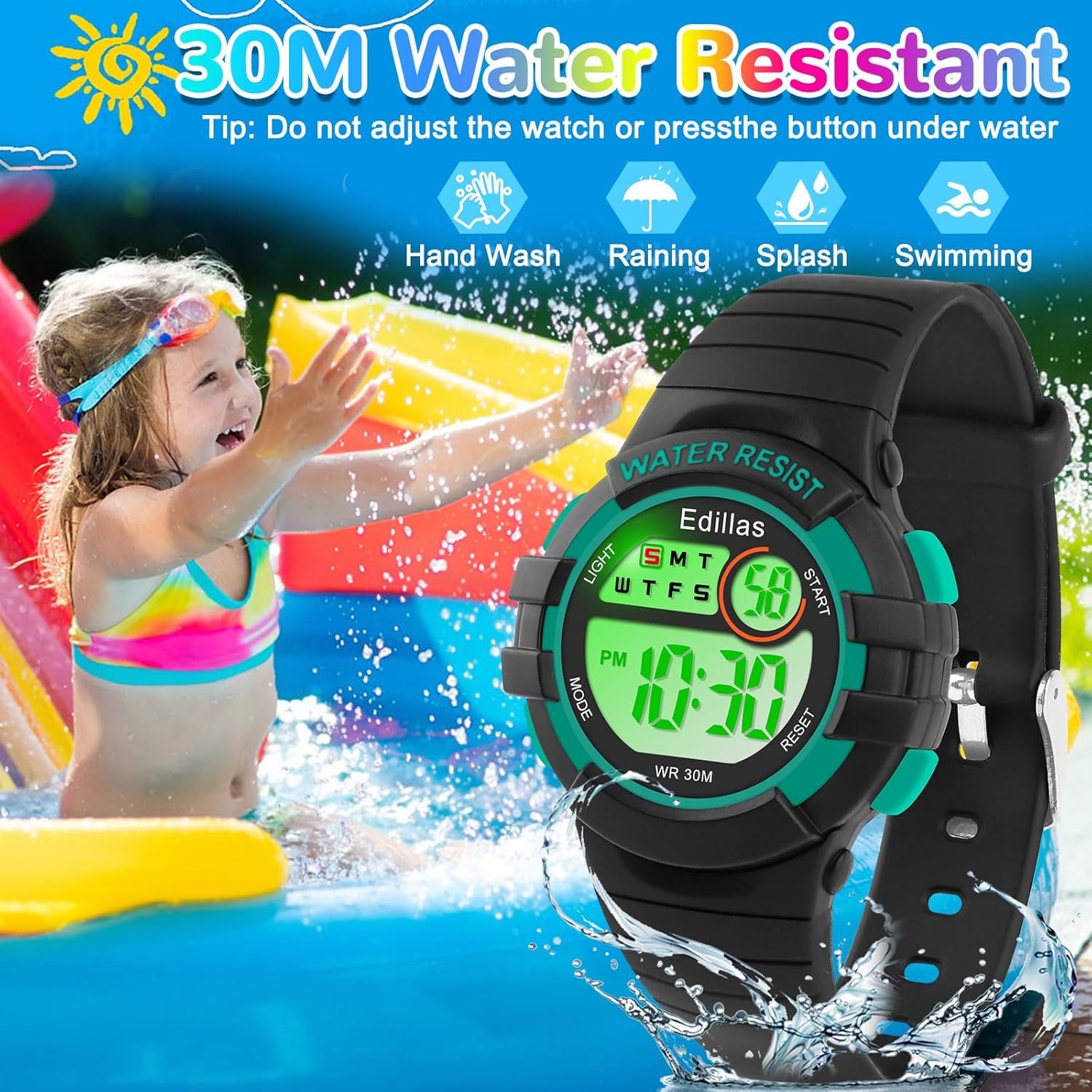
Image: A child enjoying water activities, with an overlay of the Edillas watch, emphasizing its 30M water resistance for daily use.
Maintenance
- Cleaning: If the watch becomes dirty, it can be rinsed directly with cold water. Use a soft cloth to dry it. Avoid using harsh chemicals or abrasive materials.
- Battery: The watch uses Japan imported batteries for long life. If the battery or movement experiences issues, please contact customer support for assistance with replacement.
- Storage: Store the watch in a cool, dry place away from direct sunlight and extreme temperatures when not in use.
Troubleshooting
- Hourly Chime Not Working/Turning Off: If the hourly chime is not functioning as expected or you wish to turn it off, refer to the "Hourly Chime On/Off" section under Setup and Basic Operation.
- Time Not Displaying Correctly: Ensure the watch is not in a setting mode. If the time is incorrect, follow the "Time Setting" instructions to reset it.
- Watch Not Responding: If the watch is unresponsive, the battery may be low. Contact customer support for battery replacement assistance.
- Water Damage: While the watch is water-resistant, pressing buttons underwater can compromise the seal. If water enters the watch, discontinue use and contact customer support.
For any issues not covered here, please refer to the Customer Support section.
Specifications

Image: Detailed view of the Edillas Kids Digital Watch, illustrating its dimensions, materials, and components.
| Feature | Detail |
|---|---|
| Model Number | 8206B |
| Product Dimensions | 8.27 x 0.55 x 0.39 inches |
| Item Weight | 1.41 ounces (40 grams) |
| Dial Case Thickness | 1.3 cm / 0.51 inches |
| Minimum Wrist Fit | 14 cm / 5.5 inches |
| Maximum Wrist Fit | 19 cm / 7.48 inches |
| Water Resistance | 30M / 3ATM |
| Movement | Japan Imported Digital Movement |
| Battery | 1 C battery (included), Japan Imported |
| Case Material | Fine Metal Steel |
| Case Back Material | 304 Stainless Steel |
| Strap Material | Soft TPU |
| Glass Material | High-Transparency Resin |
| Applicable Age Range | 4-12 years |
Customer Support
Edillas is committed to providing reliable products and satisfactory service. If you encounter any problems with your watch, or have questions not addressed in this manual, please do not hesitate to contact our customer support team. We are available to assist with product inquiries, troubleshooting, and warranty-related concerns.
Please refer to your purchase documentation or the Edillas brand store on Amazon for specific contact information.
Related documents8206B


Ask a question about this manual
Ask about setup, troubleshooting, compatibility, parts, safety, or missing instructions. Manuals+ will review the question and use this page’s manual context to help answer it.