1. Introduction
The Maycall MC-26 Global Walkie Talkies provide reliable and extensive communication capabilities. Utilizing advanced 2G/3G/4G LTE and dual-mode technology, these two-way radios offer an ultra-long transmission range, ensuring connectivity in diverse environments. Designed for clarity and privacy, they feature secure encrypted calls, crystal-clear audio with noise reduction, and support for both individual and group communication. The devices are powered by a long-lasting 3000mAh battery and come with a lifetime service SIM card, eliminating recurring fees.
2. Package Contents
Verify that all items listed below are included in your package:
- 2 x Maycall MC-26 Walkie Talkies
- 2 x 3000mAh Batteries
- 2 x Back Clips
- 2 x Adapters (Wall Chargers)
- 2 x Type-C USB Charging Cables
- 2 x Lanyards
- 1 x Instruction Manual
- 2 x Lifetime Service SIM Cards (pre-installed)
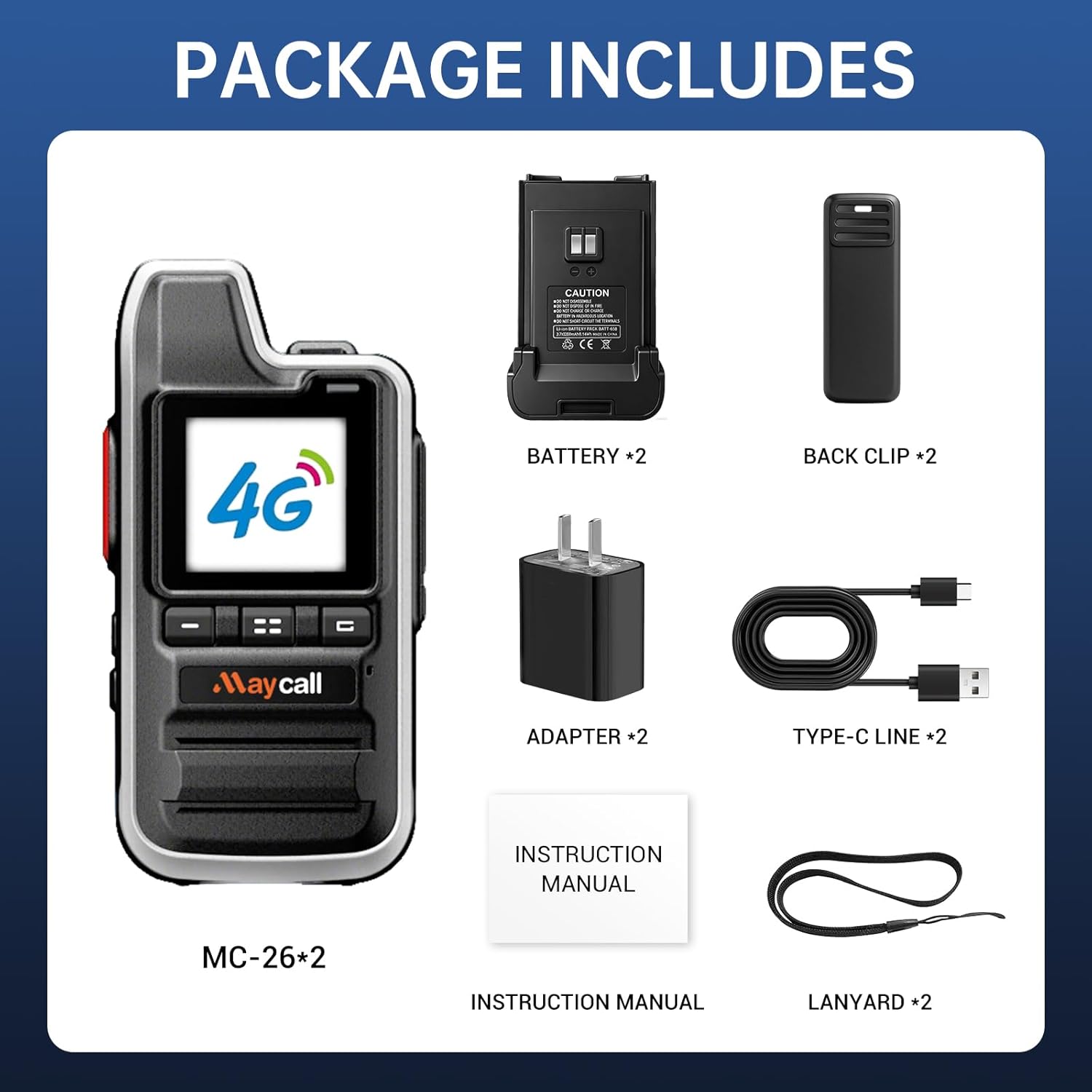
Figure 2.1: Contents of the Maycall MC-26 Walkie Talkie package.
3. Product Features
- Lifetime Service SIM Card: No subscription fees or hidden costs. Enjoy seamless communication without worrying about SIM card expiration or additional charges.
- Ultra-Long Range Communication: Up to 5000 km transmission range powered by 2G/3G/4G LTE and dual-mode technology. Reliable communication in remote or urban areas.
- Secure Encrypted Calls & Crystal-Clear Audio: Advanced encryption for privacy. Noise-canceling microphones and high-fidelity speakers for clear audio in noisy environments.
- Multiple Call Modes: Supports individual calls for one-on-one communication and group calls for team coordination.
- 3000mAh Long-Lasting Battery: Provides up to 3 days of continuous use or 8 days on standby. Features smart power-saving mode and USB-C charging.
- Integrated Flashlight: A convenient built-in flashlight for use in low-light conditions.
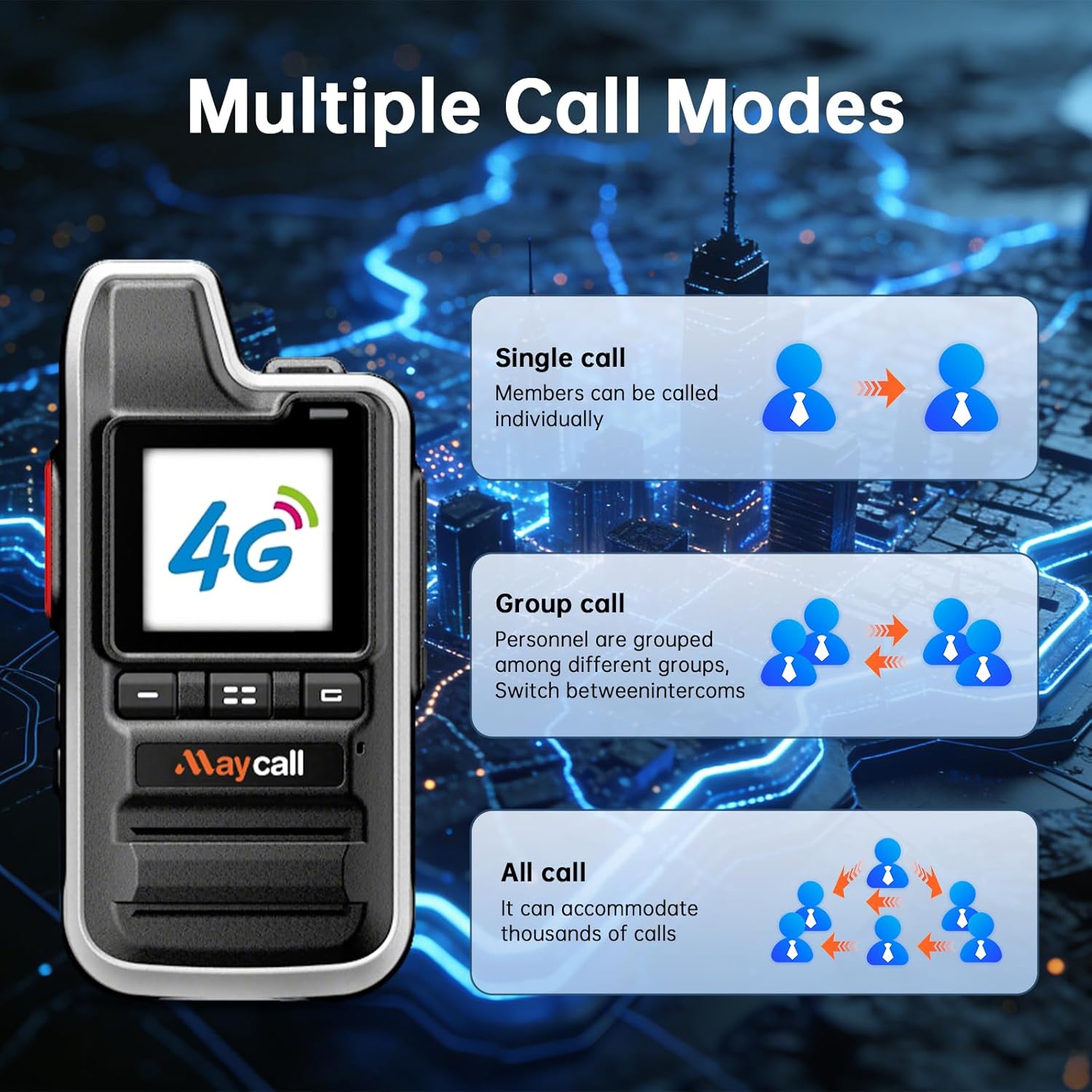
Figure 3.1: Multiple call modes available on the walkie talkie.

Figure 3.2: Illustration of the extensive communication range.
4. Setup
4.1 Battery and SIM Card Installation
The Maycall MC-26 walkie talkies come with pre-installed SIM cards. To access the SIM card slots or install the battery:
- Press down on the designated button/latch on the back of the walkie talkie to slide off the battery cover.
- Carefully remove the battery.
- The SIM card slots are located beneath the battery. Ensure the SIM cards are properly seated.
- Insert the battery back into its compartment, ensuring proper alignment.
- Slide the battery cover back into place until it clicks securely.

Figure 4.1: Rear view of the walkie talkie with battery removed, showing SIM card slots.
4.2 Charging the Device
The walkie talkies are equipped with a 3000mAh battery and support USB-C charging.
- Connect the provided Type-C USB charging cable to the charging port located at the bottom of the walkie talkie.
- Connect the other end of the USB cable to the provided wall adapter or a compatible USB power source (e.g., computer, power bank).
- Allow the device to charge fully before first use. The battery offers up to 3 days of continuous use or 8 days on standby.

Figure 4.2: Charging options for the walkie talkie.
4.3 Power On/Off
To power on the device, press and hold the power button (typically an orange button on the side) for approximately 3 seconds. The screen will light up, displaying the 'POC Global' logo. To power off, press and hold the power button again until the device prompts you to shut down or restart.
5. Operating Instructions
5.1 Basic Communication (Push-to-Talk)
The Maycall MC-26 uses a Push-to-Talk (PTT) system for communication.
- To transmit, press and hold the large PTT button on the left side of the walkie talkie.
- Speak clearly into the microphone.
- Release the PTT button to stop transmitting and listen for a response.
5.2 Call Modes (Individual & Group)
The walkie talkie supports various call modes for flexible communication:
- Individual Call: Allows direct, private communication with a specific user.
- Group Call: Enables communication with multiple users simultaneously within a pre-defined group.
- All Call: Accommodates communication with a large number of users, suitable for broad announcements.
To manage call modes, navigate through the menu using the up/down arrow buttons and the menu/confirm button (orange square button). You can select specific users or groups from the contact list.
5.3 Flashlight Function
The walkie talkie includes a built-in flashlight for convenience. To activate the flashlight, press the dedicated flashlight button (usually one of the orange buttons on the side). Press it again to turn it off.
5.4 Device Settings
The device offers various settings to customize your experience. Access the settings menu using the navigation buttons. Available settings include:
- Display Setting: Adjust screen brightness, backlight, and wallpaper.
- Volume Setting: Control the speaker volume.
- Wakeup Screen: Configure how the screen wakes up.
- Call in Wakeup: Set screen behavior during incoming calls.
- Group Pop-up Window: Manage notifications for group calls.
- Power Saving: Optimize battery usage.
- Signal Value: View current signal strength.
- Double Card Setting: Manage dual SIM card functionality.
- Battery Information: Check battery status.
- System Information: View device details.
5.5 Pairing Guide
For detailed instructions on pairing your Maycall MC-26 walkie talkies, please refer to the official pairing guide videos provided by Maycall. These videos demonstrate how to quickly form a team and bind groups using QR codes.
Video 5.1: Official Maycall Global Walkie-Talkie Pairing Guide.
Video 5.2: Maycall Global Walkie Talkies Pairing Guide.
6. Maintenance
6.1 Battery Care
To maximize battery life and ensure safe operation:
- Avoid overcharging the battery.
- Use only the provided charging accessories.
- Store the walkie talkie and battery in a cool, dry place when not in use.
6.2 Water Resistance
The Maycall MC-26 walkie talkies are designed with a waterproof rating. While they can withstand exposure to water, avoid prolonged submersion or exposure to high-pressure water jets to prevent damage.
7. Troubleshooting
If you encounter issues with your Maycall MC-26 walkie talkies, consider the following:
- Device not powering on: Ensure the battery is fully charged and correctly installed. Press and hold the power button for a longer duration.
- "No SIM card inserted" message: Remove the battery and verify that the SIM card is properly seated in its slot. Ensure the SIM panel is securely closed.
- Difficulty connecting to network: Ensure you are in an area with 2G/3G/4G LTE cellular signal coverage. The device automatically switches to the strongest available signal.
- Poor audio quality: Check the volume settings. Ensure the microphone is not obstructed and that you are speaking clearly. The intelligent noise reduction function should minimize background noise.
- Setup complications: Refer to the detailed instructions in the included manual or watch the official pairing guide videos for visual assistance.
8. Specifications
| Feature | Detail |
|---|---|
| Item Weight | 1.15 pounds |
| Product Dimensions | 4.45 x 1.4 x 2.36 inches |
| Item Model Number | MC-26 |
| Batteries | 2 LR44 batteries required (included) |
| Brand | Maycall |
| Color | MC-26 |
| Number of Channels | 10000 |
| Special Feature | Lightweight, Long Range |
| Talking Range Maximum | 3000 Mile |
| Water Resistance Level | Waterproof |
| Battery Life | 30 Hours (continuous use) |
9. Warranty & Support
The Maycall MC-26 Global Walkie Talkies come with a 1-Year Manufacturer Warranty. For any issues, technical support, or warranty claims, please contact Maycall directly through Amazon Buyer Messages. Our support team is dedicated to resolving your concerns promptly.


