
1. Introduction
Welcome to your MorePro Health Fitness Tracker Air 2. This manual provides essential information for setting up, operating, and maintaining your device to help you monitor your health and fitness activities effectively.
2. What's in the Box
- MorePro Health Fitness Tracker Air 2 device
- Milanese steel band
- Silicone band
- Magnetic USB charging cable
- User Manual

Image: Contents of the MorePro Health Fitness Tracker Air 2 packaging.
3. Setup
- Charge the Device: Connect the magnetic charging cable to the back of the tracker and a USB power source. Ensure the device is fully charged before first use. A full charge can last up to 7 days depending on usage.
- Download the App: Scan the QR code provided in the quick start guide or search for "FitCloudPro" in your smartphone's app store (compatible with Android 6.0+ and iOS 10+ with Bluetooth LE 5.2).
- Pair the Device: Open the FitCloudPro app, create an account or log in as a guest. Follow the in-app instructions to connect your MorePro Health Fitness Tracker Air 2 via Bluetooth.
- Personalize Settings: Within the app, set your personal profile (height, weight, age, gender) and preferences (metric/imperial units, 12/24-hour format).
4. Operating the Device
4.1 Basic Navigation
The tracker features a 1.57-inch high-definition touchscreen. Swipe up, down, left, or right to navigate through menus and features. Press the side button to return to the main screen or wake the device.
4.2 Health Monitoring
- Heart Rate: The tracker provides 24/7 heart rate monitoring. Access the heart rate function on the device or through the app to view real-time data and historical trends. The app can alert you if your heart rate is too high.
- Blood Pressure: Monitor your blood pressure directly from the device or app. Note: This device is not a medical device; readings are for reference only. Consult a medical professional for accurate medical advice.
- Blood Oxygen (SpO2): Measure your blood oxygen levels. This feature helps you keep track of your health status.
- Sleep Monitoring: The tracker automatically monitors your sleep patterns, including time spent awake, in light sleep, and deep sleep. View detailed sleep analysis in the FitCloudPro app to understand and improve your sleep quality.
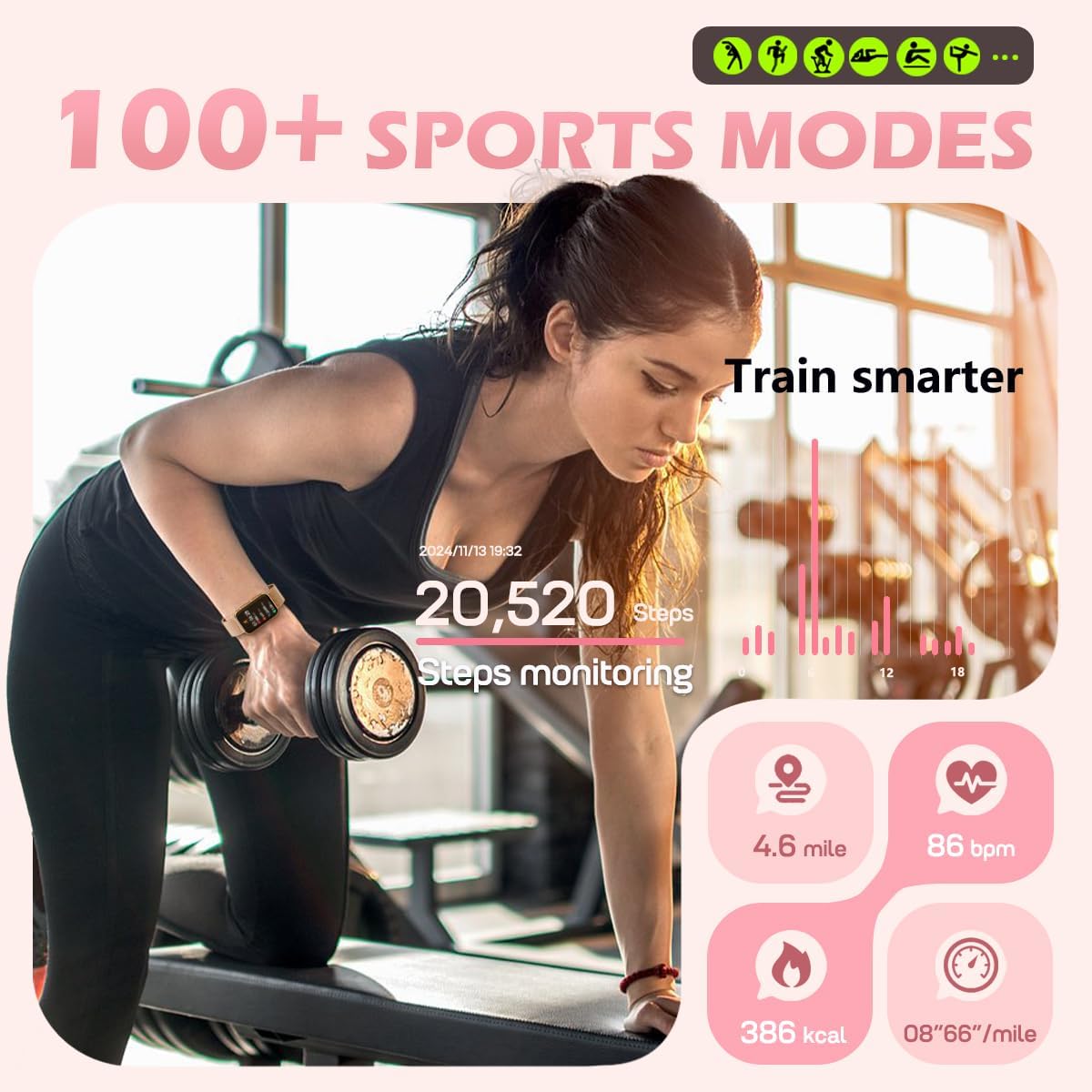
Image: Health monitoring features on the tracker.
4.3 Activity Tracking
- Sport Modes: Choose from over 112 exercise modes to track specific activities like cycling, running, or gym workouts. The tracker records steps, distance, speed, and calorie consumption in real-time.
- Steps & Calories: Automatically tracks your daily steps and estimated calories burned. Set personalized exercise goals through the app.

Image: Activity tracking during a workout.
4.4 Smart Features
- Notifications: Receive real-time call reminders (view information only), text messages, and app alerts (Facebook, WhatsApp, Instagram, Messenger) directly on your wrist.
- Reminders: Set sedentary reminders to encourage movement and water intake reminders to stay hydrated.
- Menstrual Cycle Tracking: For female users, the app offers menstrual cycle tracking to help manage your daily schedule.
- Weather Updates: Get current weather forecasts on your tracker.
- Remote Photo Taking: Control your phone's camera remotely by shaking your wrist.
- Find Phone: Use the "Find Phone" function to locate your paired smartphone.
- Alarms: Set customizable alarms directly from the app.

Image: Overview of smart assistant features.
4.5 Customization
- Watch Faces: Choose from over 148 customizable watch faces via the FitCloudPro app to personalize your device's appearance.
- Bands: The tracker comes with two interchangeable bands (Milanese steel and silicone) for different styles and activities.
5. App Integration (FitCloudPro)
The FitCloudPro app is your central hub for managing your MorePro Health Fitness Tracker Air 2. It allows you to:
- View detailed health and activity data.
- Set personalized goals and reminders.
- Customize watch faces and device settings.
- Manage notifications and alarms.
- Update firmware for new features and improvements.
6. Maintenance
- Cleaning: Regularly clean your tracker and bands with a soft, damp cloth. Avoid harsh chemicals.
- Water Resistance: The device has an IP68 waterproof rating, suitable for washing hands. It is not recommended for bathing, diving, or surfing.
- Charging: Ensure the charging contacts on the device and cable are clean and dry before charging to prevent corrosion.
7. Troubleshooting
- Device not turning on: Ensure the device is fully charged. Press and hold the side button for a few seconds.
- Not connecting to app: Ensure Bluetooth is enabled on your phone and the tracker is within range. Restart both the tracker and your phone. Check app permissions for Bluetooth access.
- Inaccurate readings: Ensure the tracker is worn snugly on your wrist, approximately one finger's width above the wrist bone. Readings are for reference and not medical diagnosis.
- Notifications not appearing: Check app permissions for notifications on your phone. Ensure the FitCloudPro app is running in the background and notifications are enabled within the app settings.
8. Specifications
| Display | 1.57 Inches HD Touchscreen |
| Battery Capacity | 250 Milliamp Hours (up to 7 days battery life) |
| Connectivity | Bluetooth LE 5.2 |
| Compatibility | Android 6.0+ & iOS 10+ |
| Water Resistance | IP68 |
| Memory Storage | 128 MB |
| Item Weight | 6 ounces |
| Model Name | Air 2 |
| Manufacturer | MorePro |
9. Warranty and Support
For warranty information and technical support regarding your MorePro Health Fitness Tracker Air 2, please refer to the official MorePro website or contact customer service directly. Keep your purchase receipt as proof of purchase for any warranty claims.


