
1. Introduction
This manual provides essential information for the safe and efficient operation of your LENUTO Portable MagSafe Charger (Model W13). This 10000mAh power bank offers both magnetic wireless charging and wired fast charging capabilities, along with a convenient foldable stand. Please read this manual thoroughly before use and retain it for future reference.

Image: The portable charger provides power on the go, suitable for various outdoor activities.
2. What's in the Box
- 10000mAh Portable Power Bank
- USB-A Cable
- User Manual
3. Product Features
- Strong Magnetic Connection: Equipped with upgraded N52 magnets for secure and stable magnetic wireless charging, ensuring automatic alignment with compatible phones and cases.
- 22.5W Fast Charging & 10000mAh Capacity: Features USB-C PD fast charging and a 22.5W USB-A output. The 10000mAh battery capacity provides multiple full recharges for most smartphones.
- LED Display & Smart Safety Protection: A clear LED digital screen displays the exact remaining battery level. Built-in protections guard against over-charging, over-current, over-discharge, and short circuits.
- Slim, Lightweight, and Travel-Ready: Designed to be compact and easy to carry, fitting into pockets and bags. The 10000mAh capacity meets airline carry-on requirements.
- Foldable Stand for Hands-Free Convenience: Includes a durable foldable kickstand for hands-free viewing in both vertical and horizontal positions.
- Dual Output & Broad Device Compatibility: Supports wireless magnetic charging and USB-C wired output, allowing two devices to be charged simultaneously. Compatible with various phones, earbuds, and USB-powered gadgets.

Image: The power bank incorporates multiple safety features to ensure secure charging.
4. Setup
4.1 Initial Charging of the Power Bank
- Connect the provided USB-A cable to a compatible USB power adapter (not included).
- Connect the USB-C end of the cable to the USB-C input port on the power bank.
- The LED digital display will show the charging progress. Charge the power bank fully before first use.
4.2 Checking Battery Level
Press the power button once to activate the LED digital display, which shows the remaining battery percentage.
5. Operating Instructions
5.1 Magnetic Wireless Charging
- Ensure your device is MagSafe-compatible (iPhone 12 series or later) or has a MagSafe-compatible case.
- Align the back of your device with the magnetic charging area of the power bank. The magnets will snap firmly into place.
- The power bank will automatically begin wireless charging. If charging does not start, press the power button once.

Image: The power bank's compact design and magnetic attachment for wireless charging.
5.2 Wired Charging (USB-C PD & USB-A)
- Connect your device's charging cable to either the USB-C output port or the USB-A output port on the power bank.
- Connect the other end of the cable to your device.
- The power bank will automatically begin wired charging.
5.3 Using the Foldable Stand
- Gently pull out the integrated kickstand from the back of the power bank.
- Place your MagSafe-compatible device onto the power bank, ensuring it is magnetically attached.
- Adjust the stand to your desired viewing angle for hands-free use in portrait or landscape mode.
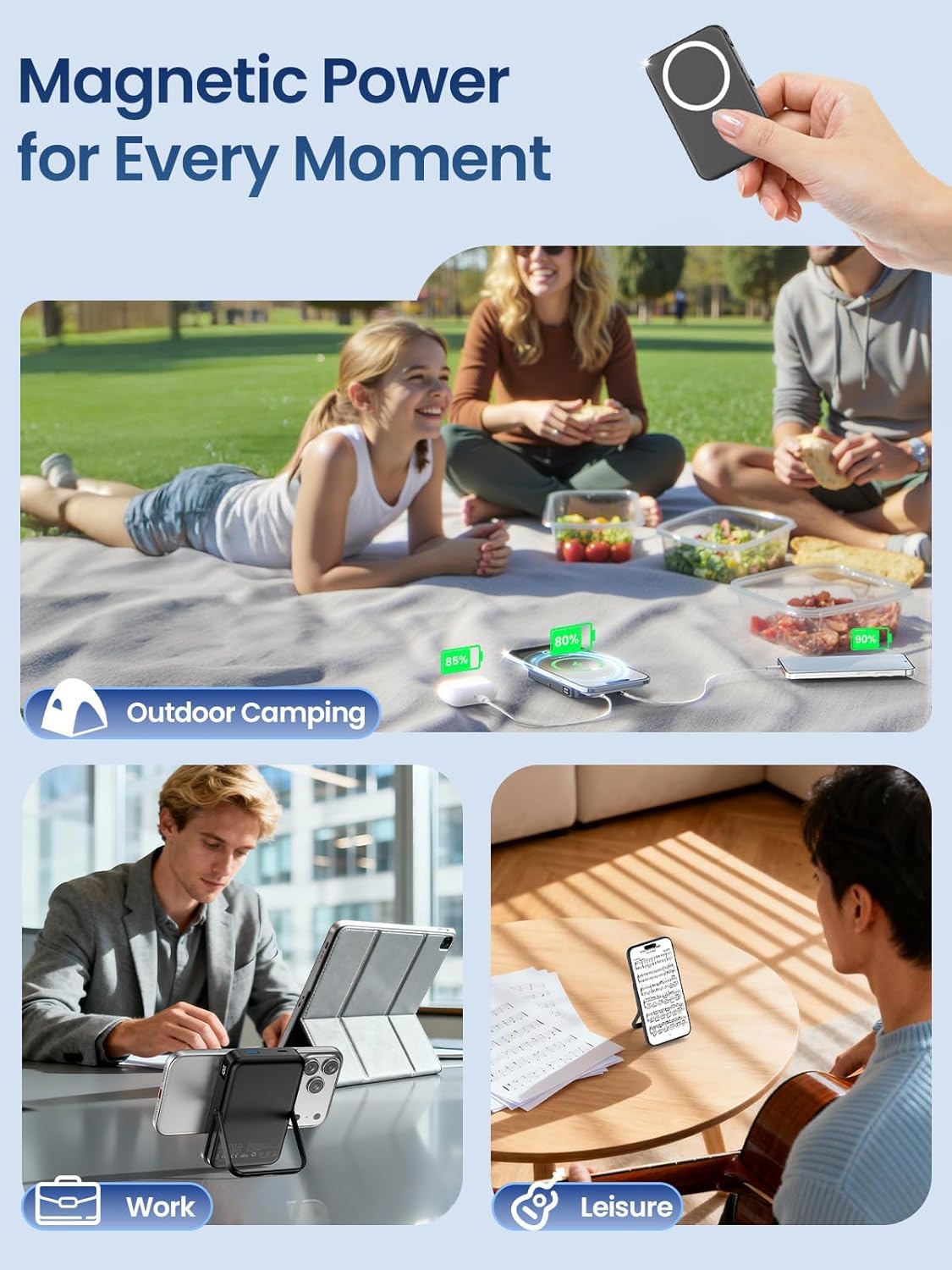
Image: The foldable stand allows for versatile viewing angles while charging.
5.4 Charging Multiple Devices
The power bank supports charging two devices simultaneously: one wirelessly via MagSafe and another via a wired connection (USB-C or USB-A port).
6. Safety Information
- Do not disassemble, bump, squeeze, or put the device into fire.
- Do not continue to use if there is serious expansion.
- Do not place in high-temperature environments.
- Avoid extreme temperatures, direct sunlight, and humid conditions.
- Keep out of reach of children.
- Use only original or certified cables for optimal performance and safety.
7. Maintenance
- Clean the power bank with a dry, soft cloth. Do not use abrasive cleaners or chemicals.
- If the power bank is not used for an extended period, charge it once every 3 months to maintain battery health.
- Store in a cool, dry place away from direct sunlight and moisture.
8. Troubleshooting
- Device not charging wirelessly: Ensure your phone is MagSafe-compatible or has a MagSafe case. Check for proper alignment of the phone with the power bank's magnetic charging area. Press the power button to activate.
- Slow charging: Ensure you are using a fast-charging compatible cable and adapter for wired charging. For wireless charging, ensure optimal alignment and remove any thick cases that might impede charging.
- Power bank not charging: Verify the charging cable and adapter are functioning correctly. Ensure the cable is securely connected to both the power bank and the power source.
- LED display not working: Press the power button to activate the display. If it remains unresponsive, the unit may require charging or service.
9. Specifications
| Feature | Specification |
|---|---|
| Model Number | W13 |
| Battery Capacity | 10000 Milliamp Hours |
| Product Dimensions | 4.3 x 2.89 x 0.69 inches |
| Item Weight | 7.3 ounces |
| Wireless Charging | Yes (MagSafe compatible) |
| Wired Output | USB-C PD 22.5W, USB-A 22.5W |
| Special Features | Fast Charging, LED Indicator Lights, Wireless Charging, Foldable Stand |
10. Official Product Videos
10.1 MagSafe Power Bank with Stand and Fast Charge
Video: This video demonstrates the MagSafe power bank's 10000mAh capacity, integrated stand, and fast charging capabilities.
10.2 Compact, Portable, and Easy to Use
Video: A demonstration of the power bank's compact size and user-friendly design for everyday portability.
10.3 How the MagSafe Battery Pack Works
Video: This video illustrates the functionality of the MagSafe battery pack, including its magnetic attachment and charging process.
11. Warranty and Support
For warranty information or technical support, please refer to the contact details provided on the product packaging or visit the official LENUTO website. Keep your purchase receipt for warranty claims.