
1. Introduction
Thank you for choosing the treewell Remote Control Outlet and Decorator Rocker Wall Switch. This product provides a convenient wireless solution for controlling lighting fixtures and other household appliances. It eliminates the need for complex wiring, offering flexibility in switch placement and ease of use. Please read this manual thoroughly before installation and operation to ensure safe and optimal performance.
2. Package Contents
Verify that all items are included in your package:
- 1 x Remote Control Outlet (Receiver)
- 1 x Decorator Rocker Wall Switch (Transmitter)
- Mounting Hardware (screws, anchors)
- CR2032 Battery (pre-installed in switch)
- User Manual
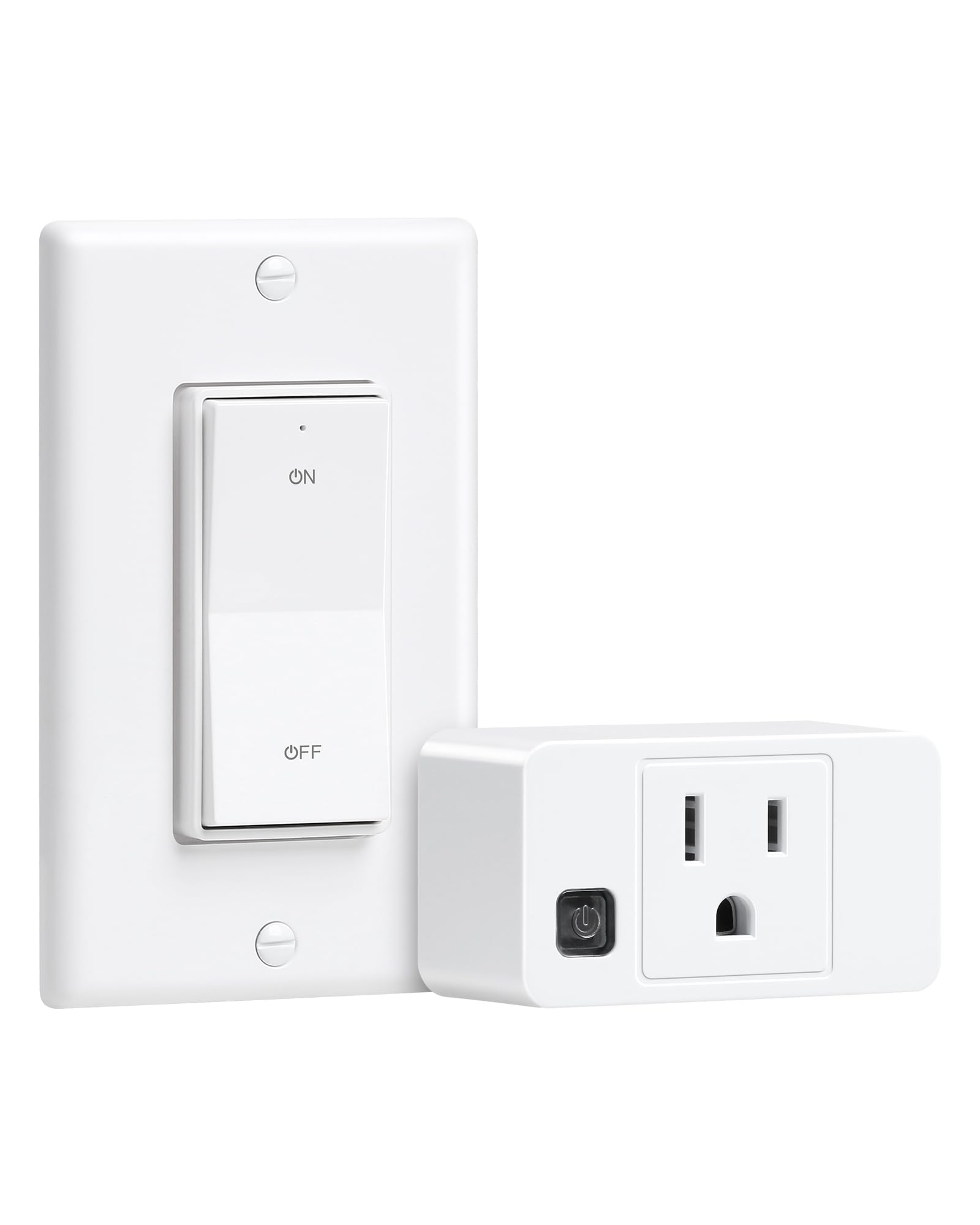
Image: Components of the treewell Remote Control Outlet kit, including the plug-in receiver and the decorator rocker wall switch.
3. Key Features
- Wireless Installation: Add or relocate a wall switch without the need for rewiring.
- Dual-Use Detachable Magnetic Switch: The decorator rocker switch can be used as a fixed wall switch or a portable handheld remote. It is compatible with standard or multi-gang wall plates and features a magnetic design for flexible placement on metal surfaces.
- Extended Remote Range: Operates up to 200 feet, with a strong RF signal that can pass through walls, doors, and windows.
- Compact Design: The remote outlet occupies only one wall socket, leaving the other free.
- High Power Rating: Rated at 15A/1875W, suitable for various devices from lamps to heavy-duty appliances.
- Certified Safety: ETL & FCC Listed for safety and built with a fire-resistant casing.
- Programmable and Expandable: Supports free pairing, allowing multiple devices to be activated with one switch or one device with multiple switches without interference.

Image: The decorator rocker wall switch installed next to existing switches, demonstrating its compatibility and seamless integration.

Image: Illustration of the 200-foot long-range capability of the treewell remote control system, showing signal penetration through walls.

Image: The decorator rocker switch detached from its wall plate, highlighting its magnetic back for portable use and flexible placement.
4. Safety Information
- Do not exceed the maximum load rating of 15A/1875W.
- Ensure the product is used in dry, indoor locations only.
- Keep away from water, moisture, and high temperatures.
- Do not disassemble or modify the product.
- Always unplug the remote control outlet from the wall before cleaning or when not in use for extended periods.
- This product is not intended for use with life support systems or other medical equipment.
5. Setup
5.1 Installing the Remote Control Outlet (Receiver)
- Plug the remote control outlet directly into a standard 125V AC wall socket.
- Ensure the outlet is securely seated and the indicator light on the side of the outlet illuminates, indicating power.
- Plug your desired appliance (e.g., lamp, fan) into the remote control outlet.

Image: A hand plugging the treewell remote control outlet into a wall socket, illustrating the simple 'Plug and Play' setup.
5.2 Installing the Decorator Rocker Wall Switch (Transmitter)
The wall switch can be installed in two ways:
Option A: Surface Mount
- Choose a desired location on a wall.
- Use the provided screws and anchors to secure the wall plate to the surface.
- Snap the decorator rocker switch into the installed wall plate.
Option B: Switch Box Mount
- If replacing an existing switch or installing in a standard switch box, ensure power is off at the circuit breaker.
- Mount the wall plate into the switch box using the provided screws.
- Snap the decorator rocker switch into the installed wall plate.

Image: Visual guide showing both surface mount and switch box mount installation options for the treewell decorator rocker wall switch, including mounting hardware.
Video: This video demonstrates the convenient and smart solution for adding a light switch anywhere, including installation steps for the treewell remote control outlet.
6. Operation
6.1 Basic ON/OFF Control
- Press the 'ON' button on the decorator rocker wall switch to turn on the connected appliance.
- Press the 'OFF' button on the decorator rocker wall switch to turn off the connected appliance.
- The indicator light on the switch will illuminate when activated.
6.2 Using the Detachable Switch
The decorator rocker switch is magnetic and can be easily detached from its wall plate. This allows it to be used as a portable handheld remote. Simply pull the switch gently from the wall plate to remove it. To reattach, align it with the wall plate and it will snap back into place magnetically.
Video: This video demonstrates the effective operation of the treewell remote control switch, showing its responsiveness and ease of use.
7. Pairing Additional Devices (Programmable and Expandable)
The treewell remote control system is designed for flexibility, allowing you to pair multiple switches with one outlet, or one switch with multiple outlets. The devices are pre-paired from the factory, but you can re-pair or add new components as needed.
7.1 To Pair a Switch with an Outlet:
- Plug the remote control outlet into a wall socket.
- Press and hold the small program button on the side of the remote control outlet until its indicator light starts flashing slowly (approximately 3-5 seconds).
- Within 10 seconds, press either the 'ON' or 'OFF' button on the desired decorator rocker wall switch.
- The outlet's indicator light will stop flashing and remain solid, confirming successful pairing.
7.2 To Clear All Pairings from an Outlet:
- Unplug the remote control outlet from the wall.
- Press and hold the program button on the side of the outlet while plugging it back into the wall socket.
- Continue holding the button for approximately 5-8 seconds until the indicator light flashes rapidly, then turns off. This indicates all previous pairings have been cleared.

Image: A diagram illustrating various pairing configurations, including one switch controlling one outlet, multiple switches controlling one outlet, and one switch controlling multiple outlets, highlighting the 'Free Pairing, No Interference' feature.
8. Specifications
| Specification | Detail |
|---|---|
| Model | TWRS11B |
| Brand | treewell |
| Operation Mode | ON-OFF |
| Current Rating | 15 Amps |
| Operating Voltage | 125 Volts (AC) |
| Wattage | 1875 Watts |
| Control Method | Remote |
| Switch Type | Rocker |
| Mounting Type | Wall Mount |
| Material | Polycarbonate, Copper |
| Certifications | ETL, FCC |
| Included Components | 1 Outlet + 1 Decorator Wall Switch |
9. Troubleshooting
- Device not responding:
- Ensure the remote control outlet is securely plugged into a live wall socket.
- Check if the connected appliance is properly plugged into the remote control outlet and is functioning correctly.
- Verify the battery in the decorator rocker wall switch is functional. Replace the CR2032 battery if necessary.
- Re-pair the switch and outlet following the instructions in Section 7.1.
- Limited range:
- Ensure there are no major obstructions (e.g., large metal objects, thick concrete walls) between the switch and the outlet.
- Move the switch or outlet to a different location to improve signal strength.
- Interference with other devices:
- The treewell system is designed to minimize interference. If you experience issues, try re-pairing the devices.
10. Maintenance
- Clean the product with a soft, dry cloth. Do not use abrasive cleaners or solvents.
- Ensure the product is unplugged before cleaning.
- Replace the CR2032 battery in the decorator rocker wall switch as needed.
11. Warranty & Support
treewell products are designed for reliability and performance. For warranty information, technical support, or customer service inquiries, please refer to the contact information provided on the product packaging or visit the official treewell website. Please retain your proof of purchase for warranty claims.