
XIAOWTEK S66
XIAOWTEK S66 Wireless Earbuds Instruction Manual
Model: S66 | Brand: XIAOWTEK
Introduction
The XIAOWTEK S66 Wireless Earbuds offer a premium audio experience with advanced features designed for convenience and performance. This manual provides detailed instructions to help you get the most out of your new earbuds.
Key Features:
- Up to 50 hours of combined playback with charging case.
- Dual LED power display for earbuds and case.
- Bluetooth 5.4 for stable and fast connections.
- Superior sound quality with 13.4mm graphene diaphragm for deep bass and clear audio.
- Dual hybrid ENC microphones for clear calls.
- IPX7 waterproof rating.
- Smart touch controls.
- Ergonomic and lightweight design for comfort.
Package Contents
Please ensure all items are present in the package:
- XIAOWTEK S66 Wireless Earbuds (Left and Right)
- Charging Case with LED Display
- USB Charging Cable
- User Manual
- Multiple sizes of ear tips (S, M, L)
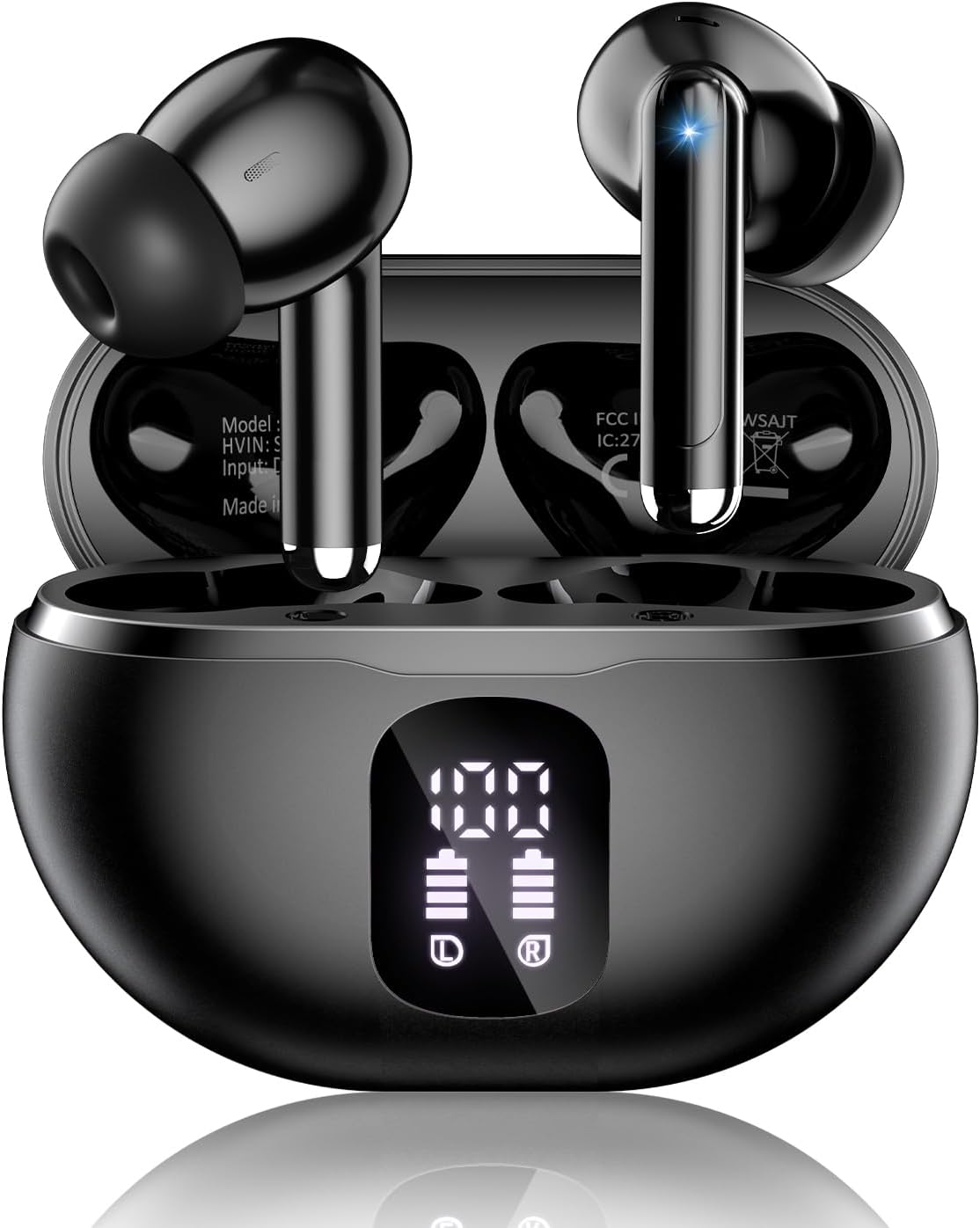
Image: XIAOWTEK S66 Wireless Earbuds in their charging case.
Setup Guide
1. Initial Charge
Before first use, fully charge the earbuds and the charging case. Connect the provided USB charging cable to the charging port on the case and a power source. The LED display on the case will show the battery level of the case and each earbud.

Image: The charging case with its LED digital display showing battery levels.
2. Pairing with Your Device
- Ensure the earbuds are fully charged.
- Open the charging case. The earbuds will automatically enter pairing mode.
- On your device (smartphone, tablet, etc.), go to Bluetooth settings and turn Bluetooth on.
- Look for "S66" in the list of available devices and select it to connect.
- Once connected, you will hear a confirmation tone, and the earbuds will be ready for use.
Note: After the initial pairing, the earbuds will automatically connect to the last paired device when removed from the case.
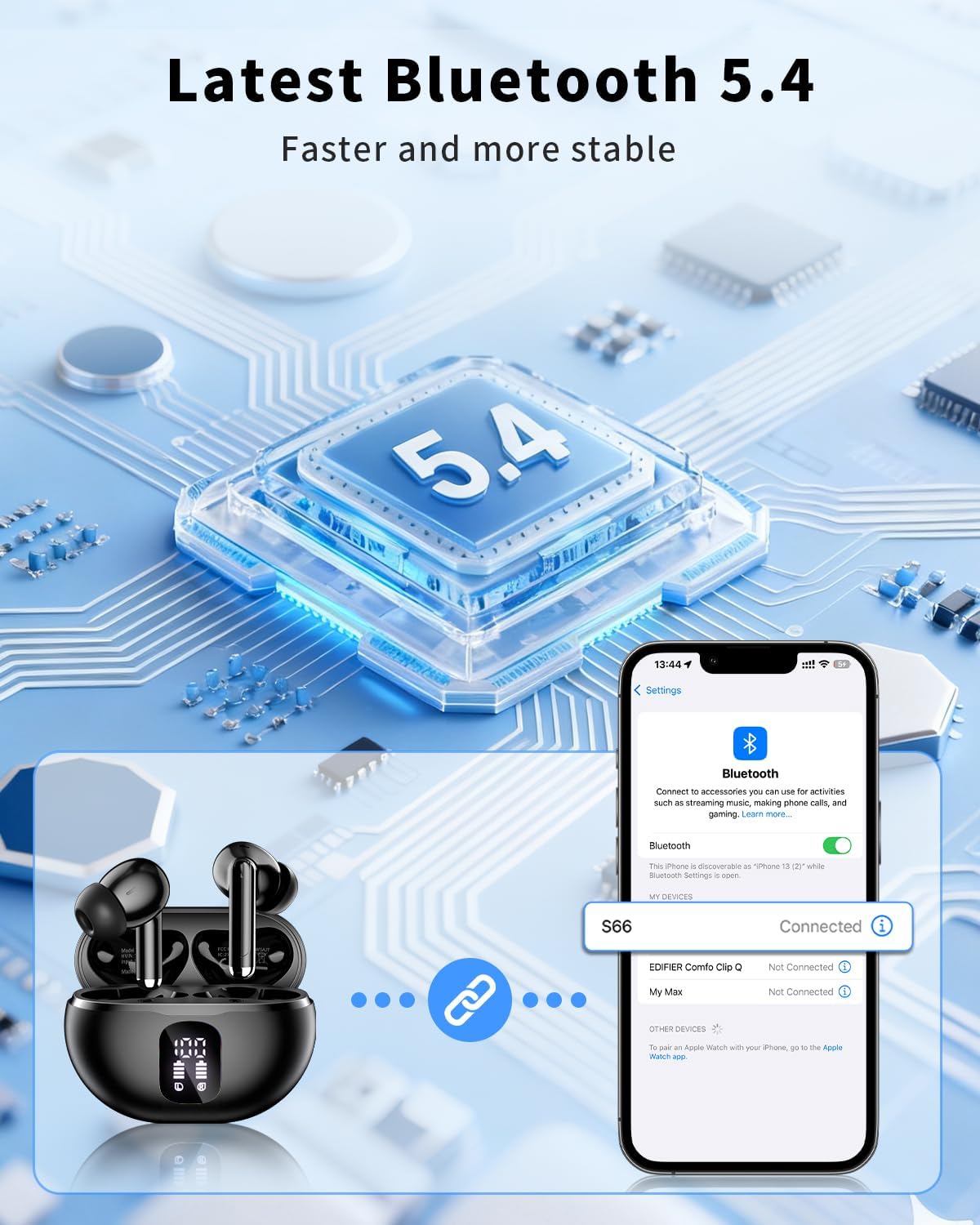
Image: Illustrates the Bluetooth 5.4 connection process with a smartphone.
3. Optimal Fit
For the best sound quality and comfort, choose the ear tips that fit your ears most securely. The package includes small, medium, and large ear tips. Gently insert the earbuds into your ear canal and twist slightly to ensure a snug fit.

Image: Diagram showing the ergonomic design and different ear tip sizes for a comfortable fit.
Operating Instructions
Smart Touch Controls
The S66 earbuds feature intuitive touch controls on each earbud. Refer to the following table for common functions:
| Action | Left Earbud (L) | Right Earbud (R) |
|---|---|---|
| Play/Pause | Double tap | Double tap |
| Next Track | Triple tap | Triple tap |
| Previous Track | Long press (2s) | Long press (2s) |
| Volume Up | Single tap | - |
| Volume Down | - | Single tap |
| Answer/End Call | Double tap | Double tap |
| Reject Call | Long press (2s) | Long press (2s) |
| Activate Voice Assistant (Siri/Google Assistant) | Triple tap | Triple tap |
| Power On/Off (when not in case) | Long press (5s) | Long press (5s) |

Image: Visual guide to the smart touch controls for various functions.
Audio Quality and Calls
The S66 earbuds feature a 13.4mm graphene diaphragm for rich, deep bass and clear highs, providing a balanced audio experience. Dual hybrid ENC microphones actively reduce background noise by up to 85%, ensuring crystal-clear calls even in noisy environments.

Image: Illustration of the earbud's internal components highlighting ENC microphones and sound drivers.
Maintenance
Cleaning
- Regularly clean the earbuds and charging case with a soft, dry, lint-free cloth.
- Remove ear tips and clean them with mild soap and water, then dry thoroughly before reattaching.
- Ensure charging contacts on both earbuds and case are free of dust and debris.
Water Resistance (IPX7)
The S66 earbuds are IPX7 waterproof, meaning they can withstand sweat, rain, and light splashes. They are suitable for workouts and outdoor activities. However, they are not designed for swimming or prolonged submersion in water. Ensure earbuds are completely dry before placing them back in the charging case to prevent damage.
Troubleshooting
If you encounter any issues, try the following steps:
- No Sound/Poor Sound Quality:
- Ensure earbuds are fully charged.
- Check if the earbuds are properly paired with your device.
- Adjust the volume on both your device and the earbuds.
- Clean any debris from the earbud speakers and ear tips.
- Pairing Issues:
- Turn off Bluetooth on your device and turn it back on.
- Forget "S66" from your device's Bluetooth list and re-pair.
- Ensure earbuds are close to your device during pairing.
- Earbuds Not Charging:
- Ensure the charging cable is securely connected to both the case and the power source.
- Verify the charging contacts on the earbuds and inside the case are clean and dry.
- Check the LED display for charging indicators.
- Microphone Issues:
- Ensure the microphone is not obstructed.
- Check your device's audio input settings to confirm the earbuds are selected.
Specifications
| Feature | Detail |
|---|---|
| Model Name | S66 |
| Connectivity Technology | Wireless (Bluetooth) |
| Bluetooth Version | 5.4 |
| Playtime (Earbuds) | Up to 8 hours per charge |
| Total Playtime (with Case) | Up to 50 hours |
| Water Resistance Level | IPX7 Waterproof |
| Control Method | Touch |
| Audio Driver Type | Dynamic Driver (13.4mm graphene diaphragm) |
| Noise Control Features | Noise Reduction (Dual hybrid ENC microphones) |
| Ear Placement | In-Ear |
| Item Weight | 4 grams per earbud |
| Compatible Devices | Smartphones, Tablets, Laptops, Desktops, Gaming Consoles, Smart Speakers, Televisions, Car Audio Systems, Cellphones |
Official Product Video
Video: An official product video from XIAOWTEK showcasing the S66 Wireless Earbuds features and design.
Warranty and Support
The XIAOWTEK S66 Wireless Earbuds come with a 2-year warranty from the date of purchase. This warranty covers manufacturing defects and ensures product quality.
For technical support, warranty claims, or any questions regarding your product, please contact XIAOWTEK customer service through the retailer's platform or visit the official XIAOWTEK website for contact information.
Related Documents - S66
 |
S66+ Touch Sound Lamp User Manual | Shenzhen Xindongsheng Electronic Technology Co., Ltd. Comprehensive user manual for the S66+ Touch Sound Lamp by Shenzhen Xindongsheng Electronic Technology Co., Ltd., detailing features, operation, Bluetooth connectivity, lamp functions, and troubleshooting. |
 |
WOHOME S66 Soundbar: User Manual, Setup Guide, and Troubleshooting Comprehensive guide for the WOHOME S66 Soundbar. Covers setup, connections (Optical, AUX, USB, Bluetooth), remote functions, safety, and troubleshooting. Includes specifications and contact information. |
 |
OLYVUE Dashcam User Manual: V66, V77, V78, U66, U77, U78, S66, S77, S78, P66, P77, P78, X66, X77, X78, Z66, Z77, Z78 Comprehensive user manual for OLYVUE dashcam models including V66, V77, V78, U66, U77, U78, S66, S77, S78, P66, P77, P78, X66, X77, X78, Z66, Z77, Z78. Covers installation, basic functions, menu settings, app connection, troubleshooting, and specifications. |
 |
S66+ Touch Sound Lamp User Manual User manual for the S66+ Touch Sound Lamp, detailing its features, technical parameters, and operation instructions for Bluetooth, TF card, AUX audio, FM radio, clock, alarm, and light functions. |
 |
Scimagic SMG-015 Garage Door Opener Remote Code Learning Guide Comprehensive guide for learning and coding the Scimagic-RC SMG-015 garage door opener remote control. Includes step-by-step instructions and manufacturer details. |
 |
AT&T Device Unlock Instructions: A Comprehensive Guide Learn how to unlock your AT&T phone or tablet with these step-by-step instructions. This guide covers various device manufacturers and models, providing clear guidance for a smooth unlocking process. |