
1. Introduction
Thank you for choosing the LEDLUX 52" Ceiling Fan with Light. This manual provides detailed instructions for the safe installation, operation, and maintenance of your new ceiling fan. Please read this manual thoroughly before installation and keep it for future reference.
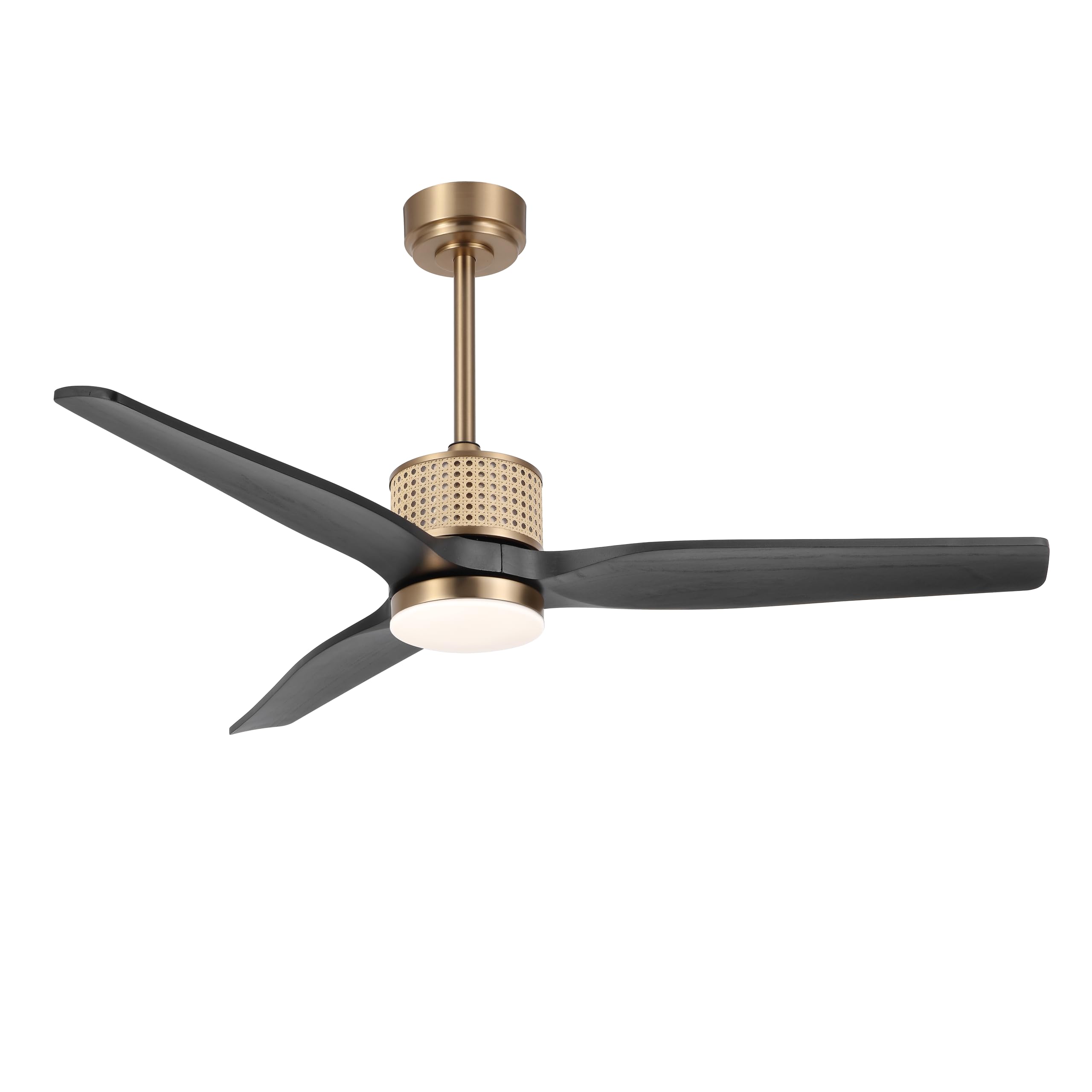
Image 1.1: The LEDLUX 52" Ceiling Fan with Light installed in a bedroom setting.
This ceiling fan features a unique rattan design, solid wood blades, a quiet reversible DC motor, and an integrated LED light with three color temperature options. It is designed for both indoor and covered outdoor use, providing comfort and style to your living space.
2. Safety Information
To reduce the risk of electrical shock, fire, or personal injury, always follow these basic safety precautions:
- Read all instructions before installing the fan.
- Ensure the installation site is structurally sound and can support the fan's weight (at least 35 lbs).
- All wiring must be in accordance with national and local electrical codes. Consult a qualified electrician if you are unsure.
- Turn off power at the circuit breaker before beginning installation or performing any maintenance.
- Do not operate the fan with damaged blades or any other damaged parts.
- Keep hands, clothing, and other objects clear of the fan blades when the fan is operating.
3. Package Contents
Verify that all components are present before beginning installation. If any parts are missing or damaged, contact customer support.
- Motor Housing Assembly
- Fan Blades (Solid Wood)
- Downrods (4.5" and 12")
- Mounting Bracket
- Canopy
- Remote Control with Wall Mount
- LED Light Kit
- Hardware Pack (screws, washers, wire nuts)
- Instruction Manual
4. Setup and Installation
Follow these steps carefully for proper installation. Professional installation is recommended if you are not familiar with electrical wiring.
4.1 Pre-Installation
- Turn off power at the main circuit breaker.
- Ensure the electrical box is securely mounted and rated for ceiling fan support.
- Unpack all components and lay them out on a soft surface to prevent scratches.
4.2 Mounting Options
The fan supports both flat and sloped ceiling installations (up to 15 degrees).

Image 4.1: Product dimensions and available mounting options for flat and sloped ceilings.
4.3 Downrod and Wiring Installation
Choose the appropriate downrod (4.5" or 12") for your ceiling height. Securely attach the downrod to the motor housing and feed the electrical wires through it. Mount the hanging bracket to the electrical box, then lift the fan assembly and hang it from the bracket.
4.4 Electrical Connections
Connect the fan's electrical wires to the household wiring according to the wiring diagram provided in the full manual. Ensure all connections are secure with wire nuts.
4.5 Blade and Light Kit Attachment
Attach the solid wood fan blades to the motor housing using the provided screws. Install the LED light kit by connecting the wires and securing the light cover.
4.6 Installation Video Guide
For a visual guide on the installation process, please refer to the official video below:
Video 4.2: Official LEDLUX guide on how to install the ceiling fan.
5. Operating Instructions
Your LEDLUX ceiling fan is operated using the included remote control.

Image 5.1: The remote control for the LEDLUX ceiling fan, highlighting its various functions.
5.1 Remote Control Functions
- Power On/Off: Press to turn the fan and light on or off.
- Fan Speed: Adjusts fan speed through 6 levels.
- Light Control: Turns the light on/off and cycles through color temperatures.
- Timer: Sets the fan to turn off automatically after a specified duration (e.g., 1 hour, 4 hours).
- Reverse Function: Changes the direction of blade rotation for summer or winter mode.
5.2 Light Color Temperature Adjustment
The integrated LED light offers three fixed color temperatures:
- 3000K: Warm light, ideal for a cozy atmosphere.
- 4000K: Natural light, suitable for general illumination.
- 6000K: White light, bright and clear for task lighting.

Image 5.2: The three adjustable color temperatures of the LED light.
5.3 Reversible Motor Function
The reversible DC motor allows for year-round use:
- Summer Mode (Counterclockwise): Creates a downward airflow, producing a cooling effect.
- Winter Mode (Clockwise): Creates an upward airflow, circulating warm air trapped near the ceiling.

Image 5.3: Illustration of summer (counterclockwise) and winter (clockwise) fan modes.
5.4 Quiet Operation
The DC motor ensures whisper-quiet performance, making it suitable for bedrooms and other quiet spaces.

Image 5.4: The fan's quiet operation, ideal for undisturbed sleep.
6. Maintenance
Regular maintenance helps ensure the longevity and optimal performance of your ceiling fan.
- Cleaning: Periodically clean the fan blades and motor housing with a soft, damp cloth. Do not use abrasive cleaners or solvents.
- Blade Inspection: Check fan blades for any cracks or damage. Replace damaged blades immediately.
- Tightness Check: Annually check all screws and fasteners for tightness.
- Light Kit: The LED light source is designed for long life and is not user-serviceable.
7. Troubleshooting
If you encounter issues with your fan, refer to the following common troubleshooting steps:
| Problem | Possible Cause | Solution |
|---|---|---|
| Fan does not start | No power to fan; Loose wire connections; Remote control battery low. | Check circuit breaker; Verify all wire connections are secure; Replace remote control battery. |
| Light does not work | Loose wire connection; LED driver issue. | Check light kit wiring; Contact customer support if issue persists. |
| Fan wobbles | Loose blades or mounting hardware; Unbalanced blades. | Ensure all blade screws and mounting screws are tight; Use a balancing kit (not included) if necessary. |
| Noisy operation | Loose screws; Motor issue. | Check all screws for tightness; If noise persists, contact customer support. |
If these steps do not resolve the issue, please contact LEDLUX customer support for further assistance.
8. Specifications
| Feature | Detail |
|---|---|
| Brand | LEDLUX |
| Model Number | SYCF5201 |
| Size | 52 inches |
| Color | Gold/Black |
| Material | Wood (Blades) |
| Motor Type | DC Motor |
| Power Source | DC |
| Control Method | Remote Control |
| Number of Power Levels | 6 Fan Speeds |
| Light Feature | Integrated LED Light (3000K/4000K/6000K) |
| Indoor/Outdoor Usage | Indoor, Covered Outdoor |
| Product Dimensions | 52"D x 20"W x 52"H |
9. Warranty Information
LEDLUX stands behind the quality of its products with a comprehensive warranty:
- 10-Year Motor Warranty: The fan's DC motor is covered by a 10-year free replacement warranty.
- 3-Year Full Warranty: All other parts of the ceiling fan are covered by a full 3-year warranty.
This warranty covers defects in materials and workmanship under normal use. For warranty claims or further details, please contact LEDLUX customer support.
10. Customer Support
If you have any questions, require assistance with installation, or need to report a problem, please contact LEDLUX customer support. Our team is dedicated to providing prompt and helpful service.
- Refer to the contact information provided with your purchase or visit the official LEDLUX website for support options.