
1. Introduction
This manual provides detailed instructions for the safe and efficient use of your SMALLRIG NP-FZ100 Dual Slot Battery Charger. Please read this manual thoroughly before operating the device and retain it for future reference. This charger is designed for NP-FZ100 type batteries, compatible with various Sony Alpha series cameras.
2. Product Overview
The SMALLRIG NP-FZ100 Dual Slot Battery Charger is a compact and efficient charging solution for your camera batteries. It features two charging slots, a USB-C input port for versatile power options, and clear LED indicators for battery status.
2.1 Key Features
- Dual Slot Charging: Allows simultaneous charging of two NP-FZ100 batteries.
- Fast Charging: Supports 22.5W USB-C fast charging for quick power replenishment.
- Broad Compatibility: Fully compatible with original and third-party Sony NP-FZ100 batteries.
- Intuitive LED Indicators: Provides real-time battery level display.
- Smart Safety Protection: Incorporates multiple safety mechanisms to protect batteries.
2.2 Package Contents
- 1 x SMALLRIG NP-FZ100 Camera Battery Charger
- 1 x 60W USB-C to USB-C Cable (1m / 3.3ft)

Figure 1: Package contents and compact design. The package includes one NP-FZ100 camera battery charger and one 60W USB-C to USB-C cable (1m / 3.3ft).
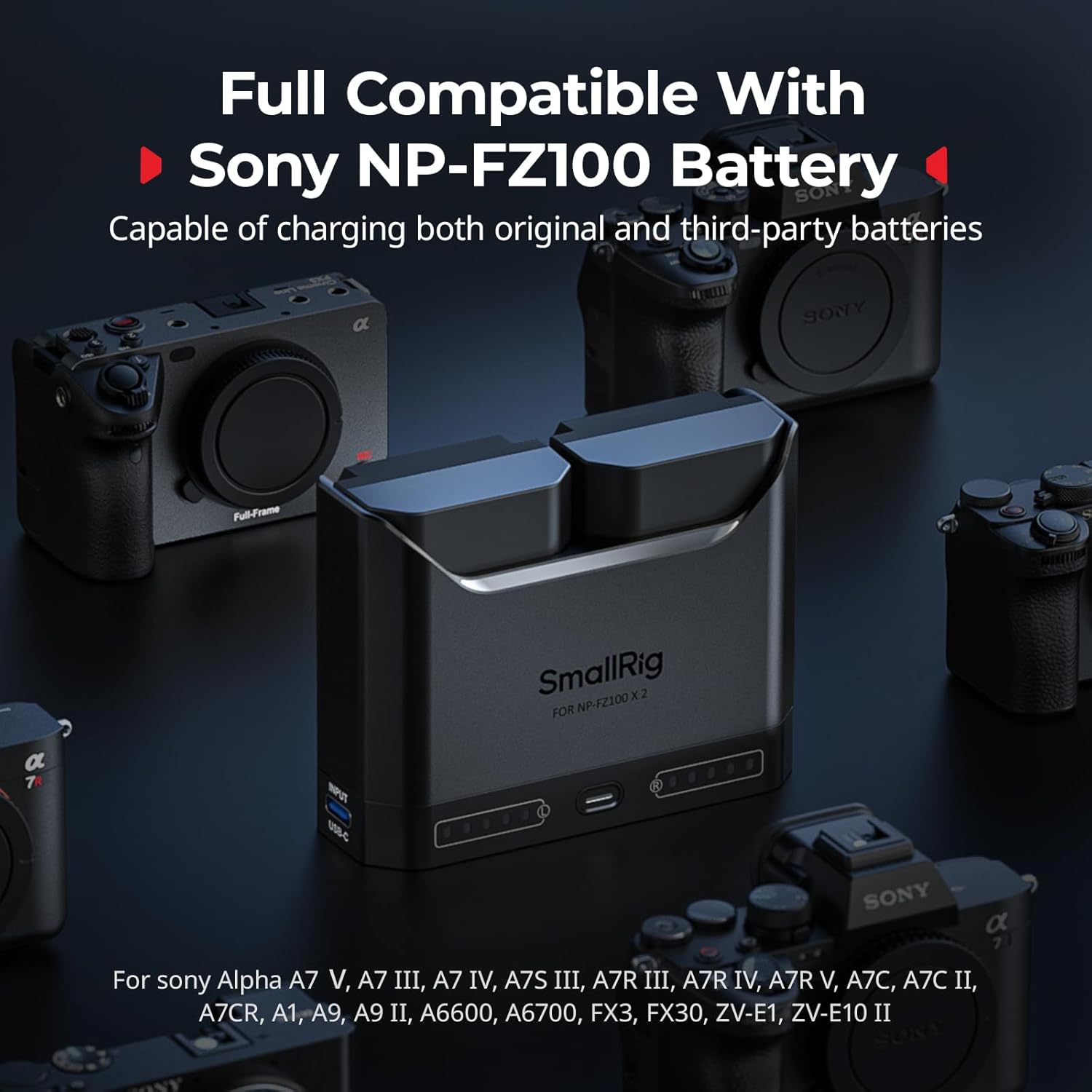
Figure 2: Broad compatibility. This charger is fully compatible with Sony NP-FZ100 batteries, supporting a wide range of Sony Alpha camera models.
3. Setup
Follow these steps to set up your battery charger:
- Connect Power Source: Connect the provided USB-C to USB-C cable to the charger's USB-C input port. Connect the other end of the cable to a compatible power adapter, power bank, or laptop.
- It is recommended to use a power adapter with 22.5W or higher output for optimal charging speed.
- The charger is not compatible with 5V / 1A power adapters.
- When using a 5V / 2.4A adapter, the charger operates in slow-charge mode, prioritizing Channel 1. It will automatically switch to Channel 2 once Channel 1 is fully charged.
- Insert Batteries: Gently insert one or two NP-FZ100 batteries into the designated charging slots. Ensure they are correctly oriented.
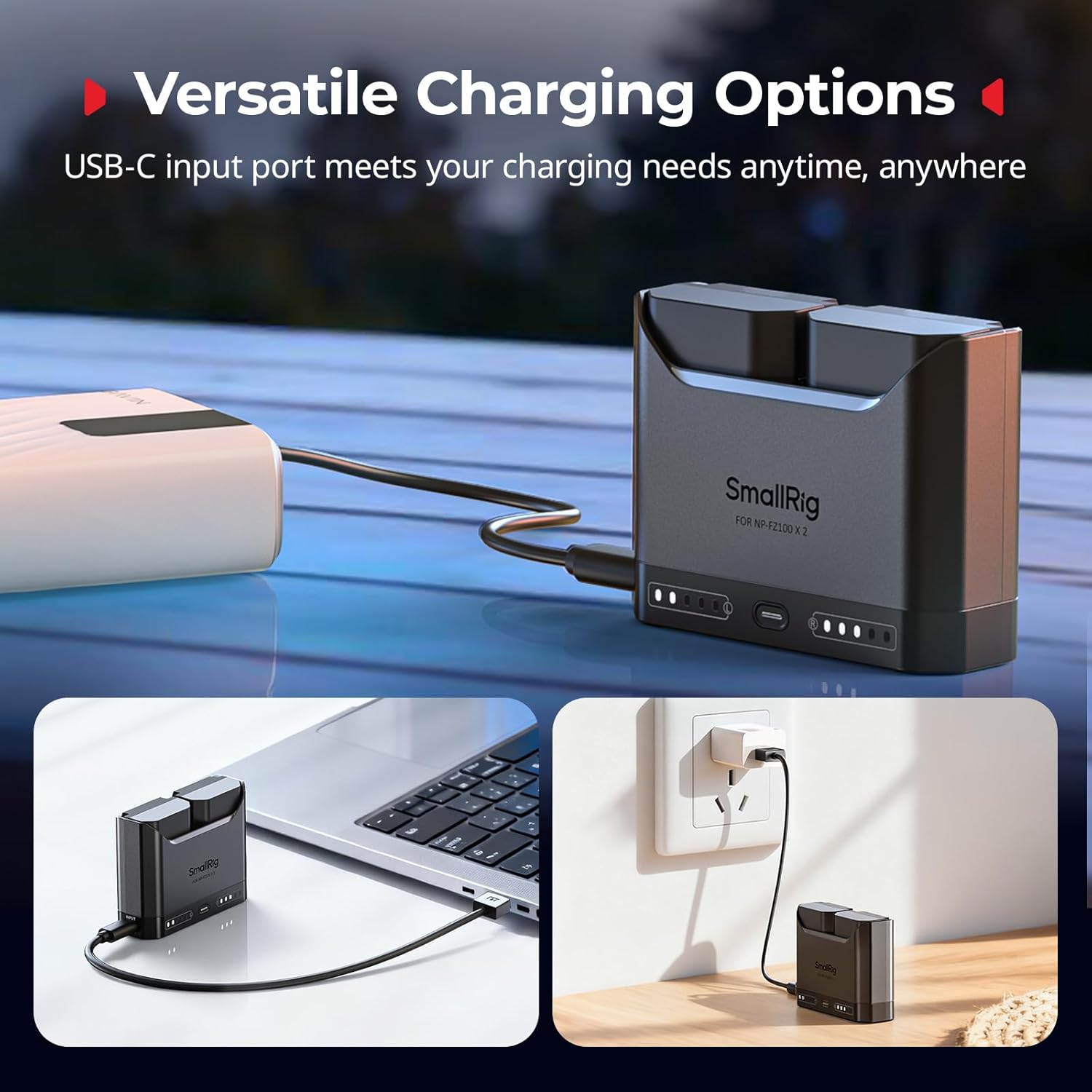
Figure 3: Versatile charging options. The universal USB-C input port enables flexible charging from various power sources, including wall adapters, car chargers, and portable power banks.
4. Operating Instructions
Once batteries are inserted and the charger is connected to a power source, charging will begin automatically.
4.1 Charging Process
- The charger can charge one or two batteries simultaneously.
- With a 22.5W or higher power adapter, two NP-FZ100 batteries can be fully recharged in approximately 2 hours.

Figure 4: Efficient dual charging. The charger supports simultaneous charging of two NP-FZ100 batteries or individual charging of a single battery.

Figure 5: Rapid charging capability. The 22.5W USB-C fast charging port allows for rapid recharging, completing two NP-FZ100 batteries in approximately 2 hours.
4.2 LED Power Indicators
Each charging slot features five LED indicators to display the battery's charge level. Press the power display button to check the battery level even when not connected to a power source.
- 1 Red LED (steady): 0-10% charge
- 1 White LED: 10-20% charge
- 2 White LEDs: 20-40% charge
- 3 White LEDs: 40-60% charge
- 4 White LEDs: 60-80% charge
- 5 White LEDs: 80-100% charge
A red warning light will alert you when the battery is critically low.

Figure 6: Clear LED power indicators. Each light represents 20% of the battery level. A power display button allows checking the battery status.
5. Safety Information
The SMALLRIG NP-FZ100 charger incorporates advanced safety features to ensure reliable operation and battery longevity.
- Over-temperature Protection: The intelligent system continuously monitors temperature. If overheating is detected, the charger automatically reduces charging speed.
- Over-voltage Protection: Upon detecting overvoltage, the charger immediately halts charging to prevent damage.
- Trickle Charging Mode: As the battery nears full charge, the charger switches to trickle charging mode to preserve battery health.
- Physical Protection: The semi-enclosed design prevents batteries from slipping out and protects them from scratches.
- General Safety: Do not disassemble, expose to extreme temperatures, or immerse in water. Use only with compatible NP-FZ100 batteries.
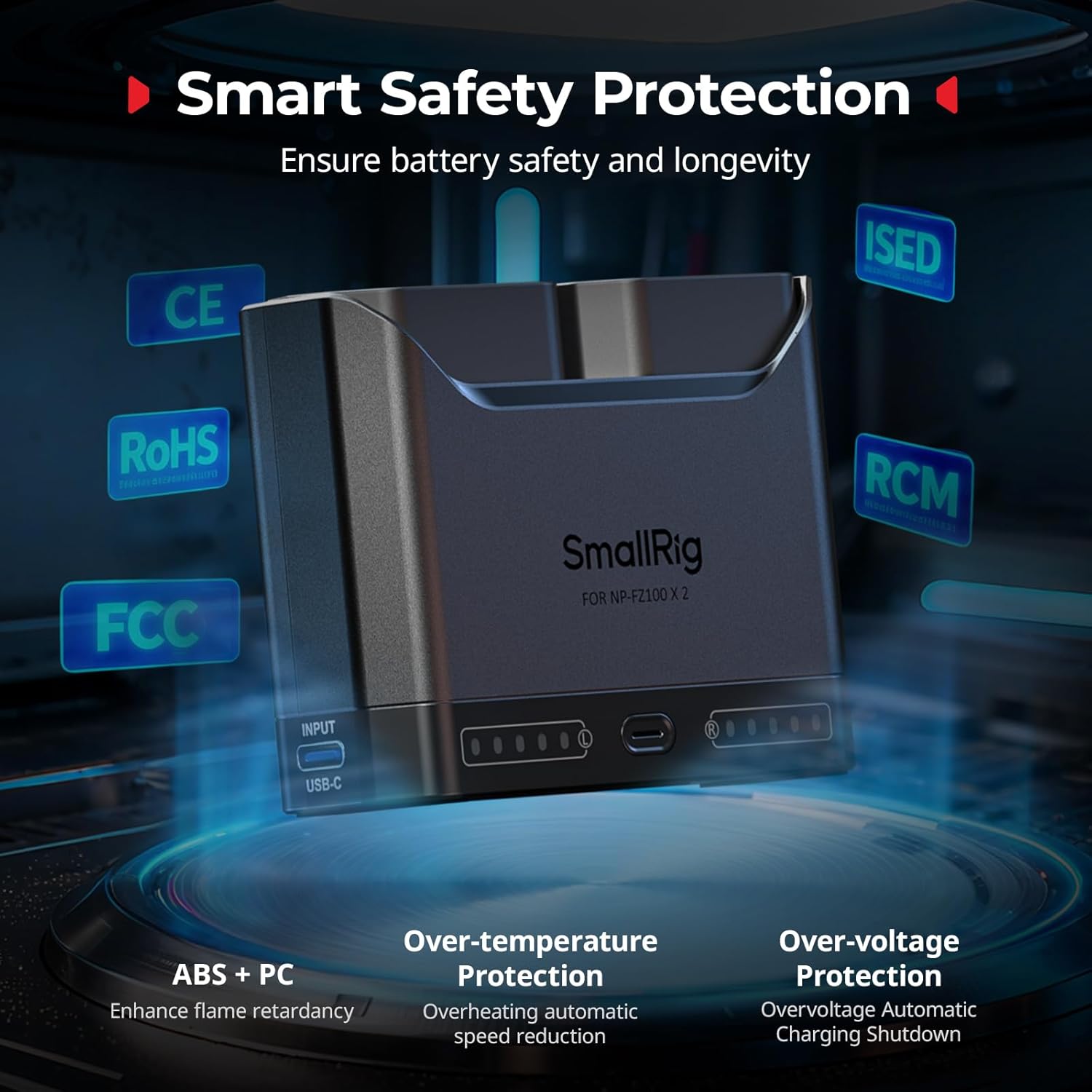
Figure 7: Smart safety protection. The charger features over-temperature and over-voltage protection, along with a semi-enclosed design for physical safety.
6. Specifications
Technical specifications for the SMALLRIG NP-FZ100 Battery Charger:
| Feature | Specification |
|---|---|
| Model Number | 5489 |
| Product Dimensions | 3.27 x 1.01 x 2.52 inches (8.3 x 2.56 x 6.4 cm) |
| Item Weight | 1.59 ounces (45 Grams) |
| Material | PC + ABS |
| USB-C Input | 5V / 2.4A, 9V / 2A, 12V / 1.75A, 15V / 1.5A; 22.5W (Max) |
| USB-C Protocol | PD3.0, QC2.0, QC3.0 |
| Rated Output (Per Channel) | 8.4V / 1A |
| Operating Temperature | 0°C to 45°C / 32°F to 113°F |

Figure 8: Detailed product specifications.
7. Troubleshooting
If you encounter issues with your charger, refer to the following common problems and solutions:
- Charger not powering on or batteries not charging:
- Ensure the USB-C cable is securely connected to both the charger and the power source.
- Verify that your power adapter has an output of 22.5W or higher. The charger is not compatible with 5V/1A adapters.
- Check if the batteries are correctly inserted into the slots.
- Slow charging:
- If using a 5V/2.4A adapter, the charger will operate in slow-charge mode and prioritize Channel 1. This is normal behavior. For faster charging, use a 22.5W or higher power adapter.
- LEDs flashing red and white alternately:
- This indicates an overheating condition. The charger will automatically reduce charging speed until the temperature returns to a safe range. Ensure the charger is in a well-ventilated area.
- Charger stops charging unexpectedly:
- This may be due to over-voltage protection. Disconnect and reconnect the power source. If the issue persists, try a different power adapter.
8. Maintenance
To ensure the longevity and optimal performance of your charger:
- Cleaning: Use a soft, dry cloth to clean the charger. Do not use liquid cleaners or solvents.
- Storage: Store the charger in a cool, dry place away from direct sunlight and extreme temperatures when not in use.
- Handling: Avoid dropping the charger or subjecting it to strong impacts.
9. Warranty and Support
For warranty information or technical support, please contact SMALLRIG customer service directly. Refer to the official SMALLRIG website or your purchase documentation for contact details and warranty terms.
