
1. Product Overview
The SIXWIN Android 15 Car Radio is an advanced multimedia system designed specifically for Ford Fiesta models manufactured between 2009 and 2017. It features a 9-inch touchscreen display, an Android 15 operating system, 6GB RAM, and 128GB internal storage. This unit integrates modern connectivity options such as Wireless CarPlay, Wireless Android Auto, Mirrorlink, WiFi, GPS, and Bluetooth 5.0, enhancing your driving experience with navigation, entertainment, and communication functionalities.
2. Compatibility
This car radio is compatible with Ford Fiesta models produced from 2009 to 2017. Please ensure your vehicle's dashboard matches the 'Fit' configuration shown below for proper installation.
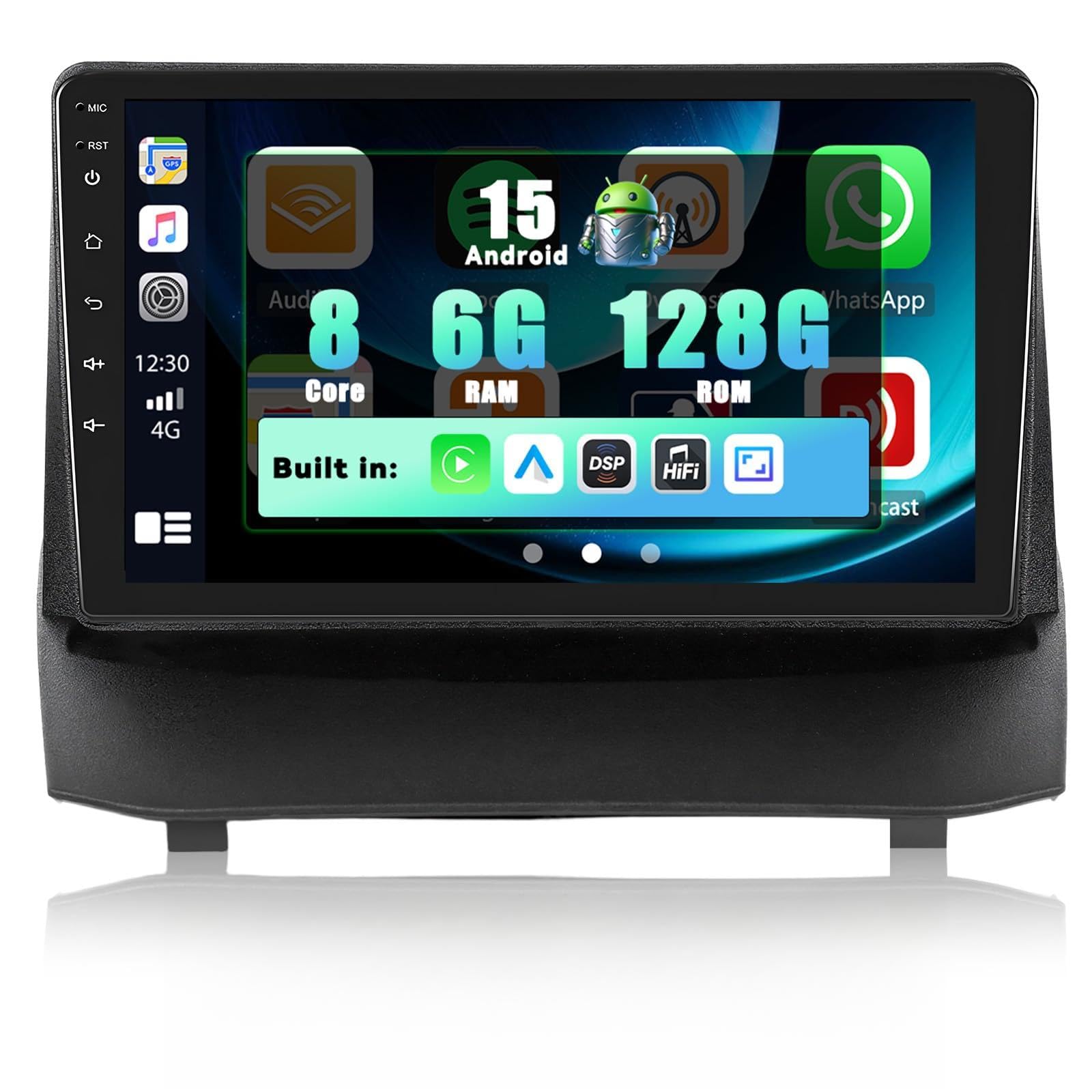
Image: Ford Fiesta dashboard compatibility. The left image shows a compatible dashboard ('Fit'), while the right image shows an incompatible dashboard ('Not Fit'). The bottom image displays the car radio installed in a compatible Ford Fiesta dashboard.
3. Key Features
- Android 15 System: Equipped with the latest Android 15 operating system for fast performance and a smooth user interface.
- High Performance: Features an 8-core processor with 6GB RAM and 128GB ROM for efficient multitasking and ample storage.
- Wireless CarPlay & Android Auto: Seamlessly integrate your iPhone or Android smartphone for navigation, music, calls, and messages via voice or touch control.
- Mirrorlink: Mirror your smartphone screen directly onto the car radio display via WiFi.
- Built-in WiFi & GPS: Connect to the internet via a WiFi hotspot and utilize accurate online/offline navigation with real-time traffic information.
- Bluetooth 5.0: Pair mobile devices for wireless music streaming, hands-free calling, and file transfer.
- FM/RDS Radio: Receive clear radio signals with RDS support for station information.
- DSP/32EQ/HiFi: Advanced digital sound processing with 32-band equalizer for customizable audio experiences.
- 9-inch IPS Touchscreen: High-resolution (1280*720) display for clear visuals and responsive touch control.
- Multiple UI & Optional Home App Display: Customize the user interface and home screen layout.
- Split Screen Functionality: Run two applications simultaneously on the screen.
- Steering Wheel Control (SWC): Supports original steering wheel button learning for convenient control.
- AHD Backup Camera: Includes an AHD rear view camera with night vision, waterproof design, and wide-angle view for enhanced safety.
- Dual USB Ports: Connect USB drives for media playback or charge devices.

Image: Visual representation of the 8-core processor, Android 15 operating system, and memory configuration (6GB RAM + 128GB ROM).

Image: Examples of the Wireless CarPlay interface (left) and Wireless Android Auto interface (right) on the car radio screen.

Image: Demonstrates GPS navigation with online and offline map support, WiFi connectivity for internet access, and Bluetooth 5.0 for phone pairing and audio streaming.

Image: Displays the DSP/32EQ sound settings, FM/RDS radio interface, the 1280x720 IPS touchscreen, various user interface options, and the split-screen function.

Image: Illustrates the steering wheel control functionality and the AHD backup camera system with night vision and wide-angle view.
4. Setup and Installation
Installation should ideally be performed by a qualified technician. Ensure the vehicle's power is disconnected before beginning installation.
4.1 Wiring Connections
Connect the power cable, GPS antenna, USB cables, and the AHD rear camera input cable as per the provided wiring diagram. Pay close attention to the steering wheel control interfaces.

Image: Wiring diagram highlighting two steering wheel control interfaces (No. 2 and No. 3). For Ford Fiesta vehicles from 2009 to 2012, use Interface No. 2. For vehicles from 2013 onwards, use Interface No. 3. Connect the chosen interface to Interface No. 1.
4.2 Steering Wheel Control Wiring
As indicated in the diagram:
- For Ford Fiesta vehicles from 2009 to 2012, use Interface No. 2.
- For Ford Fiesta vehicles from 2013 onwards, use Interface No. 3.
Connect the appropriate interface (No. 2 or No. 3) to Interface No. 1 on the main wiring harness.
5. Operating Instructions
5.1 Basic Operation
- Power On/Off: Press and hold the power button on the unit or use the vehicle's ignition.
- Touchscreen: Navigate the interface by tapping, swiping, and pinching on the 9-inch IPS display.
5.2 Wireless CarPlay / Android Auto
- Ensure Bluetooth and WiFi are enabled on your smartphone.
- On the car radio, open the CarPlay or Android Auto application.
- Follow the on-screen prompts to pair your phone via Bluetooth. Once paired, the system will automatically establish a WiFi connection for CarPlay/Android Auto.
5.3 GPS Navigation
- Open the navigation application.
- The system supports both online and offline maps. Download offline maps for areas with limited internet access.
- Utilize voice navigation for hands-free directions.
5.4 WiFi Connection
- Go to Settings > Network & Internet > Wi-Fi.
- Turn on Wi-Fi and select your desired network (e.g., mobile hotspot).
- Enter the password if required to connect to the internet.
5.5 Bluetooth 5.0
- Go to Settings > Connected devices > Bluetooth.
- Enable Bluetooth and search for available devices.
- Select your phone from the list and pair. You can now stream music, make calls, and access contacts.
5.6 FM/RDS Radio
- Open the Radio application.
- Use the scan function to find available stations or manually tune to a frequency.
- Save your favorite stations for quick access. RDS (Radio Data System) will display station information where available.
5.7 Split Screen
- Open the first application you wish to use.
- Long-press the recent apps button or swipe up from the bottom (depending on UI settings) to enter split-screen mode.
- Select the second application to display alongside the first.
5.8 Steering Wheel Control
- Go to Settings > Steering Wheel Control.
- Follow the on-screen instructions to program each button on your steering wheel to the desired function on the car radio.
5.9 AHD Backup Camera
- When the vehicle is shifted into reverse gear, the car radio display will automatically switch to the rear camera view.
6. Maintenance
- Cleaning: Use a soft, dry cloth to clean the screen and unit. Avoid abrasive cleaners or solvents.
- Software Updates: Periodically check for system updates via the settings menu to ensure optimal performance and access to new features.
- Temperature: Avoid exposing the unit to extreme temperatures.
7. Troubleshooting
- No Power: Check all power connections and ensure the vehicle's ignition is on. Verify fuses.
- No Sound: Check volume levels, speaker connections, and audio settings. Ensure mute is not activated.
- Touchscreen Unresponsive: Try restarting the unit. If the issue persists, a factory reset might be necessary (note: this will erase all user data).
- GPS Signal Loss: Ensure the GPS antenna is properly installed and has a clear view of the sky.
- Bluetooth Connection Issues: Ensure Bluetooth is enabled on both devices. Try unpairing and re-pairing the device.
- CarPlay/Android Auto Not Connecting: Verify your phone's settings for CarPlay/Android Auto. Ensure WiFi and Bluetooth are active.
8. Specifications
| Feature | Specification |
|---|---|
| Brand | SIXWIN |
| Model Number | 1 |
| Operating System | Android 15 |
| RAM | 6GB |
| ROM | 128GB |
| Screen Size | 9 Inch |
| Screen Resolution | 1280*720 (IPS Touchscreen) |
| Connectivity | Auxiliary, Bluetooth 5.0, USB, Wi-Fi |
| Special Features | Wireless Carplay/Android Auto, GPS Navigation, Built-In Bluetooth, Built-In Wi-Fi, DSP/32EQ |
| Compatible Devices | Ford Fiesta 2009-2017 |
| Audio Output Mode | Stereo |
| Output Power | 45 Watts |
| Package Dimensions | 36.7 x 30.9 x 17.9 cm |
| Item Weight | 2.06 kg |
9. Package Contents
The following items are included in your product package:
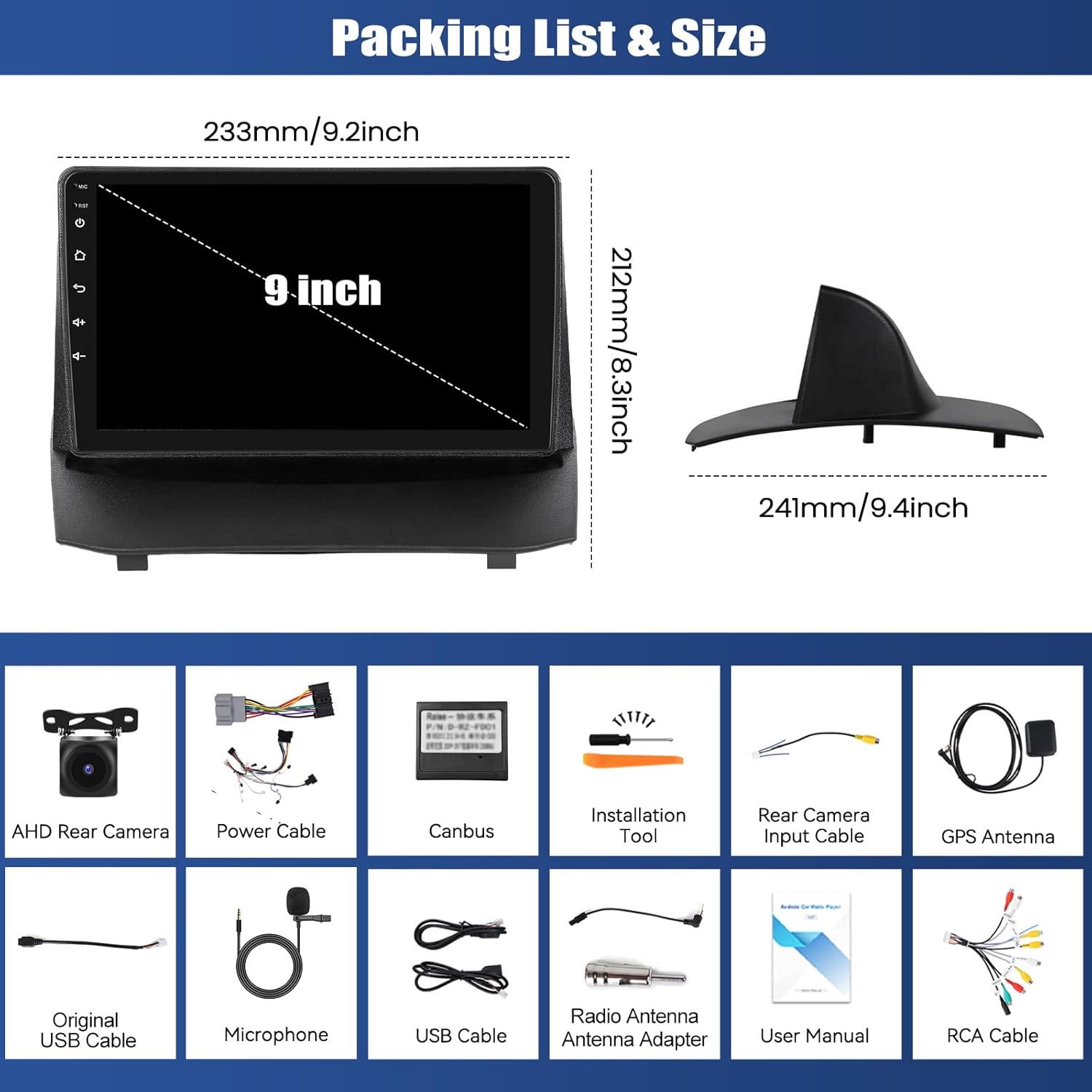
Image: Displays the car radio dimensions (9.2 inches wide, 8.3 inches high, 9.4 inches deep) and a visual list of included accessories.
- SIXWIN Android Car Radio Unit
- AHD Rear Camera
- Power Cable
- Canbus Decoder
- Installation Tool
- Rear Camera Input Cable
- GPS Antenna
- Original USB Cable
- Microphone
- USB Cable (additional)
- Radio Antenna Adapter
- User Manual (this document)
- RCA Cable
10. Warranty and Support
For warranty information or technical assistance, please contact SIXWIN customer service. Refer to your purchase documentation for specific warranty terms and contact details. Our customer service team is available to assist with any product-related inquiries.


