
1. Introduction
Thank you for purchasing the Denash RC Flying Sword. This innovative remote-controlled airplane features intelligent gesture recognition technology, colorful LED lights, and a durable, lightweight design for an engaging flight experience. This manual provides essential information for safe operation, setup, and maintenance.
2. Safety Precautions
- Always operate the RC Flying Sword in open areas, away from people, animals, and obstacles.
- Do not fly near power lines, roads, or water bodies.
- Ensure all propellers are securely attached before flight.
- Keep fingers and hair away from rotating propellers.
- Adult supervision is recommended for younger users.
- Do not modify the product in any way, as this may compromise safety and void the warranty.
- This product is designed to be safe for users when operated as instructed.
3. Package Contents
Verify that all items are present in the package:
- 1 x RC Flying Sword
- 1 x Gesture Remote Control
- 1 x USB Charging Cable
- 2 x Lithium Batteries (500 mAh each)
- 4 x Spare Propellers
- 1 x Screwdriver
- 1 x Instruction Manual

Image: All components included in the Denash RC Flying Sword package.
4. Product Overview
The Denash RC Flying Sword is designed for intuitive control and stable flight. It features a unique sword-like shape with integrated propellers and LED lights.
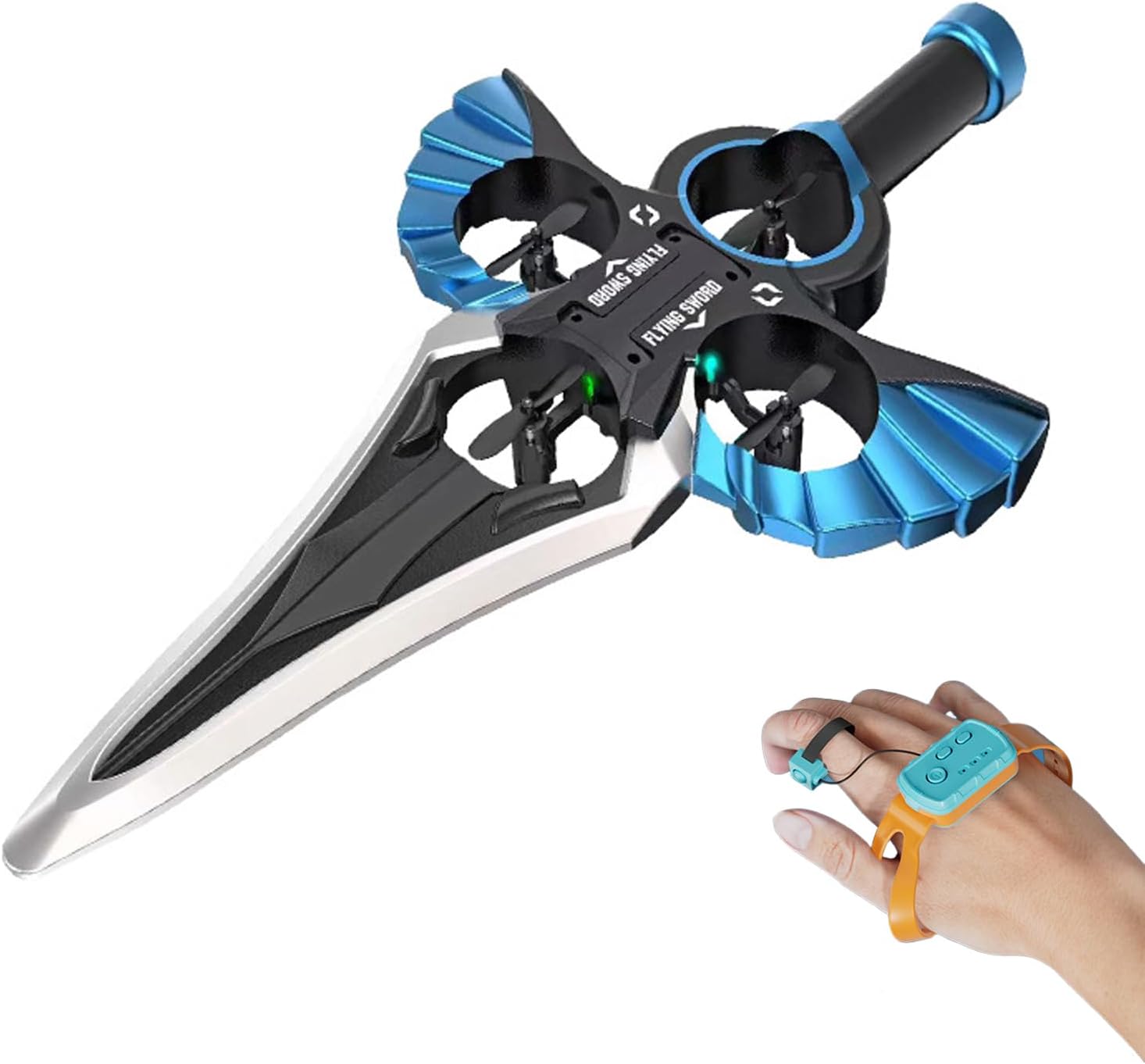
Image: The Denash RC Flying Sword, highlighting its main body and propeller placement.
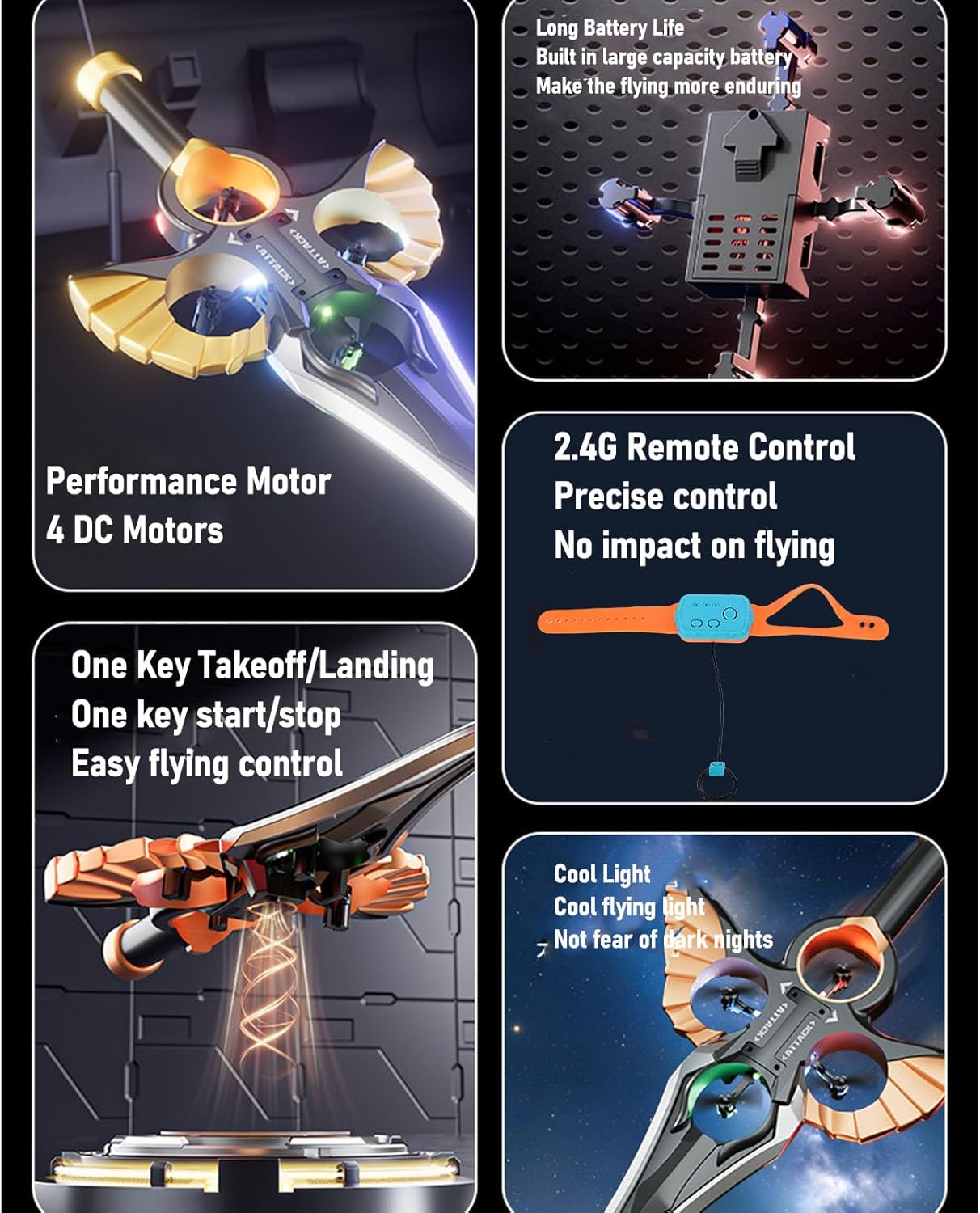
Image: Key features of the RC Flying Sword, including its four DC motors, long-lasting battery, 2.4G remote control system, and colorful LED lights.
5. Charging the Battery
The RC Flying Sword uses two 500 mAh lithium batteries. Ensure batteries are fully charged before each flight for optimal performance.
- Locate the battery compartment on the RC Flying Sword.
- Insert a lithium battery into the compartment.
- Connect the USB charging cable to the battery and a suitable USB power source (e.g., computer, USB wall adapter).
- The indicator light on the charging cable will show the charging status. Once fully charged, disconnect the battery.

Image: The charging port and battery connection area on the RC Flying Sword.

Image: Illustration of how to insert the battery into the RC Flying Sword.
6. Remote Control Setup
The gesture remote control requires 2 AAA dry batteries (not included).
- Open the battery compartment on the gesture remote control and insert 2 AAA batteries, observing polarity.
- Turn on the RC Flying Sword by sliding its power switch. The aircraft's lights will flash rapidly.
- Long press the power button on the gesture remote control (the watch). The aircraft lights will change from rapid flashing to constantly on, indicating successful pairing.
- Perform a one-key calibration by pressing the designated button on the remote.

Image: Detailed functions of the gesture remote control, including pairing instructions and control gestures.
7. Operation
Once paired, you can control the RC Flying Sword using intuitive hand gestures and remote buttons.
7.1 Basic Flight Controls
- One-Key Takeoff/Landing: Press the designated button on the gesture remote to initiate automatic takeoff or landing.
- Gesture Control: Move your hand with the gesture remote to control the flying sword's direction (fly, turn, retrieve).
- 360° Rotation: The aircraft is capable of 360-degree rotating flight.

Image: The RC Flying Sword performing a one-key takeoff, illustrating ease of use.

Image: A user demonstrating gesture control of the RC Flying Sword.
7.2 Stunt Rolls
The gesture remote allows for various stunt maneuvers:
- Left Stunt Roll: Short press the ring, watch to the left.
- Right Stunt Roll: Short press the ring, watch to the right.
- Forward Stunt Roll: Short press the ring, watch moves forward.
- Backward Stunt Roll: Short press the ring, watch moves backward.
7.3 Speed Adjustment
The RC Flying Sword features adjustable speed settings for different flight experiences.
7.4 Operational Video
Video: Demonstration of the Denash RC Flying Sword's gesture control, one-click takeoff, 360-degree rotation, and stunt rolls. This video illustrates the product's key operational features.
8. Maintenance
Regular maintenance ensures the longevity and optimal performance of your RC Flying Sword.
- Cleaning: Use a soft, dry cloth to clean the aircraft. Avoid water or harsh chemicals.
- Propeller Inspection: Regularly check propellers for damage or wear. Replace any damaged propellers using the provided spare parts and screwdriver.
- Battery Care: Store batteries in a cool, dry place. Do not overcharge or completely discharge batteries. Remove batteries from the aircraft and remote control when not in use for extended periods.
9. Troubleshooting
| Problem | Possible Cause | Solution |
|---|---|---|
| Aircraft does not respond to remote. | Not paired; low battery in remote or aircraft. | Ensure proper pairing (Section 6); replace remote batteries; charge aircraft battery. |
| Aircraft does not take off or flies erratically. | Propellers damaged; calibration needed; strong wind interference. | Replace damaged propellers; perform one-key calibration; fly in calm conditions. |
| Short flight time. | Battery not fully charged; old battery. | Ensure battery is fully charged; consider replacing old batteries. |
10. Specifications
| Feature | Detail |
|---|---|
| Brand | Denash |
| Model Name | Spada Volante RC |
| Model Number | Denash7tocdmui0y-14 |
| Flying Sword Battery | 2 x Lithium Batteries, 500 mAh each |
| Gesture Remote Battery | 2 x AAA Dry Batteries (not included) |
| Flight Time | Approximately 20 minutes |
| Max Flight Height | 30 meters |
| Material | Plastic, Foam |
| Special Features | Gesture Control, Colorful LED Lights |
| Operation Mode | Gesture |
| Vehicle Shape | Airplane |
| Color | Blue |

Image: Dimensions of the RC Flying Sword.
11. Warranty and Support
For warranty information or technical support, please refer to the contact details provided with your purchase or visit the official Denash website. Keep your proof of purchase for any warranty claims.