
1. Product Overview
The KUULAA KL-YD78 is a high-capacity 14000mAh portable power bank designed for fast charging a wide range of devices, including laptops, tablets, and smartphones. It features a powerful 100W USB-C output, a 22.5W USB-A output, and a clear TFT display to monitor charging status. Its compact and portable design makes it an ideal companion for travel and daily use.
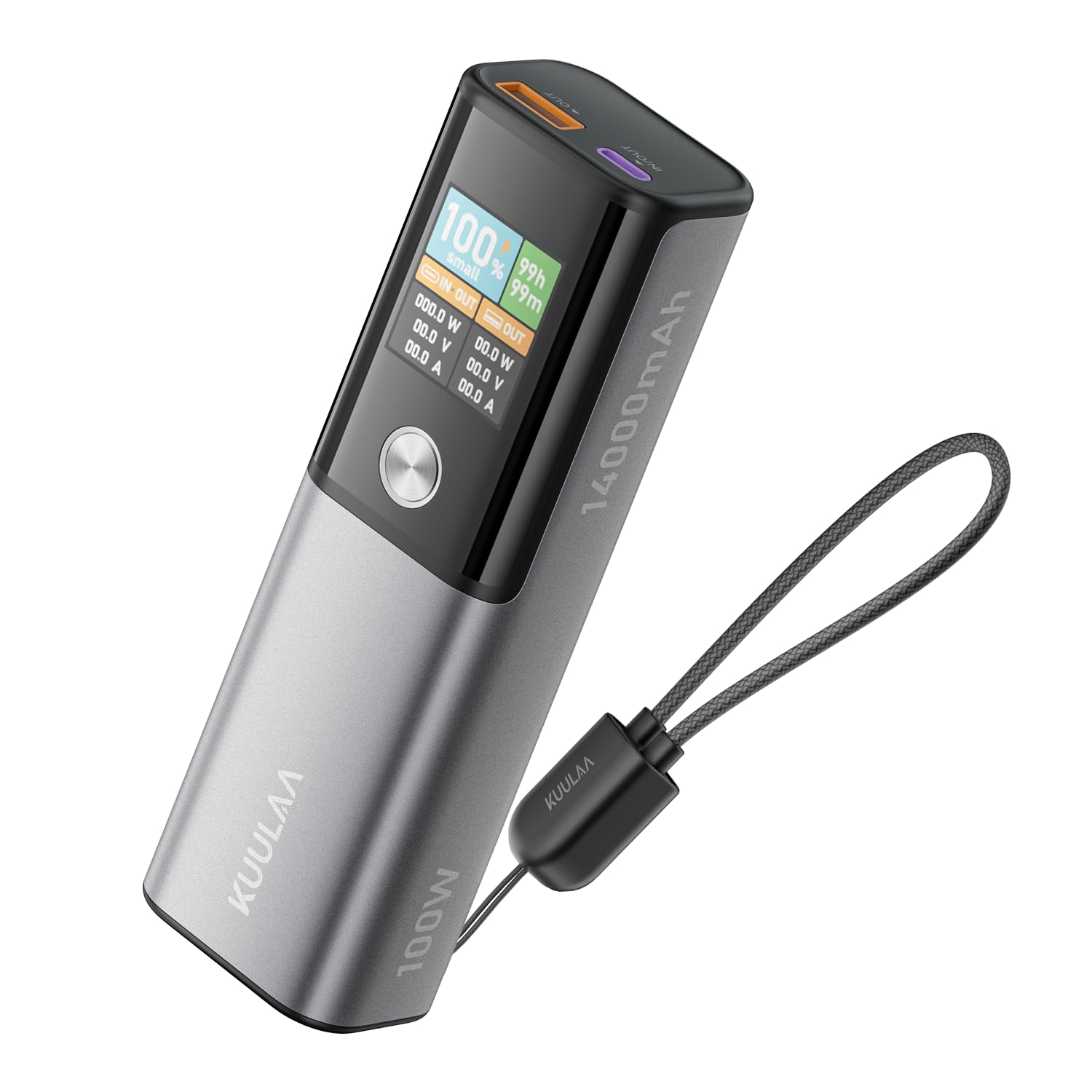
Image: The KUULAA KL-YD78 power bank, highlighting its 100W maximum output, 14000mAh high capacity, and an airplane icon indicating flight approval.
2. Safety Information
To ensure safe operation and prolong the lifespan of your power bank, please observe the following safety features and guidelines:
- Overvoltage Protection: Prevents damage from excessive voltage input.
- Overcharge Protection: Stops charging once the battery is full to prevent overcharging.
- Short Circuit Protection: Automatically cuts off power in case of a short circuit.
- High Temperature Protection: Monitors internal temperature and reduces output or shuts down to prevent overheating.
- Low Temperature Protection: Ensures safe operation in cold environments.
- Overcurrent Protection: Safeguards devices from excessive current flow.
- Signal Interference Protection: Minimizes interference with other electronic devices.
- Over Discharge Protection: Prevents the battery from being fully depleted, which can extend its life.

Image: The KUULAA power bank illustrating its comprehensive protection features against various electrical hazards.
3. Package Contents
Upon opening your KUULAA KL-YD78 package, you should find the following items:
- KUULAA KL-YD78 14000mAh 100W Power Bank
- 100W USB-C to USB-C Cable (approximately 30 cm)
- User Manual (in English and Chinese)

Image: Contents of the KUULAA power bank package, including the device, cable, and manual.
4. Product Features
4.1. High Capacity & Universal Compatibility
The 14000mAh capacity is sufficient to fully charge most smartphones and tablets 1 to 2 times, and can provide temporary power for laptops. It is compatible with a wide range of devices including iPhone series, iPad, Galaxy S25/S24 Ultra, AirPods, smartwatches, and other compact devices.

Image: Visual representation of the 14000mAh capacity and its charging capabilities for various devices.

Image: Examples of devices compatible with the KUULAA 100W power bank, including iPhones, iPads, Galaxy phones, and various laptops.
4.2. 100W High-Speed Charging
The power bank supports up to 100W power delivery via its USB-C port, allowing for rapid charging of compatible devices. For example, it can charge an iPad Pro M4 to 40% in 30 minutes and an iPhone 15 to 60%.

Image: The power bank demonstrating its 100W fast charging capabilities for an iPhone 15 Pro and a MacBook Air.
4.3. 45W Rapid Recharging
With a powerful 45W input via the USB-C port, the power bank can be fully recharged in approximately 2 hours, minimizing downtime.

Image: The power bank being recharged, highlighting its 45W input and 2-hour full charge time.
4.4. TFT Smart Display
The integrated TFT display provides detailed information at a glance, including the remaining battery level, power input/output (in Watts, Volts, Amps), and estimated time to recharge. This offers more comprehensive data compared to standard LED screens.

Image: The TFT display showing detailed charging information.
4.5. 2-Ports Multi-Device Charging
The power bank is equipped with two output ports: one USB-C port supporting up to 100W Power Delivery and one USB-A port supporting up to 22.5W Power Delivery. When both ports are used simultaneously, the total output power is 15W.
4.6. Ultra-Portable Column Design
Measuring 14 × 4.4 × 3.4 cm and weighing only 330g, the power bank features a column design that combines power with portability, making it easy to carry.
5. Setup
5.1. Initial Charging of the Power Bank
Before first use, it is recommended to fully charge your KUULAA KL-YD78 power bank. Connect a 45W (or higher) USB-C power adapter (not included) to the USB-C IN/OUT port on the power bank. The TFT display will show the charging progress and estimated time until full.
5.2. Powering On/Off
The power bank typically activates automatically when a device is connected for charging. To manually check the battery level or activate the display, press the power button located on the side of the device.
6. Operating Instructions
6.1. Charging Your Devices
To charge your electronic devices:
- Connect one end of a compatible charging cable to your device.
- Connect the other end of the cable to either the USB-C (100W max) or USB-A (22.5W max) output port on the power bank.
- The TFT display will illuminate, showing the current output wattage and the remaining battery level of the power bank.
- For optimal charging speed, use the appropriate port and ensure your device and cable support the desired power delivery.
Note on Simultaneous Charging: When charging two devices simultaneously using both the USB-C and USB-A ports, the total output power will be limited to 15W.
6.2. Recharging the Power Bank
To recharge your KUULAA KL-YD78:
- Connect the included USB-C to USB-C cable to the USB-C IN/OUT port on the power bank.
- Connect the other end of the cable to a 45W (or higher) USB-C power adapter (not included).
- The TFT display will show the input wattage and the estimated time until the power bank is fully charged.
7. Maintenance
Proper maintenance ensures the longevity and optimal performance of your power bank:
- Storage: Store the power bank in a cool, dry place away from direct sunlight and extreme temperatures.
- Cleaning: Use a soft, dry cloth to clean the exterior of the device. Avoid using harsh chemicals or abrasive materials.
- Avoid Drops: Protect the device from drops and impacts, which can damage internal components.
- Regular Use: For best battery health, use and recharge the power bank regularly. Avoid leaving it fully discharged or fully charged for extended periods.
8. Troubleshooting
If you encounter issues with your KUULAA KL-YD78, refer to the following common solutions:
- Power Bank Not Recharging:
- Ensure the charging cable is securely connected to both the power bank's USB-C IN/OUT port and the power adapter.
- Verify that the power adapter is functioning correctly and provides at least 45W output.
- Try using a different USB-C cable or power adapter.
- Device Not Charging from Power Bank:
- Check if the power bank has sufficient charge.
- Ensure the charging cable is securely connected to both the device and the power bank's output port.
- Verify that the cable is compatible with your device and supports power delivery.
- Try using a different port or cable.
- Slow Charging Speed:
- Ensure you are using a high-quality cable that supports fast charging.
- If charging multiple devices, remember that simultaneous charging limits total output to 15W. Disconnect one device to increase speed for the other.
- Check if your device supports the higher wattage output (e.g., 100W via USB-C).
- Power Bank Overheating:
- The power bank has built-in high-temperature protection. If it becomes excessively hot, it may reduce output or shut down automatically. Allow it to cool down before resuming use.
- Avoid charging in direct sunlight or confined spaces with poor ventilation.
- TFT Display Difficult to Read:
- Some users have noted that TFT displays can have low contrast ratios. Try viewing the display directly from the top for better visibility.
9. Specifications
| Feature | Detail |
|---|---|
| Model Number | KL-YD78 |
| Battery Capacity | 14000mAh |
| USB-C Output | Up to 100W Power Delivery |
| USB-A Output | Up to 22.5W Power Delivery |
| Total Output (Simultaneous) | 15W |
| USB-C Input | Up to 45W |
| Dimensions | 14 x 4.4 x 3.4 cm |
| Weight | 330 g |
| Display Type | TFT Display |
| Special Features | Built-in Cable, Digital Display, Fast Charging, Pocket Size |
| Manufacturer | Shenzhen KuLa Technology Co.,Ltd. |
| Country of Origin | China |
10. Warranty & Support
For warranty information and customer support, please refer to the documentation included in your product package or visit the official KUULAA website. Keep your purchase receipt for warranty claims.


