
1. Introduction
This manual provides detailed instructions for the installation, operation, and maintenance of your TUGARD G03SM-EB004-2E Home Security System. This wireless alarm system offers comprehensive protection for your home with Wi-Fi and 2G GSM connectivity, motion detection, door/window sensors, a 120dB siren, and smart control features.
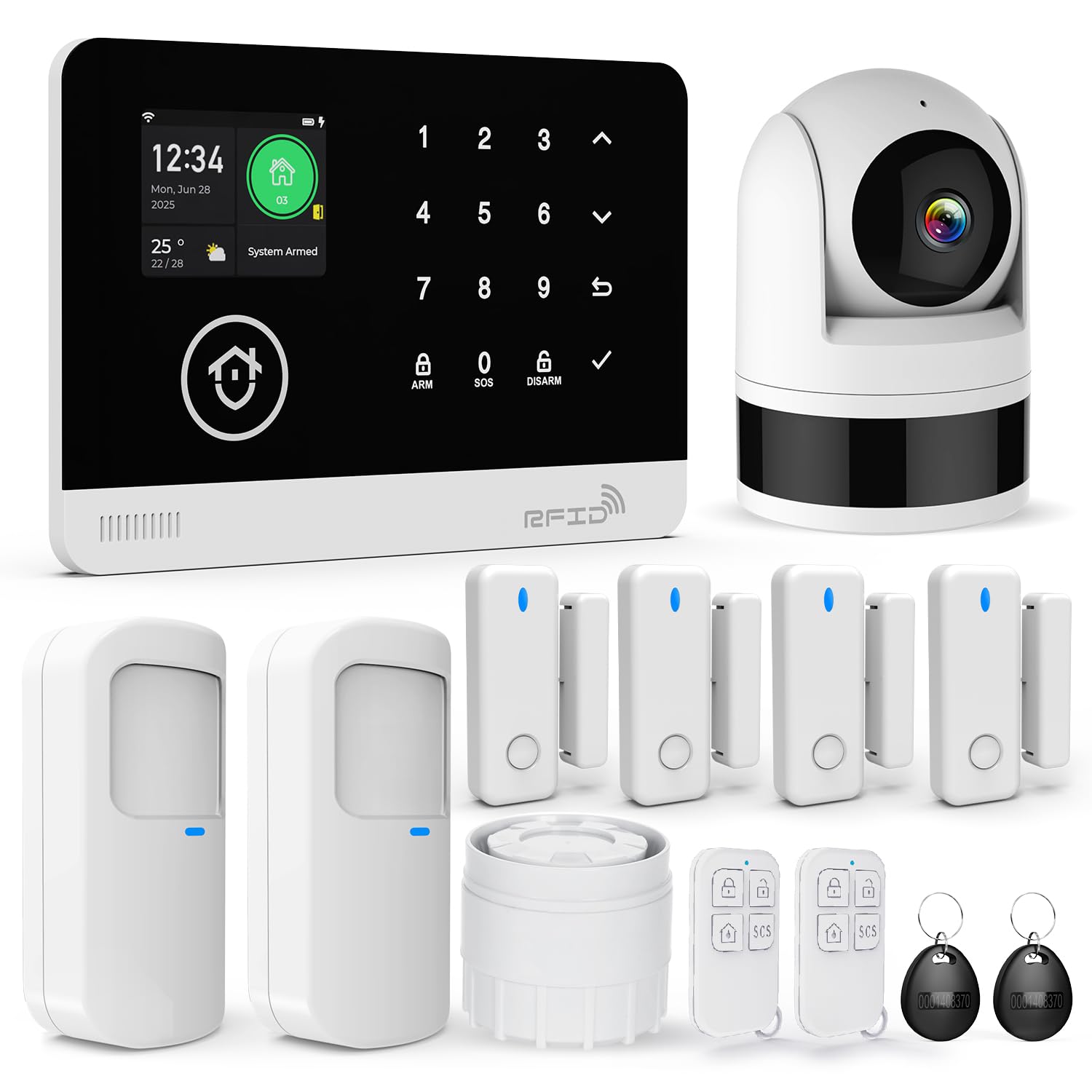
Image: The TUGARD G03SM-EB004-2E Home Security System, showcasing the control panel and various sensors.
2. What's in the Box
The TUGARD G03SM-EB004-2E Home Security System includes the following components:
- 1 x Control Panel (Main Unit) with 2.4 inch TFT screen
- 1 x Camera
- 2 x Motion Detectors
- 4 x Door/Window Detectors
- 2 x RFID Cards
- 2 x Remote Controls
- 1 x Siren

Image: A visual representation of all components included in the TUGARD G03SM-EB004-2E security system kit, including the control panel, motion detectors, door sensors, siren, remote controls, camera, and RFID cards.
3. Setup
3.1 System Overview and Placement
Strategically place your security components for optimal coverage. The system supports up to 100 wireless zones, 10 remotes, and 10 RFID cards. Consider high-traffic areas for motion detectors and all entry points for door/window sensors.

Image: An illustration demonstrating the placement of the control panel, camera, motion sensor, and door sensor within a home environment to protect various areas.
3.2 Installation Method
The components are designed for screw-in installation. Use the included screws to securely fix the devices to walls or door/window frames as appropriate.
3.3 Network Configuration (Wi-Fi & 2G GSM)
The TUGARD home alarm system supports 2.4GHz Wi-Fi for internet connectivity. It does not support 5G Wi-Fi. For areas without Wi-Fi coverage, or as a backup, you can insert a 2G SIM card into the control panel to enable SMS and call notifications.
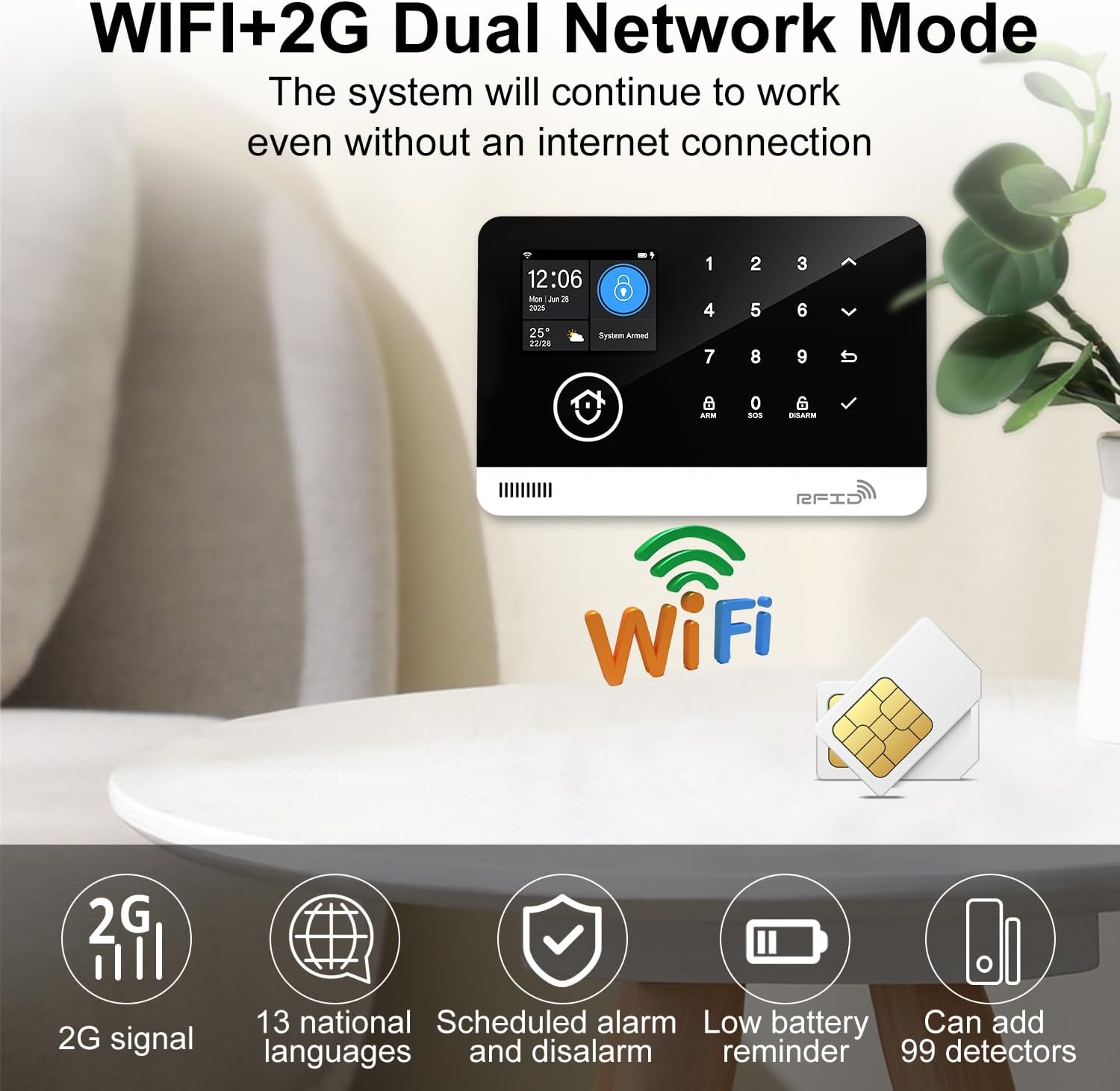
Image: The control panel screen showing indicators for both Wi-Fi and 2G network connectivity, highlighting the dual network capability.

Image: An illustration demonstrating how to insert a SIM card into the control panel for 2G network functionality, enabling call and SMS notifications.
3.4 Pairing Sensors and Devices
Refer to the control panel's on-screen menu for instructions on pairing additional wireless sensors, remote controls, and RFID cards. The system allows for naming the first 40 sub-devices to easily identify alarm zones.
4. Operating the System
4.1 Control Panel Functions
The 2.4-inch TFT screen on the control panel allows you to arm, disarm, and manage your security system. Follow the on-screen prompts for various settings and operations.
4.2 APP and Voice Control
Control your security system remotely using the Tuya app. You can activate, deactivate, and monitor your home from anywhere. The system is compatible with Alexa and Google Assistant, allowing for voice control of alarm settings.
4.3 Camera Features
The included camera provides 200W high-definition images and 1080P night vision. It supports human detection with automatic tracking and sends real-time alerts via the mobile app. The camera also integrates with Alexa/Google Home.
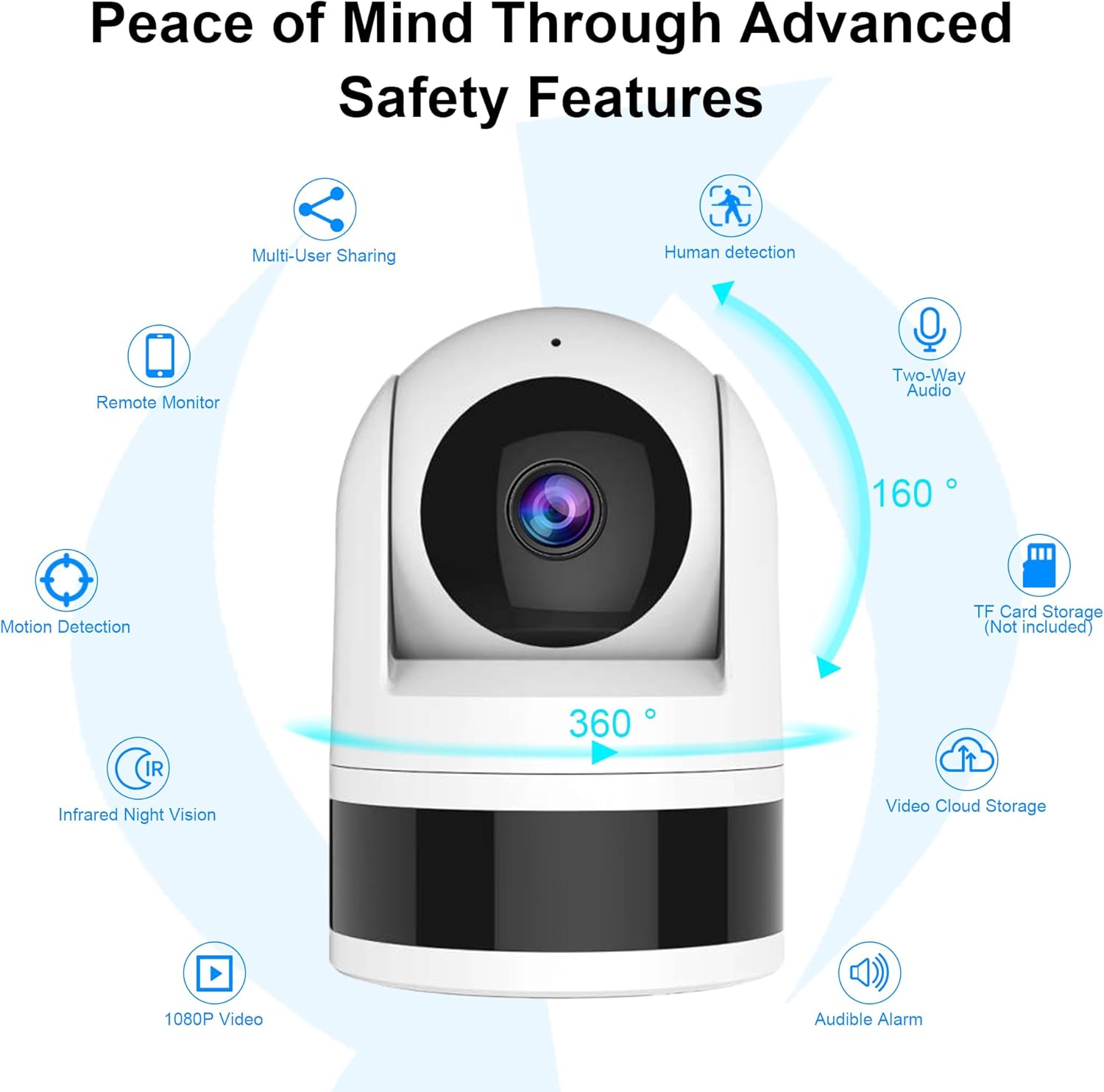
Image: A detailed view of the security camera, highlighting its features such as 360-degree rotation, 160-degree viewing angle, human detection, two-way audio, motion detection, infrared night vision, 1080P video, TF card storage, video cloud storage, and audible alarm.
4.4 Motion Detection
Motion detectors identify movement within their coverage area. Upon detection, the system will trigger the alarm and send notifications.

Image: A motion detector sensing movement in a room, indicating its role in triggering an alarm for real-time monitoring and instant notification.
4.5 Door/Window Sensors
Door/window sensors detect unauthorized opening of entry points. When triggered, the system will alert you to potential break-ins.

Image: A door/window sensor detecting activity, resulting in a base station alarm and phone push notification indicating a break-in.
4.6 SOS Function
The system includes an SOS button on the remote controls for emergency situations. Pressing this button will trigger an immediate alarm and send emergency notifications.
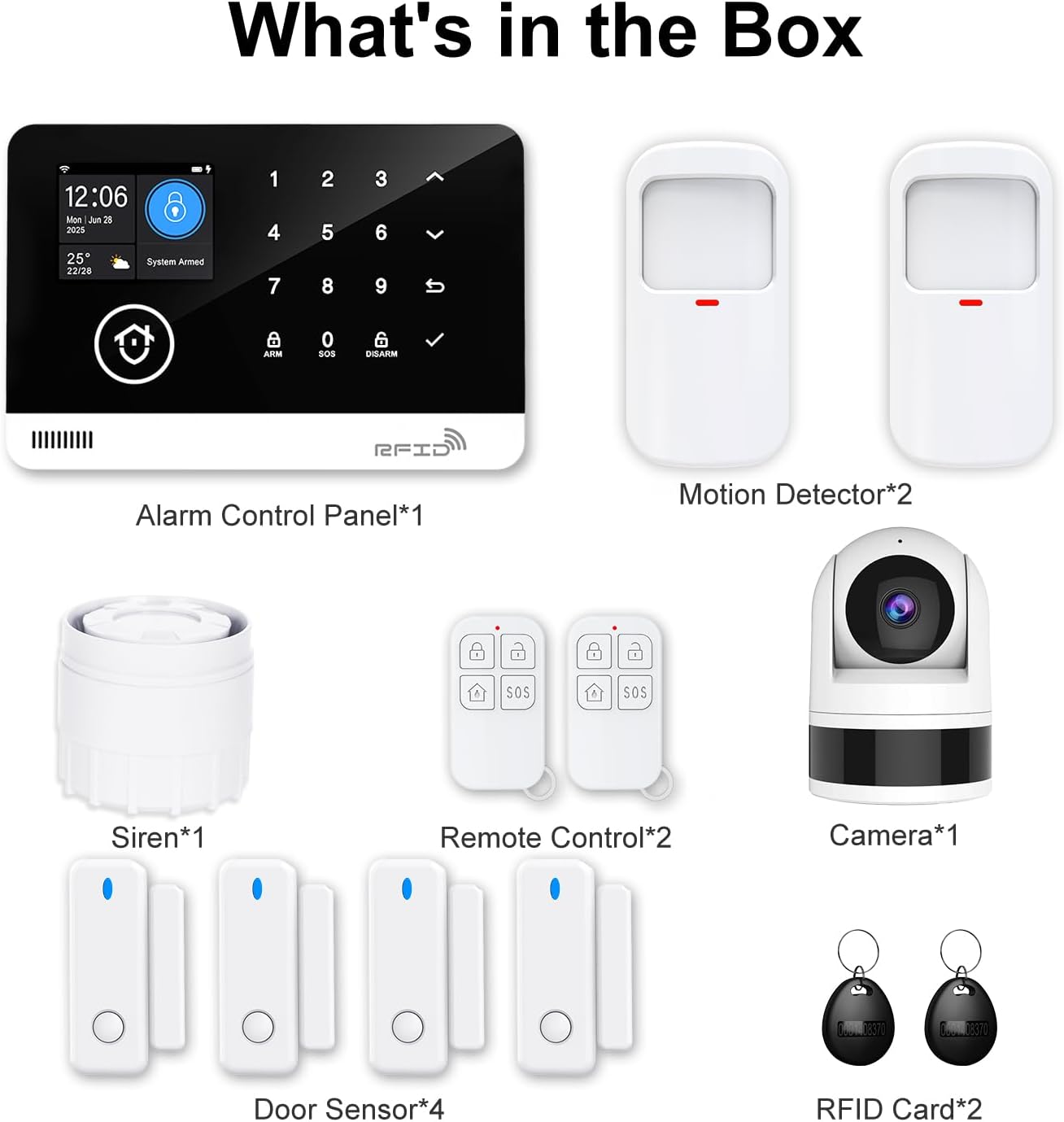
Image: An individual pressing the SOS button on a remote control, demonstrating its use in an emergency to call for help.
5. Maintenance
To ensure optimal performance of your security system:
- Low Battery Reminder: The system provides a low battery reminder for its components. Replace batteries promptly when notified to ensure continuous protection.
- Regular Cleaning: Keep sensors and the camera lens clean from dust and debris using a soft, dry cloth.
- Firmware Updates: Check the Tuya app periodically for any available firmware updates for the control panel and camera to ensure the latest features and security enhancements.
- System Testing: Periodically test your alarm system by triggering a sensor to ensure the siren activates and notifications are sent correctly.
6. Troubleshooting
If you encounter issues with your TUGARD G03SM-EB004-2E Home Security System, consider the following:
- No Power: Ensure the control panel is properly connected to a power source and that batteries in wireless components are charged or replaced.
- No Network Connection: Verify your 2.4GHz Wi-Fi network is active and the password is correct. If using 2G, ensure the SIM card is correctly inserted and has an active plan.
- Sensor Not Triggering: Check the sensor's battery level and its proximity to the control panel. Ensure it is correctly paired with the system.
- False Alarms: Adjust the sensitivity settings of motion detectors if necessary. Ensure sensors are not placed in areas prone to environmental triggers (e.g., direct sunlight, drafts).
- App Connectivity Issues: Ensure your smartphone has an active internet connection and the Tuya app is updated to the latest version.
7. Specifications
| Feature | Detail |
|---|---|
| Brand | TUGARD |
| Model Number | G03SM-EB004-2E |
| Colour | White |
| Power Source | Battery Powered |
| Compatible Devices | Voice Assistant (Alexa, Google Assistant) |
| Item Dimensions (L x W x H) | 30.5 x 20.3 x 5.1 cm |
| Video Capture Resolution | 1080p |
| Network Connectivity | Wi-Fi (2.4GHz), 2G GSM |
| Alert Type | Audio & Motion |
| Control Method | App (Tuya) |
| Smart Home Compatibility | Smart Home Compatible |
| Unit Count | 13.0 count |
| Installation Method | Screw-In |
| Battery Cell Composition | Lithium Ion |
| UPC | 727636983049 |
8. Warranty and Support
For warranty information and technical support, please refer to the documentation provided with your purchase or contact TUGARD customer service directly. Keep your purchase receipt for warranty claims.