
1. Introduction
Thank you for choosing the SHARMEAL 9000A Portable Wireless Car Jump Starter and Air Compressor. This versatile device is designed to provide reliable jump-starting for 12V vehicles (up to 10.0L gasoline and all diesel engines), inflate tires and other inflatables, and serve as a portable power bank for your electronic devices. Please read this manual thoroughly before use to ensure safe and optimal operation.
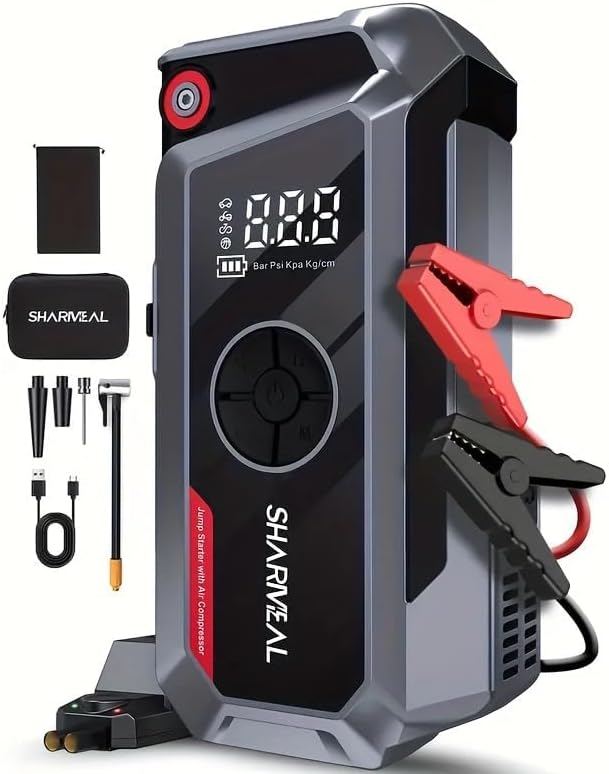
Image 1.1: The SHARMEAL 9000A Portable Jump Starter and Air Compressor unit, displaying its digital screen and integrated features, alongside its smart jumper cables and various inflation accessories.
2. Safety Information
Always observe the following safety precautions to prevent injury or damage to the device and vehicle:
- Read all instructions before using the product.
- Do not operate the jump starter if it is damaged or modified.
- Do not jump start a frozen battery.
- Ensure proper polarity when connecting the jumper cables (red to positive, black to negative). Reverse polarity can cause damage.
- Do not allow the red and black clamps to touch each other.
- Keep out of reach of children.
- Use in a well-ventilated area.
- Do not expose the device to rain or extreme temperatures.
- Disconnect the jump starter from the vehicle battery within 30 seconds after the vehicle starts.
3. Package Contents
Verify that all items are present in your package:

Image 3.1: A comprehensive view of the SHARMEAL 9000A package contents, including the jump starter unit, smart jumper cables, various inflation nozzles, air hose, USB-C charging cable, and a protective carrying case.
- SHARMEAL 9000A Jump Starter Unit
- Smart Jumper Cables
- Air Hose with Nozzles (Presta valve adapter, needle nozzle, general cone nozzle)
- USB-C Charging Cable
- User Manual (this document)
- Storage Case
4. Product Features
- Powerful Jump Starter: Capable of starting 12V vehicles with up to 10.0L gasoline or all diesel engines.
- Integrated Air Compressor: Delivers up to 200 PSI with an air flow of 45L/min for quick tire inflation.
- Portable Power Bank: Features 10W USB-A output and 60W USB-C input/output for charging mobile devices.
- Advanced Safety Protections: Built-in safeguards against reverse polarity, over-current, over-charge, over-discharge, and short circuits.
- LED Flashlight: Multi-mode LED light for illumination, strobe, and SOS signaling.
- Digital Display: Clear screen showing battery level, air pressure, and operational status.
5. Setup and Charging
5.1 Initial Charging of the Unit
Before first use, fully charge the SHARMEAL 9000A unit. Use the provided USB-C cable and a compatible 60W USB-C power adapter (not included) to charge the device. The digital display will indicate the charging status and battery level.
- Connect the USB-C cable to the unit's USB-C IN/OUT port.
- Connect the other end of the USB-C cable to a power adapter.
- Charge until the battery indicator shows full.
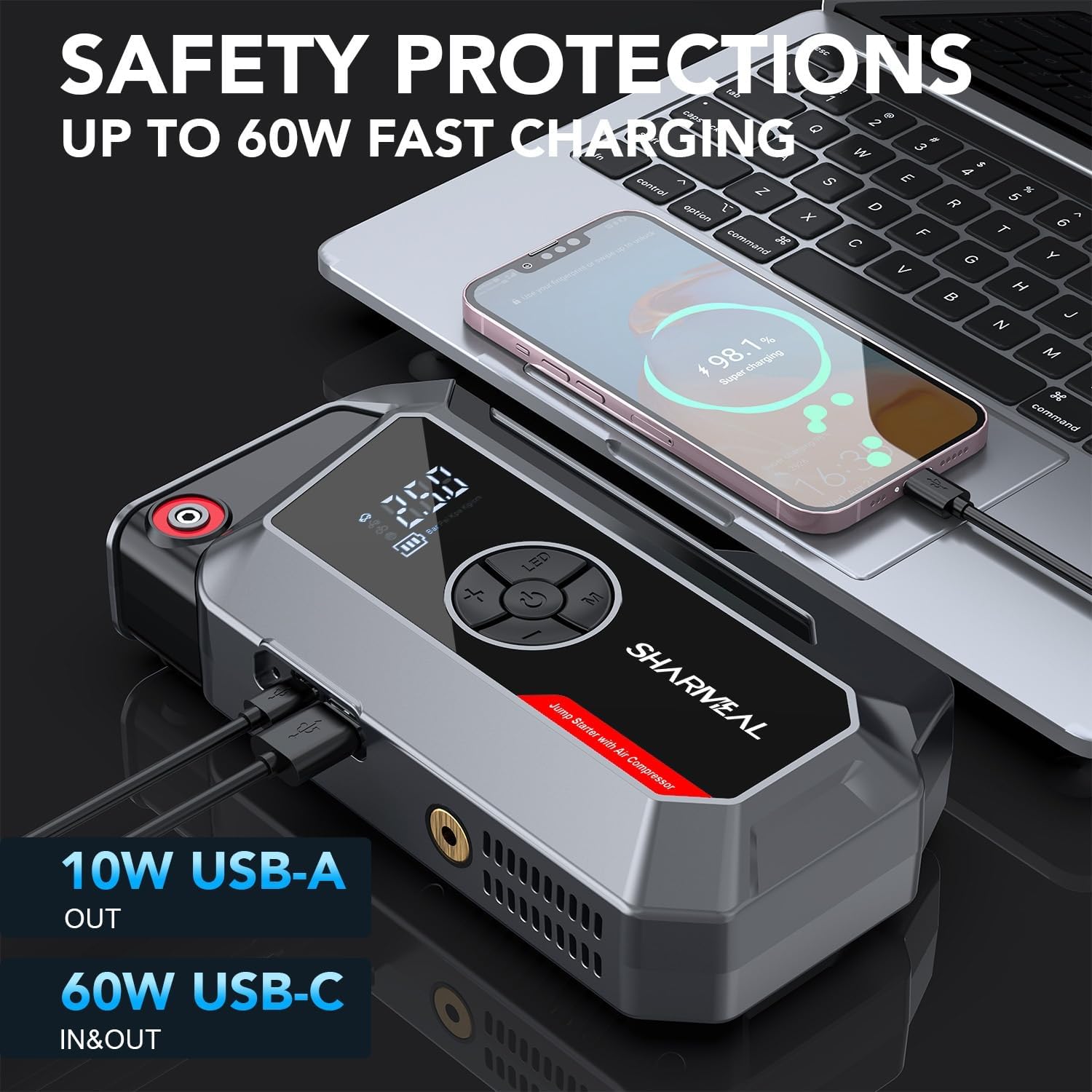
Image 5.1: The SHARMEAL 9000A unit connected via USB-C to a smartphone, demonstrating its fast charging capability and power bank function. The unit's display shows battery percentage.
5.2 Connecting Smart Jumper Cables
The smart jumper cables have a specific port on the jump starter unit. Ensure the connection is firm and secure.
- Locate the jump start port on the SHARMEAL 9000A unit.
- Insert the blue plug of the smart jumper cables into the jump start port. Ensure it clicks into place.
6. Operating Instructions
6.1 Jump Starting a Vehicle
Ensure the SHARMEAL 9000A unit is at least 50% charged before attempting a jump start.
- Turn off the vehicle's ignition and all accessories.
- Connect the smart jumper cables to the SHARMEAL 9000A unit (refer to Section 5.2).
- Connect the red (+) clamp to the positive terminal of the vehicle's battery.
- Connect the black (-) clamp to the negative terminal of the vehicle's battery.
- Once connected, the smart cable indicator light should turn green (or solid green, depending on model). If it shows red or flashes, check connections or refer to troubleshooting.
- Start the vehicle's engine.
- Once the vehicle starts, immediately disconnect the black (-) clamp, then the red (+) clamp from the vehicle battery.
- Disconnect the smart jumper cables from the SHARMEAL 9000A unit.

Image 6.1: The SHARMEAL 9000A unit connected to a car battery with its smart jumper cables, illustrating the process of jump starting a vehicle. The unit's display is visible.
6.2 Using the Air Compressor
The integrated air compressor can inflate tires, sports equipment, and other inflatables.
- Connect the air hose to the inflation port on the SHARMEAL 9000A unit.
- Attach the appropriate nozzle to the air hose and connect it to the item you wish to inflate (e.g., tire valve).
- Power on the unit. The digital display will show the current pressure.
- Use the '+' and '-' buttons to set the desired pressure (PSI, BAR, KPA, Kg/cm²).
- Press the start button (often labeled with a tire icon or 'M') to begin inflation. The compressor will automatically stop when the preset pressure is reached.
- Disconnect the air hose from the item and the unit.

Image 6.2: The SHARMEAL 9000A unit actively inflating a car tire, showcasing its cordless inflator function and digital pressure display. An infographic highlights its 200 PSI maximum pressure and 45L/min air flow.
6.3 Using as a Power Bank
The SHARMEAL 9000A can charge your electronic devices.
- Connect your device's charging cable to either the USB-A (10W) or USB-C (60W) output port on the SHARMEAL 9000A unit.
- The unit will automatically begin charging your device.
6.4 LED Flashlight
Press and hold the flashlight button to turn on the LED light. Press again to cycle through modes (steady, strobe, SOS). Press and hold to turn off.
7. Maintenance
- Storage: Store the unit in a cool, dry place, away from direct sunlight and moisture. Use the provided storage case.
- Recharging: For optimal battery life, recharge the unit every 3-6 months, even if not used.
- Cleaning: Wipe the unit with a soft, damp cloth. Do not use harsh chemicals or abrasive cleaners.
8. Troubleshooting
| Problem | Possible Cause | Solution |
|---|---|---|
| Vehicle does not start after jump attempt. | Low unit battery; incorrect clamp connection; vehicle battery severely damaged. | Ensure unit is fully charged. Check clamp connections for proper polarity and secure contact. If battery is severely damaged, professional assistance may be required. |
| Smart cable indicator light is red/flashing. | Reverse polarity; short circuit; unit battery too low. | Disconnect clamps and re-connect with correct polarity. Ensure clamps are not touching. Charge the unit. |
| Air compressor not inflating. | Hose not securely connected; desired pressure not set; unit battery low. | Check air hose connections. Set a target pressure. Charge the unit. |
| Device not charging from USB ports. | Unit battery low; cable issue; device not compatible. | Charge the unit. Try a different USB cable. Ensure your device is compatible with the output specifications. |
9. Specifications
| Model | TM16K |
| Peak Current | 9000 Amps |
| Engine Compatibility | Up to 10.0L Gasoline / All Diesel Engines (12V) |
| Air Compressor Pressure | Max 200 PSI |
| Air Flow Rate | 45 L/min |
| USB-A Output | 10W |
| USB-C Input/Output | 60W |
| Product Dimensions | 1.1"D x 7"W x 3"H |
| Item Weight | 1.76 Pounds |
| Battery Type | Lithium (Internal) |
10. Warranty and Support
SHARMEAL products are designed and manufactured to the highest quality standards. For warranty information or technical support, please contact Sharmeal customer service through the retailer where the product was purchased or visit the official Sharmeal website. Please have your model number (TM16K) and purchase details ready.
For further assistance, please visit the Sharmeal Store on Amazon.