
1. Introduction
Thank you for choosing the BTMETER BT-816B Mini Digital Anemometer. This compact and highly accurate device is designed to measure wind speed, temperature, and wind chill. It is suitable for a wide range of applications, from outdoor activities like sailing and drone operation to industrial uses such as HVAC system testing. Please read this manual thoroughly before use to ensure proper operation and to maximize the device's lifespan.
2. Safety Information
- Do not expose the device to extreme temperatures, humidity, or direct sunlight for extended periods.
- Avoid dropping the device or subjecting it to strong impacts.
- Keep the device away from water and other liquids.
- Do not attempt to disassemble or modify the device, as this will void the warranty.
- Replace batteries promptly when the low battery indicator appears to ensure accurate readings.
3. Product Overview
The BTMETER BT-816B is a portable digital anemometer featuring a sensitive temperature sensor and 7 smooth fan shaft blades for precise measurements. It includes an LCD backlight for visibility in various lighting conditions and offers multiple measurement modes and units.

Figure 3.1: BTMETER BT-816B Mini Digital Anemometer
Key Features:
- Accurate wind speed measurement: 0.3~30m/s or 59~5905 ft/min (±5% of reading).
- Temperature measurement: -14℉~113℉ (-10℃~45℃) and Wind chill indication.
- Multi-mode operation: Max, Average, and Current wind speed.
- Selectable wind speed units: m/s, ft/min, knots, km/hr, mph.
- Switchable temperature units: Celsius (℃) / Fahrenheit (℉).
- LCD backlight for clear readings in low light.
- Manual/Auto power off function.
- Low battery indicator.

Figure 3.2: Key Features of the BT-816B Anemometer
4. Setup
The BTMETER BT-816B Anemometer requires a CR2032 button cell battery for operation. Ensure the battery is correctly installed before first use.
- Locate the battery compartment on the back of the device.
- Open the battery cover using a small screwdriver or coin.
- Insert the CR2032 battery with the positive (+) side facing up.
- Close the battery cover securely.
5. Operating Instructions
Follow these steps to operate your BTMETER BT-816B Anemometer:
- Power On/Off: Press and hold the 'MODE' button for 3 seconds to power on the device. The display will show 'm/s' blinking. To power off, press and hold the 'SET' button until the display turns off.
- Select Measurement Unit: After powering on, while 'm/s' is blinking, press the 'SET' button to cycle through desired measurement units (m/s, ft/min, knots, km/hr, mph). Press 'MODE' to confirm your selection.
- Switch Temperature Units: Press the '℃/℉' button to switch between Celsius and Fahrenheit temperature displays.
- Select Measurement Mode: Press the 'MODE' button (after unit selection) to cycle through the measurement modes: 'MAX' (maximum wind speed), 'AVG' (average wind speed), and 'CURRENT' (real-time wind speed).
- LCD Backlight: The LCD backlight will activate when any button is pressed, improving visibility in dark conditions.
Video 5.1: Demonstrating the basic operation of the BTMETER BT-816B Anemometer, including power on/off, switching temperature units, and selecting measurement modes.

Figure 5.2: Display with and without backlight, showing different units.

Figure 5.3: Illustration of MAX, Average, and Real Time measurement modes.
6. Applications
The BTMETER BT-816B Anemometer is a versatile tool for various scenarios:
- Outdoor Activities: Ideal for shooting, sailing, mountain climbing, gliding, and kite flying to assess wind conditions.
- Drone Operation: Helps drone pilots determine safe flying conditions.
- HVAC Systems: Useful for testing and balancing air flow in heating, ventilation, and air conditioning systems.
- Research & Education: Suitable for scientific experiments and environmental studies.
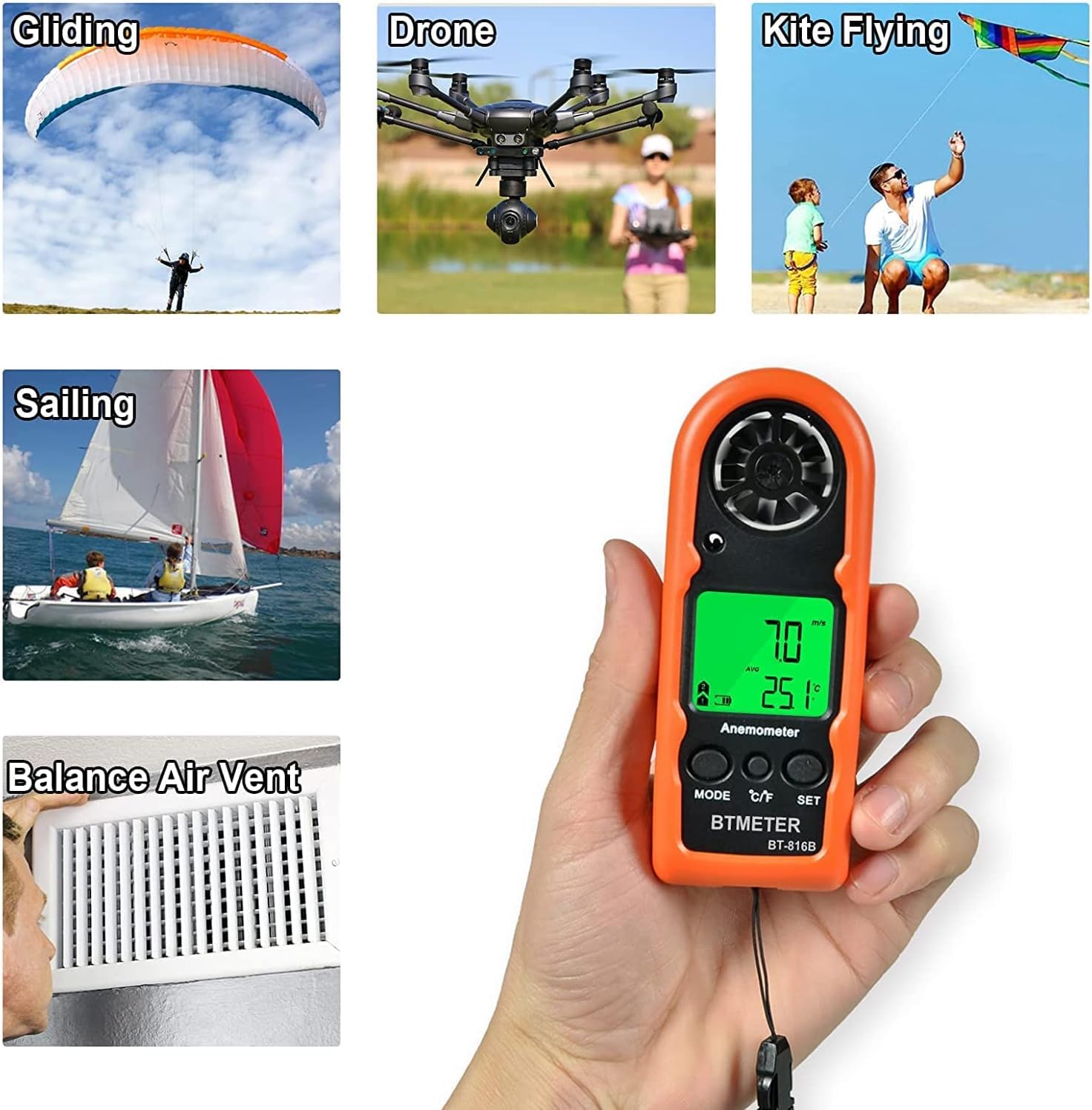
Figure 6.1: Various applications of the BT-816B Anemometer.
7. Maintenance
- Clean the device regularly with a soft, dry cloth. Do not use abrasive cleaners or solvents.
- Ensure the fan blades are free from dust and debris for accurate readings. Use a soft brush if necessary.
- When not in use for an extended period, remove the battery to prevent leakage.
- Store the device in a cool, dry place, away from direct sunlight and extreme temperatures.
8. Troubleshooting
If you encounter issues with your anemometer, refer to the following common problems and solutions:
- Device does not power on: Check if the battery is installed correctly and has sufficient charge. Replace the battery if necessary.
- Inaccurate readings: Ensure the fan blades are spinning freely and are not obstructed. Verify that the device is held in the direction of the airflow.
- Display is dim or flickering: The battery may be low. Replace the battery.
- No wind speed reading: Ensure the fan is rotating. If not, check for obstructions or damage to the fan mechanism.
If the problem persists, please contact customer support.
9. Specifications

Figure 9.1: Dimensions of the BT-816B Anemometer.
| Specification | Value |
|---|---|
| Product Dimensions | 1.57 x 0.59 x 4.53 inches |
| Item Weight | 1.87 ounces (53 Grams) |
| Model Number | BT-816B |
| Brand | BTMETER |
| Material | Plastic |
| UPC | 650740060743 |
| Wind Speed Range | 0.3~30 m/s |
| Temperature Range | -10℃~45℃ (14℉~113℉) |
| Accuracy | ±5% of reading |
| Battery Type | CR2032 (included) |
10. Warranty and Support
The BTMETER BT-816B Anemometer comes with a 365-day warranty and lifetime technical support. If you have any questions, concerns, or require assistance with your device, please do not hesitate to contact BTMETER customer service. Our team is dedicated to providing prompt and helpful support.
For support, please visit the BTMETER Store on Amazon or refer to the contact information provided in your product packaging.


