
TRAUSI T5
TRAUSI T5 Open Ear Earbuds User Manual
Model: T5
Introduction
Thank you for choosing the TRAUSI T5 Open Ear Earbuds. These earbuds are designed to provide a comfortable and stable audio experience, featuring Bluetooth 5.4 technology, an LED power display, and an ergonomic earhook design. This manual provides detailed instructions on how to set up, operate, and maintain your earbuds to ensure optimal performance.
Package Contents
Please verify that all items listed below are included in your package:
- T5 Wireless Earbuds (2 units)
- Wireless Charging Case
- Type-C Charging Cable (1 unit)
- User Manual

Image: Contents of the TRAUSI T5 earbud package, including the earbuds, charging case, Type-C cable, and user manual.
Product Overview
Earbud Design and Components
The TRAUSI T5 earbuds feature an open-ear design with ergonomic earhooks for secure and comfortable wear during various activities. Each earbud is lightweight, weighing approximately 3.8 grams, ensuring minimal pressure during extended use.

Image: Illustration of the ergonomic open-ear design and lightweight nature of the TRAUSI T5 earbuds, highlighting the earhook for secure fit.
LED Power Display
The charging case is equipped with an intuitive LED power display that shows the remaining battery percentage of the case and the charging status of each earbud. This allows for efficient monitoring and planning of charging cycles.

Image: The TRAUSI T5 charging case with earbuds inside, displaying the battery percentage on the LED screen.
Multi-functional Touch Controls
Each earbud features a touch-sensitive area for controlling various functions. Refer to the table below for specific actions:

Image: Diagram illustrating the touch control functions for the TRAUSI T5 earbuds, showing actions like play/pause, skip song, volume adjustment, power on/off, answer/hang up calls, reject calls, and voice assistant activation.
| Action | Left Earbud (L) | Right Earbud (R) |
|---|---|---|
| Play/Pause | Single Tap (x1) | Single Tap (x1) |
| Switch Song | Double Tap (x2) | Double Tap (x2) |
| Adjust Volume | Tap and Hold (-) | Tap and Hold (+) |
| Power On/Off | Hold for 5 seconds | Hold for 5 seconds |
| Answer/Hang Up Call | Double Tap (x2) | Double Tap (x2) |
| Reject Call | Hold for 2 seconds | Hold for 2 seconds |
| Voice Assistant (Siri) | Triple Tap (x3) | Triple Tap (x3) |
Setup
Charging the Earbuds and Case
- Initial Charge: Before first use, fully charge the earbuds and charging case. Connect the provided Type-C cable to the charging port on the case and a USB power source.
- Charging Case: The LED display on the case will show the battery percentage while charging. A full charge typically takes approximately 1.5-2 hours.
- Charging Earbuds: Place the earbuds into the charging case. The LED indicators on the earbuds will light up to show they are charging. The case's display will show the individual earbud charge status.
A single charge provides up to 6 hours of playback for the earbuds, and the charging case extends the total battery life to approximately 40 hours.

Image: Visual representation of the TRAUSI T5 earbuds' battery life, indicating 6 hours per earbud and 40 hours total with the charging case.
Pairing with a Device
- Automatic Power On: Open the charging case. The earbuds will automatically power on and enter pairing mode.
- Bluetooth Activation: On your device (smartphone, tablet, laptop), enable Bluetooth.
- Select Device: Search for "T5" in the list of available Bluetooth devices and select it to connect.
- Confirmation: Once connected, you will hear an audio prompt, and the earbuds will be ready for use.
- Automatic Reconnection: After the initial pairing, the earbuds will automatically reconnect to the last paired device when removed from the charging case, provided Bluetooth is enabled on the device.

Image: A visual guide demonstrating the automatic pairing process of the TRAUSI T5 earbuds with a smartphone, showing "T5" in the Bluetooth device list.
The TRAUSI T5 earbuds utilize advanced Bluetooth 5.4 technology for a stable and efficient connection.
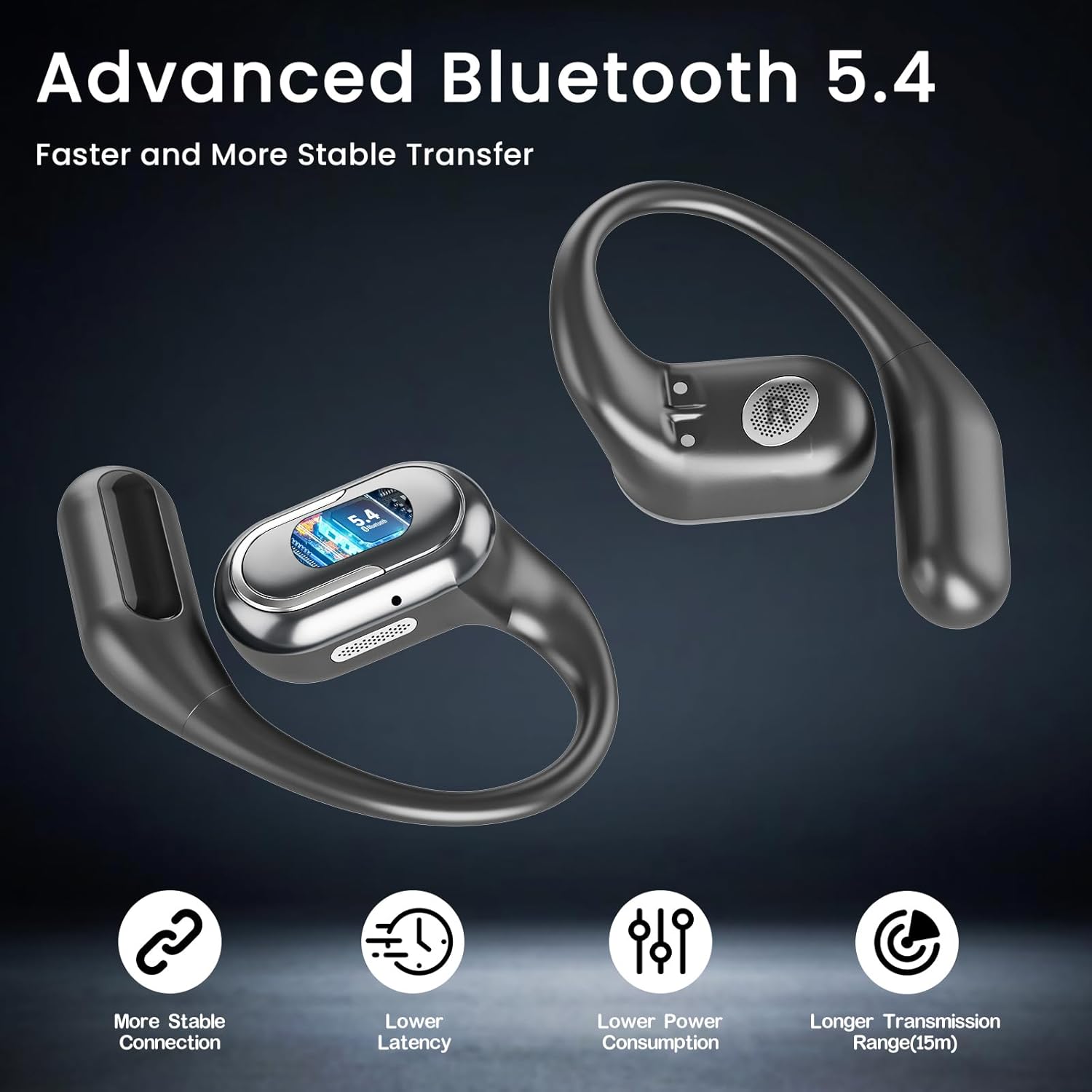
Image: Depiction of the TRAUSI T5 earbuds highlighting Bluetooth 5.4 technology, emphasizing stable connection, lower latency, lower power consumption, and longer transmission range.
Operating Instructions
Once paired, you can control your audio playback and calls using the touch controls on the earbuds as detailed in the "Multi-functional Touch Controls" section above.
Wearing the Earbuds
Gently place the earhook over your ear, positioning the speaker part comfortably near your ear canal. Adjust for a secure fit that allows for clear audio without discomfort. The open-ear design ensures awareness of your surroundings.
Audio Playback
- Play/Pause: Single tap either earbud.
- Next Song: Double tap either earbud.
- Volume Up: Tap and hold the right earbud.
- Volume Down: Tap and hold the left earbud.
Call Management
- Answer/End Call: Double tap either earbud during an incoming call or an active call.
- Reject Call: Hold either earbud for 2 seconds during an incoming call.
Voice Assistant
- Activate Voice Assistant (Siri): Triple tap either earbud.

Image: A collage showing various usage scenarios for the TRAUSI T5 earbuds, including meditation, working out, office work, and general music listening, emphasizing their versatility as an all-day audio companion.
Maintenance
- Cleaning: Regularly clean the earbuds and charging case with a soft, dry, lint-free cloth. Avoid using abrasive materials or harsh chemicals.
- Storage: When not in use, store the earbuds in their charging case to protect them from dust and damage.
- Water Resistance: The earbuds are IPX5 waterproof, meaning they are resistant to sweat and light splashes. Do not submerge them in water or expose them to heavy rain.

Image: Illustration of the TRAUSI T5 earbuds with water splashing, indicating their IPX5 waterproof and sweatproof rating, designed to protect internal components.
Troubleshooting
- Earbuds not powering on or charging:
- Ensure the charging case is charged. Place earbuds correctly in the case. Clean charging contacts if necessary. If the case shows 100% but earbuds don't respond, try charging the case with earbuds inside for at least 30 minutes.
- Only one earbud is working:
- Place both earbuds back into the charging case, close the lid, wait a few seconds, then open the lid and try pairing again. Ensure both earbuds are charged. If two "T5" devices appear in your Bluetooth list, delete both, then re-pair.
- Earbuds not pairing with device:
- Make sure Bluetooth is enabled on your device. Ensure the earbuds are in pairing mode (LED indicator flashing). Move the earbuds closer to your device. Forget "T5" from your device's Bluetooth list and try pairing again.
- Low volume or poor sound quality:
- Adjust the volume on both your device and the earbuds. Ensure the earbuds are clean and properly positioned on your ears. Check for any obstructions. The open-ear design naturally allows some ambient sound, which can affect perceived volume in noisy environments.
- Frequent disconnections:
- Ensure your device is within the Bluetooth range (up to 10 meters). Avoid obstacles between the earbuds and your device. Try resetting the earbuds by placing them in the case and then re-pairing.
Specifications
| Feature | Detail |
|---|---|
| Model Name | T5 |
| Brand | TRAUSI |
| Connectivity Technology | Wireless (Bluetooth) |
| Bluetooth Version | 5.4 |
| Bluetooth Range | 10 Meters |
| Ear Placement | Open Ear |
| Form Factor | In Ear (with earhook) |
| Control Type | Touch Control |
| Battery Life (Earbuds) | Up to 6 hours (single charge) |
| Total Battery Life (with case) | Up to 40 hours |
| Water Resistance Level | IPX5 (Waterproof) |
| Noise Control | Environmental Noise Cancellation (ENC) |
| Material | Plastic |
| Item Weight | 4.9 ounces (total package) |
Warranty and Support
For warranty information or technical support, please refer to the documentation included with your purchase or contact TRAUSI customer service directly. You can typically find contact information on the official TRAUSI website or through your retailer.
Please retain your proof of purchase for any warranty claims.
Ask a question about this manual
Ask about setup, troubleshooting, compatibility, parts, safety, or missing instructions. Manuals+ will review the question and use this page’s manual context to help answer it.