
1. Introduction
This user manual provides essential information for the proper installation, use, and maintenance of your Phinistec F18 Leather Protective Case. Designed specifically for the Phinistec F18 Retro Music Player, this case offers enhanced protection against daily wear and tear, ensuring the longevity and pristine condition of your device.
2. Product Overview
The Phinistec F18 Leather Protective Case is crafted from durable leather material, providing a comfortable grip and a stylish appearance. Its design incorporates shockproof features to safeguard your F18 music player from accidental bumps and scratches. The case is precisely molded to allow full access to all ports, buttons, and the screen of your device.

Figure 2.1: Phinistec F18 Retro Music Player with the orange leather protective case.

Figure 2.2: Rear view of the Phinistec F18 leather protective case.
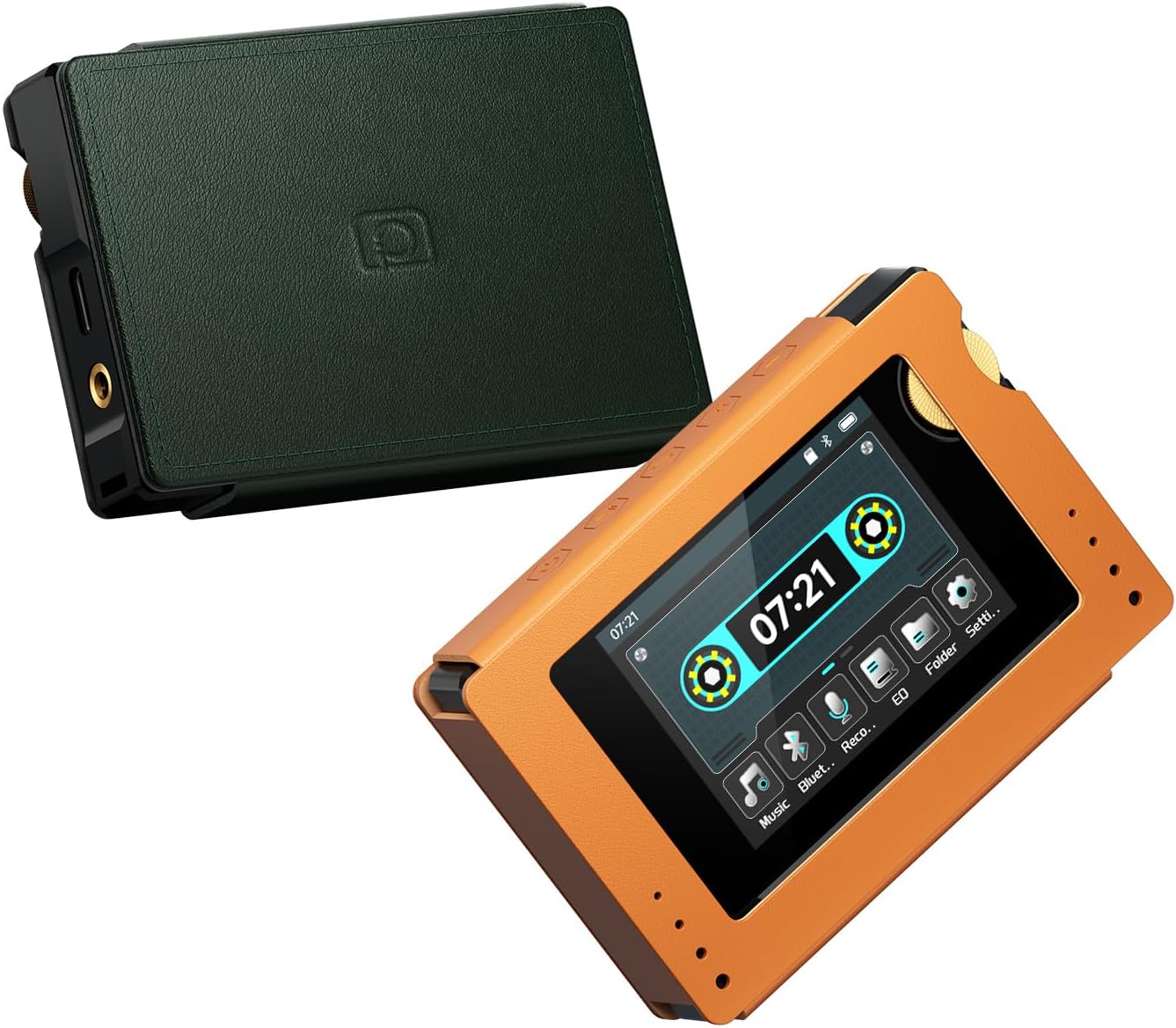
Figure 2.3: Phinistec F18 players with orange and green protective cases.
3. Installation Guide
Follow these steps to correctly install your Phinistec F18 Retro Music Player into its protective case:
- Prepare the Device: Ensure your Phinistec F18 music player is clean and free of dust or debris before installation.
- Align the Player: Gently slide the Phinistec F18 player into the case, starting from one end. Ensure the player's screen and buttons align with the case's cutouts.
- Secure the Fit: Apply gentle, even pressure to fully seat the player within the case. The case is designed for a snug fit to prevent the player from moving inside.
- Check Accessibility: Verify that all ports (headphone jack, charging port), buttons (power, volume, navigation), and the screen are fully accessible and functional.
The case is designed to fit snugly. Initial installation may require a slight effort, but it will conform over time.
4. Care and Maintenance
To maintain the quality and appearance of your leather protective case, follow these guidelines:
- Cleaning: Wipe the case regularly with a soft, dry cloth to remove dust. For minor stains, use a slightly damp cloth with mild soap, then wipe dry immediately. Avoid harsh chemicals or abrasive cleaners.
- Avoid Extreme Conditions: Do not expose the case to direct sunlight for prolonged periods or to extreme temperatures, as this can cause the leather to fade or crack.
- Moisture Protection: Keep the case dry. If it gets wet, gently blot it with a clean, dry cloth and allow it to air dry naturally, away from direct heat.
- Conditioning (Optional): Periodically, you may apply a small amount of leather conditioner to keep the leather supple and prevent drying. Follow the conditioner manufacturer's instructions.
5. Troubleshooting
If you encounter any issues with your protective case, consider the following:
- Case Does Not Fit: Ensure you have the correct model case for your Phinistec F18 player. The case is designed for a precise fit. If it feels too tight, ensure the player is correctly aligned.
- Buttons Are Stiff: After initial installation, the leather may need a short period to conform. Press the buttons a few times to help break in the material around them.
- Discoloration/Stains: Refer to the "Care and Maintenance" section for cleaning instructions. For stubborn stains, professional leather cleaning may be required.
6. Specifications
| Brand | Phinistec |
| Compatible Device | Phinistec F18 Retro Music Player |
| Material | Leather |
| Special Features | Shockproof |
| Dimensions (L x W x H) | 9.3 x 6.6 x 2.49 cm (3.66 x 2.6 x 0.98 inches) |
| Weight | 18 g (0.63 ounces) |
| Included Accessories | 1 x Protective Case |
7. Product Video
The following video provides an overview of the Phinistec F18 Retro Music Player, including a brief look at the protective case.
Video 7.1: Overview of the Phinistec F18 Retro MP3 Cassette Player, showcasing its features and design, including the protective case.
8. Warranty and Support
For warranty information and customer support, please refer to the documentation included with your Phinistec F18 Retro Music Player or visit the official Phinistec website. Keep your purchase receipt for warranty claims.