
1. Introduction
Thank you for choosing the Haier X Series 5 8 Kg Front-Load Washing Machine. This appliance combines compact design with high performance for precise and sustainable laundry care. Featuring the Smart AI Cycle, AI PowerDrive Motor, and hOn App connectivity, it offers advanced solutions for your daily washing needs. This manual provides essential information for safe installation, efficient operation, and proper maintenance of your new washing machine.
2. Safety Information
Please read all safety instructions carefully before using the appliance to prevent risks of fire, electric shock, injury, or damage to the product. Keep this manual for future reference.
- Ensure the washing machine is properly grounded before use.
- Do not operate the appliance if the power cord is damaged.
- Keep children and pets away from the appliance during operation.
- Do not touch the appliance with wet hands.
- Always unplug the washing machine before cleaning or performing any maintenance.
- Do not wash items that have been cleaned in, washed in, soaked in, or spotted with combustible or explosive substances.
3. Setup and Installation
Unpacking and Positioning
Carefully unpack the washing machine and remove all packaging materials. This is a free-standing appliance. Ensure it is placed on a firm, level surface to minimize vibration and noise during operation. Adjust the leveling feet if necessary.
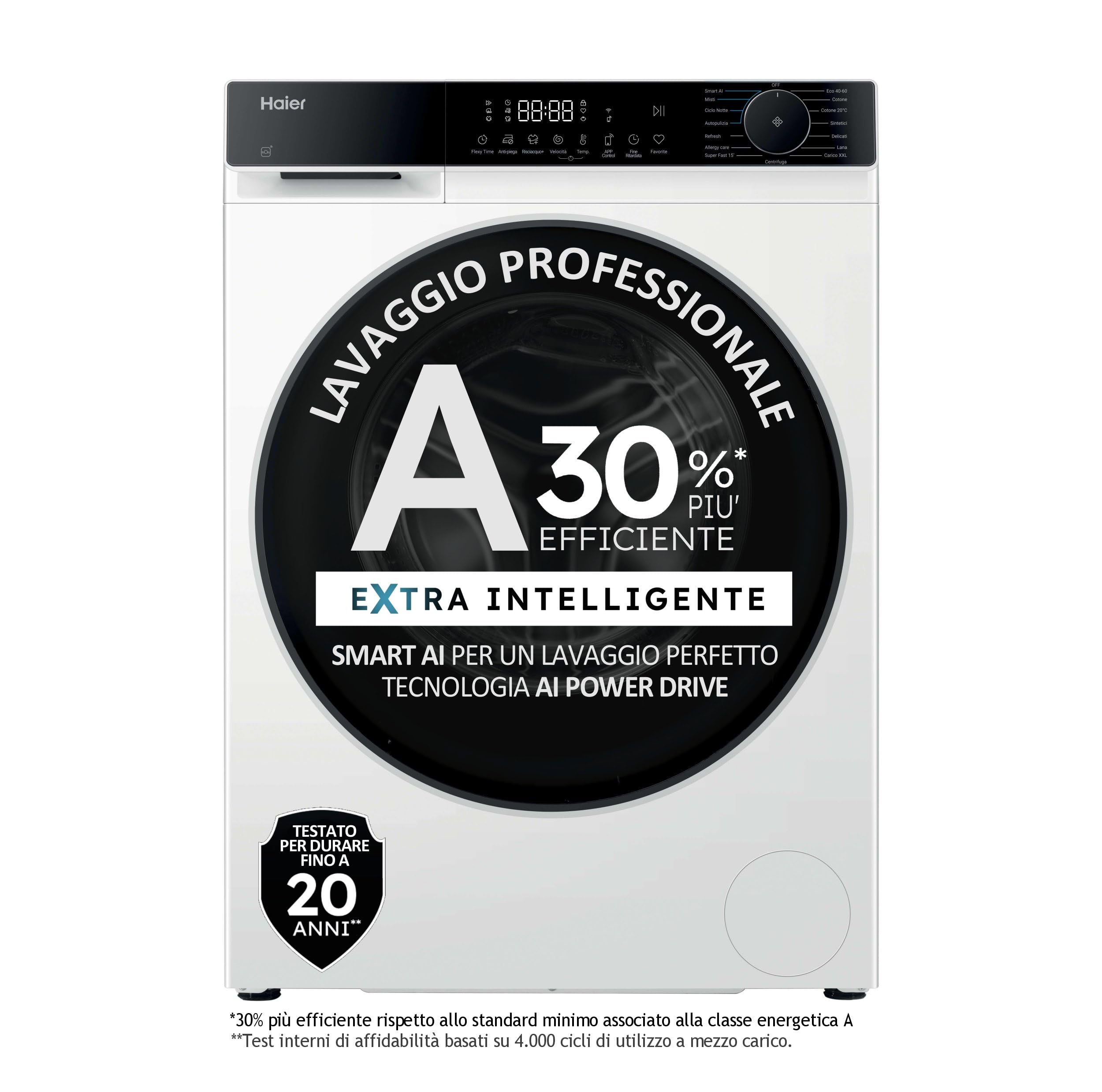
Figure 3.1: Front view of the Haier X Series 5 Washing Machine.
Water and Power Connections
Connect the included fill hose to a cold water tap and the appliance's water inlet. Ensure all connections are tight to prevent leaks. Plug the power cord into a properly grounded electrical outlet. Refer to local regulations for electrical and plumbing requirements.
Initial Use
Before the first wash, run an empty cycle with a small amount of detergent to clean the drum and internal components.
4. Operating Instructions
Loading Laundry
Open the front-load door and load up to 8 kg of dry laundry. Do not overload the machine. Ensure no items are caught in the door seal before closing.

Figure 4.1: Side view of the washing machine with the door open, showing the drum.
Adding Detergent and Softener
This model features an automatic detergent dispenser. Add liquid or powder detergent and fabric softener to the designated compartments. The machine will dispense the correct amount based on the selected program and load.
Selecting a Wash Program
Use the touch controls to select one of the 60 standard wash programs. The Smart AI Cycle automatically recognizes fabric type and load size, adjusting parameters, temperature, and water consumption for optimal results and efficiency.
Special Features
- AI PowerDrive Motor: Ensures powerful and quiet washing with reduced vibration and wear.
- hOn App (Wi-Fi Connectivity): Manage and customize washes directly from your smartphone. Choose from over 60 dedicated programs and adjust cycle duration with Flexy Time.
- Refresh Cycle (Steam): Freshens clothes in 20 minutes without detergent, reducing odors and wrinkles.
- 6 Stains Treatment: A dedicated function to remove stubborn stains, ensuring impeccable results even on delicate fabrics.
Starting and Stopping a Cycle
Press the Start/Pause button to begin the selected cycle. To pause a cycle, press the button again. To cancel a cycle, press and hold the Start/Pause button for a few seconds.
5. Maintenance
Cleaning the Drum and Gasket
The Smart Dual Spray system automatically cleans the drum and gasket after each wash, preventing mold and odors. For additional cleaning, run a maintenance wash cycle at a high temperature with a washing machine cleaner.
ABT (Anti-Bacterial Treatment)
The ABT treatment on the gasket and detergent drawer helps prevent bacteria and unpleasant odors, keeping your washing machine hygienic over time.
Cleaning the Detergent Dispenser
Regularly remove and clean the detergent dispenser drawer to prevent residue buildup.
Cleaning the Filter
Periodically check and clean the drain pump filter to ensure proper drainage and prevent blockages.
6. Troubleshooting
If you encounter any issues with your washing machine, refer to the following common problems and solutions before contacting service.
- Machine does not start: Check if the power cord is properly plugged in, the door is closed securely, and the water supply is turned on.
- No water filling: Ensure the water tap is open and the fill hose is not kinked or blocked.
- Water not draining: Check the drain hose for kinks and clean the drain pump filter.
- Excessive vibration/noise: Ensure the machine is level and all transit bolts have been removed. Distribute laundry evenly in the drum.
- Error codes on display: Consult the full user manual (available online or with purchase) for specific error code meanings and solutions.
7. Specifications
Below are the technical specifications for the Haier X Series 5 Washing Machine, Model HW80-BP14357U-IT.
| Feature | Specification |
|---|---|
| Brand | Haier |
| Model Number | HW80-BP14357U-IT |
| Capacity | 8 Kilograms |
| Dimensions (DxWxH) | 56P x 60l x 85H cm (56 x 60 x 85 cm) |
| Item Weight | 66 Kilograms |
| Loading Position | Front Load |
| Color | White |
| Control Type | Touch |
| Maximum Spin Speed | 1400 Revolutions per minute |
| Number of Standard Cycles | 60 |
| Noise Level | 50 Decibels |
| Installation Type | Free-standing |
| Detergent Dispenser Options | Automatic Dispenser |
| Drum Material | Stainless Steel |
| Included Components | Fill Hose |
| Country of Origin | China |
Energy Information
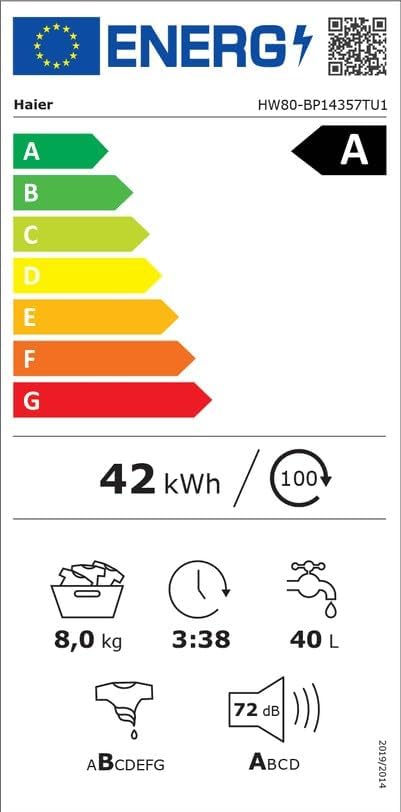
Figure 7.1: Energy Label for Haier X Series 5 Washing Machine.
For detailed product information and the official product data sheet, please refer to the following resources:

Figure 7.2: Product Data Sheet for Haier X Series 5 Washing Machine.
Official EPREL Product Information: https://eprel.ec.europa.eu/qr/2275160
8. Warranty and Support
Product Warranty
This Haier washing machine comes with a 2-year product warranty from the date of purchase. Please retain your proof of purchase for warranty claims. The warranty covers manufacturing defects and malfunctions under normal use conditions.
Customer Support
For technical assistance, spare parts, or warranty service, please contact Haier customer support. You can find contact information on the official Haier website or in the documentation provided with your appliance. When contacting support, please have your model number (HW80-BP14357U-IT) and serial number ready.