
Trisomy D1
Trisomy D1 Walking Pad Treadmill User Manual
Model: D1 | Brand: Trisomy
1. Important Safety Instructions
WARNING: To reduce the risk of burns, fire, electric shock, or injury to persons, read the following important precautions and information before operating the treadmill.
- Keep the treadmill indoors, away from moisture and dust. Do not place it in a garage or covered patio, or near water.
- Place the treadmill on a level surface, with at least 2 meters (6.5 feet) of clear space behind it and 0.5 meters (1.6 feet) on each side.
- Ensure the power cord is not pinched or damaged.
- Do not allow children or pets on the treadmill.
- Wear appropriate exercise clothing and footwear.
- Consult a physician before beginning any exercise program.
- The treadmill is designed for users up to 450 lbs (204 kg).
- Always use the safety key.
2. Package Contents
Verify that all components are present:
- Walking Pad x1
- Remote Control x1
- Power Cord x1
- L-shaped Wrench x1
- Lubricant x1
- User Manual x1
- Quick Installation Guide x1

Image: All items included in the Trisomy D1 Walking Pad Treadmill package, laid out on a rug next to the treadmill.
3. Setup
3.1 Unpacking and Placement
- Carefully remove the treadmill from its packaging. The unit is pre-assembled.
- Place the treadmill on a flat, stable surface. Ensure there is adequate clearance around the unit for safe operation.
3.2 Power Connection
- Connect the power cord to the treadmill's power input.
- Plug the power cord into a grounded electrical outlet.
3.3 Initial Power On
- Locate the power switch on the side of the treadmill and turn it ON. The UI screen will illuminate.
4. Operating Instructions
4.1 Remote Control Functions
The treadmill is operated using the included remote control:
- Start/Stop: Press the play/pause button to start or stop the treadmill.
- Speed Adjustment: Use the '+' and '-' buttons to increase or decrease speed (0.6-4.0 MPH).
- Incline Adjustment: Use the 'M' button with up/down arrows to adjust the automatic incline (0-15%, 12 levels).
- Mode Selection: The 'M' button can also cycle through different display modes or preset programs.
- Volume Control: Adjust the volume for Bluetooth audio.
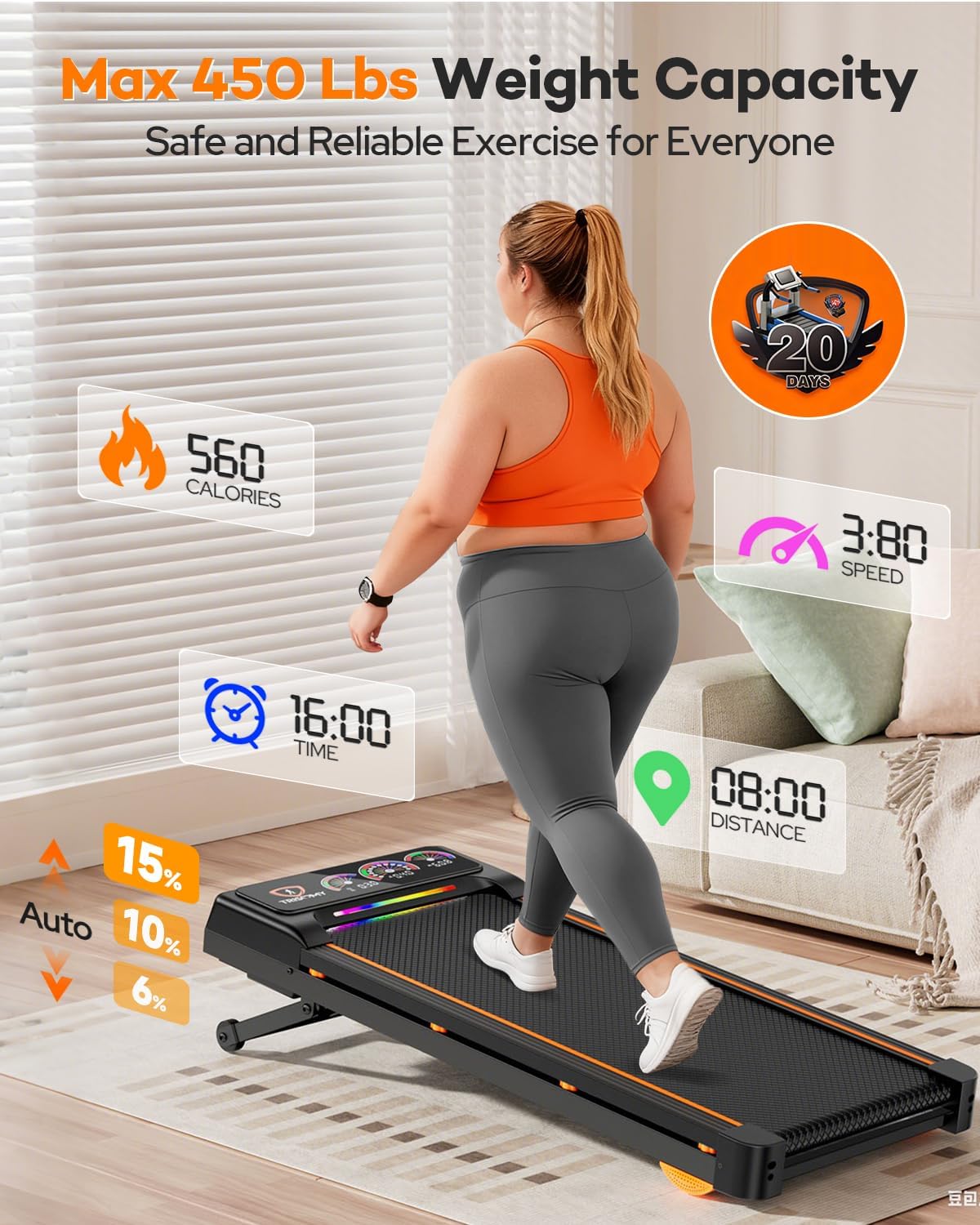
Image: Close-up of the remote control for the Trisomy D1 Walking Pad Treadmill, showing its various buttons for speed, incline, and other functions.
4.2 UI Screen and LED Lighting
The advanced UI screen displays real-time workout data, and dynamic LED lighting pulses with your speed.
- Time: Displays elapsed workout time.
- Speed: Shows current speed in MPH.
- Distance: Tracks distance covered.
- Calories: Estimates calories burned.
- Incline Level: Indicates the current incline setting.

Image: The vibrant UI screen of the Trisomy D1 Walking Pad Treadmill, showing digital readouts for speed, time, distance, and calories, complemented by dynamic LED lighting.
4.3 Bluetooth Speaker
Connect your smartphone or other Bluetooth-enabled device to the treadmill to play music through its integrated speakers.
- Ensure Bluetooth is enabled on your device.
- Search for "Trisomy D1" (or similar) in your device's Bluetooth settings and pair.
- Adjust volume using the remote control or your connected device.

Image: A user's smartphone connected to the Trisomy D1 Walking Pad Treadmill via Bluetooth, displaying music playback and workout metrics on the treadmill's UI screen.
4.4 Incline Feature
The treadmill offers 12 levels of automatic incline, reaching up to 15% to enhance calorie burn and simulate varied terrain.

Image: A visual representation of the Trisomy D1 Walking Pad Treadmill's 12-level, 15% auto incline feature, highlighting its ability to simulate uphill walking.
5. Maintenance
5.1 Lubrication
Regular lubrication of the running belt is crucial for smooth operation and longevity. Use the provided lubricant.
| Usage Frequency | Maintenance Frequency |
|---|---|
| <3 Hours/Week | Every 2 Months |
| 4-6 Hours/Week | Every 1 Month |
| 7+ Hours/Week | Every 2 Weeks |

Image: A hand applying lubricating oil to the running belt of the Trisomy D1 Walking Pad Treadmill, illustrating the lubrication process.
5.2 Belt Adjustment
If the running belt drifts to one side, use the L-shaped wrench to adjust it:
- If the belt drifts right: Tighten the right screw slightly or loosen the left.
- If the belt drifts left: Tighten the left screw slightly or loosen the right.
- The treadmill features a self-centering function that corrects slight belt misalignment via no-load low-speed operation.

Image: A close-up of the rear of the Trisomy D1 Walking Pad Treadmill, showing the adjustment screws for the running belt and the L-shaped wrench in use.
6. Troubleshooting
| Problem | Possible Cause | Solution |
|---|---|---|
| Treadmill does not power on. | Power cord not connected; Power switch off; Outlet issue. | Check power cord connection; Turn power switch ON; Test outlet with another device. |
| Running belt slips or stops. | Belt too loose; Insufficient lubrication. | Adjust belt tension (see 5.2); Lubricate belt (see 5.1). |
| Unusual noise during operation. | Loose components; Belt misalignment. | Check for loose screws; Adjust belt (see 5.2). |
| Remote control not responding. | Low battery; Obstruction. | Replace remote battery; Ensure no obstructions between remote and treadmill. |
7. Specifications
| Feature | Detail |
|---|---|
| Brand | Trisomy |
| Model Name | D1 |
| Color | Black |
| Product Dimensions | 48.23"D x 23"W x 6.42"H |
| Item Weight | 25.86 Kilograms (57 lbs) |
| Material | Alloy Steel |
| Maximum Speed | 4 Miles per Hour |
| Maximum Horsepower | 3.5 HP |
| Maximum Incline Percentage | 15% (12 Levels) |
| Maximum Weight Recommendation | 450 Pounds |
| Special Features | Auto Incline, Compact Design, Heavy Duty, UI Screen, Bluetooth Speaker, Triple Shock Absorption |
8. Warranty Information
The Trisomy D1 Walking Pad Treadmill comes with a 1-year limited warranty from the date of purchase. This warranty covers manufacturing defects and workmanship under normal use. Please retain your proof of purchase for warranty claims.
For detailed warranty terms and conditions, please refer to the official Trisomy website or contact customer support.
9. Customer Support
For any questions, assistance, or technical support regarding your Trisomy D1 Walking Pad Treadmill, please contact our dedicated customer service team:
- Online Support: Visit the Trisomy Store on Amazon and click "Ask a Question".
- Email: [Insert Manufacturer Email Here, if available]
- Phone: [Insert Manufacturer Phone Number Here, if available]
Our team is available 24/7 to assist you promptly.
Ask a question about this manual
Ask about setup, troubleshooting, compatibility, parts, safety, or missing instructions. Manuals+ will review the question and use this page’s manual context to help answer it.