1. Introduction
This manual provides detailed instructions for the operation and maintenance of your Oilsky M303pro 80GB MP3 Player. Please read this manual thoroughly before using the device to ensure proper functionality and to maximize your user experience. Keep this manual for future reference.
2. Product Overview
Key Features
- Multifunctional Player: Combines local and streaming music with preloaded applications like Spotify, Amazon Music, Audible, and Pandora.
- Immersive Audio-Visual Experience: Features a 4-inch full touch IPS LCD screen (480x800 pixels) supporting 720p and 1080p HD video playback. Compatible with RM, RMVB, FLV, MP4, DAT, MKV, MPG, MOV, TS video formats.
- HiFi Lossless Sound Quality: Equipped with a professional intelligent digital noise reduction chip. Supports MP3, OGG, FLAC, AAC, WAV, WMA, APE, and other lossless audio formats.
- 80GB Large Capacity: Runs on Android OS with 2GB RAM, 16GB ROM, and an MTK 8-core processor. Includes a 64GB storage card, expandable up to 512GB.
- Bluetooth 5.0 and Wi-Fi Connectivity: Fast and stable pairing with headphones, speakers, and car audio. Supports wireless network connection for app downloads and online media.
- Long-lasting Battery: Built-in 2000mAh lithium battery provides 45-50 hours of music playback or 6-8 hours of video playback.
What's in the Box

Image: Contents of the Oilsky M303pro MP3 Player retail box.
- 1 x Oilsky M303pro MP3 Player
- 1 x 64GB Micro SD Card
- 1 x Protective Film
- 1 x Protective Case
- 1 x USB-C Cable
- 1 x User Manual
Device Layout
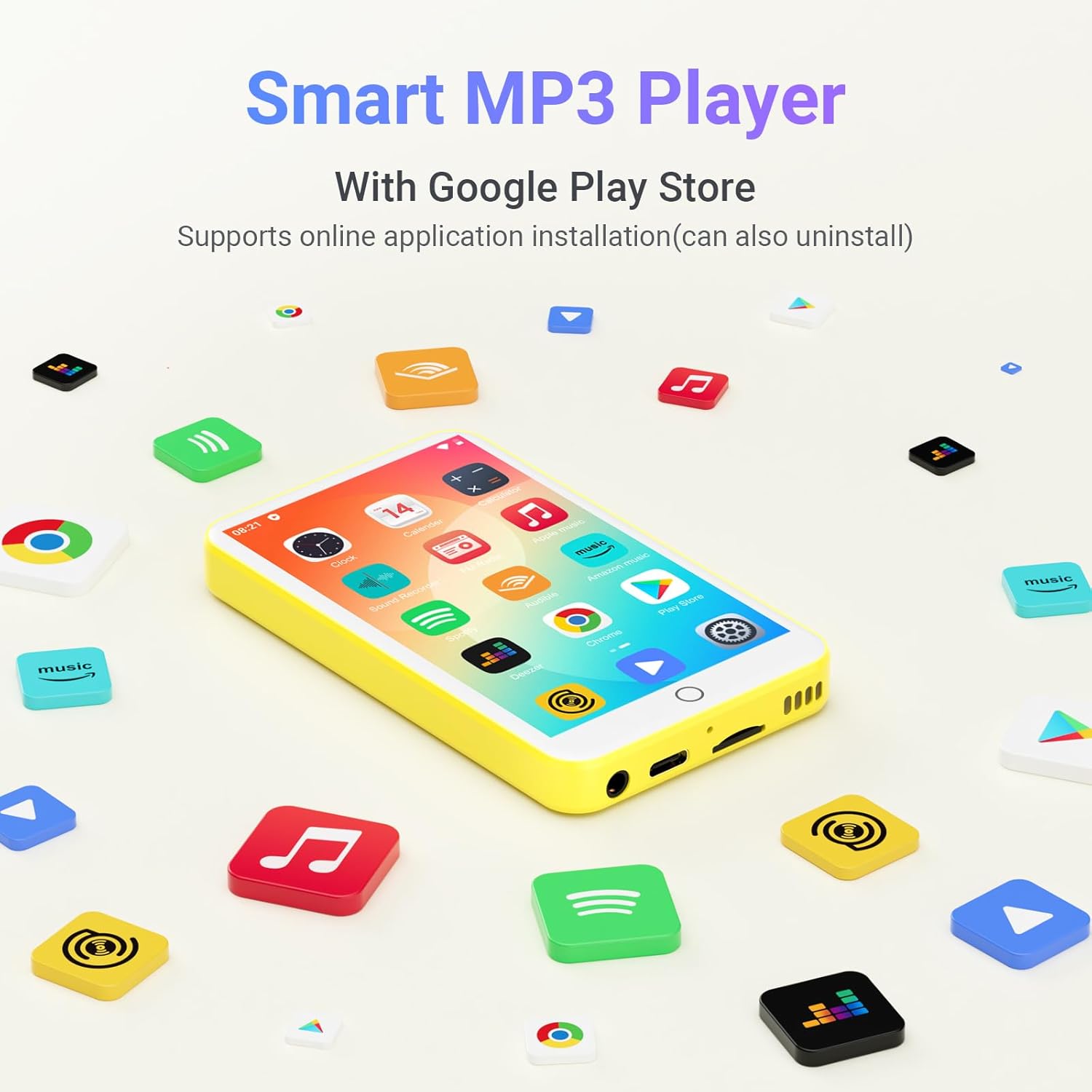
Image: Front view of the Oilsky M303pro MP3 Player, displaying the touch screen interface.
The Oilsky M303pro features a 4-inch full touch IPS screen on the front. The device includes standard ports for charging (USB-C) and audio output (3.5mm headphone jack), along with physical buttons for power and volume control. The Micro SD card slot is located on the side for storage expansion.
3. Getting Started
Charging the Device
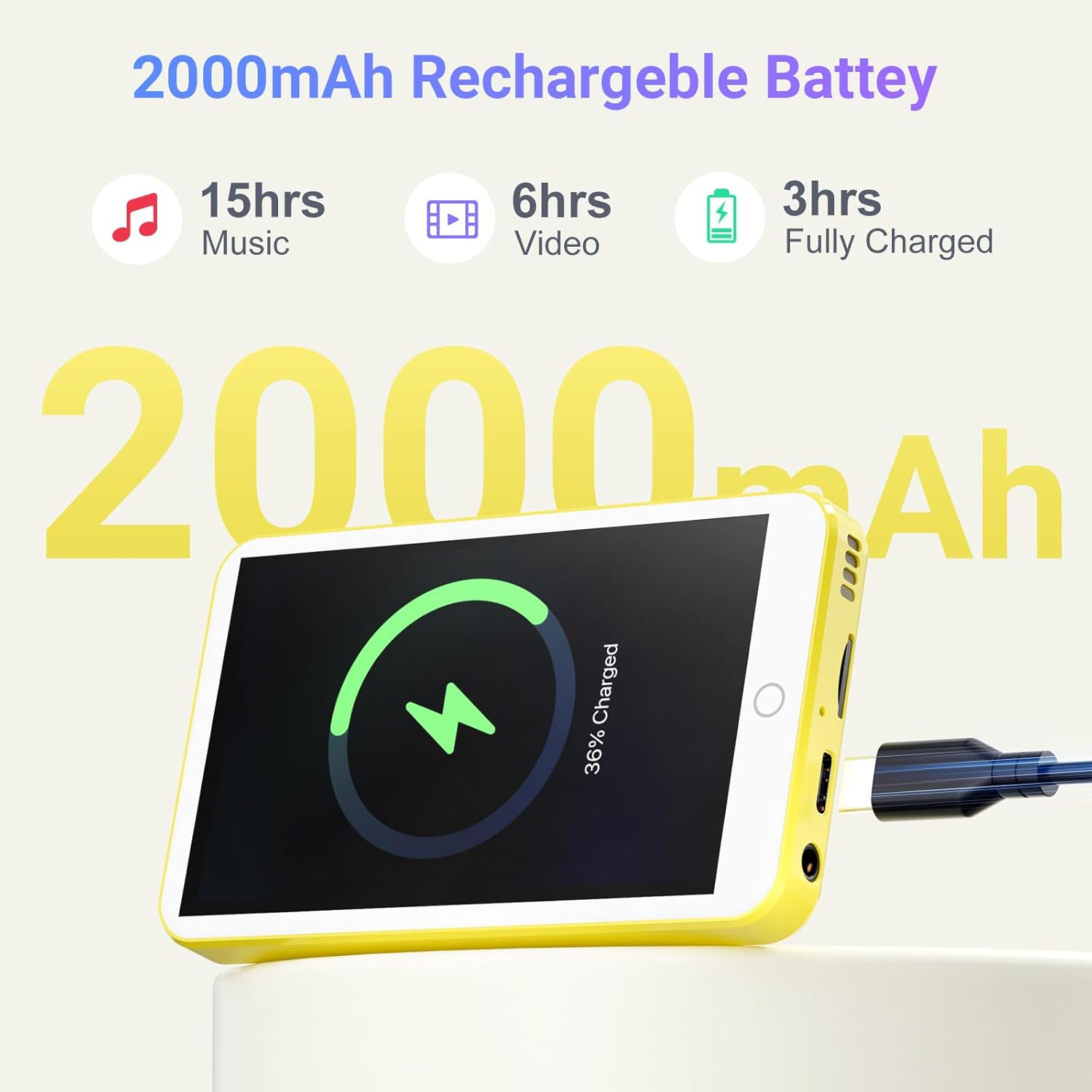
Image: The MP3 player connected to a USB-C cable for charging.
- Connect the provided USB-C cable to the charging port on the device.
- Connect the other end of the USB-C cable to a USB power adapter (not included) or a computer's USB port.
- The screen will display a charging indicator. A full charge takes approximately 3 hours.
Powering On/Off
- To Power On: Press and hold the Power button until the screen lights up.
- To Power Off: Press and hold the Power button until a power-off menu appears. Select "Power off" to shut down the device.
Initial Setup
Upon first power-on, follow the on-screen prompts to select your language, connect to a Wi-Fi network, and set up basic device preferences.
4. Operating Instructions
Touch Screen Navigation

Image: A hand demonstrating touch screen interaction on the MP3 player.
The device operates via a responsive touch screen. Use gestures such as tapping, swiping, and pinching to navigate menus, open applications, and control media playback.
Home Screen and Applications

Image: The MP3 player's home screen displaying pre-installed and downloadable applications.
The home screen displays pre-installed applications. You can access the Google Play Store to download and install additional applications. To uninstall an app, press and hold its icon, then drag it to the uninstall option.
Music Playback

Image: The HiByMusic player interface on the MP3 player, showing song information and controls.
The device supports various music formats including MP3, OGG, FLAC, AAC, WAV, WMA, and APE. Use the pre-installed music player (e.g., HiBy Music) to browse your music library, create playlists, search for songs, and adjust the equalizer settings.
Video Playback

Image: The MP3 player displaying a high-definition video, demonstrating its video playback capabilities.
The player supports 720p and 1080p high-definition video playback for formats such as RM, RMVB, FLV, MP4, DAT, MKV, MPG, MOV, and TS. Use the video player application to watch your stored videos.
Video: An overview of the Oilsky 80GB MP3 Player's features, including its video playback capabilities.
Connectivity (Bluetooth & Wi-Fi)

Image: The MP3 player connected wirelessly to Bluetooth headphones and a speaker.
- Bluetooth Pairing: Go to Settings > Connected devices > Bluetooth. Turn on Bluetooth and select your desired device (headphones, speakers, car audio) from the list to pair.
- Wi-Fi Connection: Go to Settings > Network & internet > Wi-Fi. Turn on Wi-Fi, select your network, and enter the password to connect.
5. Storage Management

Image: Visual representation of the MP3 player's storage capabilities, including internal and expandable memory.
The device has 16GB of internal storage (ROM) and comes with a 64GB Micro SD card, providing a total of 80GB. The storage can be expanded further up to 512GB using a compatible Micro SD card.
- Transferring Files: Connect the MP3 player to a computer using the USB-C cable. The device will appear as a removable storage device, allowing you to drag and drop files.
- Inserting/Removing SD Card: Carefully insert the Micro SD card into the designated slot until it clicks into place. To remove, gently push the card inward until it springs out.
6. Battery and Charging

Image: Battery specifications and estimated usage times for the MP3 player.
The Oilsky M303pro is equipped with a 2000mAh lithium battery. When fully charged, it provides approximately 45-50 hours of music playback or 6-8 hours of video playback. Use the provided USB-C cable for charging.
7. Troubleshooting
- Device not turning on: Ensure the battery is charged. Connect the device to a charger for at least 10 minutes, then try powering on again.
- Cannot connect to Wi-Fi/Bluetooth: Check if Wi-Fi/Bluetooth is enabled in settings. Ensure you are within range of the network/device and that the password is correct. Try restarting the MP3 player.
- Apps crashing or freezing: Close background applications. Clear the cache of the problematic app (Settings > Apps > [App Name] > Storage > Clear cache). If the issue persists, try uninstalling and reinstalling the app.
- Slow performance: Close unused applications. Free up storage space by deleting unnecessary files or moving them to the SD card.
- No sound: Check volume levels. Ensure headphones or speakers are properly connected or paired via Bluetooth. Test with different audio files.
8. Specifications
| Feature | Specification |
|---|---|
| Product Dimensions | 0.47 x 2.44 x 4.13 inches |
| Item Weight | 8 ounces |
| Manufacturer | Oilsky |
| Model Name | M303pro |
| Batteries | 1 Lithium Polymer battery (included) |
| Special Features | Equalizer, FM Radio, MP3 Player with Bluetooth and WiFi, Touch Screen, Voice Recorder |
| Connectivity Technology | Aux, Bluetooth, USB, Wi-Fi |
| Memory Storage Capacity | 80 GB (16GB internal + 64GB SD card) |
| Color | Yellow |
| Screen Size | 4 Inches |
| Compatible Devices | Headphone, Speaker |
| Media Type | Micro SD, Micro SDHC, Micro SDXC, SD Card, SDHC |
9. Warranty and Support
For warranty information and technical support, please refer to the contact details provided in the packaging or visit the official Oilsky website. Keep your purchase receipt as proof of purchase for warranty claims.


