1. Introduction
Welcome to the user manual for your new Oilsky M303pro MP3 Player. This device is designed to provide a versatile audio and video experience with its advanced features, including Bluetooth, Wi-Fi, and a touch screen interface. This manual will guide you through the setup, operation, maintenance, and troubleshooting of your device to ensure optimal performance and enjoyment.
Video 1.1: Oilsky M303pro MP3 Player Overview. This video provides a visual introduction to the Oilsky M303pro MP3 Player, showcasing its key features such as the music player interface, video playback capabilities, powerful MTK 8-core processor, Google Play Store access for app downloads, Bluetooth connectivity, battery life, and the contents of the product package.
2. What's in the Box
Please check the package contents to ensure all items are present:
- 1 x Oilsky M303pro MP3 Player
- 1 x 64GB Micro SD Card
- 1 x Protective Film
- 1 x Protective Case
- 1 x USB-C Cable
- 1 x Earphones
- 1 x User Manual

Image 2.1: Package Contents. This image displays all items included in the Oilsky M303pro MP3 Player package.
3. Device Overview
The Oilsky M303pro features a sleek design with a 4.0-inch IPS touch screen. Familiarize yourself with the device's physical components:

Image 3.1: Front and Back View of the Device. This image illustrates the overall design of the Oilsky M303pro MP3 Player, highlighting its touch screen and rear panel.
Key Components:
- 4.0-inch IPS Touch Screen: Main display for interaction.
- Power Button: Located on the side, used for turning the device on/off and screen lock.
- Volume Buttons: Adjust audio output.
- USB-C Port: For charging and data transfer.
- 3.5mm Headphone Jack: For wired audio output.
- Micro SD Card Slot: For expanding storage.
- Built-in Speaker: For audio playback without headphones.
4. Setup
4.1 Charging the Device
Before first use, fully charge your Oilsky M303pro.
- Connect the provided USB-C cable to the device's USB-C port.
- Connect the other end of the USB-C cable to a USB power adapter (not included) or a computer's USB port.
- The charging indicator will show the charging status. A full charge typically takes approximately 3 hours.

Image 4.1: Charging the Device. This image demonstrates the charging process and highlights the battery capacity and estimated usage times.
4.2 Inserting the Micro SD Card
The device comes with a 64GB Micro SD card. You can expand storage up to 512GB.
- Locate the Micro SD card slot on the side of the device.
- Gently insert the Micro SD card into the slot until it clicks into place. Ensure the card is oriented correctly.
- To remove, push the card in slightly until it springs out.

Image 4.2: Micro SD Card Insertion. This image visually guides on how to insert the Micro SD card to expand the device's storage.
4.3 Initial Power-On and Basic Settings
- Press and hold the Power button until the screen turns on.
- Follow the on-screen prompts to select your preferred language and region.
- Connect to a Wi-Fi network: Go to Settings > Network & Internet > Wi-Fi, then select your network and enter the password.
5. Operating Instructions
5.1 Basic Navigation and Touch Screen
The Oilsky M303pro features a responsive 4.0-inch IPS touch screen for intuitive control.
- Tap: Select an item or open an application.
- Swipe: Navigate through menus or pages.
- Pinch-to-Zoom: Zoom in or out on images or videos.
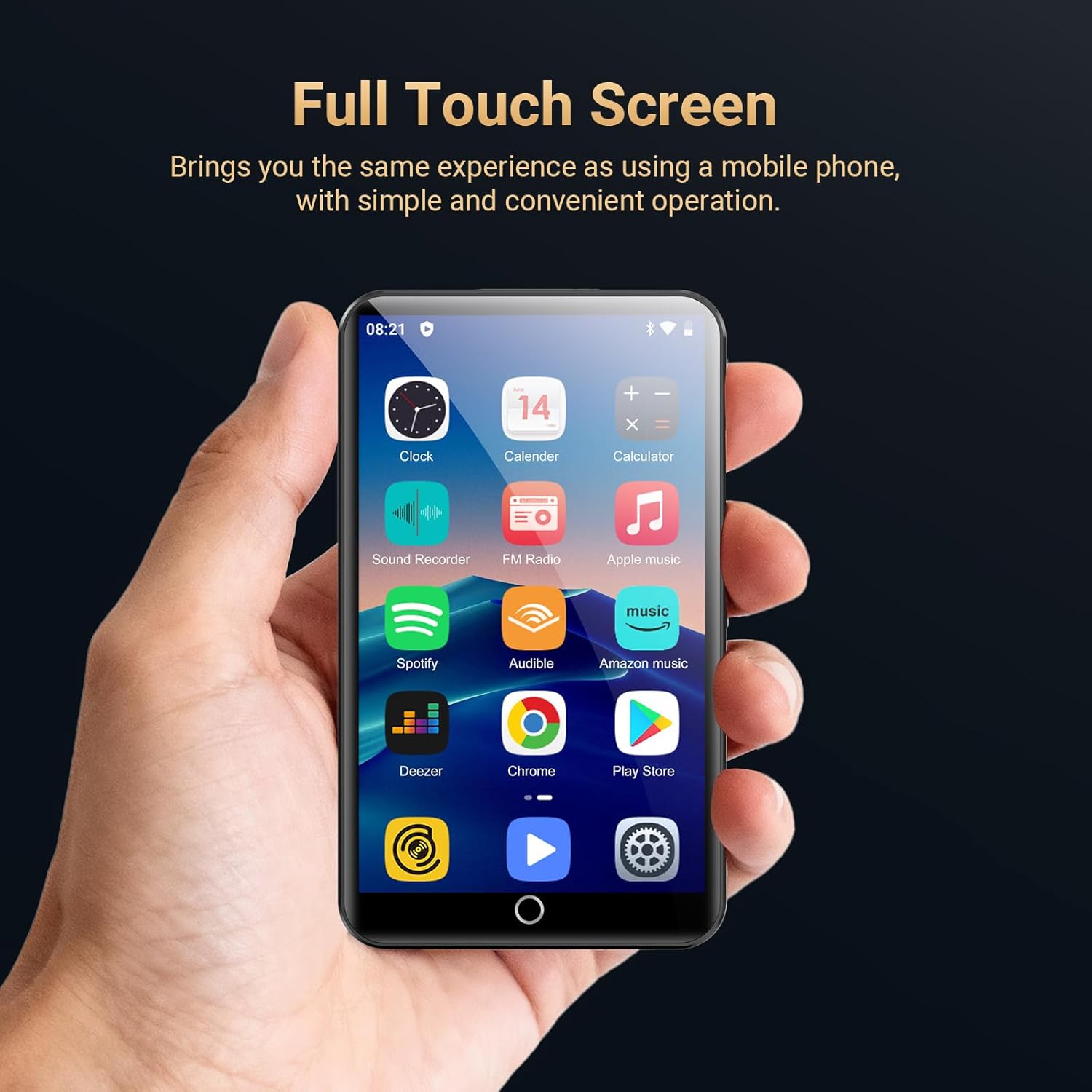
Image 5.1: Full Touch Screen Operation. This image shows the device being operated via its touch screen, similar to a smartphone.
5.2 Music Playback
The device supports various audio formats including MP3, OGG, FLAC, AAC, WAV, WMA, and APE.
- Open the HiBy Music app or another preferred music application.
- Browse your music library by song category, artist, album, or search for specific tracks.
- Tap a song to begin playback.
- Use the on-screen controls for play/pause, skip, repeat, and shuffle.
- Adjust the equalizer settings to customize your audio experience.

Image 5.2: HiBy Music Player Interface. This image displays the features available within the HiBy Music application for managing and playing audio files.
5.3 Video Playback
The device supports 720p and 1080p HD video playback for formats such as RM, RMVB, FLV, MP4, DAT, MKV, MPG, MOV, and TS.
- Open the MX Player Pro app or another video player application.
- Select the video you wish to watch from your storage.
- The player offers features like loop/random playback, variable speed, sleep timer, and gesture zoom.

Image 5.3: Video Playback with MX Player Pro. This image demonstrates the video playback capabilities and features of the pre-installed video player.
5.4 Bluetooth Connectivity
Connect your Oilsky M303pro to Bluetooth headphones, speakers, or car audio systems.
- Ensure your Bluetooth accessory is in pairing mode.
- On your device, go to Settings > Connected devices > Bluetooth.
- Turn Bluetooth on and select "Pair new device".
- Select your accessory from the list of available devices to connect. The device will automatically connect to the last paired device.

Image 5.4: Bluetooth Connection. This image shows the MP3 player wirelessly connected to external audio devices.
5.5 Wi-Fi Connectivity and App Installation
Connect to Wi-Fi to access online streaming services and download applications from the Google Play Store.
- Go to Settings > Network & Internet > Wi-Fi and connect to your desired network.
- Once connected, open the Google Play Store app.
- Search for and download popular apps like Spotify, Audible, Amazon Music, Pandora, Deezer, YouTube, Facebook, or Kindle.
- Pre-installed apps can also be uninstalled if not needed.

Image 5.5: Google Play Store and App Access. This image highlights the device's capability to download and manage applications via Wi-Fi.
5.6 Other Features
- FM Radio: Access local radio stations.
- Voice Recorder: Use the built-in microphone to record audio.
- Equalizer: Fine-tune audio output for different music genres or personal preference.
6. Maintenance
6.1 Cleaning the Device
To maintain the appearance and functionality of your device:
- Use a soft, lint-free cloth to wipe the screen and body.
- Avoid using abrasive cleaners, solvents, or aerosol sprays.
- Do not expose the device to excessive moisture.
6.2 Battery Care
Proper battery care can extend the lifespan of your device's battery:
- Avoid extreme temperatures, both hot and cold.
- Do not leave the device fully discharged for extended periods.
- For long-term storage, charge the battery to about 50% and store in a cool, dry place.
6.3 Software Updates
Periodically check for software updates to ensure your device has the latest features and performance improvements.
- Go to Settings > System > Advanced > System update.
- Follow the on-screen instructions to download and install any available updates.
7. Troubleshooting
If you encounter issues with your Oilsky M303pro, refer to the following common problems and solutions:
| Problem | Solution |
|---|---|
| Device does not turn on. | Ensure the device is charged. Connect to a power source and try again. If unresponsive, press and hold the power button for 10-15 seconds to force a restart. |
| Cannot connect to Wi-Fi. | Check if Wi-Fi is enabled in settings. Verify the Wi-Fi password. Restart your router and the MP3 player. |
| Bluetooth device not pairing. | Ensure the Bluetooth accessory is in pairing mode and within range. Turn Bluetooth off and on again on the MP3 player. Remove previously paired devices and try pairing again. |
| Music/Video playback issues. | Check if the file format is supported. Ensure the file is not corrupted. Try a different media player app. Verify sufficient storage space. |
| Device is slow or unresponsive. | Close unused applications. Clear cache from apps in Settings > Apps & notifications. Restart the device. Consider a factory reset if the issue persists (backup data first). |
8. Specifications
| Feature | Detail |
|---|---|
| Model Name | M303pro |
| Product Dimensions | 0.47 x 2.44 x 4.13 inches |
| Item Weight | 7.4 ounces |
| Screen Size | 4 Inches (IPS Touch Screen, 480*800 pixels) |
| Operating System | Android |
| Processor | MTK 8-core processor |
| Internal Memory (ROM) | 16GB |
| RAM | 2GB |
| Expandable Storage | Up to 512GB via Micro SD Card (64GB card included) |
| Connectivity | Bluetooth 5.0, Wi-Fi, USB-C, Aux (3.5mm) |
| Battery | 2000mAh Lithium Polymer (up to 45-50 hrs music, 6-8 hrs video) |
| Audio Formats | MP3, OGG, FLAC, AAC, WAV, WMA, APE |
| Video Formats | RM, RMVB, FLV, MP4, DAT, MKV, MPG, MOV, TS (supports 720p/1080p HD) |
| Special Features | Equalizer, FM Radio, Touch Screen, Voice Recorder, Preloaded Streaming Apps |
9. Warranty and Support
9.1 Warranty Information
Your Oilsky M303pro MP3 Player is covered by a manufacturer's warranty. Please refer to the warranty card included in your package for specific terms and conditions. Keep your proof of purchase for warranty claims.
9.2 Customer Support
For any questions, technical assistance, or support regarding your Oilsky M303pro MP3 Player, please contact our customer service team:
- Email: oilskyservice@hotmail.com
- Please include your model number (M303pro) and a detailed description of your issue when contacting support.


