
Introduction
Thank you for choosing the Baseus Picogo Power Bank and Qi2.2 3-in-1 Charging Station. This manual provides detailed instructions for the safe and efficient use of your new charging devices. Please read this manual thoroughly before operation and retain it for future reference.
Product Overview
The Baseus Picogo bundle includes a compact 5000mAh magnetic power bank and a versatile Qi2.2 25W 3-in-1 charging station, designed to power your iPhone, Apple Watch, and AirPods simultaneously. A 45W power adapter and a 3.3ft USB-C cable are also included.
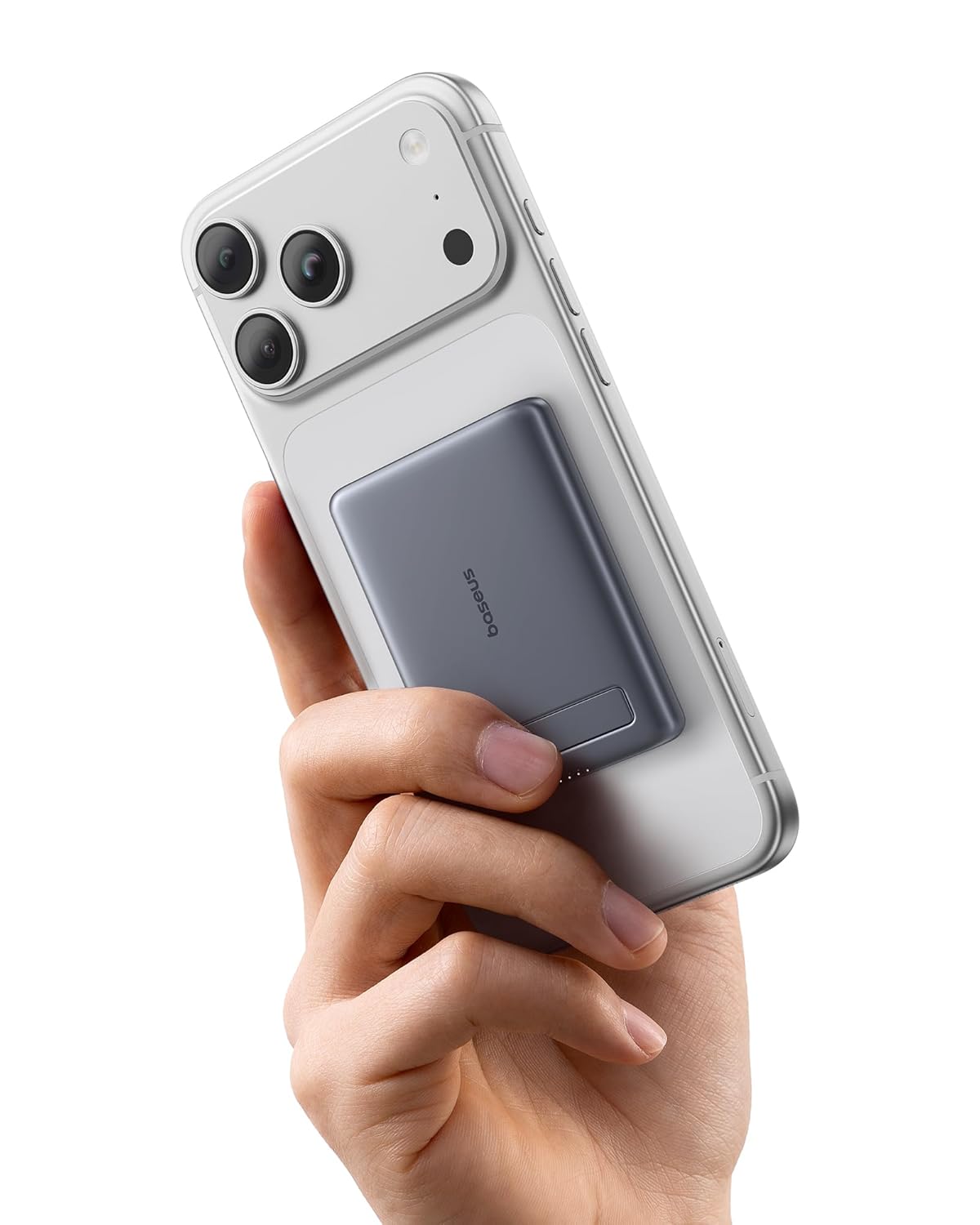
Image: The Baseus Picogo Power Bank magnetically attached to the back of a smartphone, demonstrating its compact size and secure fit.

Image: A visual comparison showing the Baseus Picogo Power Bank's ultra-mini dimensions (3.4 x 2.3 x 0.5 inches) relative to a standard soda can and a smartphone.
Key Features:
- Picogo Power Bank: Smallest 5000mAh magnetic power bank, 15W Max Qi2 wireless charging, 20W Max USB-C port, integrated kickstand.
- Picogo Qi2.2 3-in-1 Charging Station: 25W Qi2.2 wireless fast charging for iPhone, dedicated charging spots for Apple Watch and AirPods.
- Bundle Contents: 1*Baseus Picogo Power Bank 5000mAh (Grey), 1*Baseus Picogo Qi2.2 25W 3-in-1 Charging Station, 1*45W Power Adapter, 1*3.3ft USB C Cable.

Image: The Baseus Picogo Power Bank showcasing its sleek design, soft silicone material, and the integrated kickstand for hands-free viewing.

Image: A complete view of the Baseus Picogo product bundle, including the power bank, 3-in-1 charging station, 45W power adapter, and USB-C charging cable.

Image: The Baseus Qi2.2 3-in-1 Charging Station actively charging an iPhone, Apple Watch, and AirPods, demonstrating its multi-device capability.

Image: A diagram highlighting the dedicated charging areas for iPhone, Apple Watch, and AirPods on the 3-in-1 charging station.
Setup Instructions
1. Setting up the 3-in-1 Charging Station:
- Connect the provided USB-C cable to the input port on the Baseus Qi2.2 3-in-1 Charging Station.
- Plug the other end of the USB-C cable into the included 45W Power Adapter.
- Insert the 45W Power Adapter into a wall outlet. The indicator light on the charging station will illuminate, indicating it is ready for use.
2. Initial Charging of the Picogo Power Bank:
- For optimal performance, fully charge the Picogo Power Bank before its first use.
- Connect the power bank to the 3-in-1 charging station's magnetic pad or use the USB-C cable with a compatible power source.
- The LED indicators on the power bank will show the charging status.
Operating Instructions
Using the Baseus Picogo Power Bank:
- Magnetic Wireless Charging (15W Qi2): Align the power bank with the magnetic charging area on the back of your compatible iPhone (iPhone 12 and newer). The magnets will secure it in place, and charging will begin automatically.
- USB-C Wired Charging (20W): Connect your device to the power bank's USB-C port using a compatible cable. Charging will commence.
- Using the Kickstand: Extend the integrated kickstand from the back of the power bank to prop up your phone for hands-free viewing while charging.
- Checking Battery Level: Press the power button once to view the current battery level indicated by the LED lights on the power bank.
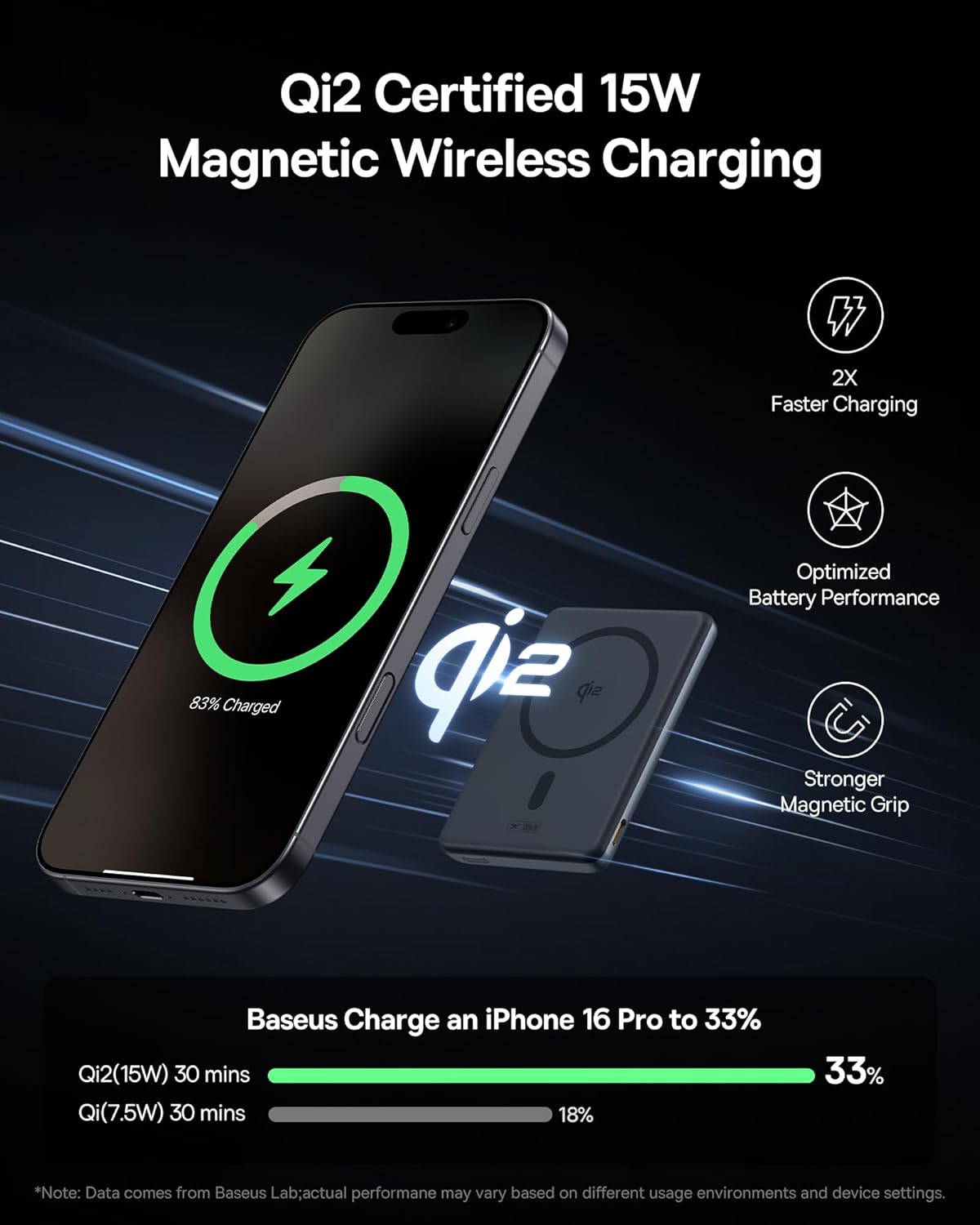
Image: The Baseus Picogo Power Bank demonstrating 15W Qi2 certified magnetic wireless charging for an iPhone, with a comparison of charging speeds.
Using the Baseus Picogo Qi2.2 3-in-1 Charging Station:
- Charging iPhone (25W Qi2.2): Place your compatible iPhone (iPhone 12 and newer) onto the main magnetic charging pad. Ensure proper alignment for optimal 25W wireless charging. Note: To achieve the full 25W peak power, ensure your iPhone is updated to iOS 26 or later.
- Charging Apple Watch: Place your Apple Watch onto the dedicated magnetic charging module.
- Charging AirPods: Place your Qi-enabled AirPods case onto the designated charging area at the base of the station.
- Charging Multiple Devices: The station supports simultaneous charging of an iPhone, Apple Watch, and AirPods.
Image: The Baseus Qi2.2 3-in-1 Charging Station providing 25W wireless power to an iPhone, alongside an Apple Watch and AirPods, illustrating fast charging capabilities.
Maintenance
- Cleaning: Disconnect the devices from power before cleaning. Use a soft, dry, lint-free cloth to wipe the surfaces. Do not use abrasive cleaners, solvents, or aerosol sprays.
- Storage: Store the devices in a cool, dry place away from direct sunlight and extreme temperatures.
- Safety: Avoid dropping or subjecting the devices to strong impacts. Do not disassemble or attempt to repair the devices yourself. Keep away from water and high humidity.
Troubleshooting
| Problem | Possible Cause | Solution |
|---|---|---|
| Device not charging wirelessly. | Misalignment, thick phone case, device not Qi-compatible. | Ensure device is centered on the charging pad. Remove thick cases. Verify device supports wireless charging. |
| Slow charging. | Using a non-45W power adapter (for station), background apps, device temperature. | Ensure the 45W power adapter is used for the charging station. Close unnecessary apps. Allow device to cool if overheating. Update iPhone to iOS 26 or later for 25W charging. |
| Magnetic attachment is weak. | Non-MagSafe compatible phone case, foreign objects. | Use a MagSafe-compatible case or no case. Ensure no objects are between the charger and device. |
| Power bank not charging. | Cable issue, power source issue. | Check USB-C cable connection. Try a different USB-C cable or power source. |
Specifications
| Feature | Detail |
|---|---|
| Picogo Power Bank Capacity | 5000mAh |
| Power Bank Wireless Output | 15W Max (Qi2) |
| Power Bank USB-C Output | 20W Max |
| Power Bank Dimensions | 3.4 x 2.3 x 0.5 inches |
| Power Bank Weight | 0.3 lb (approx. 136g) |
| Charging Station iPhone Wireless Output | 25W Max (Qi2.2) |
| Charging Station Apple Watch Output | Standard Wireless Charging |
| Charging Station AirPods Output | Standard Wireless Charging |
| Charging Station Input | Requires 45W Power Adapter (included) |
| Charging Station Dimensions (Folded) | Approx. 2.97 x 3.15 x 1.5 inches |
| Charging Station Weight | 0.56 lb (approx. 254g) |
| Compatibility | iPhone 12 and newer (MagSafe/Qi2), all Apple Watch models, Qi-enabled earbuds. |

Image: The Baseus Qi2.2 3-in-1 Charging Station's compact dimensions (2.97 x 3.15 x 1.5 inches) and weight (0.56 lb), illustrating its portability.
Warranty and Support
For warranty information, technical support, or customer service inquiries, please refer to the official Baseus website or contact your retailer. Keep your purchase receipt as proof of purchase.


