
1. Introduction
The Dekala Arches Smart Sunrise Alarm Clock (Model SAC) is a versatile 6-in-1 device designed to enhance your sleep and wake-up experience. It combines a gradual sunrise alarm, sunset simulation, white noise sound machine, ambient light, Bluetooth speaker, 15W wireless charger, and weather display. This manual provides detailed instructions for setup, operation, and maintenance to ensure optimal performance.

Image 1.1: The Dekala Arches Smart Sunrise Alarm Clock on a bedside table, showcasing its ambient light and wireless charging feature.
2. What's in the Box
- Dekala Arches Smart Sunrise Alarm Clock Unit
- Power Adapter
- User Manual
3. Setup
3.1 Power Connection
Connect the provided power adapter to the DC 12V port on the back of the alarm clock and plug it into a wall outlet. The device will power on automatically.

Image 3.1: Rear view of the alarm clock, highlighting the power input and USB-C output ports.
3.2 App Connection and Wi-Fi Setup
For full functionality, download the companion app. The app allows for intuitive control over all features. Ensure your Wi-Fi network is 2.4G (5G Wi-Fi is not supported).
- Download the 'Arches Pro' app from your device's app store.
- Follow the in-app instructions to connect the alarm clock to your 2.4G Wi-Fi network.

Image 3.2: The companion app interface showing various light and sound settings.
4. Operating Instructions
4.1 Setting Alarms and Sunrise Simulation
The alarm clock features a gradual sunrise simulation to gently wake you up. You can customize the light color, brightness, and accompanying sounds via the app or physical buttons.
- Via App: Use the 'Arches Pro' app to set multiple alarms, choose sunrise duration, light intensity, and select natural wake-up sounds.
- Via Buttons: Use the dedicated alarm buttons on the device to set basic alarms and adjust settings. Voice prompts will guide you.
- Snooze Function: Tap the top of the device to activate snooze for an additional 9 minutes of sleep.
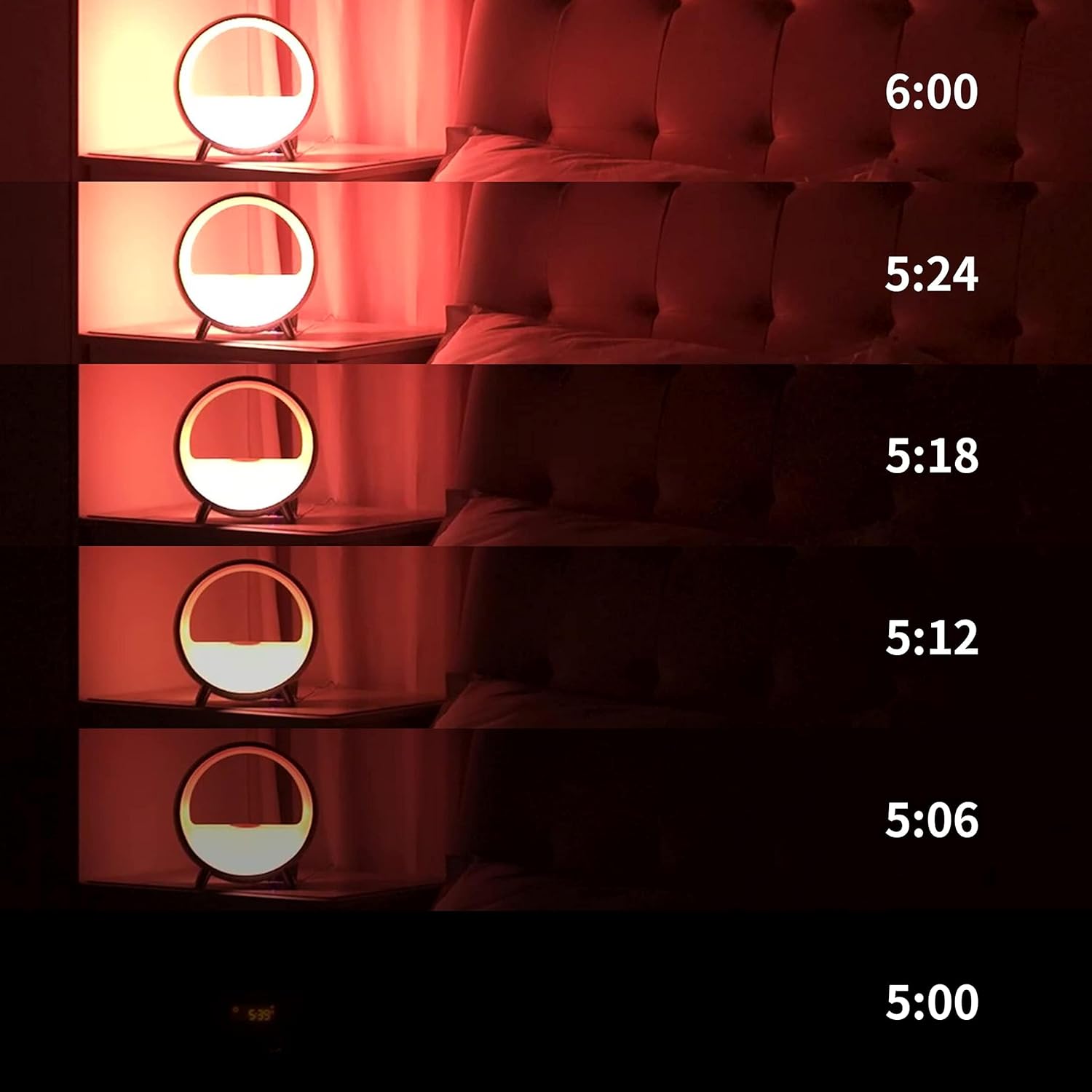
Image 4.1: Visual representation of the gradual sunrise simulation.
4.2 Sound Machine and Bluetooth Speaker
The device offers a variety of soothing sounds for sleep and relaxation, including white noise, brown noise, fan, waves, frog, lullaby, and light music. It also functions as a Bluetooth speaker.
- Sound Selection: Choose from pre-set sounds via the app or device buttons to create a peaceful environment.
- Bluetooth Pairing: Connect your smartphone or other Bluetooth-enabled devices to play audio through the integrated speaker.

Image 4.2: App interface showing diverse sound options for relaxation and sleep.
4.3 Ambient Lighting
The Dekala Arches features 9 dynamic lighting effects and 16 million colors, allowing you to set any mood. Control the lighting via the app, touch, or voice commands.
- Color Customization: Select specific colors or dynamic effects through the app.
- Brightness Adjustment: Adjust light intensity to suit your preference.

Image 4.3: The alarm clock displaying various ambient light colors.
4.4 Wireless Charging
The device includes a 15W Qi wireless fast-charging pad on top, allowing you to charge compatible smartphones overnight.
- Place your Qi-compatible device on the charging pad.
- Ensure the device is centered for optimal charging.

Image 4.4: A smartphone charging wirelessly on the device's top surface.
4.5 Voice Control Integration
The Dekala Arches is compatible with Alexa and Google Home Assistant for convenient voice control.
- Link your Dekala Arches device to your Alexa or Google Home app.
- Use voice commands to control lighting, alarms, and other functions.
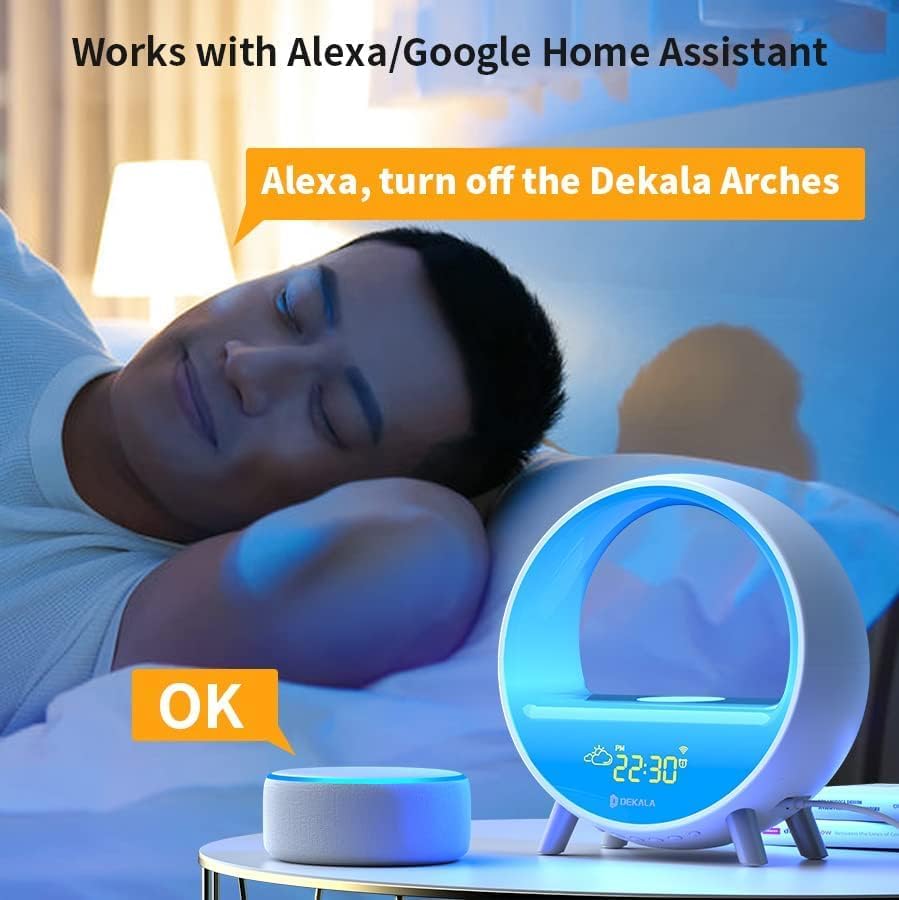
Image 4.5: Voice control functionality with a smart assistant.
4.6 Button Operations
The device features physical buttons for direct control of various functions, including alarm settings, light modes, and volume adjustments. Voice prompts assist with button operations.
5. Maintenance
- Cleaning: Use a soft, dry cloth to clean the device. Avoid abrasive cleaners or liquids.
- Placement: Place the device on a stable, flat surface away from direct sunlight, heat sources, and moisture.
6. Troubleshooting
- Device Not Powering On: Ensure the power adapter is securely connected to both the device and a working power outlet.
- Wi-Fi Connection Issues: Verify your Wi-Fi network is 2.4G. Restart your router and the alarm clock, then attempt to reconnect via the app.
- Wireless Charging Not Working: Ensure your phone is Qi-compatible and properly centered on the charging pad. Remove any thick phone cases that may interfere.
- Alarm Not Sounding: Check alarm settings in the app or on the device. Ensure volume is not set to zero.
- App Control Issues: Ensure your phone's Bluetooth is enabled and the app is up to date.
7. Specifications
| Brand | Dekala |
| Model Number | SAC |
| Color | White |
| Display Type | Digital |
| Special Feature | Noise Machine, Ambient Light, Wireless Charger, Bluetooth Speaker, Weather Display |
| Power Source | Corded Electric |
| Material | Acrylonitrile Butadiene Styrene (ABS) |
| Item Weight | 2.2 pounds |
| Batteries | 1 C battery required (included) |
8. Warranty and Support
Dekala stands by the quality of its products and offers a 365-day warranty. In case of issues, the company prioritizes replacement over repair.
For technical support or warranty claims, please contact:
- Email: support@dekalastore.com
9. Official Product Video
Video 9.1: A brief overview of the Dekala Arches Gradual Sunrise Alarm Clock features.