
Generic TT01 Selfie Stick Tripod User Manual
Model: TT01
1. Introduction
Thank you for choosing the Generic TT01 Selfie Stick Tripod. This device combines the functionality of a selfie stick and a tripod, offering convenience and versatility for capturing photos and videos. It features an automatic pop-up tripod, a remote control, and an adjustable aluminum alloy shaft. Please read this manual carefully before use to ensure proper operation and to maximize your experience with the product.
2. Product Overview
The TT01 is designed for ease of use and portability. Its integrated design allows for quick transitions between selfie stick and tripod modes. The remote control provides wireless shutter functionality, enhancing your ability to take group photos or stable shots.
Key Features:
- Automatic Pop-up Tripod: The tripod legs automatically deploy when the stick is placed on a flat surface.
- Integrated Remote Control: Detachable Bluetooth remote for convenient photo and video capture.
- Aluminum Alloy Shaft: Lightweight yet durable construction for stability.
- Adjustable Height: Extends up to 1.77 meters (77 centimeters) for various shooting angles.
- Multi-functional Design: Seamlessly switches between selfie stick and tripod modes.

Image: The TT01 Selfie Stick Tripod shown both in its retail packaging and as a standalone unit, highlighting its compact design.

Image: A display of the TT01 product from multiple angles, including a close-up of the remote control, demonstrating its design and features.
3. Package Contents
Please check the package for the following items:
- 1x TT01 Selfie Stick Tripod
- 1x Remote Control (CR1632 battery included)
- 1x User Manual
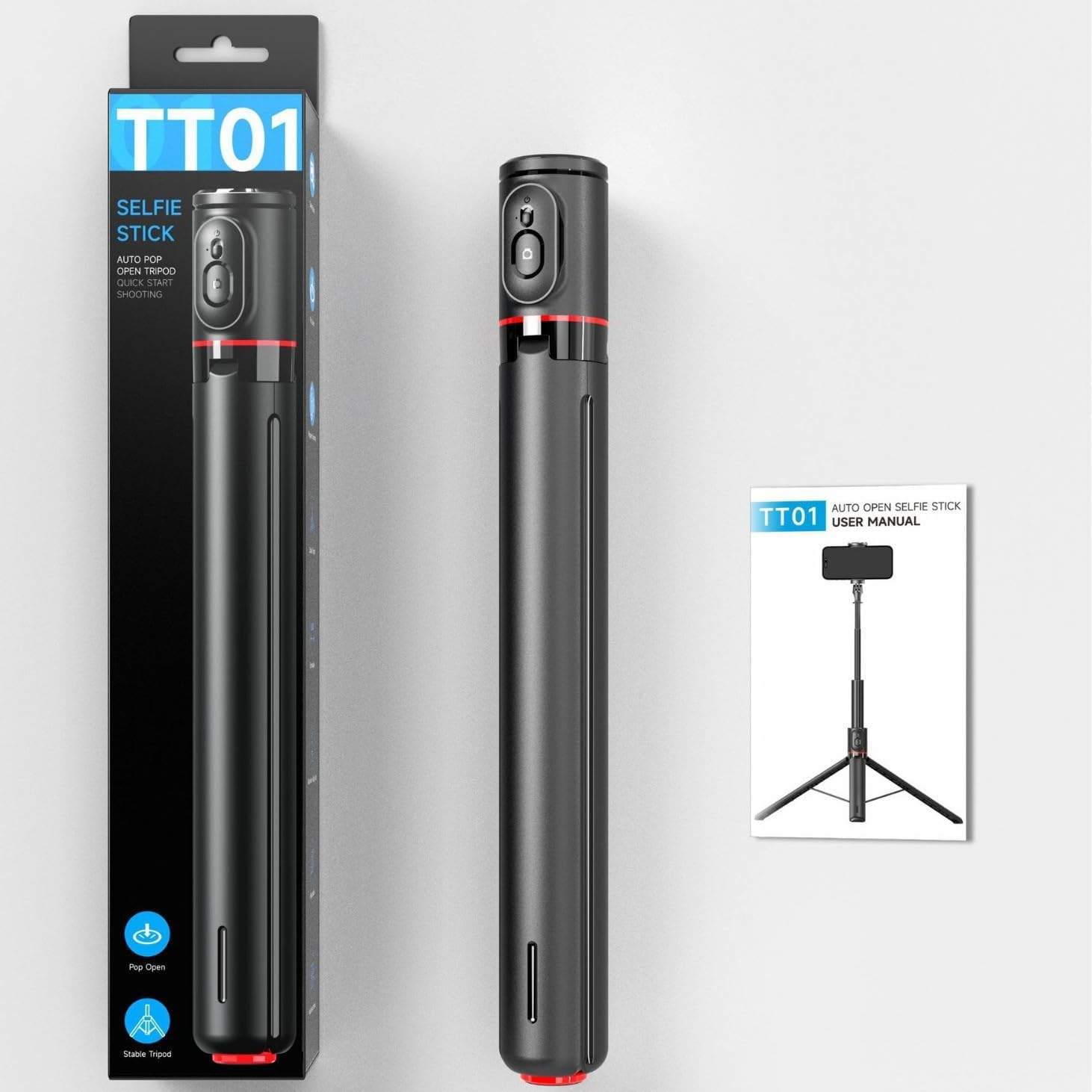
Image: The TT01 Selfie Stick Tripod alongside its packaging and a graphic representation of the user manual, indicating included items.
4. Setup
4.1 Deploying the Tripod
- Hold the selfie stick vertically.
- Place the base of the stick firmly on a flat, stable surface. The tripod legs will automatically pop out and stabilize the device.

Image: Illustration showing the automatic pop-up mechanism of the tripod legs when the device is placed down, contrasting with manual opening.
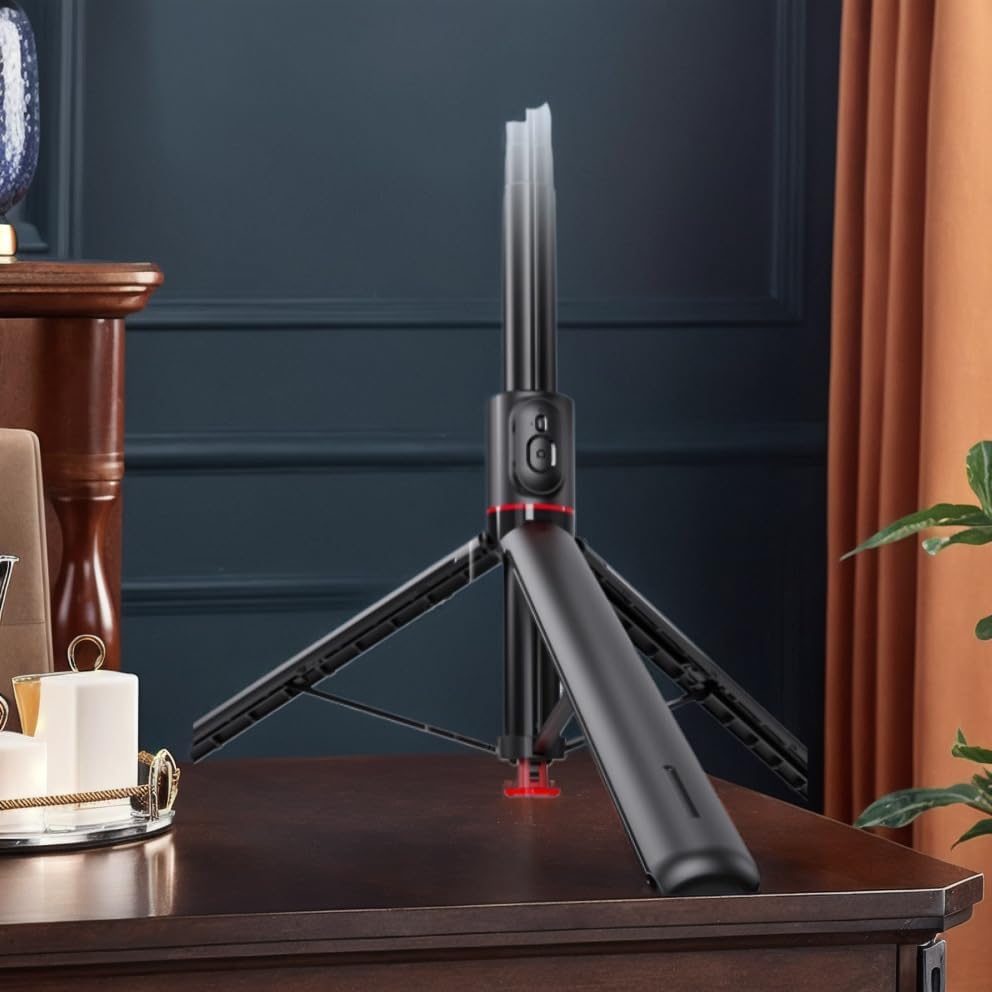
Image: The TT01 Selfie Stick Tripod deployed on a table, demonstrating its stability in tripod mode.
4.2 Extending the Selfie Stick
- Gently pull the top section of the stick upwards to extend the aluminum alloy shaft.
- Extend to your desired height, up to 1.77 meters. Ensure all sections are securely locked in place.

Image: The TT01 Selfie Stick Tripod fully extended to 1.77 meters, illustrating its maximum height capability and the pop-up tripod base.
4.3 Mounting Your Smartphone
- Open the phone clamp at the top of the stick.
- Carefully place your smartphone into the clamp, ensuring it is securely held. The clamp distance supports phones between 60-95mm width.
- Adjust the angle of the phone holder as needed.
4.4 Pairing the Remote Control
- The remote control is located on the handle of the selfie stick. Gently slide it out to detach.
- Press and hold the button on the remote control until the indicator light starts flashing, indicating it is in pairing mode.
- On your smartphone, go to Bluetooth settings and search for available devices.
- Select "TT01" (or similar name) from the list to pair. The indicator light on the remote will stop flashing once successfully paired.
- The remote control is compatible with Android 5.0+ and iOS 5.0+ devices.
5. Operating Instructions
5.1 Taking Photos/Videos with Remote Control
- Ensure your smartphone is securely mounted and the remote control is paired.
- Open your smartphone's camera application.
- Press the button on the remote control to trigger the shutter and take a photo or start/stop video recording.
5.2 Switching Between Selfie Stick and Tripod Modes
- Selfie Stick Mode: Hold the handle firmly and extend the shaft to your desired length.
- Tripod Mode: Place the base on a flat surface to deploy the tripod legs. Adjust the height by extending the shaft.

Image: The TT01 Selfie Stick Tripod in use, demonstrating its application for both video instructions and creative low-angle shots.
6. Maintenance
- Cleaning: Wipe the device with a soft, dry cloth. Do not use harsh chemicals or abrasive cleaners.
- Storage: Store the selfie stick tripod in a cool, dry place when not in use.
- Battery Replacement (Remote Control): The remote control uses a CR1632 battery. To replace, gently pry open the remote control casing, remove the old battery, and insert a new CR1632 battery with the correct polarity.
- Avoid Water: This device is not waterproof. Avoid exposure to water or high humidity.
7. Troubleshooting
- Remote Control Not Pairing:
- Ensure the remote control battery is not depleted. Replace if necessary.
- Make sure Bluetooth is enabled on your smartphone.
- Restart both your smartphone and the remote control (by removing and reinserting the battery).
- Ensure no other Bluetooth devices are interfering.
- Selfie Stick Not Extending/Retracting Smoothly:
- Check for any obstructions or debris in the shaft sections.
- Do not force the extension; apply gentle, even pressure.
- Tripod Legs Not Deploying Automatically:
- Ensure the base is placed firmly and flat on a surface.
- Check for any damage or obstruction to the automatic deployment mechanism.
8. Specifications
| Parameter | Value |
|---|---|
| Model | TT01 |
| Material | ABS + Aluminum Alloy |
| Phone Clamp Distance | 60-95mm |
| Remote Control Battery | CR1632 (replaceable, included) |
| Compatibility | Android 5.0+ / iOS 5.0+ |
| Folded Size | 338.5 x 46.5 x 40.6 mm (approx. 36 x 8 x 5 cm for parcel) |
| Maximum Height | 1.77 meters (77 centimeters) |
| Product Weight | 430g (approx. 500g with packaging) |
| Manufacturer | Generic |
| Country of Origin | China |
9. Warranty and Support
This product comes with a 1-year limited warranty. For warranty claims or technical support, please contact your retailer or the manufacturer directly with your purchase details.
For returns, please refer to the retailer's return policy, which typically allows for refunds or replacements within 30 days of purchase.


