
1. Product Overview
The aMagisn Magnetic Quick Release Mount is designed to provide a secure and convenient attachment solution for your Insta360 Go Ultra camera. Featuring durable stainless steel clips and a powerful magnetic connection, this mount allows for rapid attachment and detachment, enhancing your shooting experience.
Key features include:
- Instant Magnetic Snap & Release: Effortlessly attach and detach your Insta360 Go Ultra in seconds using powerful built-in magnets and dual-sided release buttons.
- Ultra-Slim & Lightweight Design: Engineered for portability, measuring just 0.6 inches (15.9mm) wide and weighing only 0.5 oz (14g).
- Upgraded Stainless Steel Clips: Enhanced durability with stainless steel clips, providing a secure and comfortable shooting experience. Includes a shock-absorption silicone sheet for firm mounting.
- Magnetic Adapter with Double-Claw: Allows quick installation and removal, enabling multi-angle shooting with tripods, selfie sticks, and various clamps.
- Wide Compatibility: Specifically designed for Insta360 Go Ultra, compatible with both the single camera and Action Pod.
2. What's in the Box
Your package should contain the following item:
- 1 x aMagisn Magnetic Quick Release Mount
3. Setup Instructions
Follow these steps to properly set up your Magnetic Quick Release Mount with your Insta360 Go Ultra camera.
3.1 Attaching the Mount to Your Insta360 Go Ultra
- Step I: Prepare the Camera and Mount. Hold the Insta360 Go Ultra camera and the aMagisn Magnetic Quick Release Mount. Locate the magnetic attachment points on both devices.
- Step II: Align and Attach. Pinch the claw clasps on both sides of the magnetic quick release mount. Align the mount with the base of your Insta360 Go Ultra camera. The strong magnets will guide the mount into position.
- Step III: Secure the Connection. Firmly push the Magnetic Quick Release Mount towards the camera base until you hear a click and feel it securely lock into place. Ensure the connection is stable before use.

Image: Step-by-step instructions for securing the mount to the camera. The image shows pinching the clasps and pushing the mount onto the camera base for a secure fit.
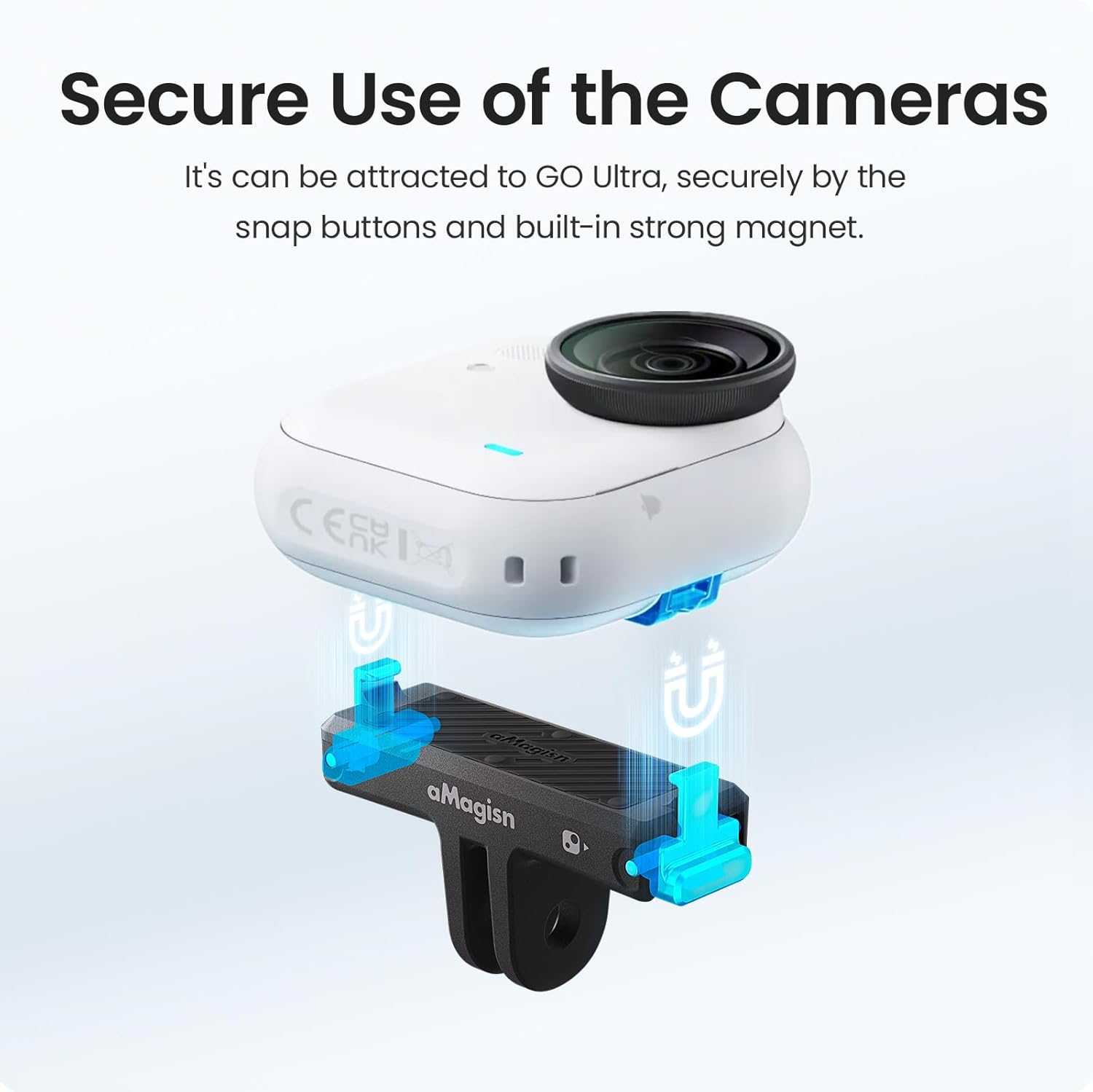
Image: Visual representation of the magnetic connection between the mount and the Insta360 Go Ultra camera, highlighting the secure snap buttons and strong magnet.
3.2 Attaching to Accessories (Tripods, Selfie Sticks)
The mount features a standard two-prong adapter at its base, allowing it to connect to a wide range of camera accessories.
- Step I: Prepare Accessory. Take your tripod, selfie stick, or other compatible accessory.
- Step II: Connect the Mount. Slide the two-prong adapter of the aMagisn mount into the corresponding slot on your accessory.
- Step III: Secure Connection. Tighten the screw or locking mechanism on your accessory to firmly secure the mount in place.
4. Operating Instructions
The aMagisn Magnetic Quick Release Mount is designed for ease of use and versatility.
4.1 Quick Release Functionality
To detach your Insta360 Go Ultra from the mount:
- Locate the dual-sided release buttons on the mount.
- Press both release buttons simultaneously.
- Gently pull the camera upwards to separate it from the mount.
The raised grip design on the mount provides better leverage for detaching the camera, ensuring a secure and comfortable experience.
4.2 Multi-Angle Shooting
The double-claw design of the magnetic adapter allows for quick installation and removal, facilitating multi-angle shooting. Once attached to a tripod or other accessory, you can adjust the angle of your camera as needed for various perspectives.
5. Maintenance
Proper maintenance ensures the longevity and optimal performance of your aMagisn Magnetic Quick Release Mount.
- Cleaning: Wipe the mount with a soft, damp cloth to remove dust and debris. Avoid using harsh chemicals or abrasive materials that could damage the finish or components.
- Inspection: Regularly inspect the stainless steel clips and the magnetic surface for any signs of wear, damage, or foreign objects that might impede the connection.
- Shock-Absorption Pad: The integrated shock-absorption silicone sheet helps secure the mounting firmness. Ensure it remains clean and free from damage to maintain its effectiveness.
- Storage: Store the mount in a clean, dry place when not in use to prevent accumulation of dirt or exposure to extreme conditions.
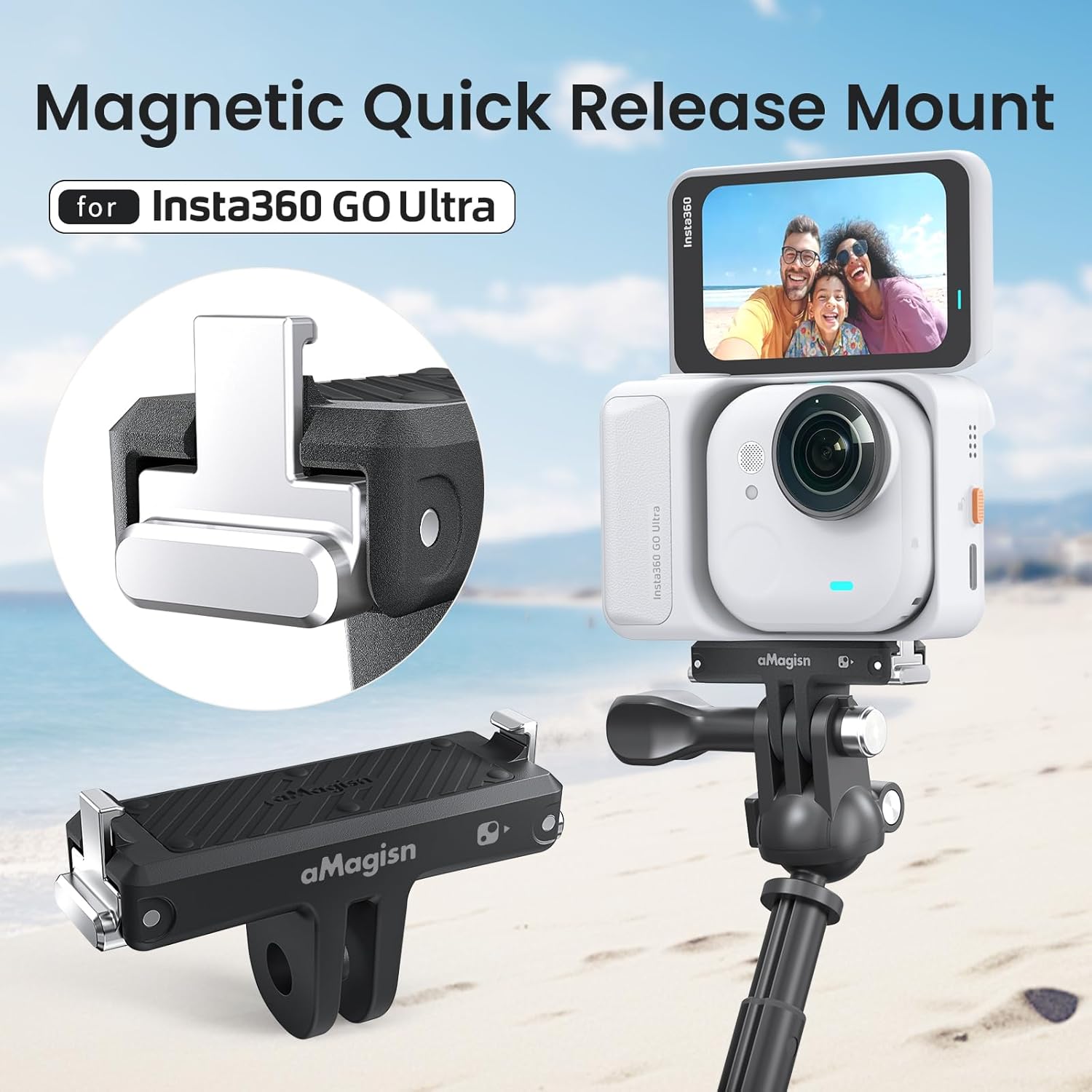
Image: Detail of the upgraded stainless steel claws, highlighting their durability and resistance to vibrations.

Image: Illustration of the anti-shock silicone pad, which helps secure the mount and reduce vibration during use, particularly in activities like cycling.
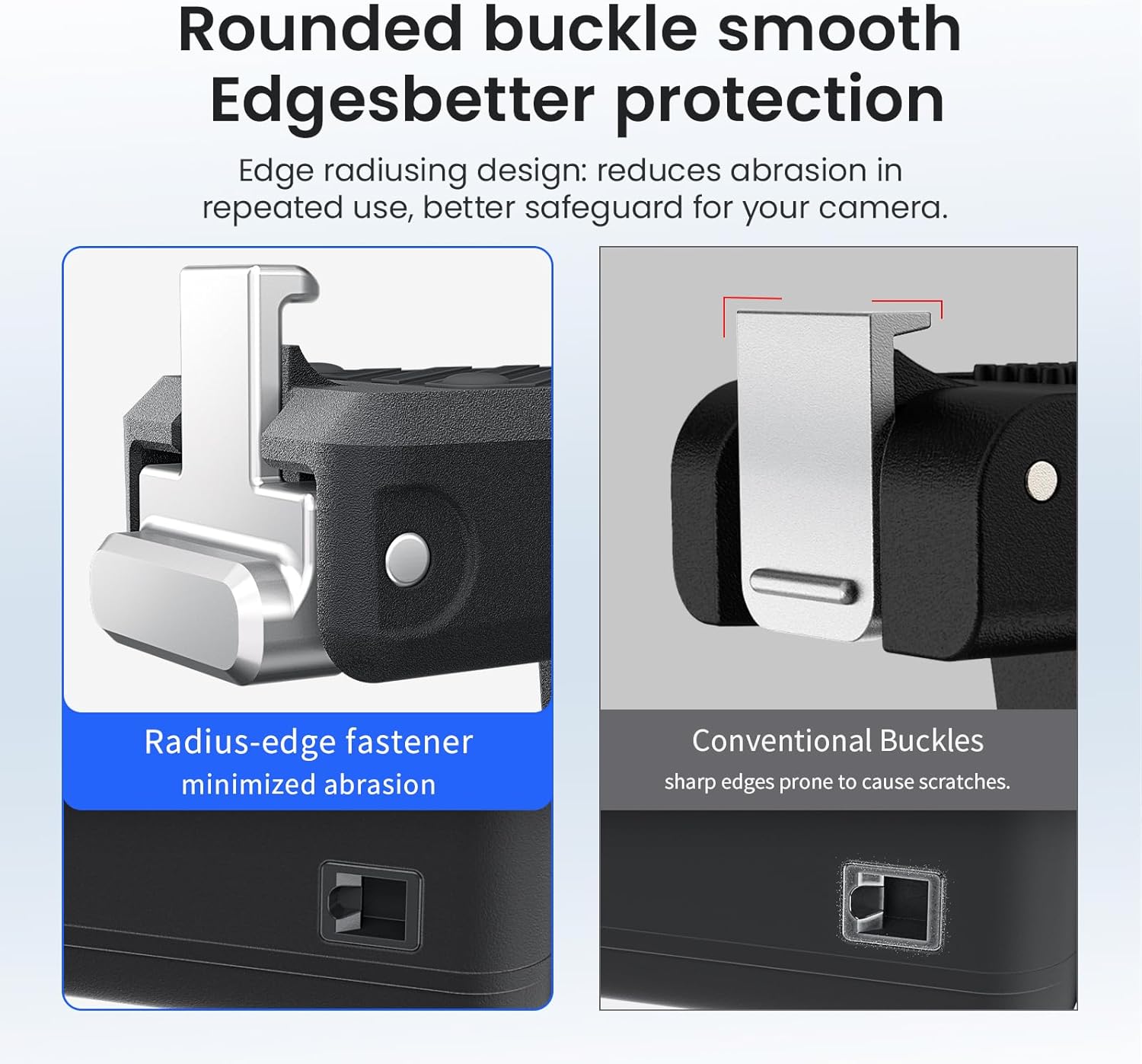
Image: Comparison illustrating the rounded buckle design of the aMagisn mount, which minimizes abrasion and provides better protection for your camera compared to conventional sharp-edged buckles.
6. Troubleshooting
If you encounter any issues with your aMagisn Magnetic Quick Release Mount, please refer to the following common solutions:
- Camera not attaching securely:
- Ensure the magnetic surfaces on both the camera and the mount are clean and free of debris.
- Verify that the mount is correctly aligned with the camera base before pushing to secure.
- Check for any physical damage to the magnets or the claw clasps.
- Difficulty detaching the camera:
- Ensure both release buttons are fully pressed simultaneously.
- Check for any debris or obstruction around the release buttons or claw mechanism.
- Mount feels loose on accessory:
- Ensure the screw or locking mechanism on your tripod/selfie stick is fully tightened.
- Verify that the two-prong adapter is fully inserted into the accessory's slot.
If these steps do not resolve your issue, please contact customer support.
7. Specifications
Detailed specifications for the aMagisn Magnetic Quick Release Mount:
| Feature | Detail |
|---|---|
| Brand | aMagisn |
| Product Name | Magnetic Quick Release Mount |
| Compatibility | Insta360 GO Ultra (single camera and Action Pod) |
| Material | ABS + Stainless Steel |
| Weight | 14 g (0.5 oz) |
| Dimensions (L x W x H) | 44.4 x 15.9 x 25.5 mm (1.75 x 0.63 x 1.00 inches) |
| Color | Black |
| Mounting Type | Magnetic Quick Release |

Image: Technical diagram illustrating the dimensions (length, width, height) and other specifications of the mount.

Image: Visual representation emphasizing the lightweight yet rugged construction of the mount, indicating its 14g weight.
8. Warranty and Support
For warranty information or technical support regarding your aMagisn Magnetic Quick Release Mount, please refer to the documentation provided with your purchase or contact the manufacturer directly. You can typically find contact details on the product packaging or the official aMagisn website.
When contacting support, please have your product model number (B0FWCPM76Z) and purchase date available.