
1. Introduction and Overview
The pTron Dynamo Storm 20000mAh Powerbank is a high-capacity portable charging solution designed to keep your devices powered on the go. Featuring 22.5W fast charging, multiple output ports, and convenient built-in cables, this power bank ensures reliable and efficient charging for a wide range of smartphones, tablets, and other USB-powered devices.
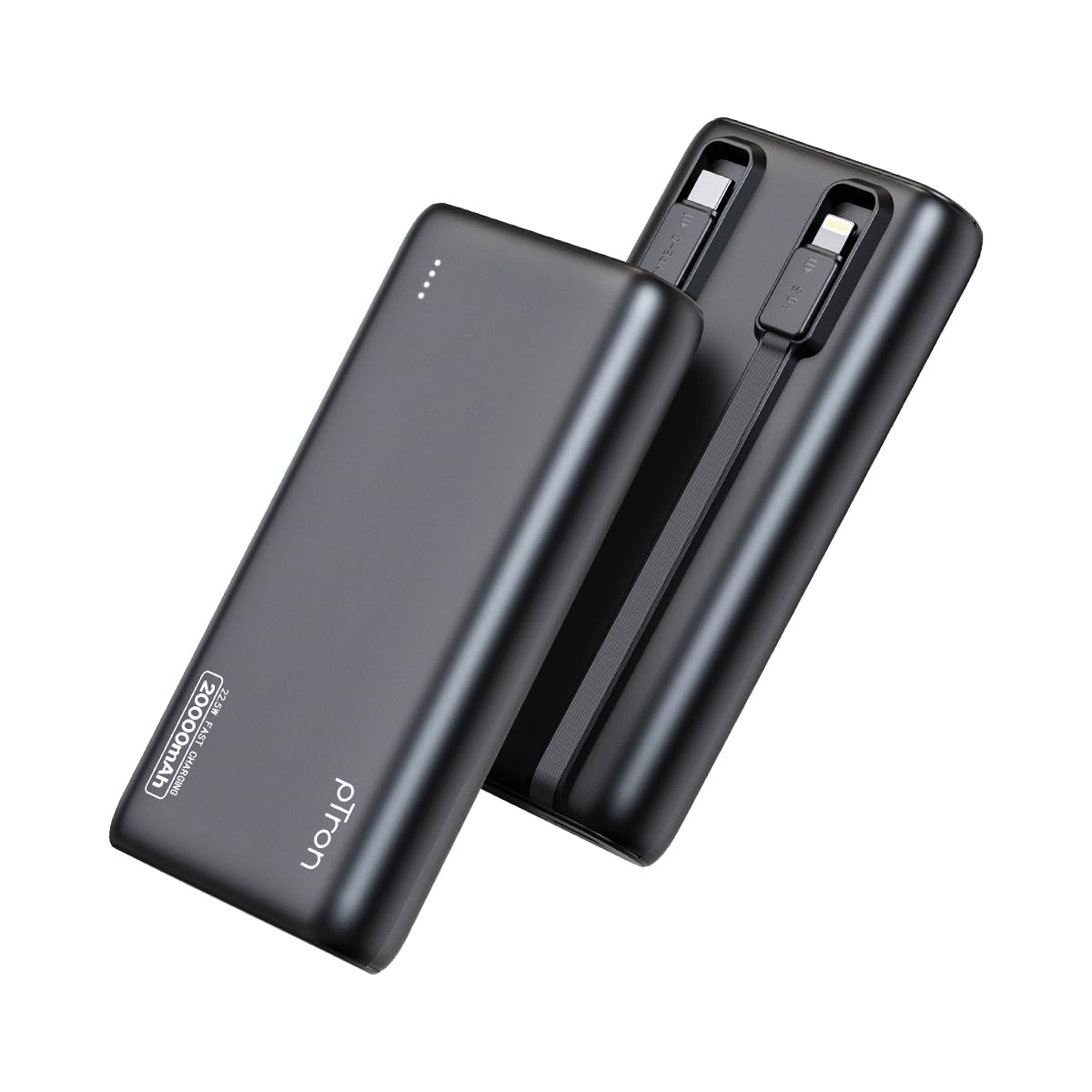
Image: The pTron Dynamo Storm 20000mAh Powerbank, showcasing its compact and sleek design.
2. Product Features
- 20000mAh High Capacity: Provides multiple charges for smartphones and tablets, ensuring extended device usage.
- 22.5W Fast Charging: Supports rapid charging for compatible devices via USB-A and Type-C ports.
- Built-in Cables: Includes integrated Type-C (22.5W) and iOS (10W) cables for convenient charging without carrying extra accessories.
- Multiple Output Ports: Equipped with 1x USB-A port, 1x Type-C/PD port, 1x built-in Type-C cable, and 1x built-in iOS cable, allowing simultaneous charging of up to 4 devices.
- Universal Compatibility: Compatible with various fast charging protocols including PD3.0 (Power Delivery), Quick Charge (QC3.0), VOOC/WARP/DASH, and PPS.
- Advanced Safety Features: Multiple layers of protection in the chipset guard against over-charging, over-discharging, over-current, and short circuits.
- LED Indicator Lights: Four LED lights indicate the remaining battery level of the power bank.
- Travel-Friendly Design: Compact and portable, ideal for daily use and travel.

Image: Diagram illustrating the pTron Dynamo Storm Powerbank's built-in Type-C and iOS cables, along with USB and Type-C output ports.

Image: The pTron Dynamo Storm Powerbank actively charging two smartphones and a tablet, demonstrating its multi-device capability.
3. Setup
3.1 Initial Charging of the Power Bank
- Before first use, fully charge your pTron Dynamo Storm Powerbank.
- Connect the power bank to a compatible wall charger (not included) using the built-in Type-C cable or a separate Type-C to Type-C cable via the Type-C port. The power bank supports 18W input.
- The LED indicator lights will illuminate to show the charging progress. All four LEDs will be solid when fully charged.
3.2 Checking Battery Level
Press the power button once to check the remaining battery level. The LED indicators will light up:
- 1 LED: 0-25%
- 2 LEDs: 25-50%
- 3 LEDs: 50-75%
- 4 LEDs: 75-100%
4. Operating Instructions
4.1 Charging Your Devices
The pTron Dynamo Storm Powerbank offers multiple ways to charge your devices:
- Using Built-in Cables:
- For Type-C devices: Pull out the built-in Type-C cable and connect it to your device's charging port.
- For iOS devices: Pull out the built-in iOS cable and connect it to your device's charging port.
- Using USB-A Port: Connect your device's standard USB charging cable to the USB-A output port on the power bank.
- Using Type-C/PD Port: Connect your device's Type-C charging cable to the Type-C/PD output port on the power bank. This port supports 22.5W fast charging.
Charging will begin automatically. If not, press the power button once. You can charge multiple devices simultaneously using different output options.
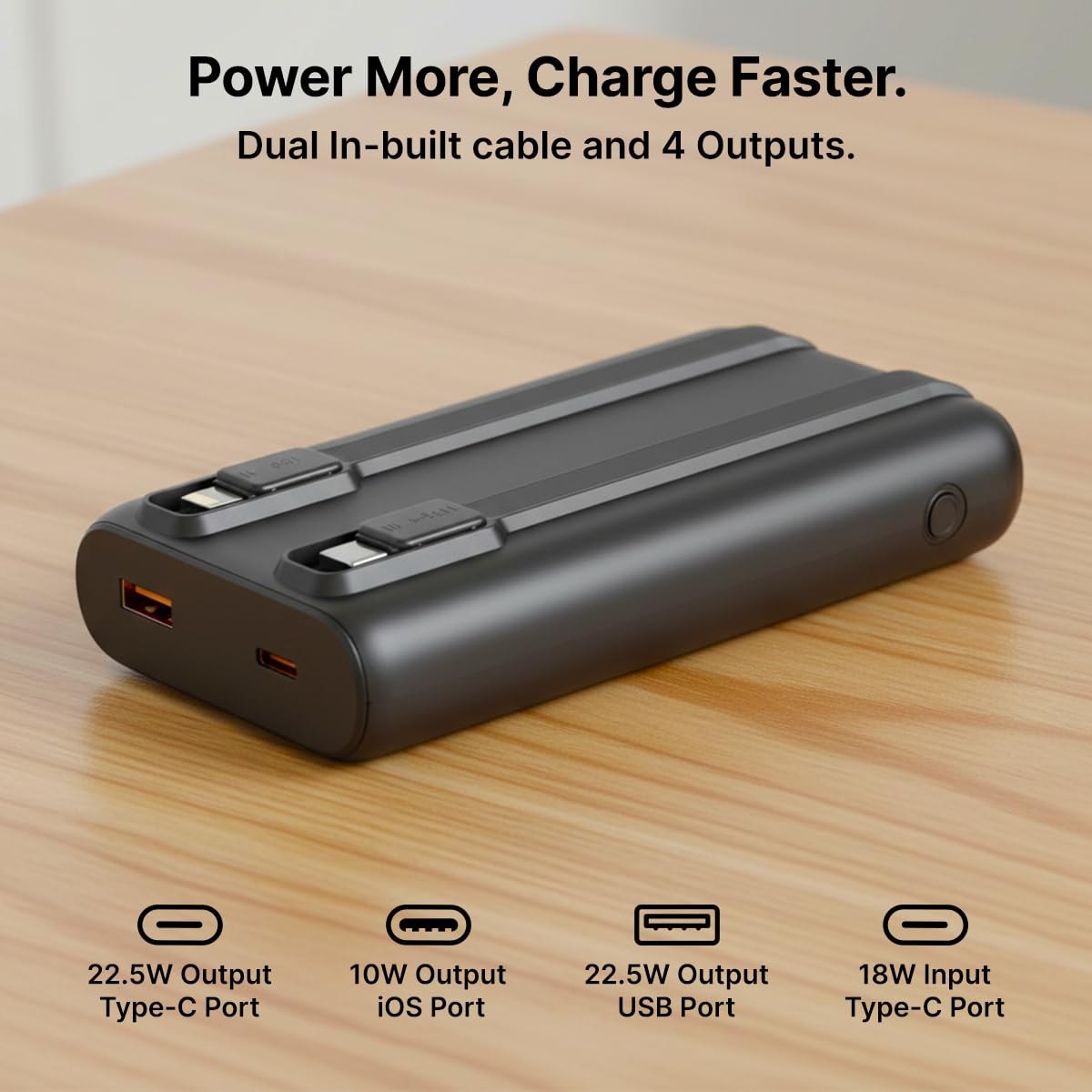
Image: A detailed view of the pTron Dynamo Storm Powerbank's various charging outputs, including the USB-A port, Type-C port, and the integrated Type-C and iOS cables.
4.2 Official Product Video
Video: A short demonstration of the pTron Dynamo Storm 20000mAh Powerbank, highlighting its sleek design, multiple charging options, and built-in cables for convenient use.
5. Maintenance
- Storage: Store the power bank in a cool, dry place away from direct sunlight and extreme temperatures.
- Cleaning: Use a soft, dry cloth to clean the power bank. Do not use liquid cleaners or abrasive materials.
- Battery Care: To prolong battery life, fully charge the power bank at least once every three months if not in regular use. Avoid completely draining the battery frequently.
- Handling: Avoid dropping or subjecting the power bank to strong impacts.
6. Troubleshooting
6.1 Power Bank Not Charging
- Ensure the charging cable is securely connected to both the power bank and the wall charger.
- Verify that the wall charger is functioning correctly and connected to a live power outlet.
- Try using a different Type-C cable or wall charger.
6.2 Device Not Charging from Power Bank
- Check if the power bank has sufficient charge (refer to LED indicators).
- Ensure the device's charging cable (built-in or external) is securely connected to both the power bank and the device.
- Press the power button on the power bank to initiate charging if it doesn't start automatically.
- Try using a different port or built-in cable.
- Confirm your device is compatible with the power bank's output specifications.
6.3 Slow Charging
- Ensure both the power bank and your device support fast charging protocols (PD, QC, etc.).
- Use a high-quality, fast-charging compatible cable.
- Charging multiple devices simultaneously may reduce the charging speed for individual devices.
7. Specifications
| Model Number | Dynamo Storm |
| Battery Capacity | 20000mAh |
| Input (Type-C) | 18W |
| Output (USB-A Port) | 22.5W |
| Output (Type-C/PD Port) | 22.5W |
| Output (Built-in Type-C Cable) | 22.5W |
| Output (Built-in iOS Cable) | 10W |
| Connector Type | USB Type A, USB Type C |
| Special Features | Built-in Cables, Fast Charging, LED Indicator Lights, Over Charging Protection, Pocket Size |
| Colour | Black |
| Item Weight | 414 g |
| Package Dimensions | 14.6 x 6.9 x 3.6 cm |
| Manufacturer | Palred Electronics Pvt. Ltd. |
8. Warranty and Support
8.1 Warranty Information
This pTron Dynamo Storm Powerbank comes with a 6 Months manufacturer warranty from the date of purchase, covering manufacturing defects only. Please retain your purchase receipt for warranty claims.
8.2 Customer Support
For any queries, technical assistance, or warranty claims, please contact pTron customer support:
- Email: support@ptron.in
- Phone: 040-67138888
© 2026 pTron. All rights reserved.