
Introduction
This manual provides essential instructions for the safe and efficient use of your SOUYIE DS10 Smart Bracelet Magnetic Charger. Please read this manual thoroughly before using the product and retain it for future reference.
Package Contents
- 1 x SOUYIE DS10 Smart Bracelet Magnetic Charger (USB Charging Cable)
Product Overview
The SOUYIE DS10 Magnetic Charger is designed specifically for the SOUYIE DS10 Smart Bracelet, offering a convenient and stable charging solution. It features a magnetic connector for easy alignment and a USB-A plug for power input.
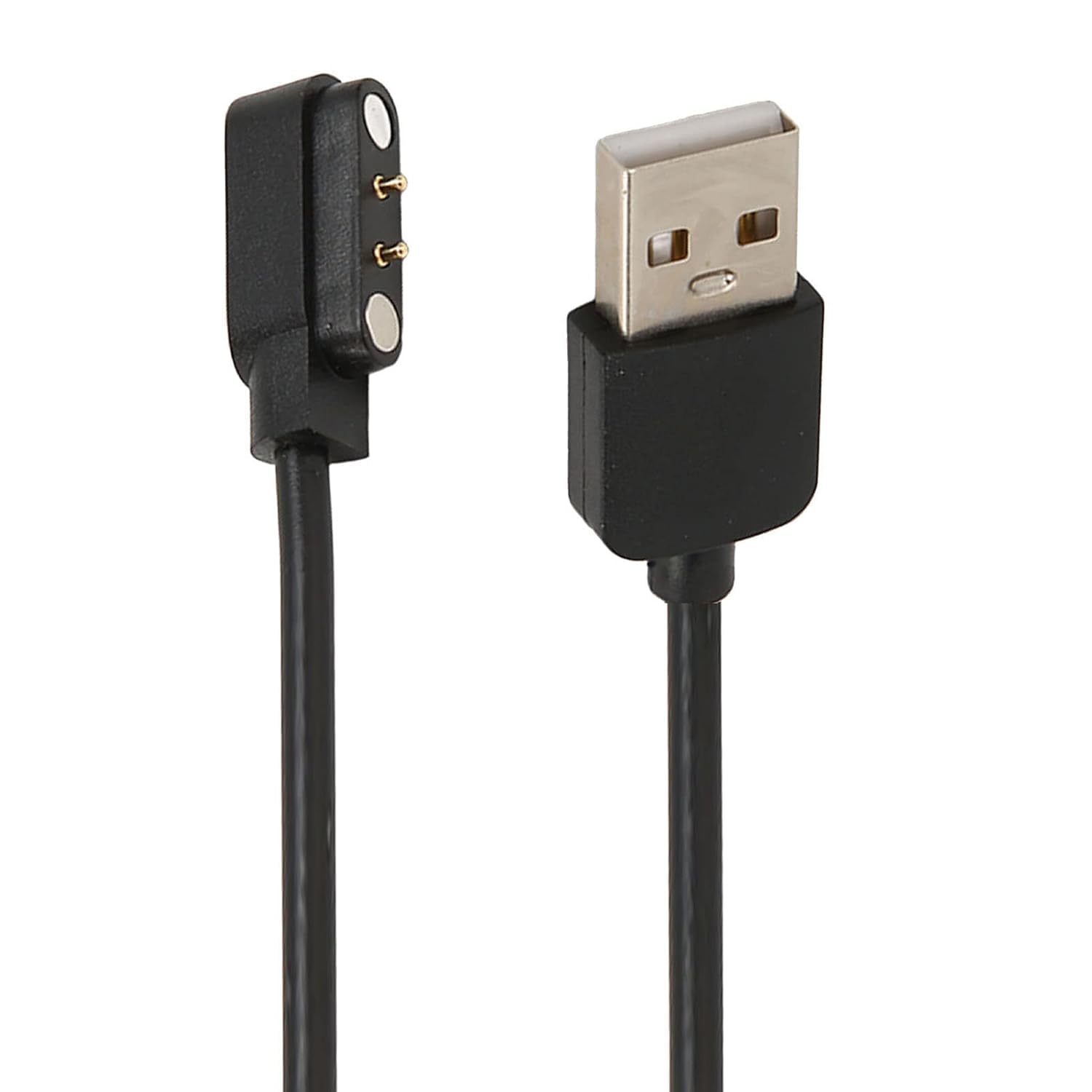
Image 1: SOUYIE DS10 Smart Bracelet Magnetic Charger. This image displays the magnetic charging head with two pins and the USB-A connector at the other end of the cable.
Key Features:
- Magnetic Charging: Ensures easy and secure connection to the smart bracelet.
- Fast Charge & Stable Performance: Provides efficient and reliable power delivery.
- Compact & Lightweight: Designed for portability and convenience.
- Specific Compatibility: Exclusively designed for the SOUYIE DS10 Smart Bracelet.
Setup
- Verify Compatibility: Ensure your smart bracelet is the SOUYIE DS10 model. This charger is designed specifically for this model.
- Prepare Power Source: Connect the USB-A end of the charging cable to a compatible USB power source. This can be a power adapter (not included), a car adapter, a power bank, or a laptop USB port.
- Locate Charging Area: Identify the charging contacts on your SOUYIE DS10 Smart Bracelet.
Operating Instructions
Follow these steps to charge your SOUYIE DS10 Smart Bracelet:
- Connect to Power: Plug the USB-A connector of the charging cable into a powered USB port (e.g., wall adapter, computer, power bank).
- Attach to Smart Bracelet: Bring the magnetic charging head of the cable close to the charging contacts on your SOUYIE DS10 Smart Bracelet. The magnets will automatically align and secure the connection.
- Monitor Charging: The smart bracelet's display should indicate that it is charging. If it does not, ensure the connection is secure and the power source is active.
- Charging Duration: Charging time may vary depending on the battery level of your smart bracelet and the power output of your USB source.
- Disconnect: Once charging is complete, gently pull the magnetic charging head away from the smart bracelet and disconnect the USB-A end from the power source.
Note: It is recommended to charge your smartwatch before the battery completely runs out to maintain battery health.
Maintenance
- Keep the charging cable clean and dry. Avoid exposure to liquids.
- Do not bend or twist the cable excessively, as this can damage the internal wires.
- Store the charger in a cool, dry place when not in use.
- Regularly check the magnetic contacts for any debris that might hinder proper connection.
Troubleshooting
| Problem | Possible Cause | Solution |
|---|---|---|
| Smart bracelet not charging. | Loose connection, faulty power source, dirty contacts. |
|
| Slow charging. | Low power output from USB source, background apps on smart bracelet. |
|
| Magnetic connection is weak. | Debris on magnets, damaged magnets. |
|
Specifications
- Model: DS10
- Brand: SOUYIE
- Connector Type: Magnetic (2-pin)
- Cable Type: USB-A
- Compatible Devices: SOUYIE DS10 Smart Bracelet
- Ejector Pin Distance: 2.84 mm
- Magnet Distance: 9.0 mm
- Cable Length: Approximately 62 cm (24.4 inches)
- Special Feature: High Speed Charging
- Item Weight: 0.64 ounces (approx. 18 grams)
- Package Dimensions: 4.8 x 3.3 x 0.5 inches
Warranty Information
SOUYIE products are manufactured to high quality standards. For specific warranty details, please refer to the warranty card included with your purchase or visit the official SOUYIE website. This warranty typically covers manufacturing defects under normal use conditions.
Customer Support
If you encounter any issues or have questions regarding your SOUYIE DS10 Smart Bracelet Magnetic Charger, please contact SOUYIE customer support through their official website or the contact information provided with your product packaging. Please have your product model and purchase details ready when contacting support.