
1. Introduction
Thank you for choosing the Blemil 5-inch Split Screen Baby Monitor. This device is designed to provide a secure and reliable way to monitor your baby using advanced 2.4GHz FHSS technology, ensuring privacy and ease of use without the need for Wi-Fi or mobile applications. This manual provides detailed instructions for setup, operation, maintenance, and troubleshooting to help you get the most out of your baby monitor.
2. Product Overview
The Blemil BL9057-2 baby monitor system includes a 5-inch IPS display parent unit and two camera units. Key features include:
- 5-inch IPS Full-Color Display: Provides clear video with excellent color and brightness.
- Split-Screen Function: Allows simultaneous viewing from both cameras.
- Remote Pan/Tilt/Zoom (PTZ): Adjust camera angles and zoom remotely from the parent unit.
- Secure 2.4GHz FHSS Technology: Ensures a private and interference-free connection without Wi-Fi or apps.
- Long Battery Life: Up to 16 hours in normal mode, up to 30 hours in ECO mode with a 4000mAh battery.
- Infrared Night Vision: Clear viewing in low-light conditions.
- Two-Way Talk: Communicate with your baby through the camera.
- Temperature Monitoring: Real-time room temperature display.
- Lullabies: Multiple soothing melodies to help your baby sleep.
- Multi-language Support: Supports 8 languages including English, French, and Spanish.

Image: Blemil 5-inch Split Screen Baby Monitor system, showing the parent unit displaying a sleeping baby, two camera units, and icons representing its main features.
3. Setup
The Blemil baby monitor is designed for plug-and-play operation, requiring no Wi-Fi or app installation.
3.1 Initial Setup
- Charge the Parent Unit: Before first use, fully charge the parent unit battery.
- Position Cameras: Place the camera units in desired locations, ensuring a clear view of your baby. The cameras must always be plugged into a power source.
- Power On: Connect the power adapters to the camera units and the parent unit, then power them on.
3.2 Pairing Cameras
The cameras are typically pre-paired. If re-pairing is needed or for adding additional cameras, follow these steps:

Image: Visual guide for pairing the camera unit with the parent unit, detailing five steps from plugging in the camera to confirming successful pairing.
- Plug in the Camera: Ensure the camera is always plugged into a power source.
- Access Menu: On the parent unit, press the MENU key, then select the camera icon.
- Select Camera: Choose camera 1 or 2 for pairing.
- Initiate Pairing: While the "pairing" dialogue is displayed on the IPS screen, press and hold the PAIR button on the camera unit.
- Confirmation: Once paired, a "✓" symbol will display on the screen. If unsuccessful, repeat the steps.
Important: The camera needs to be plugged in at all times. Both the pairing dialogue on the screen and pressing the PAIR button on the camera must be done simultaneously.
4. Operating Instructions
4.1 Split-Screen Display
The monitor supports viewing from both cameras simultaneously.
- Activate Split Screen: Use the dedicated button on the parent unit to switch between single camera view and split-screen mode.
- Cycle View: You can also set the monitor to cycle between individual camera views for a few seconds each.

Image: The parent unit displaying two camera feeds side-by-side in split-screen mode, allowing monitoring of two rooms at once.
4.2 Remote Pan, Tilt, and Zoom (PTZ)
Adjust the camera's viewing angle and zoom level directly from the parent unit.
- Pan/Tilt: Use the directional buttons on the parent unit to move the camera horizontally (pan up to 318°) and vertically (tilt up to 120°).
- Zoom: Activate the zoom function to get a closer look at your baby (up to 2x zoom).

Image: A camera unit illustrating its pan (318°) and tilt (120°) range, with an inset showing a baby and a 2x zoom feature.
4.3 Two-Way Talk
Speak to your baby remotely through the camera unit.
- Activate: Press and hold the microphone button on the parent unit to speak. Release the button to listen.
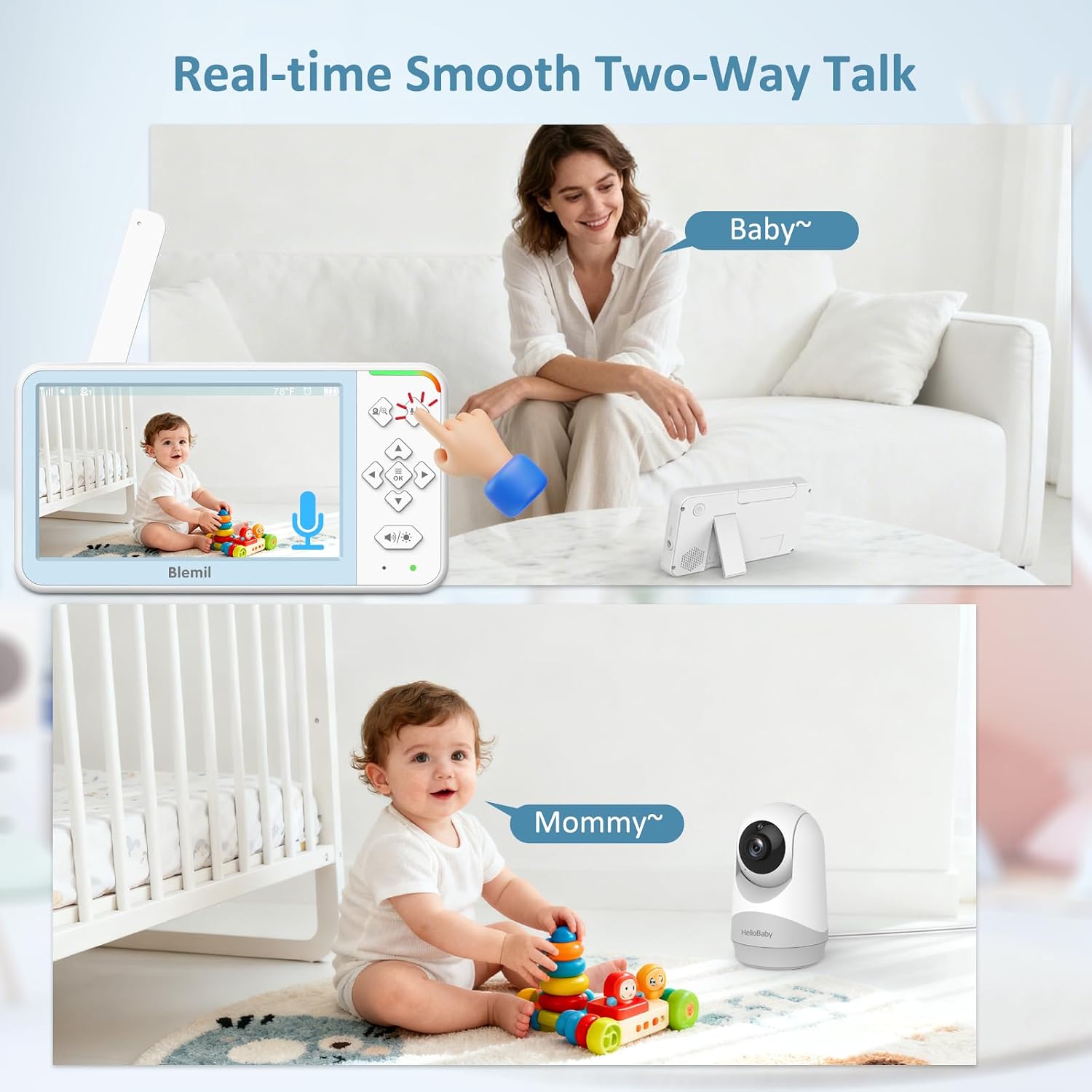
Image: Demonstrates the two-way talk feature, showing a parent speaking into the monitor and a baby responding to the camera.
4.4 Night Vision
The camera automatically switches to infrared night vision in low-light conditions.
- Automatic Activation: No manual adjustment is needed. The monitor will display a clear black and white image of your baby in the dark.

Image: The parent unit displaying a clear night vision view of two sleeping babies, ensuring monitoring even in complete darkness.
4.5 Temperature Monitoring
The camera unit includes a temperature sensor to monitor the room temperature.
- Display: The current room temperature is displayed on the parent unit screen.
4.6 ECO Mode and Battery Life
Optimize battery usage with ECO mode.
- Normal Mode: Provides continuous video and audio, offering up to 16 hours of operation.
- ECO Mode: The screen automatically turns off to save power and wakes up when sound is detected, extending battery life up to 30 hours.

Image: Illustrates the long battery life of the parent unit, showing 16 hours in normal mode and 30 hours in ECO mode, powered by a 4000mAh battery.
4.7 Lullabies
Play soothing lullabies to help your baby fall asleep.
- Selection: Access the lullaby menu on the parent unit to choose from multiple melodies.
5. Maintenance
Proper maintenance ensures the longevity and optimal performance of your baby monitor.
- Cleaning: Use a soft, dry cloth to clean the parent unit and camera lenses. Do not use abrasive cleaners or solvents.
- Storage: When not in use for extended periods, store the monitor in a cool, dry place.
- Battery Care: Avoid fully discharging the parent unit battery frequently to prolong its lifespan.
6. Troubleshooting
If you encounter issues with your Blemil baby monitor, refer to the following common solutions:
| Problem | Possible Cause | Solution |
|---|---|---|
| No image/sound on parent unit | Camera not powered, out of range, or not paired. | Ensure camera is plugged in. Move parent unit closer to camera. Re-pair the camera (see Section 3.2). |
| Poor signal/intermittent connection | Obstructions (walls, furniture), distance, or interference. | Reduce distance between camera and parent unit. Avoid placing more than 2 walls between units. Keep away from other 2.4GHz devices. Maximum range is 1000ft in open space. |
| Parent unit battery drains quickly | Continuous use in normal mode, aging battery. | Use ECO mode to conserve battery. Ensure parent unit is fully charged before use. |
| Sound is too quiet or inconsistent | Volume setting too low, environmental noise. | Increase the volume on the parent unit. Ensure the camera's microphone is not obstructed. |
| Cannot pan/tilt/zoom camera | Camera not responding to commands. | Ensure camera is powered and connected. Try restarting both camera and parent unit. |
7. Specifications
| Feature | Detail |
|---|---|
| Model Name | BL9057-2 |
| Brand | Blemil |
| Connectivity Technology | Non WiFi 2.4GHz FHSS Technology |
| Display Size | 5-inch IPS |
| Battery Capacity | 4000mAh (Parent Unit) |
| Battery Life | Up to 16 hours (Normal Mode), Up to 30 hours (ECO Mode) |
| Wireless Range | Up to 1000ft (approx. 300 meters) in open space |
| Special Features | 2-Way Audio, Cry Detection, Night Vision, PTZ Technology, Portable, Temperature Monitoring |
| Indoor/Outdoor Usage | Indoor |
| Power Source | Battery Powered (Parent Unit), AC Adapter (Cameras) |
| Included Components | Baby monitor (parent unit and 2 camera units) |
| Color | White |
| Country of Origin | China |
| UPC | 662987475402 |
8. Warranty and Support
8.1 Manufacturer's Warranty
This Blemil baby monitor comes with a 1-Year Manufacturer's Warranty from the date of purchase. Please retain your proof of purchase for warranty claims. The warranty covers defects in materials and workmanship under normal use.
8.2 Customer Support
For any questions, technical assistance, or warranty inquiries, please contact Blemil customer service:
- Email: service2@blemil.us
- You may also contact us via Amazon messages.