
1. Introduction
Thank you for choosing the HERCHR FR510 Digital Altimeter. This device is a multi-functional outdoor navigation tool designed for adventurers, hikers, and outdoor enthusiasts. It integrates a GPS system, altimeter, barometer, compass, thermometer, and hygrometer into a compact, portable unit. This manual provides detailed instructions on how to set up, operate, and maintain your FR510 to ensure optimal performance and longevity.

Image 1.1: The HERCHR FR510 Digital Altimeter displaying altitude, distance, and other data. This image illustrates the device's main display and its ability to show practical height change warnings, target height warnings, GPS distance, speed, and point of return records.
2. Setup
2.1. Unpacking and Initial Charge
Upon unpacking, ensure all components are present:
- HERCHR FR510 Digital Altimeter
- USB Charging Cable
- Hanging Rope
- User Manual (this document)

Image 2.1: The HERCHR FR510 device shown alongside its included USB charging cable and hanging rope. These accessories are essential for charging the device and for convenient carrying during outdoor activities.
The device comes with a built-in rechargeable lithium battery (5V 230mAh). Before first use, fully charge the device using the provided USB cable connected to a standard USB power adapter (not included) or a computer USB port. The charging indicator will show the charging status.
2.2. Power On/Off
- To Power On: Press and hold the MODE button for approximately 3 seconds until the display illuminates.
- To Power Off: Press and hold the MODE button for approximately 3 seconds until the display turns off.
2.3. Basic Settings
Upon initial power-on or after a reset, you may need to set the time, date, and units. Refer to the "Operating Instructions" section for details on navigating the settings menu using the SET and MODE buttons.
3. Operating Instructions
3.1. Button Functions
The FR510 features several buttons for navigation and control:
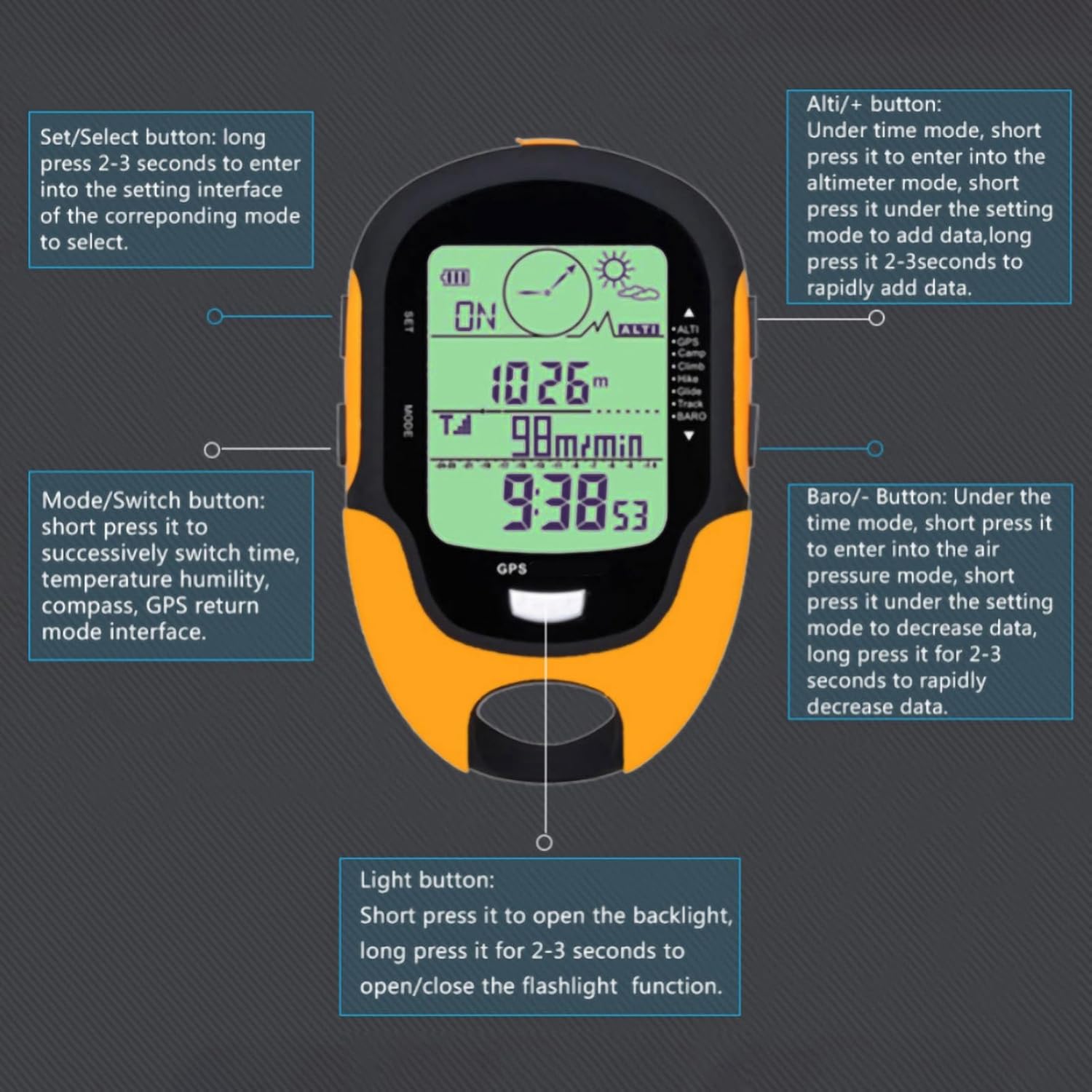
Image 3.1: A detailed diagram illustrating the function of each button on the HERCHR FR510. This includes the 'Set/Select', 'Mode/Switch', 'Alti/+', 'Baro/-', and 'Light' buttons, along with their short and long press functionalities for various operations and settings.
- SET / Select Button:
- Short Press: Selects options or confirms settings.
- Long Press (2-3 seconds): Enters the setting interface of the corresponding mode.
- MODE / Switch Button:
- Short Press: Successively switches between time, temperature, humidity, compass, GPS return mode interfaces.
- Long Press (3 seconds): Powers the device on or off.
- ALTI / + Button:
- Under Time Mode: Short press to enter Altimeter mode.
- Under Setting Mode: Short press to add data; long press (2-3 seconds) to rapidly increase data.
- BARO / - Button:
- Under Time Mode: Short press to enter Air Pressure mode.
- Under Setting Mode: Short press to decrease data; long press (2-3 seconds) to rapidly decrease data.
- Light Button:
- Short Press: Activates the backlight.
- Long Press (2-3 seconds): Toggles the flashlight function on/off.
3.2. Key Functions and Modes
3.2.1. GPS Positioning
The FR510 is compatible with dual GPS systems, offering dual-satellite positioning for enhanced accuracy. It records speed, distance, and provides nine sets of course reversal/return records. This feature is crucial for navigation and tracking your journey.
3.2.2. Altimeter Mode
Displays current altitude in real-time. Features include:
- Altitude target reminder settings.
- Historical altitude data analysis.
- Altitude gain/loss tracking.
- 7 sets of 24-hour historical altitude data/curves.
- Altitude change interval notifications (configurable from 1 to 200 meters).
This function helps users monitor their ascent and descent, aiding in the prevention of altitude sickness by providing timely data.
3.2.3. Barometer Mode
Provides a 24-hour barometric pressure trend display. Monitoring barometric pressure can help predict weather changes, which is vital for outdoor planning.
3.2.4. Compass Mode
Features a 16-position electronic compass for accurate directional guidance. Essential for orienteering and maintaining your bearing in unfamiliar terrain.
3.2.5. Thermometer and Humidity Records
Records temperature and humidity, providing valuable environmental data. Temperature and humidity alerts can help you prepare for changing conditions, such as needing warmer clothing or replenishing water.
3.2.6. Flashlight Function
The device includes a built-in flashlight, activated by a long press of the Light button. This is useful for various outdoor lighting needs, including camping, night fishing, or general illumination.
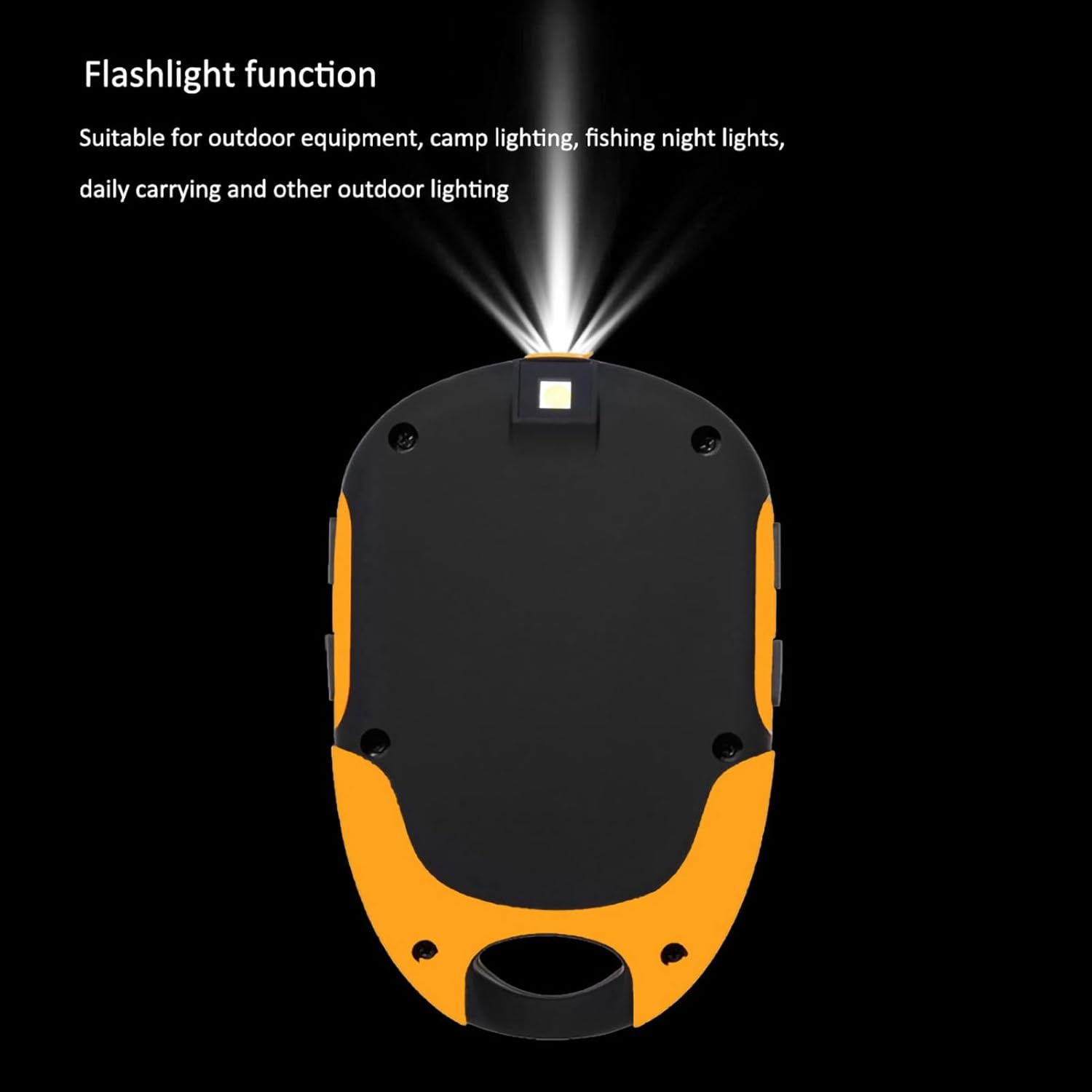
Image 3.2: The HERCHR FR510 device demonstrating its integrated flashlight function. The flashlight is suitable for various outdoor lighting requirements, enhancing safety and convenience during low-light conditions.
3.2.7. Time, Date, and Alarm
The device displays current time and date and includes an alarm function for scheduling reminders.
3.3. Waterproof Rating
The FR510 has an IPX4 waterproof rating, meaning it is resistant to splashing water from any direction. This makes it suitable for use in various outdoor conditions, but it is not designed for submersion.

Image 3.3: The HERCHR FR510 device depicted in a water-splashed environment, emphasizing its IPX4 waterproof capability. This rating ensures the device can withstand splashes and light rain, making it suitable for diverse outdoor activities.
4. Maintenance
4.1. Cleaning
Wipe the device with a soft, damp cloth. Do not use abrasive cleaners or solvents, as these can damage the display or casing. Ensure the device is dry before storing or charging.
4.2. Storage
Store the FR510 in a cool, dry place away from direct sunlight and extreme temperatures. If storing for an extended period, ensure the battery is partially charged (around 50%) to prolong its lifespan. Recharge the device every few months to prevent deep discharge.
4.3. Battery Care
The built-in lithium battery is not user-replaceable. Avoid exposing the device to temperatures below -20℃ (-4°F) or above 60℃ (140°F) during operation or storage, as this can degrade battery performance and lifespan.
5. Troubleshooting
- Device does not power on: Ensure the battery is charged. Connect to a USB power source and try again. If the issue persists, contact customer support.
- Inaccurate GPS readings: Ensure you are in an open area with a clear view of the sky. Tall buildings, dense forests, or adverse weather conditions can interfere with GPS signals. Allow sufficient time for the device to acquire satellite signals.
- Altimeter readings are incorrect: Altimeters can be affected by changes in barometric pressure. Calibrate the altimeter if possible, or allow it to self-calibrate in an area with a known altitude.
- Display is dim or unresponsive: Check battery level. If the backlight is not working, ensure it is enabled or try a short press of the Light button.
- Battery drains quickly: Reduce screen brightness, turn off unnecessary functions (like the flashlight) when not in use, and ensure the device is fully charged before use. Extreme cold can also reduce battery life.
6. Specifications
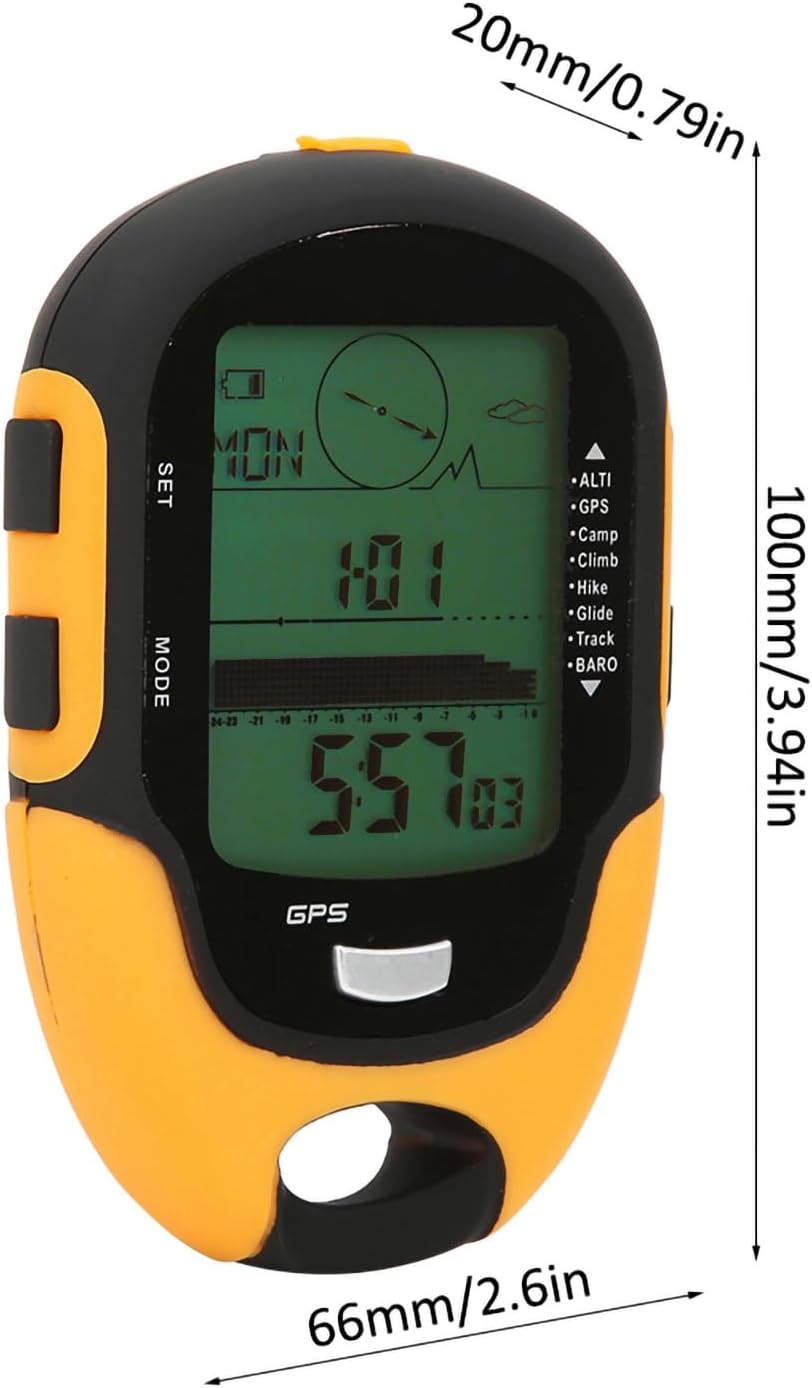
Image 6.1: The HERCHR FR510 device with its physical dimensions clearly labeled. The device measures approximately 100mm (3.94in) in length, 66mm (2.6in) in width, and 20mm (0.79in) in thickness, providing a visual reference for its compact size.
| Feature | Specification |
|---|---|
| Model | FR510 |
| Material | ABS |
| Battery | Built-in rechargeable lithium battery, 5V 230mAh |
| Working Temperature | -20℃ to +60℃ (-4°F to +140°F) |
| Storage Temperature | -30℃ to +60℃ (-22°F to +140°F) |
| Altimeter Display Range | -700m to 9000m (-1640ft to 32760ft) |
| Altimeter Resolution | 1m / 3ft |
| Barometer Display Range | 300 to 1100hpa (8.8 to 32.60inHg) |
| Barometer Resolution | 0.1hpa / 0.03inHg |
| Thermometer Measurement Range | 20% - 95% (likely humidity range, temperature range not explicitly stated but implied by working temp) |
| Thermometer Resolution | 1℃ / 1°F |
| Compass Resolution | 1° |
| GPS System | Dual Moon System Compatible |
| Waterproof Rating | IPX4 |
| Dimensions | Approx. 100x66x20mm (3.94x2.60x0.79inch) |
| Weight | Approx. 136g |
7. Warranty and Support
7.1. Warranty Information
The HERCHR FR510 Digital Altimeter comes with a manufacturer warranty for 90 days from the date of purchase. This warranty covers defects in materials and workmanship under normal use. It does not cover damage caused by misuse, accidents, unauthorized modifications, or improper maintenance.
7.2. Customer Support
For technical assistance, warranty claims, or any questions regarding your HERCHR FR510, please contact HERCHR customer support through your retailer or the official HERCHR website. Please have your purchase receipt and product model information ready when contacting support.