
1. Product Overview
The occiam T19 Active Noise Cancelling Earbuds are designed to provide a high-quality audio experience with enhanced comfort and durability. Featuring active noise cancellation, these wireless Bluetooth headphones are suitable for various activities including work, sports, and running. The earbuds come with over-ear hooks for a secure fit and are IPX7 waterproof, making them resistant to sweat and splashes.
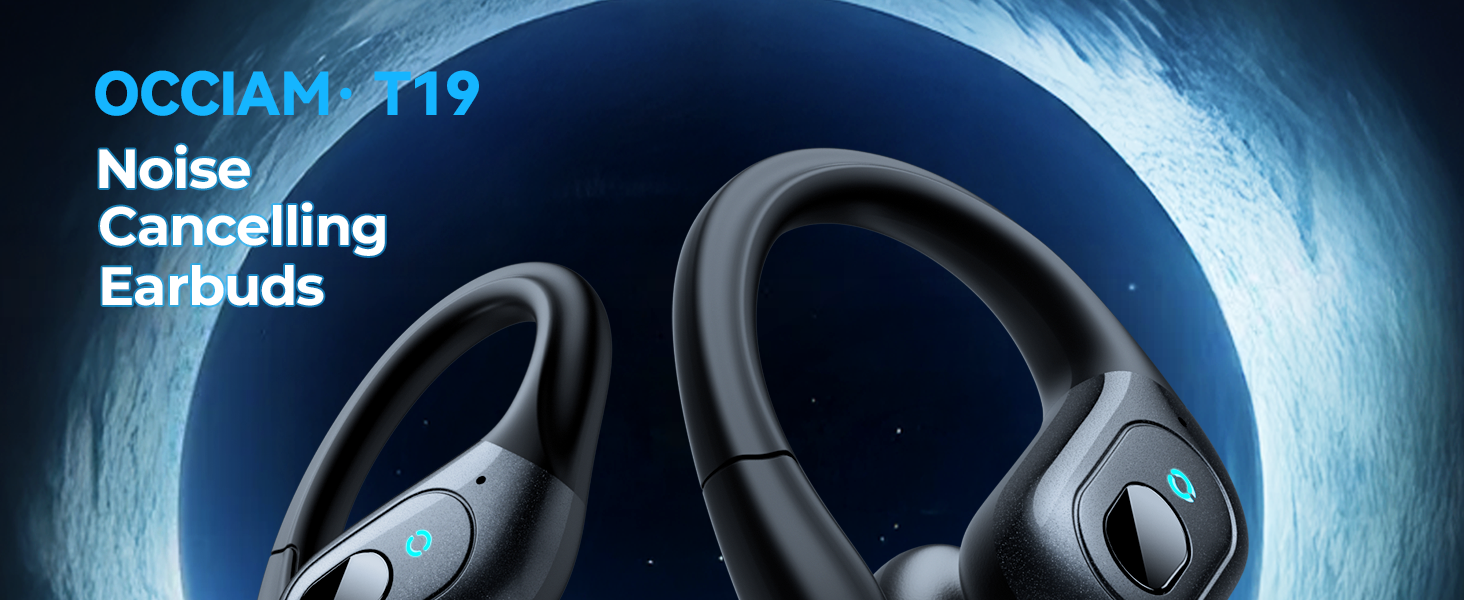
Image: occiam T19 Active Noise Cancelling Earbuds with charging case.
2. Package Contents
Verify that all items listed below are included in your package:
- Wireless Earbuds (Left and Right)
- Charging Case
- USB-C Charging Cable
- User Manual
- Eartips (S, M, L sizes)

Image: All items included in the occiam T19 earbud package.
3. Setup
3.1. Charging the Case and Earbuds
Before first use, fully charge the charging case and earbuds. The charging case features a digital battery display to show the remaining power and charging status of the earbuds.
- Connect the provided USB-C charging cable to the charging port on the case and to a compatible USB power source.
- The digital display on the case will show the charging progress.
- Place the earbuds into the charging case. Ensure they are correctly seated; magnetic contacts will guide them into place.
- The earbuds will begin charging automatically. The case display will indicate the charging status of each earbud.
- A full charge for the case takes approximately 2 hours.

Image: Charging case showing battery levels for the case and individual earbuds.
3.2. Pairing with a Device
The earbuds feature one-step pairing and a built-in Hall switch for instant connection.
- Open the charging case. The earbuds will automatically power on and enter pairing mode.
- On your Bluetooth-enabled device (smartphone, tablet, laptop, etc.), go to the Bluetooth settings.
- Search for available devices and select "T19" from the list.
- Once connected, you will hear an audio prompt, and the earbuds will be ready for use.
- For subsequent uses, simply open the case, and the earbuds will automatically connect to the last paired device.
Video: A user demonstrates the unboxing and initial setup of the occiam T19 Wireless Earbuds, including opening the case and showing the charging indicators.
4. Operating Instructions
4.1. Wearing the Earbuds
The occiam T19 earbuds are designed for a comfortable and secure fit, especially during physical activity.
- Choose the appropriate size eartips (S, M, L) for a snug fit in your ear canal.
- Place the earbud in your ear, ensuring the ear hook wraps securely over your ear.
- Adjust the angle of the earbud and ear hook until it feels comfortable and stable.

Image: Visual guide on selecting eartip sizes and correctly wearing the earbuds with over-ear hooks.
4.2. Button Controls
Each earbud features a physical button for easy control of audio playback and calls.
- Play/Pause: Single press the button on either earbud.
- Volume Control: Double press the button on the right earbud to increase volume, or on the left earbud to decrease volume.
- Next Track: Triple press the button on the right earbud.
- Previous Track: Triple press the button on the left earbud.
- Answer/End Call: Single press the button on either earbud during an incoming call or active call.
- Reject Call: Press and hold the button on either earbud during an incoming call.
- Activate Voice Assistant: Press and hold the button on either earbud for 2 seconds.
- Active Noise Cancellation (ANC): Press and hold the button on either earbud for 3 seconds to toggle ANC on/off.
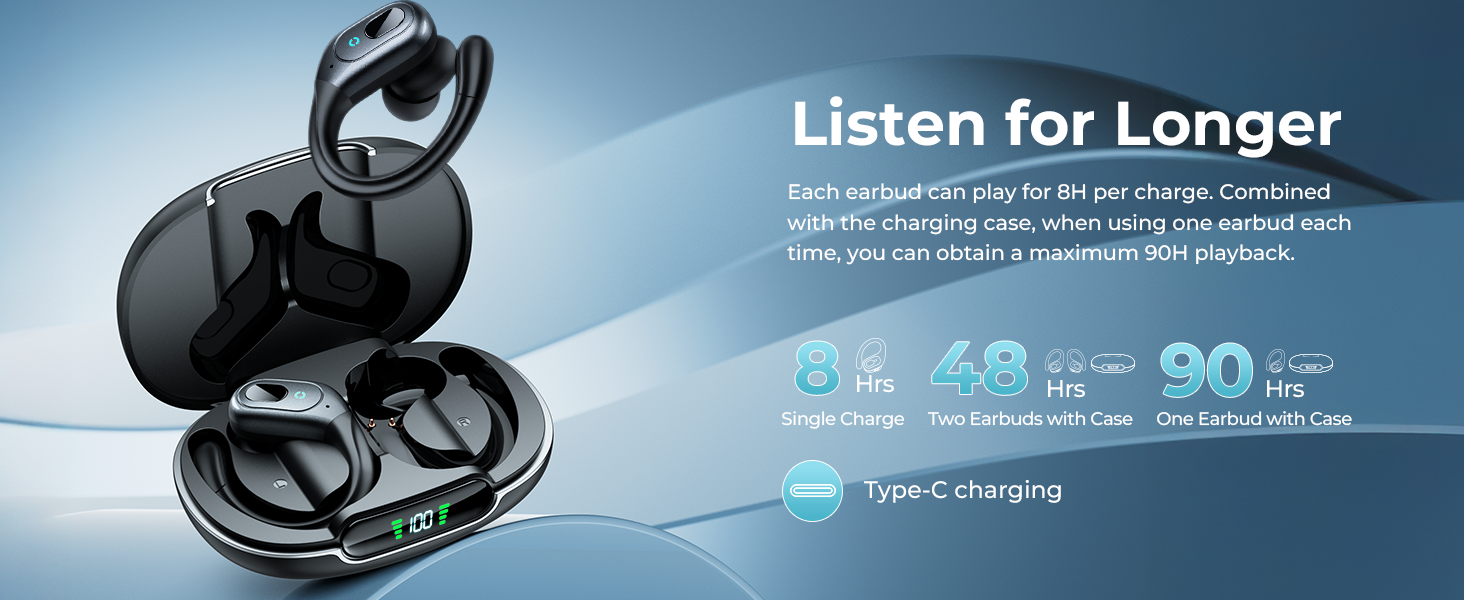
Image: Detailed illustration of the multi-functional button controls on the earbuds.
4.3. Mono and Binaural Modes
The earbuds support both binaural (using both earbuds) and mono (using a single earbud) modes, offering flexible listening options.
- Binaural Mode: Use both earbuds for a stereo audio experience.
- Mono Mode: Use either the left or right earbud independently. The unused earbud can remain in the charging case.
5. Maintenance
5.1. Cleaning
To ensure optimal performance and longevity, regularly clean your earbuds and charging case.
- Wipe the earbuds and charging case with a soft, dry, lint-free cloth.
- If the earbuds have been exposed to sweat or water, ensure they are completely dry before placing them back in the charging case to prevent charging failures due to electrolyte reaction.
- Gently remove any earwax or debris from the eartips and speaker mesh using a small, soft brush or cotton swab.

Image: occiam T19 earbuds showcasing their sweatproof design, emphasizing the need for drying after exposure to moisture.
5.2. Storage
When not in use, store the earbuds in their charging case to protect them and keep them charged.
- Store the earbuds and case in a cool, dry place away from extreme temperatures and direct sunlight.
- Avoid storing them near sharp objects that could scratch or damage the earbuds or case.
6. Troubleshooting
| Issue | Possible Solution |
|---|---|
| Earbuds not pairing | Ensure earbuds are charged. Turn off and on Bluetooth on your device. Forget "T19" from your device's Bluetooth list and re-pair. |
| No sound or low volume | Check volume levels on both your device and earbuds. Ensure earbuds are properly seated in your ears. Clean eartips and speaker mesh. |
| One earbud not working | Place both earbuds back in the case, close it, then open again to reset. Ensure both earbuds are charged. |
| Charging case not charging | Verify the USB-C cable and power adapter are working correctly. Ensure the cable is securely connected to the case. |
| Earbuds falling out | Try different sizes of eartips for a more secure fit. Adjust the ear hooks for better stability. |
7. Specifications
| Feature | Detail |
|---|---|
| Model Name | T19 |
| Noise Control | Active Noise Cancellation (up to 45dB reduction) |
| Connectivity Technology | Wireless, Bluetooth 5.4 |
| Bluetooth Range | 10 Meters (30ft) |
| Battery Life (Earbud) | 8 hours per full charge |
| Total Playback Time (with Charging Case) | Up to 48 hours (both earbuds), Up to 90 hours (single earbud) |
| Charging Time | 2 Hours (for case) |
| Water Resistance Level | IPX7 (Sweatproof) |
| Audio Driver Size | 10 Millimeters Dynamic Driver |
| Frequency Response | 20 KHz |
| Sensitivity | 92 dB |
| Control Method | Push Button (Volume Control) |
| Included Components | Charging Case, Eartips, USB-C Charging Cable, User Manual, Wireless Earbuds |
| Material | Acrylonitrile Butadiene Styrene (ABS) |
| Item Weight | 85 Grams (3 ounces) |
| Product Dimensions | 3.46 x 2.44 x 1.46 inches |
8. Warranty and Support
For warranty information, technical support, or customer service inquiries, please refer to the contact details provided in the original product packaging or visit the official occiam website.
Keep your purchase receipt for warranty claims.


