
1. Introduction
The Cardirun Foldable Treadmill (Model TM037) is a versatile 2-in-1 fitness device designed for both walking and running. It features a compact, space-saving design with a manual incline, a powerful yet quiet 3.0HP motor, and smart app connectivity for tracking workouts. This manual provides essential information for safe and effective use of your treadmill.
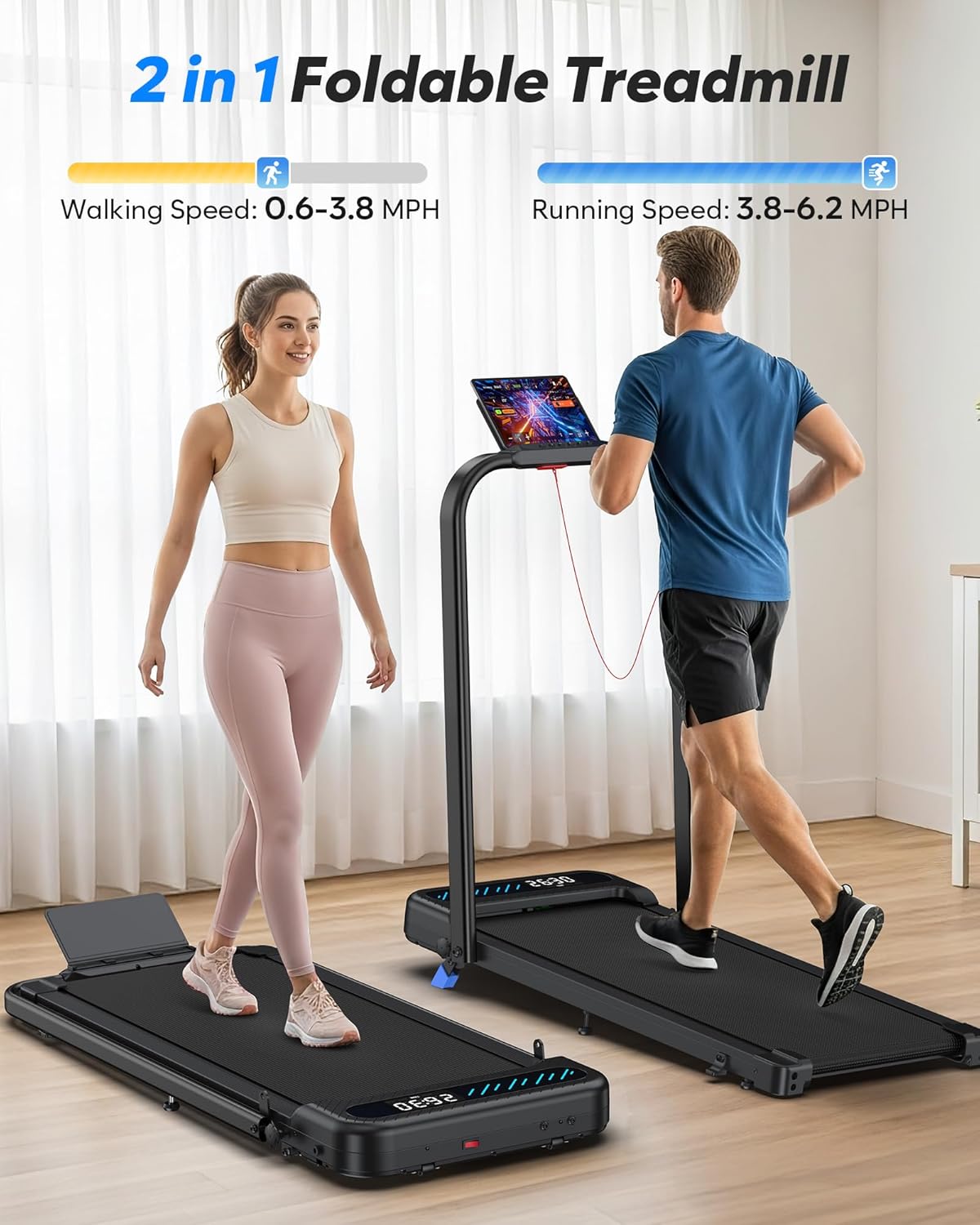
Image: The Cardirun 2-in-1 Foldable Treadmill in both walking (handlebar folded) and running (handlebar upright) configurations, illustrating its dual functionality. Walking speed is 0.6-3.8 MPH, and running speed is 3.8-6.2 MPH.
2. Safety Information
Important Precautions: Read all important precautions and instructions in this manual before using your treadmill. Seller assumes no responsibility for personal injury or property damage sustained by or through the use of this product.
- Ensure the running belt is centered prior to starting.
- Place the treadmill on level ground and set it to 2.0-3.0 MPH to check the running belt drift. If the issue persists, adjust the belt alignment as per instructions.
- Lubricate the treadmill belt before first use and regularly thereafter. Refer to the Maintenance section for instructions.
- Treadmills are constructed by fusing the belt, which creates a seam. The belt is heated up to make the seam, and all belts are quality-tested.
- Always attach the safety key to your clothing before starting your workout. The treadmill will stop automatically if the safety key is dislodged.
- Keep children and pets away from the treadmill during operation.
- Do not use the treadmill if you feel dizzy, nauseous, or experience any pain. Consult a medical professional.
3. What's in the Box
Your Cardirun Foldable Treadmill package includes the following items:
- Remote Control
- Safety Key
- User Manual
- Lubricant
- Power Cord
4. Setup
4.1 Unboxing and Initial Assembly
The treadmill comes largely pre-assembled. Follow these steps for initial setup:
- Carefully remove the treadmill from its packaging.
- Lift the foldable handlebar to its upright position. Secure it by twisting the folding knobs on both sides of the treadmill base until they reach the upper limit position.
- Install the tablet/phone holder on top of the console using the provided screws.
- Plug in the power cord and turn on the master power switch, usually located at the front base of the treadmill.
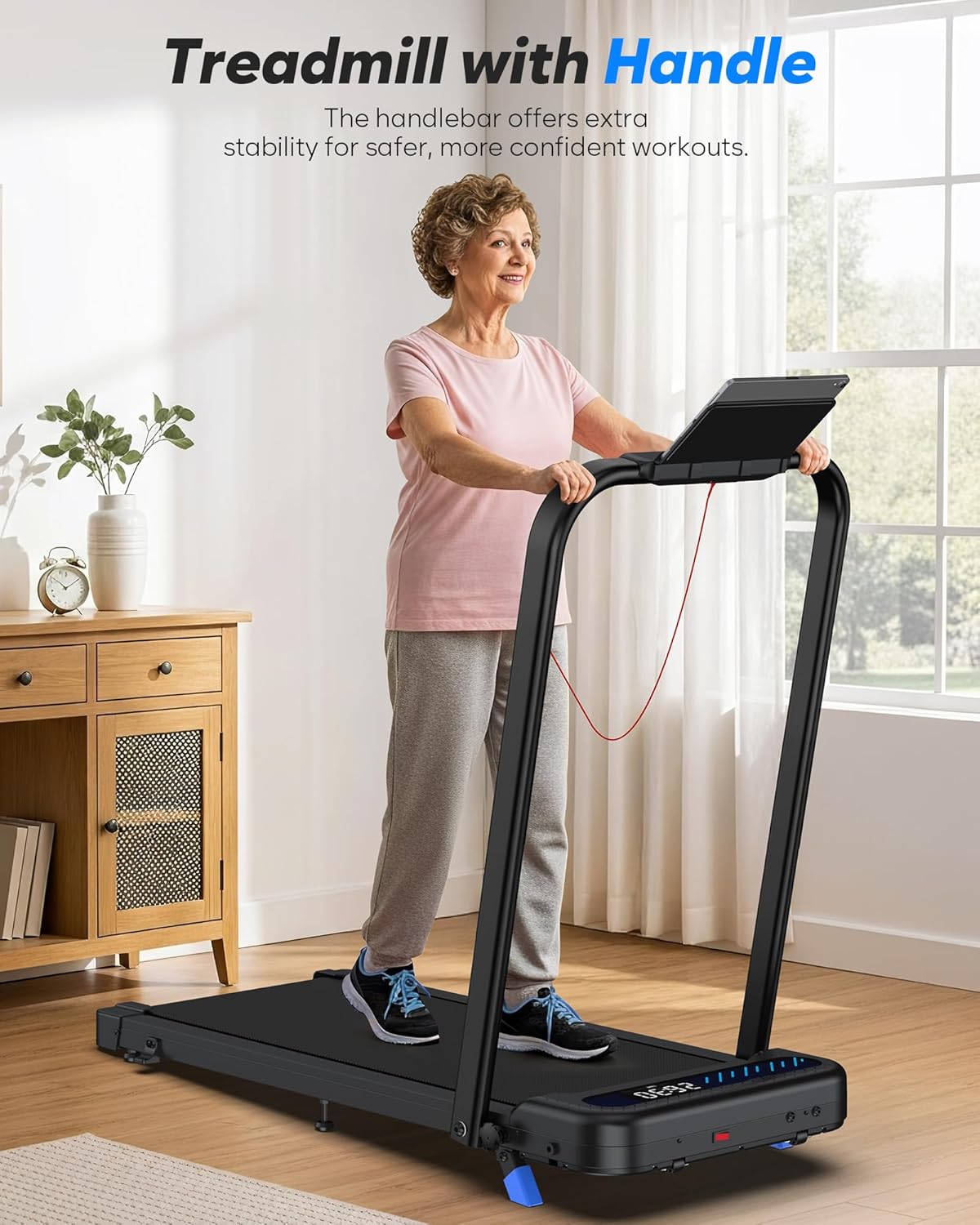
Image: A woman walking on the Cardirun Treadmill with the handlebar in the upright position, demonstrating its use as a traditional treadmill.
4.2 Adjusting the Manual Incline
This treadmill features a 5% manual incline. To activate the incline:
- Carefully tilt the treadmill to access the underside.
- Unscrew the middle footpad until it reaches the ground to offer extra support.
- Repeat on the other side. Ensure both footpads are securely in place before use.
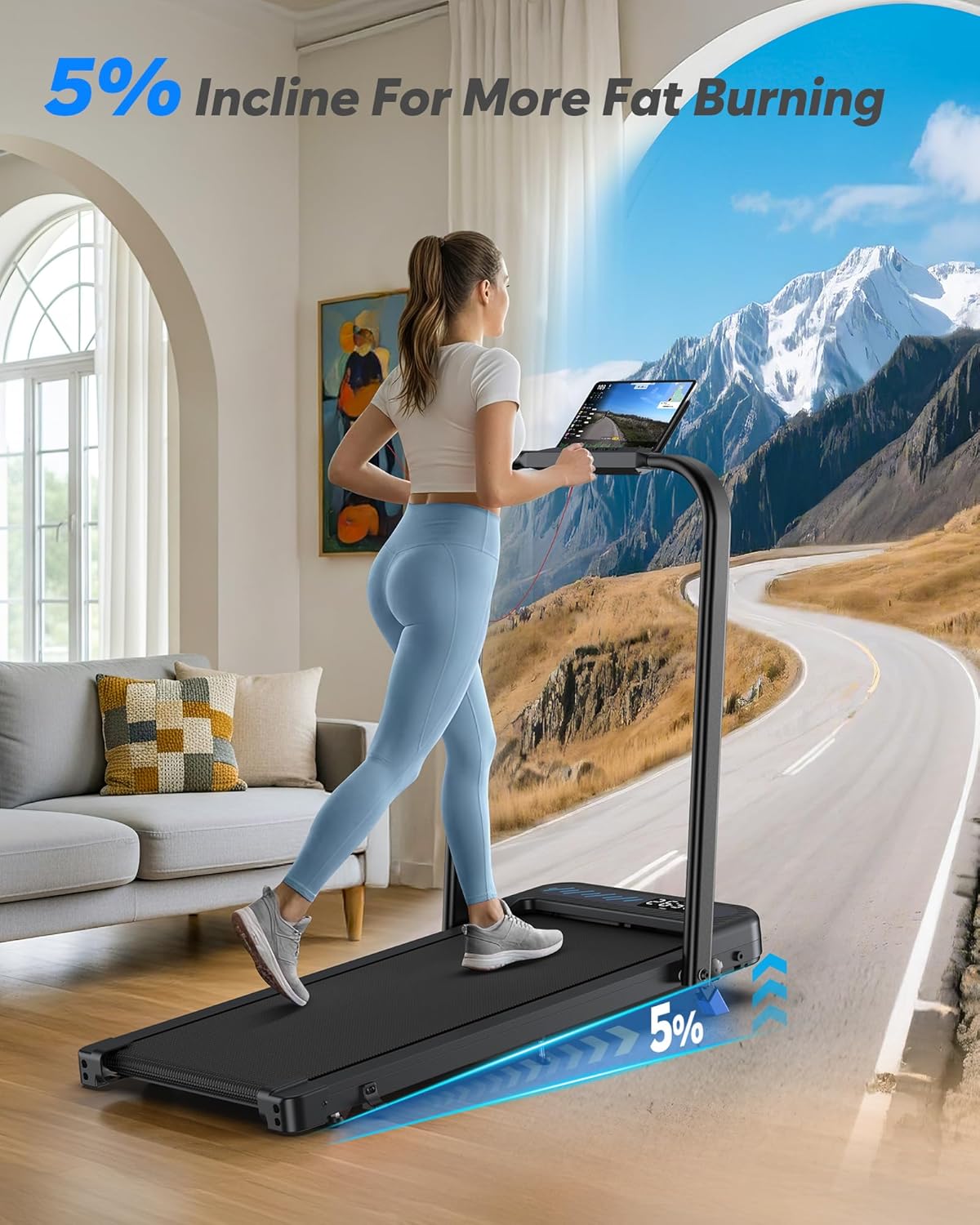
Image: A woman walking on the Cardirun Treadmill, with a visual representation of the 5% incline feature, suggesting enhanced calorie burning.
4.3 Remote Control Setup
To pair the remote control:
- Turn on the treadmill.
- Hold down the START/STOP button on the treadmill for 3 seconds.
- A beep will confirm pairing, and the treadmill's display will show the current speed.
5. Operating Instructions
5.1 Treadmill Modes
The Cardirun treadmill offers two primary modes:
- Walking Mode (0.6–3.8 MPH): Ideal for light exercise, especially when used under a desk. The handlebar is folded down in this mode.
- Running Mode (0.6–6.2 MPH): For more intense workouts. The handlebar is in the upright position, providing stability.
Image: The Cardirun 2-in-1 Foldable Treadmill illustrating its two modes: Walking Mode (0.6-3.8 MPH) with the handlebar down, and Running Mode (3.8-6.2 MPH) with the handlebar upright.
5.2 Controls
You can control the treadmill using the remote control, the console buttons on the handlebar, or the dedicated fitness app.
- Remote Control: Use the '+' and '-' buttons to adjust speed. The 'Start/Stop' button initiates or pauses the workout. The 'Mute' button silences the system buzzer.
- Console Buttons: Located on the handlebar, these buttons allow for speed adjustment, start/stop, and quick speed presets (e.g., 3 MPH, 6 MPH).
- Smart App: Connect via Bluetooth to personalize workouts, track data, and access various training courses.
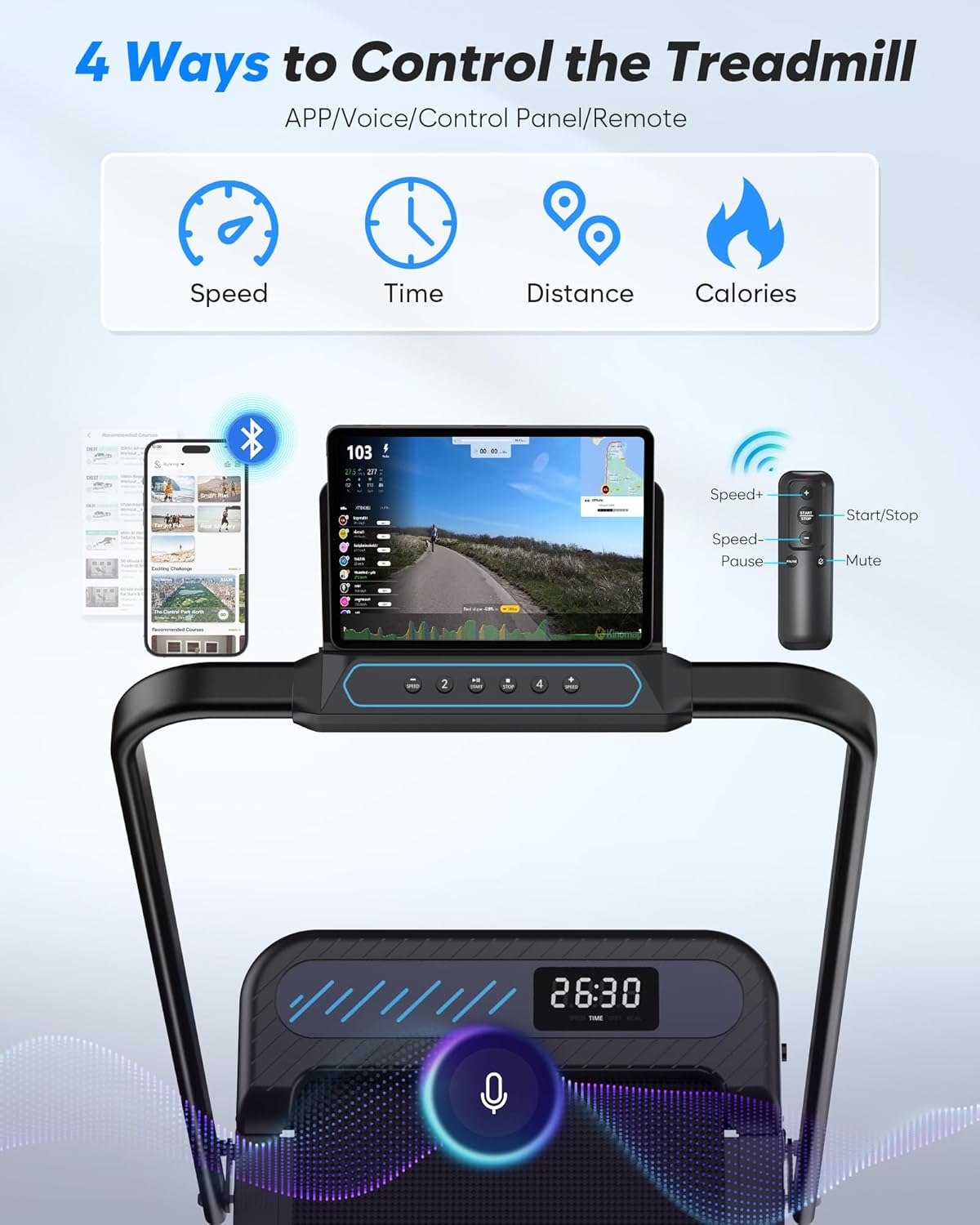
Image: An illustration showing the four control methods for the Cardirun Treadmill: a smartphone app, voice control, the physical control panel on the handlebar, and a remote control. The display shows speed, time, distance, and calories.
5.3 LED Display
The intuitive LED display on the treadmill base shows real-time workout statistics:
- Time elapsed
- Distance covered
- Current speed
- Calories burned
5.4 Smart App Integration
The treadmill is compatible with popular fitness apps (e.g., WELLFIT FITNESS). Download the app, register an account, and connect via Bluetooth to:
- Track your workout data and progress.
- Personalize workout routines.
- Access various training courses and challenges (no subscription required).

Image: A woman exercising on the Cardirun Treadmill, with a tablet mounted on the handlebar displaying a fitness app interface that tracks calories, duration, and recent workouts, highlighting the smart app functionality.
6. Maintenance
Regular maintenance ensures the longevity and optimal performance of your treadmill.
- Lubrication: Apply lubricant to the running belt every 2-3 months or after 30 hours of use. Lift the edge of the belt and apply a small amount of lubricant to the center of the running deck. Run the treadmill at a low speed for a few minutes to distribute the lubricant.
- Cleaning: Keep the treadmill clean by dusting regularly. Wipe down the running belt and frame with a damp cloth after each use.
- Belt Centering: If the running belt drifts to one side, use the provided Allen wrench to adjust the belt alignment. Turn the adjustment bolt 1/4 turn clockwise on the side the belt is drifting towards. Run the treadmill at 2.0-3.0 MPH and check for centering. Repeat if necessary.
- Tightening the Running Belt: If the belt feels loose, turn both adjustment bolts 1/4 turn clockwise. Test the tension and adjust further if needed.
7. Troubleshooting
| Problem | Possible Cause | Solution |
|---|---|---|
| Treadmill does not start | Power cord not plugged in, safety key not attached, master switch off. | Ensure power cord is securely plugged in, attach safety key, turn on master switch. |
| Running belt drifts to one side | Uneven placement of main unit, uneven distribution of force, loose belt. | Center the treadmill, ensure even foot placement, adjust belt alignment (see Maintenance). |
| Running belt feels loose or slips | Belt tension is too low. | Tighten the running belt (see Maintenance). |
| Unusual noise during operation | Lack of lubrication, loose components. | Lubricate the belt, inspect and tighten all bolts. |
| Remote control not working | Batteries low or not paired. | Replace batteries (AAA, qty 2), re-pair remote (see Setup). |
8. Specifications
| Feature | Detail |
|---|---|
| Brand | Cardirun |
| Model Name | TM037 |
| Product Dimensions | 43.3"D x 21.3"W x 38"H |
| Folded Size | 43.3"D x 21.3"W x 5.0"H |
| Item Weight | 18.85 Kilograms |
| Maximum Weight Recommendation | 350 Pounds |
| Motor Horsepower | 3.0 HP |
| Maximum Speed | 6.2 Miles per Hour |
| Minimum Speed | 0.6 Miles per Hour |
| Maximum Incline Percentage | 5% (Manual) |
| Running Area | 36" x 16" |
| Shock Absorption | 8 Silicone Shock Absorbers |
| Running Belt Layers | 7-layer anti-slip belt |
| Display Type | LED |
| Power Source | Corded Electric |
| Assembly Required | No (minimal setup) |
9. Warranty & Support
Warranty: The Cardirun Foldable Treadmill comes with a 1-Year Manufacturer Warranty.
Customer Service: For any questions or issues, please contact Cardirun customer service. You can find contact information in the included User Manual or by visiting the Cardirun store on Amazon.
10. Product Videos
Best walking pad treadmill hybrid? This Cardirun walking pad has 10% incline, thin design, and app!
Video: A detailed review of the Cardirun walking pad treadmill, highlighting its 10% incline capability, thin design for easy storage, and smart app integration. The video demonstrates various features and benefits for users seeking a versatile home fitness solution.