
1. Introduction
Thank you for choosing the ZenStyle Freestanding Storage Cabinet Model 0682. This manual provides essential information for the safe assembly, operation, and maintenance of your new storage cabinet. Please read these instructions carefully before beginning assembly and retain them for future reference.
This versatile cabinet is designed to enhance storage in various rooms, including bathrooms, kitchens, and entryways. It features double doors, adjustable shelving, and a durable construction.
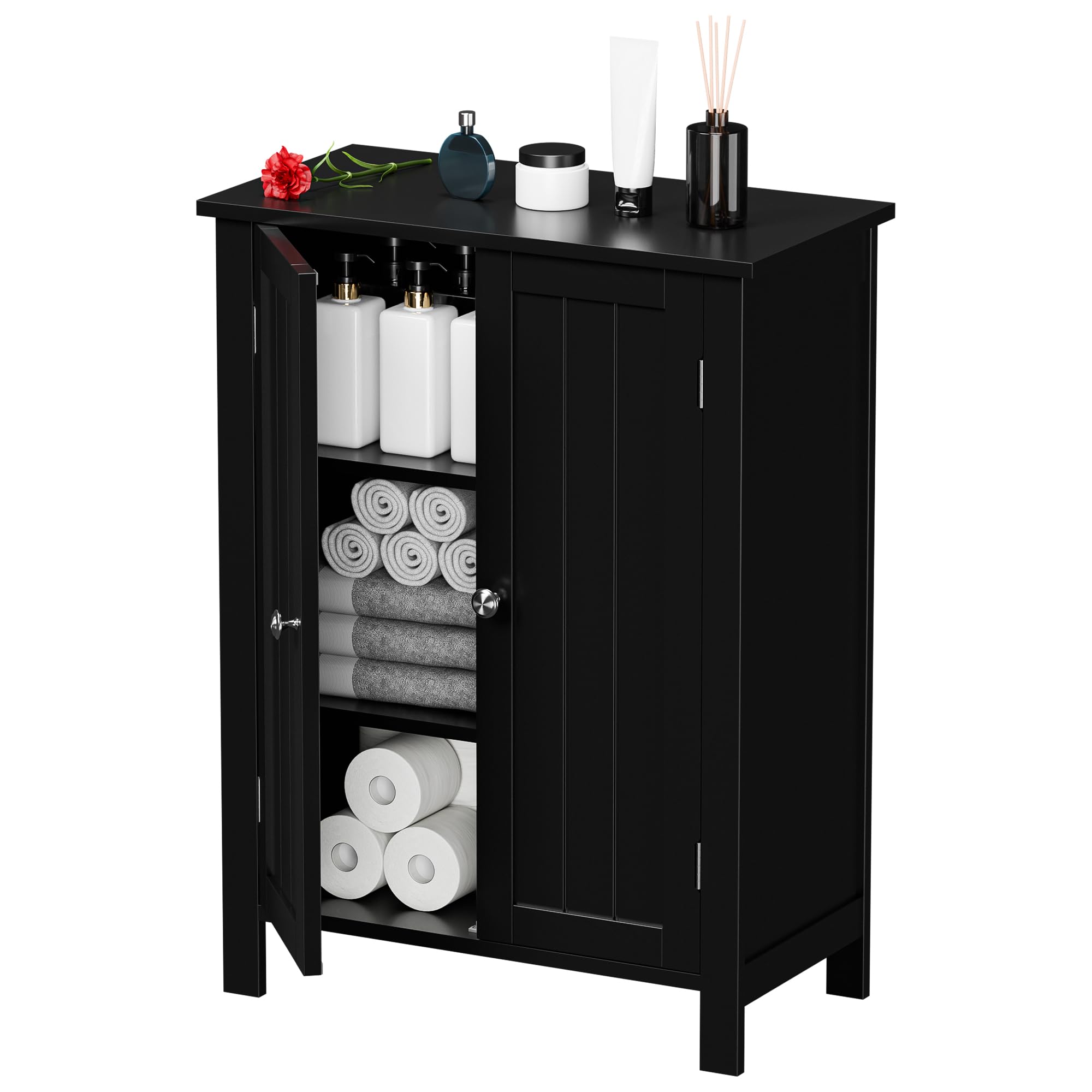
Image 1.1: ZenStyle Freestanding Storage Cabinet, Black finish.
2. Safety Information
- Always assemble the cabinet on a soft, clean surface to prevent scratches.
- Ensure all parts are present and undamaged before beginning assembly. Do not use damaged parts.
- Assembly is recommended for two adults to ensure safety and ease.
- Keep small parts and packaging materials away from children and pets to prevent choking hazards.
- Do not overload the cabinet. The maximum weight capacity is approximately 115 lbs (52 kg). Distribute weight evenly.
- Periodically check all fasteners to ensure they remain tight.
- This cabinet is designed for freestanding use. For added stability, consider securing it to a wall (hardware not included).
3. Setup and Assembly
The ZenStyle Freestanding Storage Cabinet requires assembly. Please follow the included assembly instructions carefully. While specific steps are provided in the separate assembly guide, here are general guidelines:
3.1 Required Tools (Not Included)
- Phillips head screwdriver
- Hammer (for dowels and back panel nails, if applicable)
3.2 Assembly Steps (General)
- Unpack and Identify Parts: Carefully unpack all components and hardware. Compare them against the parts list in your separate assembly guide to ensure everything is present.
- Assemble Frame: Attach the side panels to the base and top panels using the provided fasteners (cam locks, dowels, screws). Ensure all connections are secure.
- Install Back Panel: Slide or nail the back panel into place. This adds rigidity to the cabinet structure.
- Attach Door Hinges: Secure the hinges to the cabinet frame and then to the doors. Adjust hinges as needed to ensure doors align and close properly.
- Install Handles: Attach the metal handles to the cabinet doors.
- Insert Shelves: Place the adjustable shelf pins into the desired holes and then rest the shelves on top.

Image 3.1: Illustration of adjustable shelf positions within the cabinet.

Image 3.2: Detail of the cabinet's metal handles.
4. Operating Instructions
4.1 Storage and Organization
- Utilize the multiple storage layers for various items. The top surface can hold daily necessities or decorative items.
- The closed storage area with double doors helps keep contents dust-free and organized.

Image 4.1: Cabinet in a kitchen setting, storing pantry items.
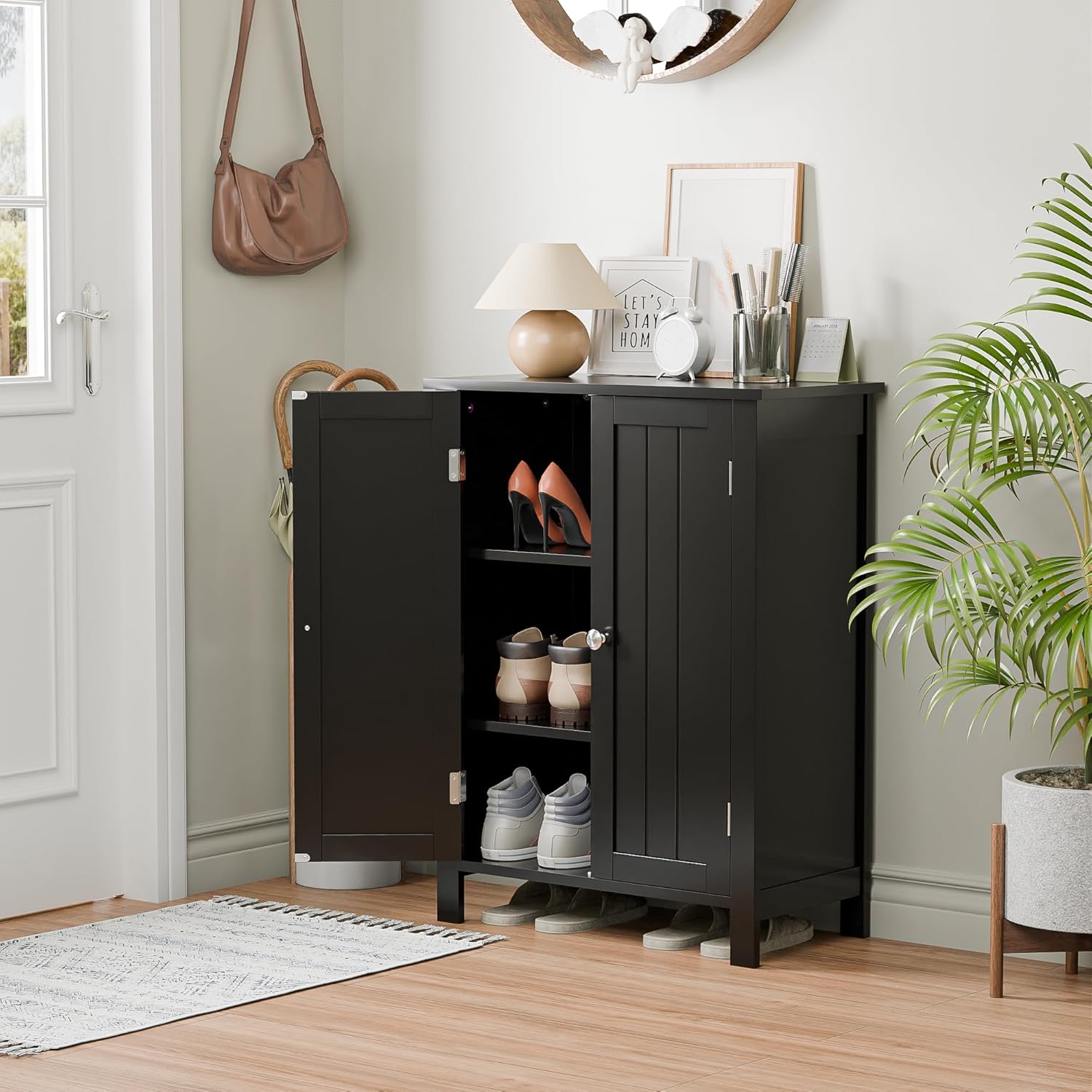
Image 4.2: Cabinet in an entryway, storing shoes.

Image 4.3: Cabinet in a bathroom, storing cleaning supplies.
4.2 Adjusting Shelves
- The cabinet features three adjustable shelf levels. To adjust, remove the shelf, reposition the shelf pins to the desired height, and then place the shelf back onto the pins.
4.3 Door Operation
- The double doors are equipped with magnetic closures for easy opening and secure closing.
5. Maintenance
Proper care will ensure the longevity and appearance of your ZenStyle storage cabinet.
- Cleaning: Wipe the surface with a soft, damp cloth. Avoid using abrasive cleaners, harsh chemicals, or excessive moisture, as these can damage the finish.
- Spills: Promptly wipe up any spills to prevent moisture damage. The cabinet material offers resistance to corrosion and moisture, but prolonged exposure should be avoided.
- Fasteners: Periodically check all screws and connections to ensure they are tight. Re-tighten if necessary.

Image 5.1: Features highlighting stable construction, easy cleaning, metal handles, and magnetic door closure.
6. Troubleshooting
If you encounter issues during assembly or use, refer to the following common solutions:
- Difficulty with Assembly: Double-check the assembly guide to ensure all steps are followed correctly. Verify that all parts are oriented in the correct direction. Sometimes, a slight adjustment can resolve alignment issues.
- Wobbly Cabinet: Ensure all screws and fasteners are fully tightened. If the cabinet is on an uneven surface, use furniture levelers (not included) or shims to stabilize it.
- Doors Not Aligning/Closing Properly: Check the hinge installation. Hinges often have adjustment screws that allow for minor alignment corrections. Ensure the magnetic catches are properly installed and aligned.
- Missing or Damaged Parts: If any parts are missing or damaged upon arrival, do not proceed with assembly. Contact ZenStyle customer support immediately for assistance.
7. Specifications
| Feature | Detail |
|---|---|
| Brand | ZenStyle |
| Model Number | 0682 |
| Dimensions (D x W x H) | 11.8" x 23.6" x 31.6" (30 cm x 60 cm x 80.3 cm) |
| Material | Engineered Wood (MDF Board) |
| Color | Black |
| Weight Capacity | Approx. 115 lbs (52 kg) |
| Number of Shelves | 3 (Adjustable) |
| Number of Doors | 2 |
| Mounting Type | Freestanding |
| Assembly Required | Yes |
8. Warranty and Support
ZenStyle is committed to providing quality products. For information regarding warranty coverage, missing parts, or technical support, please refer to the contact information provided with your purchase or visit the official ZenStyle website. Please have your model number (0682) and purchase details ready when contacting support.