
Introduction
This manual provides essential information for setting up, operating, and maintaining your Konitee IDW25 Smart Watch. Please read it thoroughly to ensure optimal performance and longevity of your device. The Konitee IDW25 Smart Watch offers a range of features including Bluetooth calling, Alexa built-in, comprehensive health monitoring, and various sport modes, all designed to enhance your daily life.
What's in the Box
- Smart Watch *1
- English User Manual *1
- Charging Cable *1
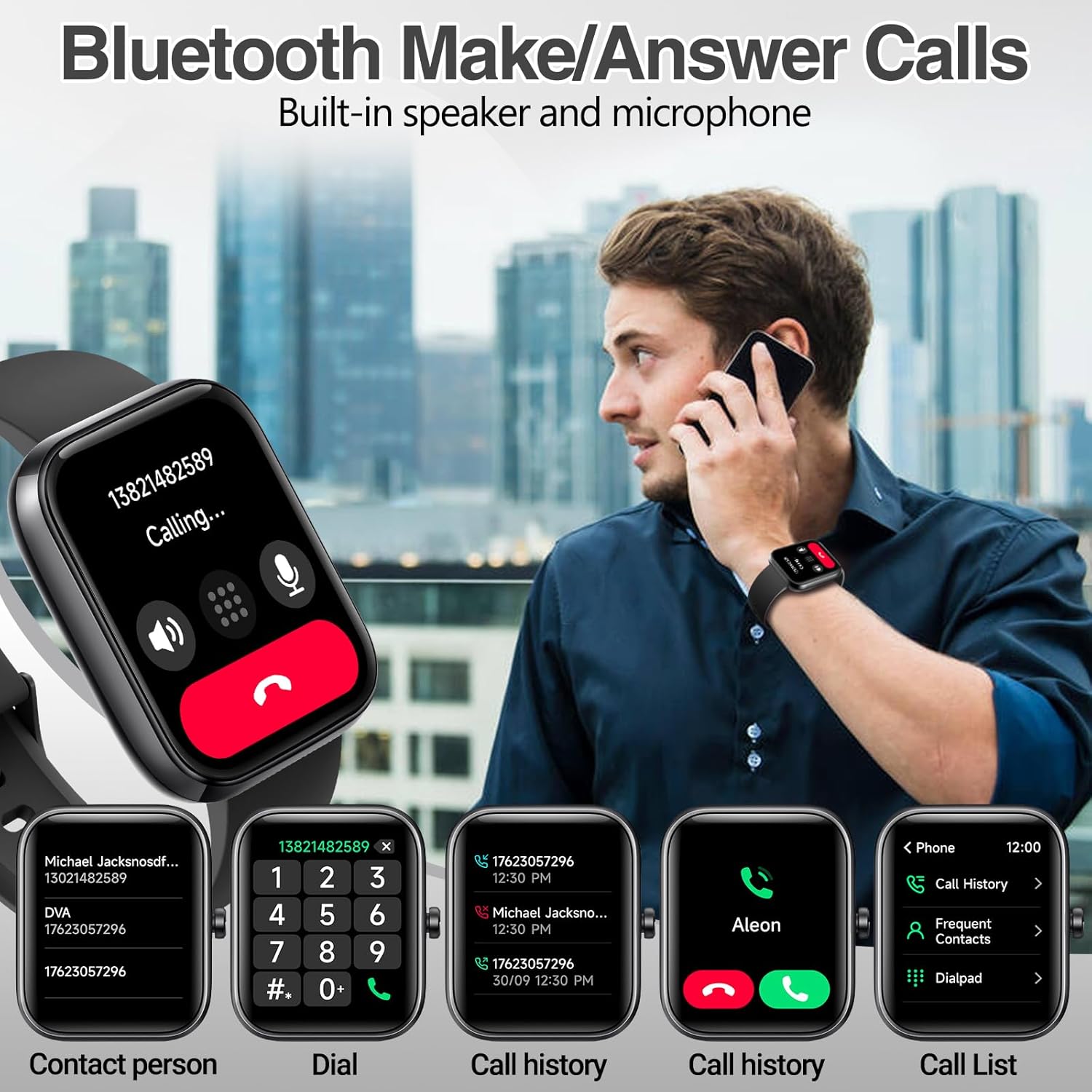
Image: The Konitee IDW25 Smart Watch displayed with its charging cable and user manual, illustrating the contents of the product packaging.
Setup
1. Charging the Device
Before first use, fully charge your Konitee IDW25 Smart Watch. Connect the magnetic charging cable to the charging points on the back of the watch and plug the USB end into a compatible power source. A full charge typically takes approximately 2.5 hours. The 300mAh battery provides up to 5-7 days of active use and 30 days on standby.

Image: The Konitee IDW25 Smart Watch screen showing battery percentage and estimated working/standby times, with the magnetic charging cable connected.
2. App Installation and Pairing
To unlock the full potential of your smartwatch, download and install the "VeryFit" app on your smartphone. The app is compatible with iOS 9.0 / Android 6.0 and above.
- Enable Bluetooth on your smartphone.
- Search for "VeryFit" in your phone's app store (Google Play Store for Android, App Store for iOS) and install it.
- Launch the VeryFit app and follow the on-screen instructions to scan the QR code displayed on your watch for "IDW25" pairing.
- Confirm the Bluetooth pairing request on your phone and allow access to contacts and call history if prompted.
- Once connected, swipe down on your watch face to see the top-left Bluetooth icon indicating "connected".

Image: A visual guide showing the steps to connect the Konitee IDW25 Smart Watch to a smartphone, including enabling Bluetooth, installing the VeryFit app, scanning a QR code, and confirming pairing.
Video: An official seller video demonstrating the process of connecting the Konitee IDW25 Smart Watch to a smartphone via Bluetooth.
Basic Operation
1. Navigation
The Konitee IDW25 features a 1.83-inch HD touchscreen for intuitive navigation. Swipe left, right, up, or down to access different menus and functions. The side button typically serves as a home button or to wake the screen.
2. Watch Faces
Personalize your watch with over 100 cloud dials available through the VeryFit app. You can also customize dials with your own photos. The screen brightness can be adjusted to five levels to suit various environments.

Image: The Konitee IDW25 Smart Watch showcasing multiple customizable watch faces, including options for displaying health data and personal photos.
Features
1. Bluetooth Call & Message Notifications
With its built-in microphone and speaker, the smartwatch allows you to make and receive Bluetooth calls directly from your wrist. You can also store contacts and view call records. Receive real-time notifications for text messages and alerts from various apps like SMS, Facebook, WhatsApp, Instagram, TikTok, Twitter, and Snapchat.
Image: A person using the Konitee IDW25 Smart Watch to make a Bluetooth call, with various call interface options displayed on the watch screen.

Image: The Konitee IDW25 Smart Watch showing a text message notification on its screen, with icons of various social media and messaging apps.
Video: An official seller video demonstrating the answer/make call feature of the Smart Watch.
2. Alexa Built-in
The Konitee IDW25 Smart Watch integrates Amazon Alexa, providing convenient voice assistance. Use voice commands to check news, weather forecasts, set alarms, and control smart home devices, making it a personal voice assistant on your wrist.

Image: A person interacting with the Konitee IDW25 Smart Watch using Alexa voice commands, with the watch screen displaying "Listening."
3. 24/7 Health Monitoring
Functioning as a fitness tracker, the IDW25 Smart Watch continuously monitors your health. It includes features such as heart rate monitoring, sleep tracking, SpO2 (blood oxygen) measurement, and stress level monitoring. It also acts as a pedometer, accurately recording calories burned and distance traveled.

Image: The Konitee IDW25 Smart Watch showing screens for heart rate monitor, blood oxygen monitor, and sleep monitor, with people engaged in fitness activities.
4. 100+ Sport Modes
The smartwatch supports over 100 built-in sport modes, which can be customized via the VeryFit app. These modes cover a wide range of activities including walking, running, cycling, swimming, and football, helping you track and optimize your fitness performance.

Image: The Konitee IDW25 Smart Watch screen showing a "Workout" menu with options like outdoor run, indoor run, and outdoor walk, surrounded by images of people participating in various sports.
5. IP68 Waterproof
The IDW25 Smart Watch boasts an IP68 waterproof rating, allowing you to wear it during activities like hand washing, face washing, and daily sweating without concern. Note: It is not suitable for use in baths, saunas, hot springs, or prolonged submersion.
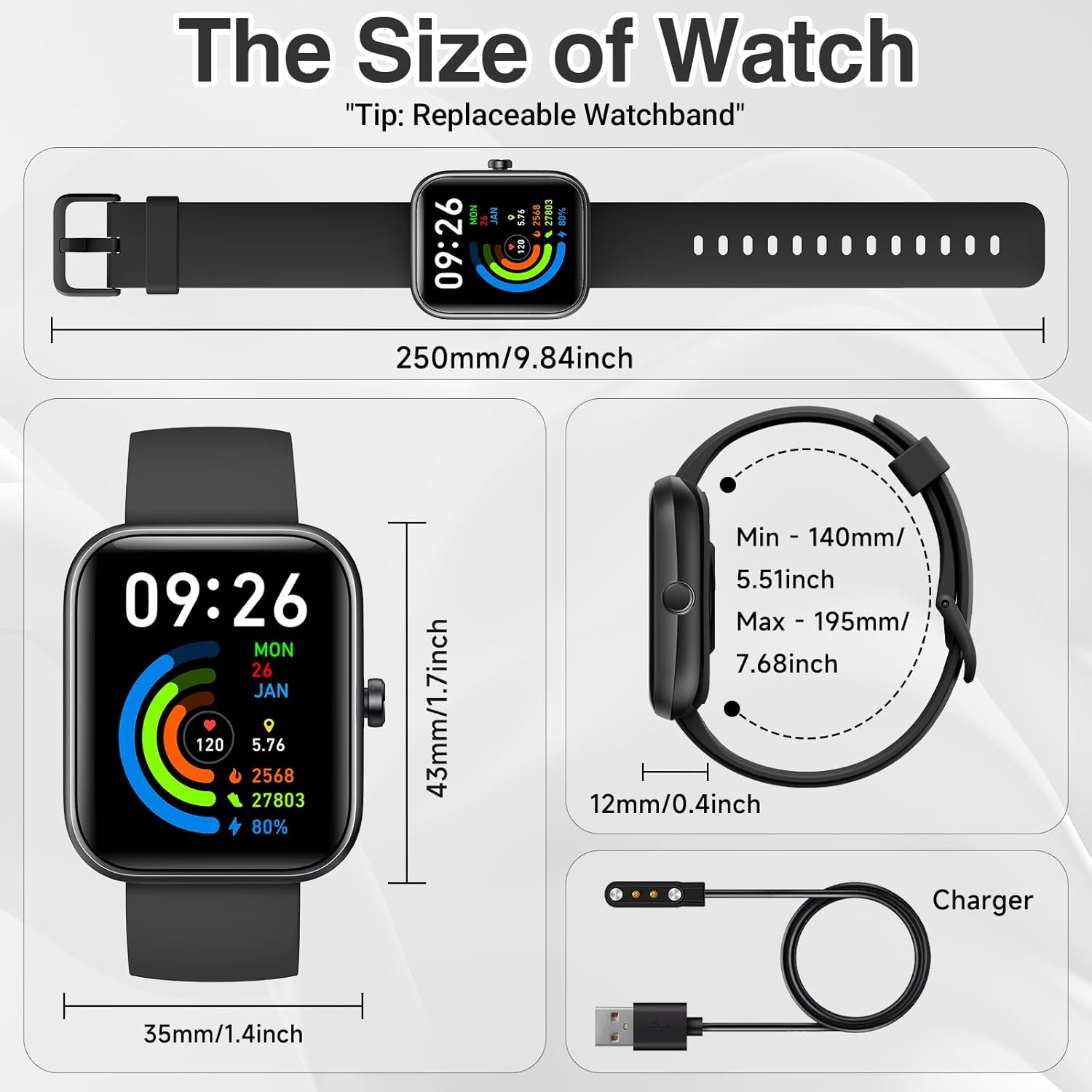
Image: The Konitee IDW25 Smart Watch submerged in water while a person swims, highlighting its IP68 waterproof feature.
Video: An official seller video demonstrating the waterproof capabilities of the IDW25 Smart Watch through a water immersion test.
6. Other Functions
Additional features include an activity tracker, lightweight design, sedentary reminders, and weather forecasts, enhancing convenience and daily utility.
Maintenance
To ensure the longevity and proper functioning of your Konitee IDW25 Smart Watch, follow these maintenance guidelines:
- Cleaning: Regularly clean the watch screen and strap with a soft, dry cloth. If necessary, use a slightly damp cloth with mild soap, then wipe dry. Avoid harsh chemicals.
- Charging: Use only the provided charging cable. Ensure the charging contacts on the watch and cable are clean and dry before charging.
- Storage: Store the watch in a cool, dry place when not in use. Avoid extreme temperatures.
- Strap Replacement: The watch features quick-release straps for easy replacement. To remove, slide the spring bar lever inward and gently pull the strap away from the watch body. To attach a new strap, align the spring bar with the holes on the watch lugs and release the lever.
Video: An official seller video demonstrating how to install and remove the watch band on a smart watch.
Troubleshooting
If you encounter issues with your Konitee IDW25 Smart Watch, try the following steps:
- Watch not turning on: Ensure the watch is fully charged. Connect it to the charger for at least 30 minutes.
- Cannot pair with phone: Make sure Bluetooth is enabled on your phone and the watch is within range. Restart both your phone and the watch, then try pairing again through the VeryFit app.
- Inaccurate health data: Ensure the watch is worn snugly on your wrist, not too tight or too loose. Keep the sensor clean.
- Notifications not received: Check app notification settings in the VeryFit app and your phone's system settings to ensure permissions are granted.
- Screen unresponsive: Try restarting the watch. If the issue persists, perform a factory reset (note: this will erase all data).
Specifications
| Feature | Detail |
|---|---|
| Model Number | IDW25 |
| Screen Size | 1.83 Inches |
| Battery Capacity | 300 Milliamp Hours |
| Operating System | Android 6.0 and iOS 9.0+ |
| Connectivity Technology | Bluetooth |
| Waterproof Rating | IP68 |
| Item Weight | 2.39 ounces |
| Memory Storage Capacity | 1 GB |
Warranty and Support
The Konitee IDW25 Smart Watch comes with a 1-year warranty. For any product-related inquiries, technical assistance, or warranty claims, please contact Konitee customer service. We offer 24-hour customer service to assist you.
For further assistance, please refer to the contact information provided in your product packaging or visit the official Konitee support website.