
1. Introduction
Welcome to the NIMO 2026 Gaming Laptop N179 user manual. This guide provides essential information for setting up, operating, maintaining, and troubleshooting your new laptop. The NIMO N179 is designed for both productivity and entertainment, featuring a powerful AMD Ryzen 7 7735HS processor, AMD Radeon 680M graphics, a large 17.3-inch Full HD IPS display, and advanced connectivity options.
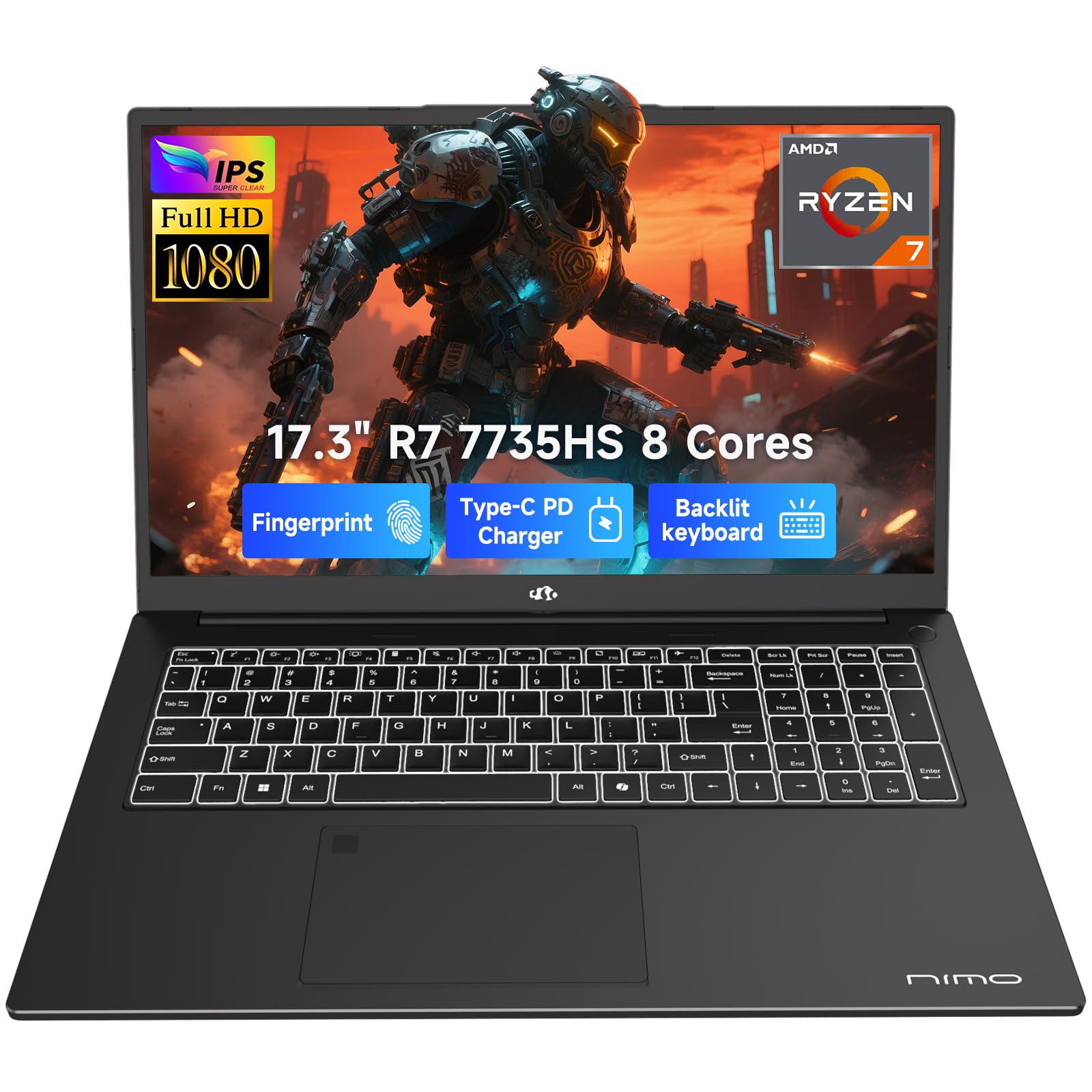
Figure 1.1: The NIMO 2026 Gaming Laptop N179, showcasing its sleek design and large display.
2. Setup
2.1 Unboxing and Initial Inspection
Carefully remove all components from the packaging. Verify that the following items are included:
- 1 x NIMO N179 Laptop
- 1 x Type-C 100W PD Fast Charger
- 1 x User Manual (this document)
- Windows 11 Home operating system (pre-installed)
Inspect the laptop for any physical damage. If any damage is found, contact customer support immediately.
2.2 Initial Power On
- Connect the 100W Type-C PD Fast Charger to the laptop's Type-C port and a power outlet.
- Open the laptop lid.
- Press the power button located on the keyboard.
- Follow the on-screen instructions to complete the Windows 11 setup process.
2.3 Connecting Peripherals
The NIMO N179 offers various ports for connecting external devices:
- USB 3.2 Gen2 (PD/DP): For high-speed data transfer, power delivery, and display output.
- USB 3.2 Gen1: For connecting standard USB devices.
- USB 2.0: For connecting older USB devices.
- HDMI 2.1: For connecting external displays (supports 4K output).
- SD Card Slot: For reading SD memory cards.
- Audio Jack: For headphones or external speakers.
- Kensington Lock: For physical security.

Figure 2.1: Overview of the NIMO N179's high-speed interfaces, including USB, HDMI, and SD card slot.
3. Operating the Laptop
3.1 Display Features
The NIMO N179 features a 17.3-inch Full HD (1920x1080) IPS display, offering vibrant colors and wide viewing angles. The 180° lay-flat hinge allows for flexible screen sharing and collaboration.

Figure 3.1: The 17.3-inch FHD IPS display provides a broad and immersive visual experience.

Figure 3.2: The laptop's nearly 180° flexible hinge allows for versatile viewing angles and collaboration.
3.2 Performance
The NIMO N179 is powered by the AMD Ryzen 7 7735HS processor, featuring 8 cores and 16 threads for efficient multitasking and demanding applications. Integrated AMD Radeon 680M graphics provide reliable performance for light gaming and creative tasks.

Figure 3.3: The powerful AMD Ryzen 7 7735HS processor ensures robust performance for various tasks.

Figure 3.4: AMD Radeon 680M Graphics enable smooth gaming and efficient creative work.
3.3 Memory and Storage
The laptop comes with 16GB of DDR5 RAM for fast application loading and seamless multitasking. A 256GB SSD provides quick boot times and ample storage for your files.

Figure 3.5: High-speed DDR5 RAM and a fast SSD ensure seamless multitasking and ample storage.
3.4 Wireless Connectivity
Stay connected with Wi-Fi 6E for stable, high-speed internet access and Bluetooth 5.2 for connecting wireless peripherals.

Figure 3.6: Advanced Wi-Fi 6E offers reduced interference and faster speeds for reliable connectivity.
3.5 Keyboard and Trackpad
The full-sized backlit keyboard provides comfortable typing in various lighting conditions. It also includes a numeric keypad for efficient data entry. The precise trackpad enhances navigation.

Figure 3.7: The backlit keyboard and fingerprint unlock feature enhance productivity and security.
3.6 Security Features
The NIMO N179 includes a fingerprint reader for secure, instant login and a physical webcam privacy shutter to ensure your privacy.
3.7 Audio and Webcam
Experience clear audio with dual stereo speakers and beamforming microphones, ideal for video calls. The integrated webcam features a privacy shutter.

Figure 3.8: The laptop's webcam and audio features provide clear communication for meetings and calls.
4. Maintenance
4.1 Battery and Charging
The laptop is equipped with a 58Wh battery and supports 100W Type-C fast charging. For optimal battery life, use the included charger. Avoid exposing the battery to extreme temperatures.

Figure 4.1: The 100W fast charger provides rapid power, extending the laptop's 58Wh battery life.
4.2 Cooling System
The NIMO N179 features a dual-fan cooling system to maintain optimal operating temperatures during heavy workloads. Ensure the vents are not obstructed to allow for proper airflow.

Figure 4.2: The efficient dual-fan cooling system helps the laptop stay cool and perform consistently.
4.3 General Care
- Keep the laptop clean by wiping surfaces with a soft, dry cloth.
- Avoid spilling liquids on the keyboard or screen.
- Protect the screen from scratches by closing the lid gently.
- Store the laptop in a cool, dry place when not in use.
5. Troubleshooting
5.1 Common Issues and Solutions
| Issue | Possible Solution |
|---|---|
| Laptop does not power on. | Ensure the charger is properly connected and the power outlet is functional. Try a different outlet. If the battery is completely drained, it may take a few minutes to show signs of life after plugging in. |
| Screen is blank or black. | Check if the laptop is powered on. Adjust screen brightness. Connect to an external monitor to check if the issue is with the laptop's display or graphics output. |
| Wi-Fi connection issues. | Ensure Wi-Fi is enabled in Windows settings. Restart your router and modem. Update Wi-Fi drivers. |
| Keyboard backlight not working. | Press the dedicated backlight key (often F9 or a key with a keyboard icon) to cycle through brightness levels or turn it on/off. |
| Slow performance. | Close unnecessary applications. Check for background processes consuming high resources. Ensure sufficient free space on the SSD. Run a virus scan. |
6. Specifications
| Feature | Detail |
|---|---|
| Model Name | NIMO N179 |
| Screen Size | 17.3 Inches |
| Screen Resolution | 1920 x 1080 pixels (FHD IPS) |
| Processor | AMD Ryzen 7 7735HS (up to 4.75 GHz) |
| RAM | 16 GB DDR5 (4800 MHz) |
| Hard Drive | 256 GB SSD (Solid State Drive) |
| Graphics Coprocessor | AMD Radeon 680M (Integrated) |
| Operating System | Windows 11 Home |
| Wireless Type | Wi-Fi 6E, Bluetooth 5.2 |
| Ports | USB 3.2 Gen2 (PD/DP), USB 3.2 Gen1, USB 2.0, HDMI 2.1, SD Card Slot, Audio Jack |
| Battery Life (Average) | 9.9 Hours (58Wh) |
| Item Weight | 4.6 pounds (2.1 kg) |
| Product Dimensions | 15.66 x 9.99 x 0.74 inches |
| Special Features | Backlit Keyboard, Fingerprint Reader, HD Audio, Numeric Keypad, Webcam Privacy Shutter |
7. Warranty & Support
7.1 Warranty Information
The NIMO N179 laptop comes with a 2-year warranty from the manufacturer. This warranty covers defects in materials and workmanship under normal use. Please retain your proof of purchase for warranty claims.
7.2 Return Policy
You may return any NIMO product for any reason within 90 days of purchase. Refer to your retailer's return policy for specific details.

Figure 7.1: NIMO offers a 90-day return policy for customer satisfaction.
7.3 Customer Support
For technical assistance, warranty claims, or product-related questions, please contact NIMO customer support. Our professional after-sales team is available to help you.
- Email: service@nimopc.com
- Service Availability: 24-hour service
Video 7.1: An official overview video of the NIMO 17.3-inch AMD Ryzen 7 7735HS laptop, highlighting its key features and design.
