
1. Introduction
This manual provides instructions for the assembly, operation, and maintenance of your Aoxun 59-inch Farmhouse Fireplace TV Stand. Please read all instructions carefully before assembly and use to ensure safe and proper operation of the product.
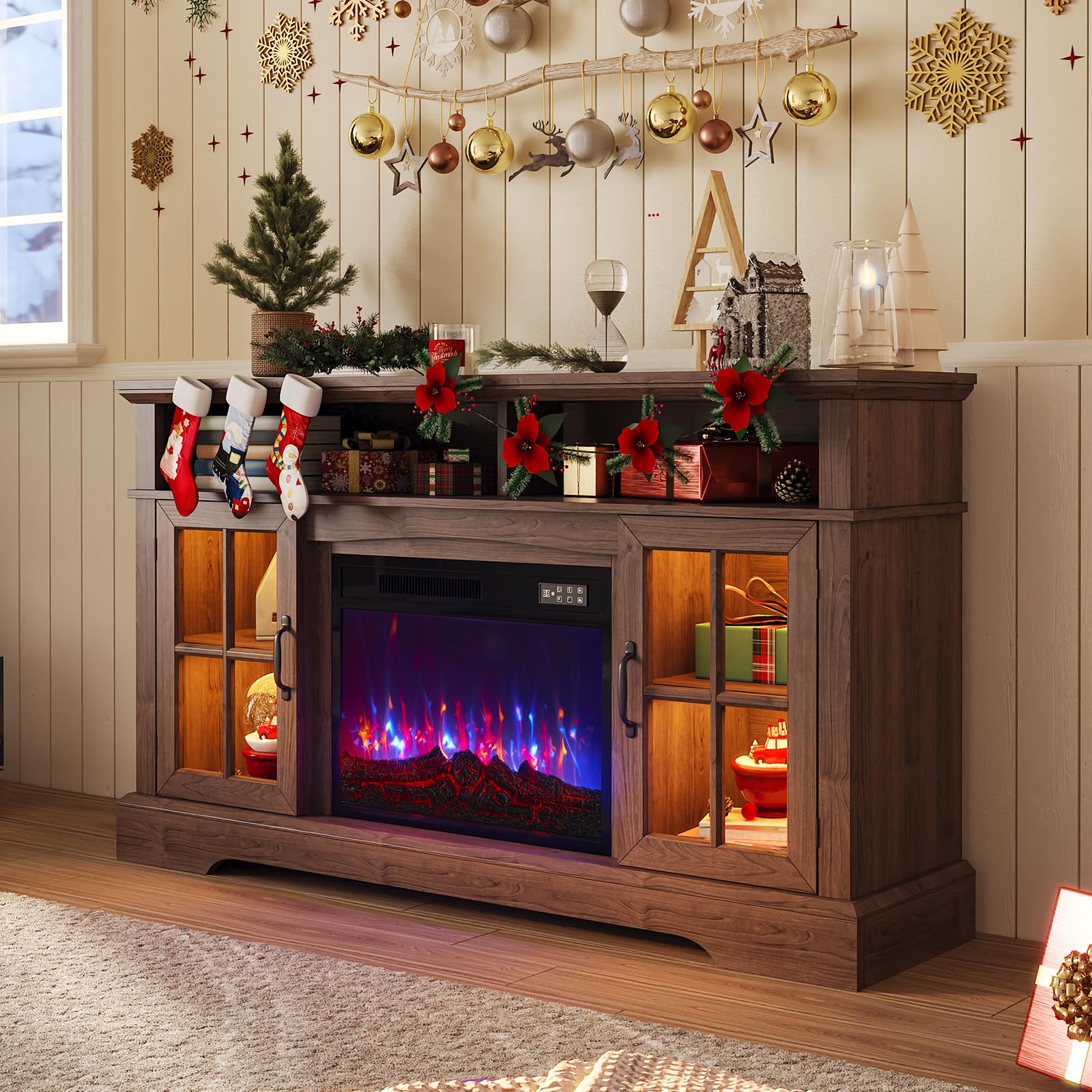
Image 1.1: The Aoxun 59-inch Farmhouse Fireplace TV Stand with an electric fireplace insert.
2. Safety Information
- Read all instructions before using this appliance.
- Do not operate the fireplace if the cord is damaged or if the unit malfunctions.
- Keep combustible materials, such as furniture, pillows, bedding, papers, clothes, and curtains at least 3 feet (0.9 m) from the front of the heater.
- Do not insert or allow foreign objects to enter any ventilation or exhaust opening as this may cause an electric shock or fire, or damage the heater.
- Always unplug the fireplace when not in use.
- Ensure the TV stand is placed on a stable, level surface.
- Do not exceed the maximum weight capacities for the tabletop and shelves.
3. Package Contents
The Aoxun Fireplace TV Stand is shipped in two separate packages, which may arrive at different times. Please ensure all components are present before beginning assembly. Refer to the included parts list for detailed identification.
- TV Stand components (wood panels, hardware)
- Electric Fireplace insert
- Remote control for fireplace
- Assembly instructions
4. Setup and Assembly
Assembly of this TV stand is required. It is recommended to have two people for assembly. Follow the step-by-step instructions provided in the separate assembly guide included with your product. Ensure all hardware is securely fastened.
- Unpack all components and verify against the parts list.
- Assemble the main TV stand frame according to the diagrams.
- Install the adjustable shelves into the cabinet sections.
- Insert the electric fireplace unit into the designated opening.
- Attach the magnetic door catches and glass cabinet doors.
- Position the TV stand on a level surface.

Image 4.1: Details of the magnetic door catch, hidden cable management, and stable base design.
5. Operating Instructions
5.1 Electric Fireplace Operation
The electric fireplace can be operated using the control panel on the unit or the included remote control.
- Power (ON/OFF): Press the power button to turn the fireplace on or off.
- Heater (750W/1500W): Select between two heat settings. The unit features overheating protection.
- Temperature (62°F-82°F): Adjust the desired room temperature.
- Timer (0-8H): Set an automatic shut-off timer for up to 8 hours.
- Flame Color: Choose from 7 distinct flame colors.
- LED Color: Select from 12 different LED colors for the side lighting.
- Flame Brightness: Adjust the flame intensity through 5 levels (L1-L5). Hold the brightness button to cycle through levels.

Image 5.1: Overview of electric fireplace controls and features.

Image 5.2: Available flame and LED color options, and flame brightness levels.
5.2 TV Stand Usage
The TV stand is designed to accommodate televisions over 65 inches. Utilize the various storage compartments for media devices and accessories.
- TV Placement: Place your television centrally on the tabletop.
- Storage: Use the two open storage spaces and the double-door cabinets with adjustable shelves for organizing items.
- Cable Management: Route cables through the hidden cable management openings to maintain a tidy appearance.

Image 5.3: The TV stand is suitable for televisions exceeding 65 inches.

Image 5.4: Overview of the TV stand's storage capabilities.
6. Maintenance
- Cleaning: Wipe surfaces with a soft, damp cloth. Avoid harsh chemicals or abrasive cleaners.
- Dusting: Regularly dust the unit to prevent buildup.
- Fireplace Care: Ensure the air intake and exhaust vents of the electric fireplace are clear of obstructions.
- Inspections: Periodically check all screws and fasteners to ensure they remain tight.
7. Troubleshooting
- Fireplace not turning on: Ensure the unit is plugged into a working outlet and the power switch is on. Check the circuit breaker.
- No heat output: Verify the heater function is activated and the temperature setting is above the ambient room temperature. Check for obstructions in the heater vents.
- Remote control not working: Replace the batteries in the remote control. Ensure there are no obstructions between the remote and the fireplace sensor.
- Unstable TV stand: Check that all assembly hardware is tightened. Ensure the stand is on a flat, level surface.
8. Specifications
| Feature | Specification |
|---|---|
| Model | B0FVX5XNP1 |
| Dimensions (L x W x H) | 70 x 15.39 x 13.78 inches |
| Item Weight | 98.1 pounds |
| Tabletop Weight Capacity | 200 lbs |
| Shelf Weight Capacity | 35 lbs |
| Heater Power | 750W / 1500W |
| Temperature Range | 62°F - 82°F |
| Timer Settings | 0-8 hours |
| Flame Colors | 7 |
| LED Colors | 12 |
| Flame Brightness Levels | 5 |
| Assembly Required | Yes |

Image 8.1: Key dimensions and weight capacities of the TV stand.
9. Warranty and Support
For warranty information or technical support, please refer to the documentation included with your purchase or contact Aoxun customer service through their official channels. Please have your model number (B0FVX5XNP1) and purchase date available when contacting support.


