
Introduction
This manual provides essential information for setting up, operating, and maintaining your OPPO Find X9 5G smartphone. Please read this guide thoroughly to ensure proper use and to maximize the device's capabilities.
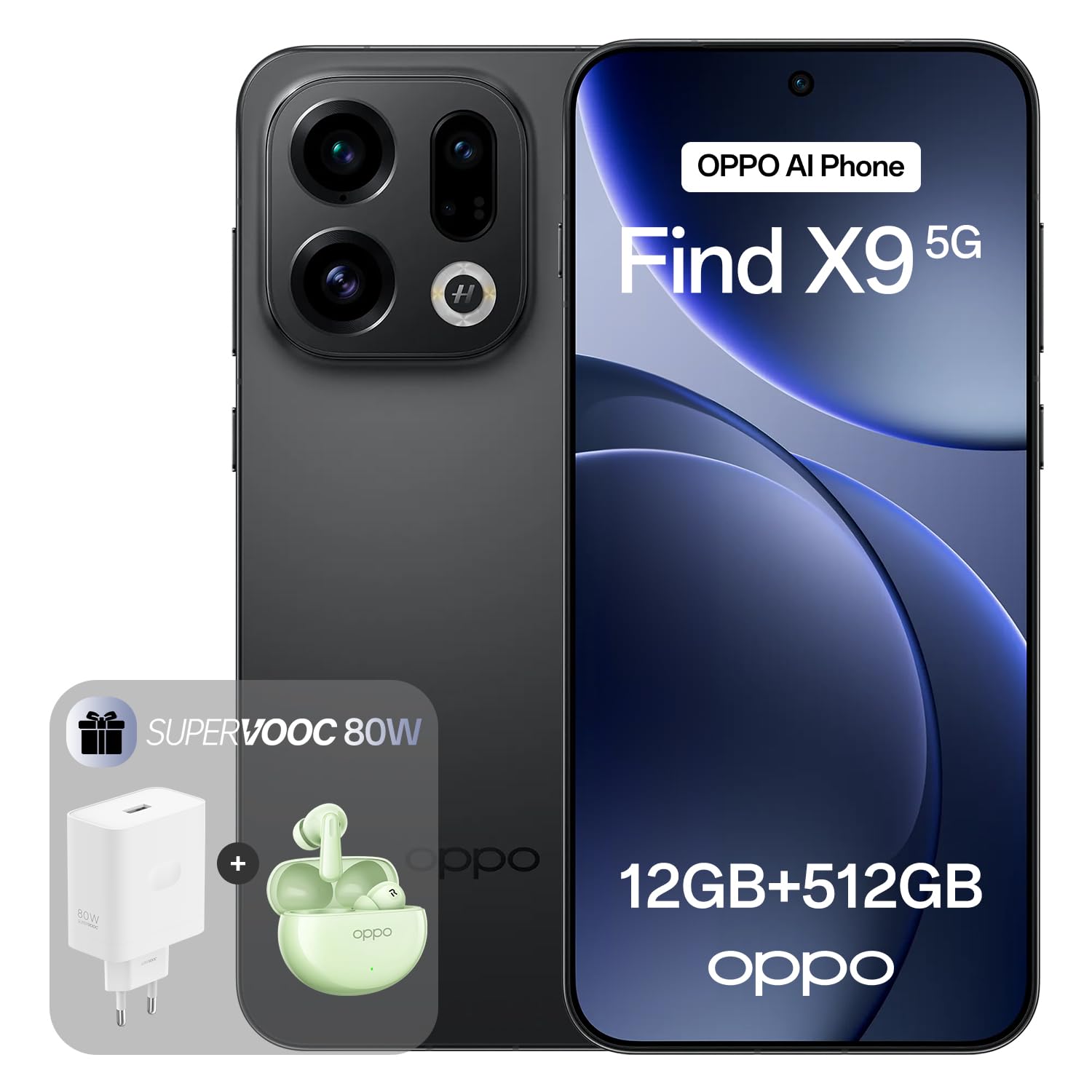
Image: OPPO Find X9 5G smartphone in Space Black, showcasing its sleek design.
Setup
1. Unboxing and Initial Inspection
Upon receiving your OPPO Find X9 5G, carefully unbox the device and check for all included accessories. The standard package includes the smartphone and a USB cable. Inspect the device for any physical damage before proceeding.
2. SIM Card Installation
The OPPO Find X9 5G supports a single Nano SIM card. Locate the SIM card tray on the side of the device. Use the provided SIM ejector tool to open the tray. Insert your Nano SIM card into the designated slot, ensuring proper orientation. Gently push the tray back into the device until it clicks into place.
3. Initial Power On and Setup Wizard
Press and hold the power button until the OPPO logo appears. Follow the on-screen instructions to complete the initial setup, which includes selecting your language, connecting to a Wi-Fi network, setting up your Google account, and configuring security features like fingerprint recognition.
Operating Your Device
Display and Navigation
The device features a 6.59-inch 120Hz ProXDR Display. Navigate the interface using touch gestures. Swipe up from the bottom to access the app drawer, swipe down from the top for notifications and quick settings. The display offers a peak brightness of 3600 nits for clear visibility in various lighting conditions.

Image: Visual representation of the OPPO Find X9 5G's 120Hz ProXDR Display, highlighting its size, brightness, and pixel density.
Camera Functions
The OPPO Find X9 5G is equipped with a Hasselblad Master Camera System. This includes a 50 MP main camera, a 50 MP ultra-wide camera, and a 50 MP periscope telephoto lens. The camera supports 120x Super Zoom and 4K 120 fps Dolby Vision video recording.
- Main Camera: 50 MP sensor with f/1.6 aperture and optical image stabilization.
- Ultra-Wide Camera: 50 MP with 15mm focal length and 120° field of view.
- Periscope Telephoto: 50 MP sensor with f/2.6 aperture and optical image stabilization, 73mm focal length.
- True Color Camera: Features 9 spectral channels and 48 detection zones for accurate color reproduction.

Image: Diagram illustrating the components and specifications of the Hasselblad Master Camera System on the OPPO Find X9 5G.
Performance
The OPPO Find X9 5G is powered by the MediaTek Dimensity 9500 chipset, integrated with the Trinity Engine. This configuration, combined with 12 GB of RAM and 512 GB of internal storage, ensures smooth performance for demanding applications, gaming, and multitasking. An advanced vapor chamber cooling system helps maintain optimal performance under sustained load.

Image: Visual detailing the Trinity Engine and MediaTek Dimensity 9500 processor, highlighting performance improvements and efficiency.
Battery and Charging
The device is powered by a 7025 mAh battery. It supports 80W SUPERVOOC wired fast charging and 50W AIRVOOC wireless charging. Use only OPPO-approved chargers and cables to ensure optimal charging speed and safety.

Image: Illustration of the 7025 mAh battery and supported charging technologies (80W SUPERVOOC, 50W AIRVOOC).
Software (ColorOS 16)
The OPPO Find X9 5G runs on ColorOS 16, based on Android. This operating system includes features like AI Mind Space for focus and Gemini Live for productivity. Regular software updates will be provided to enhance performance and security.

Image: Screenshot of the ColorOS 16 interface on the OPPO Find X9 5G, demonstrating its smart and smooth features.
Maintenance
Cleaning Your Device
To clean your OPPO Find X9 5G, use a soft, lint-free cloth. Avoid using harsh chemicals or abrasive materials, as these can damage the screen or finish. For stubborn smudges, lightly dampen the cloth with water or a screen-cleaning solution specifically designed for electronics.
Water and Dust Resistance
The device has an IP66, IP68, and IP69 rating for water and dust resistance. While this provides protection against splashes and immersion in shallow water, it is not completely waterproof. Avoid intentional submersion, exposure to high-pressure water, or use in extreme conditions. If the device gets wet, dry it thoroughly before charging or using the ports.

Image: The OPPO Find X9 5G partially submerged in water, illustrating its IP66, IP68, and IP69 water and dust resistance ratings.
Software Updates
Keep your device's software updated to ensure optimal performance, security, and access to new features. You can check for updates in the device settings under "Software Update."
Troubleshooting
| Problem | Solution |
|---|---|
| Device not powering on | Ensure the battery is charged. Connect the device to the charger for at least 15 minutes, then try powering on again. If it still doesn't turn on, perform a forced restart by holding the power button and volume down button simultaneously for about 10 seconds. |
| Apps crashing or freezing | Close and reopen the app. Clear the app's cache and data in Settings > Apps. Ensure the app and your device's operating system are up to date. If the issue persists, uninstall and reinstall the app. |
| Poor battery life | Check battery usage in Settings to identify power-consuming apps. Reduce screen brightness, disable unnecessary features like GPS or Bluetooth when not in use, and close background apps. Consider enabling power-saving modes. |
| Network connectivity issues (Wi-Fi/5G) | Toggle Wi-Fi or mobile data off and on. Restart your device. For Wi-Fi, forget the network and reconnect. For mobile data, ensure your SIM card is properly inserted and your plan is active. Reset network settings in Settings > System > Reset options. |
Specifications
| Feature | Detail |
|---|---|
| Brand | OPPO |
| Model Name | OPPO Find X9 |
| Operating System | Android (ColorOS 16) |
| RAM | 12 GB |
| Storage | 512 GB |
| Display Size | 6.59 Inches |
| Display Resolution | 3840 x 2160 (4K) |
| Display Type | AMOLED, 120Hz ProXDR |
| Peak Brightness | 3600 nits |
| Processor | MediaTek Dimensity 9500 (Trinity Engine) |
| Rear Camera | 50 MP (Main), 50 MP (Ultra-Wide), 50 MP (Periscope Telephoto) |
| Video Recording | 4K (3840 x 2160) at 30 fps, 4K 120 fps Dolby Vision |
| Battery Capacity | 7025 mAh |
| Wired Charging | 80W SUPERVOOC |
| Wireless Charging | 50W AIRVOOC |
| Water Resistance | IP66, IP68, IP69 |
| SIM Card Slot | Single Nano SIM |
| Connectivity | 5G, LTE, USB-C |
| Biometric Security | Fingerprint Recognition |
| Weight | 194 Grams |
| Included in Box | USB Cable |
| Headphone Jack | 3.5 mm |
Warranty and Support
Warranty Information
The OPPO Find X9 5G comes with a 2-year manufacturer's warranty. This warranty covers defects in materials and workmanship under normal use. It does not cover damage caused by accidents, misuse, unauthorized modifications, or normal wear and tear. Please retain your proof of purchase for warranty claims.
Customer Support
For technical assistance, troubleshooting, or warranty service, please visit the official OPPO support website or contact their customer service. Refer to the packaging or the official OPPO website for the most up-to-date contact information.
You can find more information and support resources on the OPPO Store on Amazon.


