
1. Introduction
Thank you for choosing the Inateck N6057-BK QR Code Scanner. This device is a versatile 1D and 2D barcode scanner designed for efficient data capture in various environments, including retail, inventory management, and office use. It offers multiple connectivity options and a lightweight, ergonomic design for comfortable operation. This manual provides detailed instructions for setup, operation, and maintenance to ensure optimal performance.
2. Product Overview
The Inateck N6057-BK scanner supports a wide range of 1D and 2D barcode types, including QR Codes, 2D Codes, 1D Codes, ENA-Codes, PDF417-Codes, and DataMatrix-Codes. Its advanced imaging technology ensures reliable and fast scanning of both printed and on-screen barcodes.
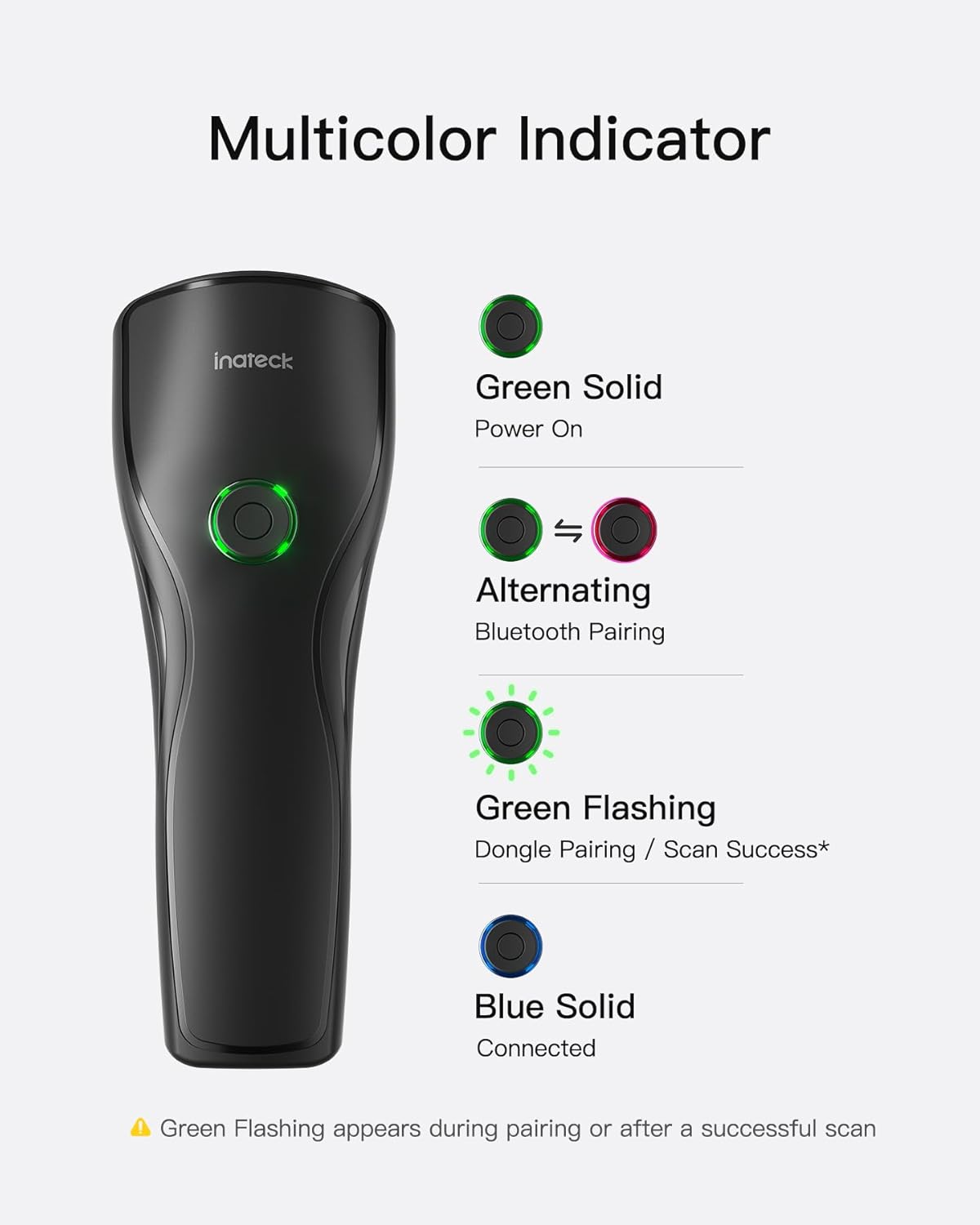
Image: The Inateck N6057-BK scanner is capable of reading various 1D and 2D barcode formats, including QR codes, 2D codes, 1D codes, ENA codes, PDF417 codes, and DataMatrix codes. An example shows the scanner reading a QR code from a mobile phone screen.
Ergonomic Design
The scanner features an ultra-lightweight build, weighing approximately 108g, making it comfortable for extended use. Its ergonomic contoured grip and dual support points enhance stability and reduce fatigue during operation.
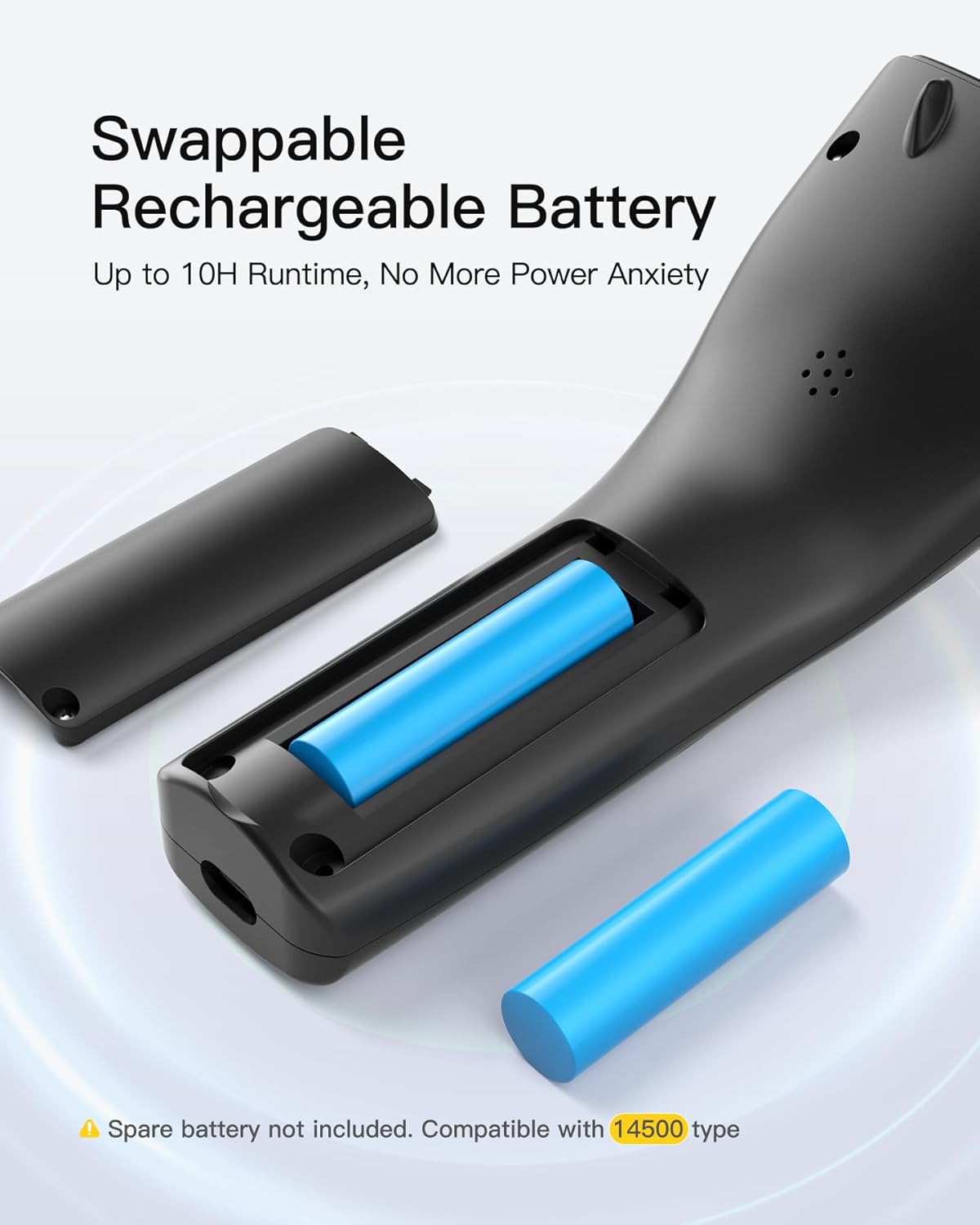
Image: The scanner's design emphasizes comfort and stability, featuring a lightweight body (108g), a grip shaped to fit the hand, and two points of contact for steady handling.
Swappable Rechargeable Battery
The device is equipped with a swappable rechargeable battery, providing up to 10 hours of runtime. This feature allows for easy battery replacement, ensuring continuous operation without significant downtime. The scanner is compatible with 14500 type batteries.
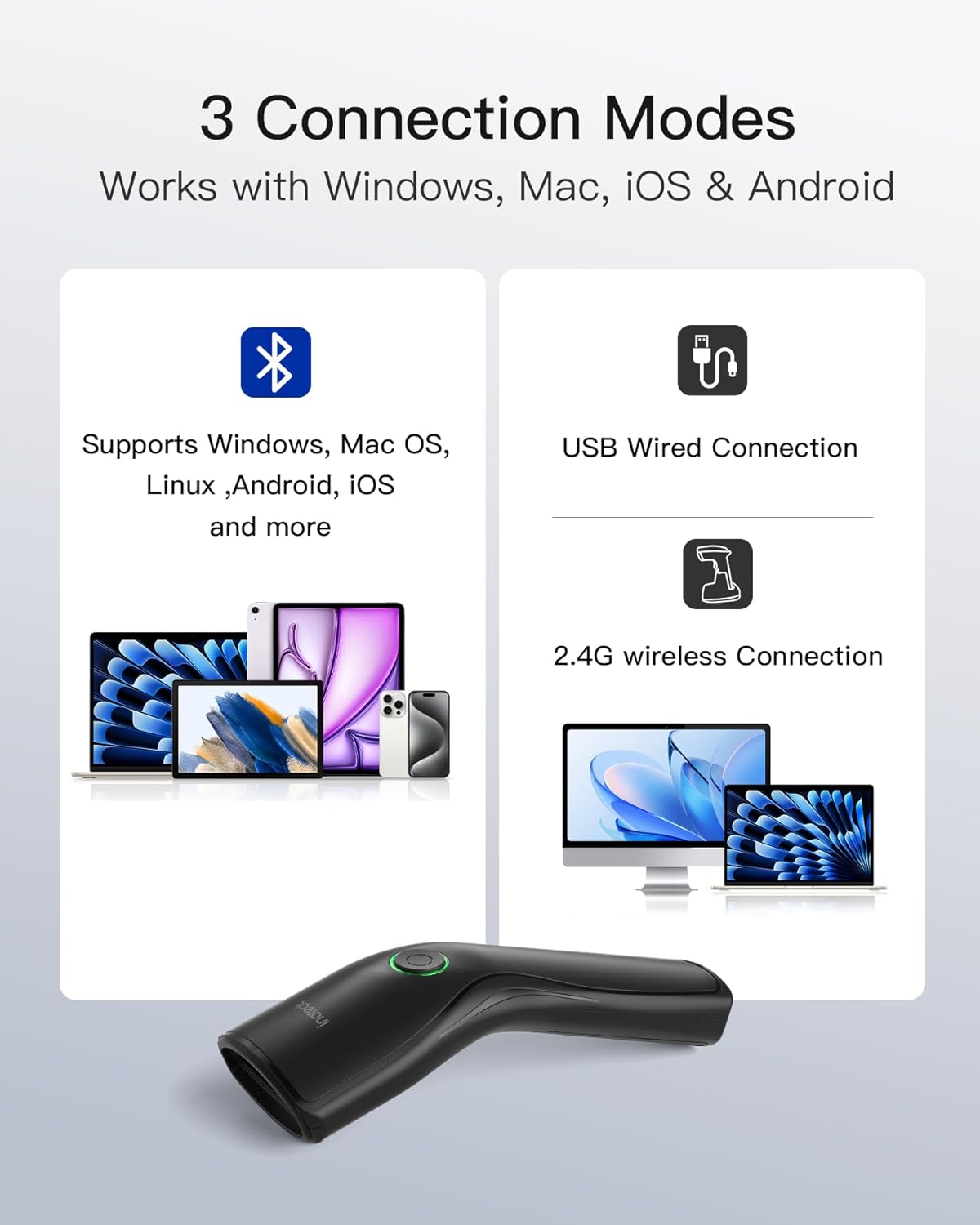
Image: The scanner features a removable battery compartment, allowing users to easily swap out the 14500 type rechargeable battery for extended use. A spare battery is shown alongside the scanner.
3. Setup
Battery Installation
- Locate the battery compartment cover on the underside of the scanner.
- Gently slide or lift the cover to open the compartment.
- Insert the 14500 type rechargeable battery, ensuring correct polarity (+/-).
- Close the battery compartment cover securely.
Connection Modes
The Inateck N6057-BK offers three versatile connection modes:
- Bluetooth Connection: For wireless connection to devices like smartphones, tablets, and computers. Compatible with Windows, Mac OS, Linux, Android, and iOS.
- 2.4G Wireless Connection: Utilizes a USB dongle for wireless connection to computers.
- USB Wired Connection: Connects directly to a computer via a USB cable.

Image: The scanner supports three connection methods: Bluetooth for mobile devices and computers, a USB wired connection, and a 2.4G wireless connection using a dongle for computers.
Bluetooth Pairing
- Ensure the scanner is powered on. The indicator light will be green solid.
- To enter Bluetooth pairing mode, press and hold the scan button until the indicator light starts alternating (green and red).
- On your host device (phone, tablet, computer), go to Bluetooth settings and search for available devices.
- Select "Inateck N6057-BK" (or similar name) from the list to pair.
- Once successfully paired, the indicator light will turn blue solid.
2.4G Wireless Connection
- Plug the 2.4G USB dongle into an available USB port on your computer.
- Power on the scanner. It should automatically connect to the dongle.
- A green flashing light on the scanner indicates dongle pairing or scan success. Once connected, the light will turn blue solid.
USB Wired Connection
- Connect one end of the provided USB cable to the scanner's USB-C port.
- Connect the other end of the USB cable to an available USB port on your computer.
- The scanner will be recognized as a HID keyboard device and is ready for use.
4. Operating Instructions
Scanning Barcodes
- Ensure the scanner is connected to your host device via one of the three modes.
- Open a text editor, spreadsheet, or application where you want the scanned data to appear.
- Point the scanner's window at the barcode you wish to scan.
- Press the scan button. A successful scan will be indicated by a green flashing light and an audible beep (if enabled).
- The scanned data will appear in your active application.
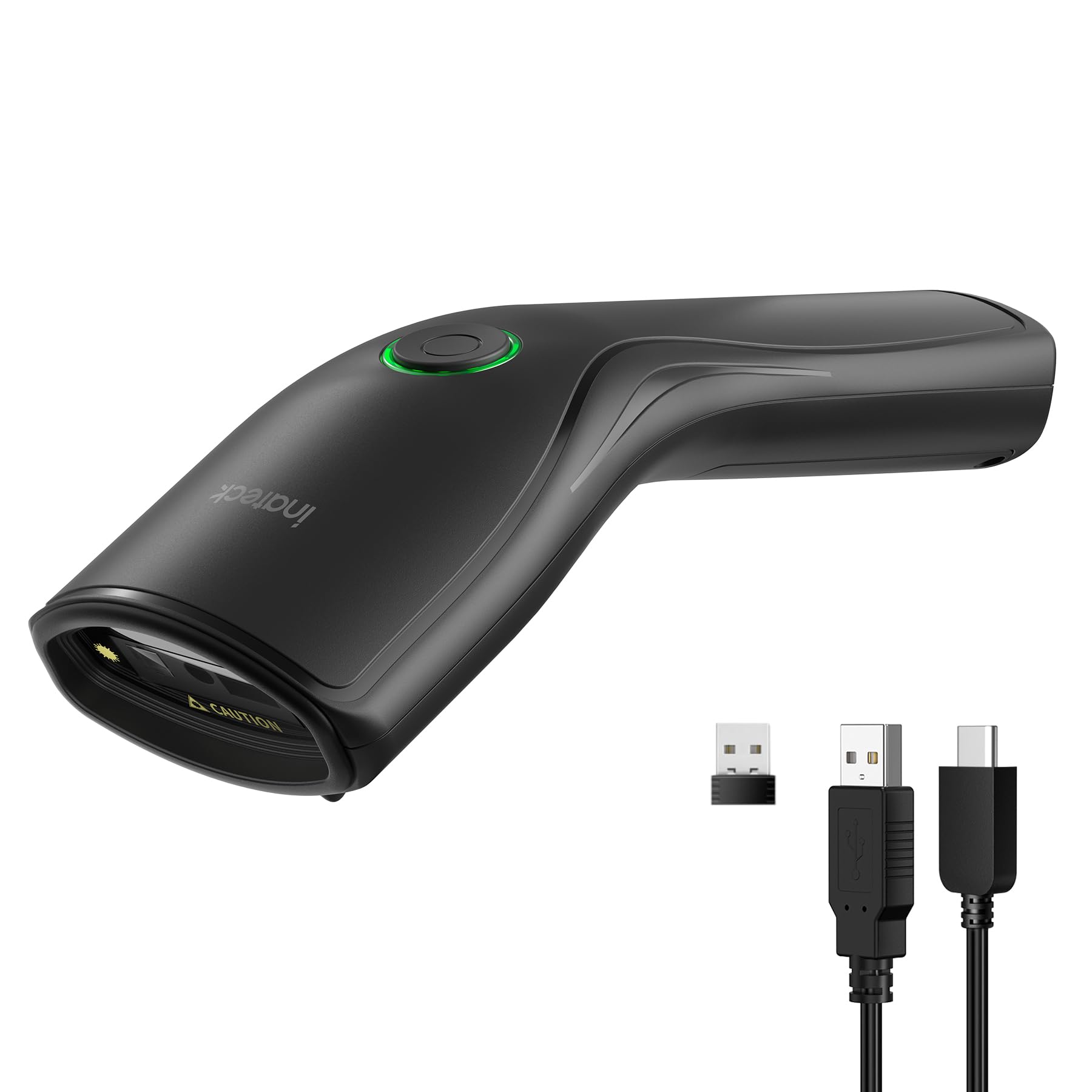
Image: A user demonstrates scanning a barcode on a product box in a warehouse environment using the Inateck N6057-BK scanner.
Upload Modes
The scanner supports two data upload modes:
- Instant Upload Mode: In this mode, scanned data is immediately transmitted to the connected device. This is ideal for real-time data entry.
- Storage Mode: When operating in storage mode, the scanner can store up to 270,000 barcodes (with 13 characters each) internally. This is useful for inventory collection when offline, with data uploaded later.

Image: The scanner offers two data transfer options: Instant Upload, which sends data directly to a connected device, and Storage Mode, which saves scanned barcodes internally for later batch upload.
5. Indicator Lights
The multicolor indicator light on the scanner provides visual feedback on its status:
- Green Solid: The scanner is powered on.
- Alternating (Green/Red): The scanner is in Bluetooth pairing mode.
- Green Flashing: Indicates successful dongle pairing or a successful scan.
- Blue Solid: The scanner is successfully connected to a device.

Image: A visual guide to the scanner's indicator light, explaining that green solid means power on, alternating colors mean Bluetooth pairing, green flashing indicates dongle pairing or a successful scan, and blue solid means the device is connected.
6. Maintenance
- Cleaning: Use a soft, dry cloth to clean the scanner's exterior. For the scanning window, use a lint-free cloth and a mild cleaning solution if necessary. Avoid abrasive cleaners or solvents.
- Battery Care: To prolong battery life, avoid fully discharging the battery frequently. If the scanner will not be used for an extended period, remove the battery.
- Storage: Store the scanner in a cool, dry place away from direct sunlight and extreme temperatures.
7. Troubleshooting
- Scanner not powering on: Ensure the battery is correctly installed and charged. Try replacing the battery with a fully charged one.
- Scanner not connecting via Bluetooth/2.4G: Ensure the scanner is in the correct pairing mode. Check your device's Bluetooth settings or ensure the 2.4G dongle is properly inserted. Try restarting both the scanner and the host device.
- Scanner not reading barcodes: Ensure the barcode is clean and not damaged. Adjust the distance and angle of the scanner to the barcode. Check if the barcode type is supported by the scanner.
- Scanned data not appearing: Ensure the scanner is successfully connected to the host device. Verify that a text input field or application is active on your device.
8. Specifications
- Model Number: N6057-BK
- Brand: Inateck
- Connectivity: Bluetooth, 2.4G Wireless (via USB dongle), USB Wired
- Compatibility: Windows, Mac OS, iOS, Android, Linux, Unix, Chrome OS
- Barcode Types: 1D and 2D (e.g., QR Code, DataMatrix, PDF417, Code 128, EAN, UPC)
- Battery: 1 x 14500 Lithium Ion (included), removable
- Runtime: Up to 10 hours
- Weight: Approximately 108g
- Storage Capacity (Storage Mode): Up to 270,000 13-character barcodes
9. Warranty and Support
Inateck products come with a standard warranty. For detailed warranty information, technical support, or service inquiries, please refer to the warranty card included with your product or visit the official Inateck website. Please have your model number (N6057-BK) and purchase information ready when contacting support.


