
1. Introduction
The MY BLU 2.0 is an advanced electronic device designed for a superior user experience. Featuring a 400mAh integrated battery, it provides reliable performance and extended use between charges. Its compact and elegant Sky Blue design ensures comfortable handling and easy portability. This device is engineered for intuitive operation, making it suitable for both new and experienced users. Integrated technology delivers consistent output for a uniform experience.
2. Safety Information
Please read all safety instructions carefully before using the device.
- Keep the device out of reach of children and pets.
- Do not expose the device to extreme temperatures, direct sunlight, or water.
- Use only the provided USB charging cable for charging.
- Do not attempt to disassemble, modify, or repair the device yourself. This may void the warranty and pose safety risks.
- Dispose of the device and its battery responsibly according to local regulations.
- If the device shows signs of damage, overheating, or unusual behavior, discontinue use immediately.
3. Package Contents
Verify that all items are present in your MY BLU 2.0 Kit package:
- MY BLU 2.0 Device (Sky Blue)
- USB Charging Cable
- User Manual
4. Device Overview
The MY BLU 2.0 device is designed with simplicity and functionality in mind. It features a main body housing the integrated battery and electronic components, a charging port, and an indicator light (if applicable) for status updates.
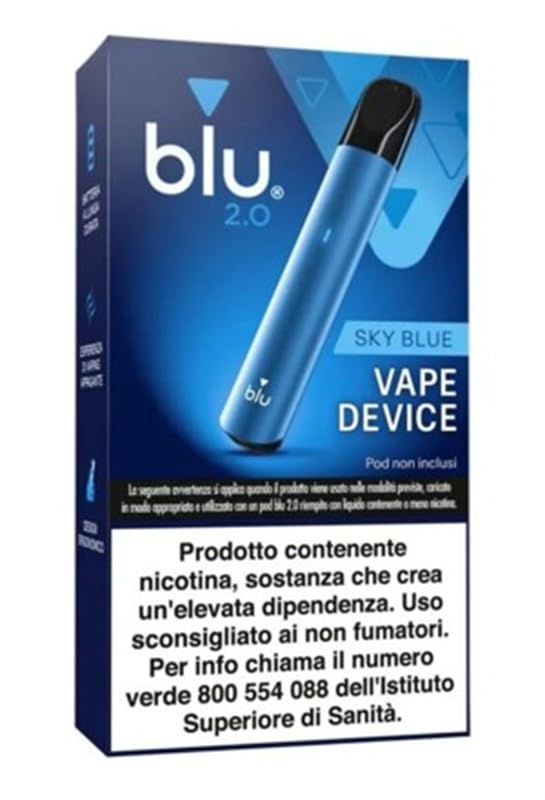
Image showing the MY BLU 2.0 Kit device, highlighting its compact design and Sky Blue finish.
5. Setup
5.1 Initial Charging
Before using your MY BLU 2.0 device for the first time, it is recommended to fully charge the battery. This ensures optimal performance and battery longevity.
- Connect the small end of the provided USB charging cable to the charging port on your MY BLU 2.0 device.
- Connect the larger end of the USB cable to a compatible USB power source (e.g., a computer USB port or a wall adapter).
- The device's indicator light will typically show the charging status. Refer to the device's specific light patterns for full charge indication.
- A full charge takes approximately 1.5 hours. Once fully charged, disconnect the device from the power source.
6. Operating Instructions
The MY BLU 2.0 device is designed for straightforward operation.
- Ensure the device is fully charged as described in the 'Initial Charging' section.
- If your device requires activation (e.g., pressing a button five times), follow the specific instructions provided with your device. (Note: Specific activation steps are not detailed in the product data.)
- Once activated, the device is ready for use.
- The device is designed to provide a consistent experience with each use.
7. Charging
To recharge your MY BLU 2.0 device:
- Connect the device to the USB charging cable.
- Plug the USB cable into a suitable power source.
- Monitor the device's indicator light for charging status.
- Disconnect the device once charging is complete (approximately 1.5 hours for a full charge).
Always use the original charging cable to prevent damage to the device.
8. Maintenance
Proper maintenance ensures the longevity and optimal performance of your MY BLU 2.0 device.
- Cleaning: Regularly wipe the exterior of the device with a dry, soft cloth. Avoid using abrasive materials, solvents, or harsh chemicals, as these can damage the finish and internal components.
- Storage: Store the device in a cool, dry place away from direct sunlight and extreme temperatures.
- Charging Port: Keep the charging port free from dust and debris to ensure a proper connection.
9. Troubleshooting
If you encounter issues with your MY BLU 2.0 device, refer to the following common problems and solutions:
| Problem | Possible Cause | Solution |
|---|---|---|
| Device not turning on | Low battery; Device not activated | Charge the device fully. Ensure proper activation steps are followed. |
| Device not charging | Faulty cable/adapter; Dirty charging port; Loose connection | Verify the USB cable and power adapter are working. Clean the charging port. Ensure the cable is securely connected. |
| Poor performance | Low battery; Device needs cleaning | Ensure the device is fully charged. Perform routine cleaning as per maintenance instructions. |
10. Specifications
| Feature | Detail |
|---|---|
| Brand | Generico |
| Manufacturer | Imperial |
| Model | MY BLU 2.0 |
| Product Dimensions | 10.5 x 2.5 x 10.5 cm |
| Weight | 85 grams |
| Battery Type | 1 Lithium-ion battery (included) |
| Battery Capacity | 400mAh |
| Charging Time | Approximately 1.5 hours |
| Wattage | 11 watts |
| Special Features | Rechargeable Battery, Compact Design, Easy to Use |
| Color | Sky Blue |
11. Warranty and Support
For warranty information, product registration, or technical support, please refer to the documentation provided at the point of purchase or visit the retailer's or manufacturer's official website. Keep your proof of purchase for any warranty claims.
