
1. Introduction
This manual provides essential information for the safe and efficient operation, maintenance, and troubleshooting of your NAVEE 4X Electric Wagon Cart. Please read this manual thoroughly before using the product and retain it for future reference.
The NAVEE 4X Electric Wagon is designed for heavy-duty transport across various terrains. It features a 3000W 4WD motor system, 6.5-inch all-terrain wheels, and a robust 6061 aerospace-grade aluminum frame. It supports a static load of up to 1323 lbs (600.1 kg) and a dynamic load of up to 770 lbs (350 kg), with a cargo capacity of 183 liters. The wagon is foldable for compact storage and includes features such as hill-assist, cruise control, smart towing, and a high-brightness TFT display.
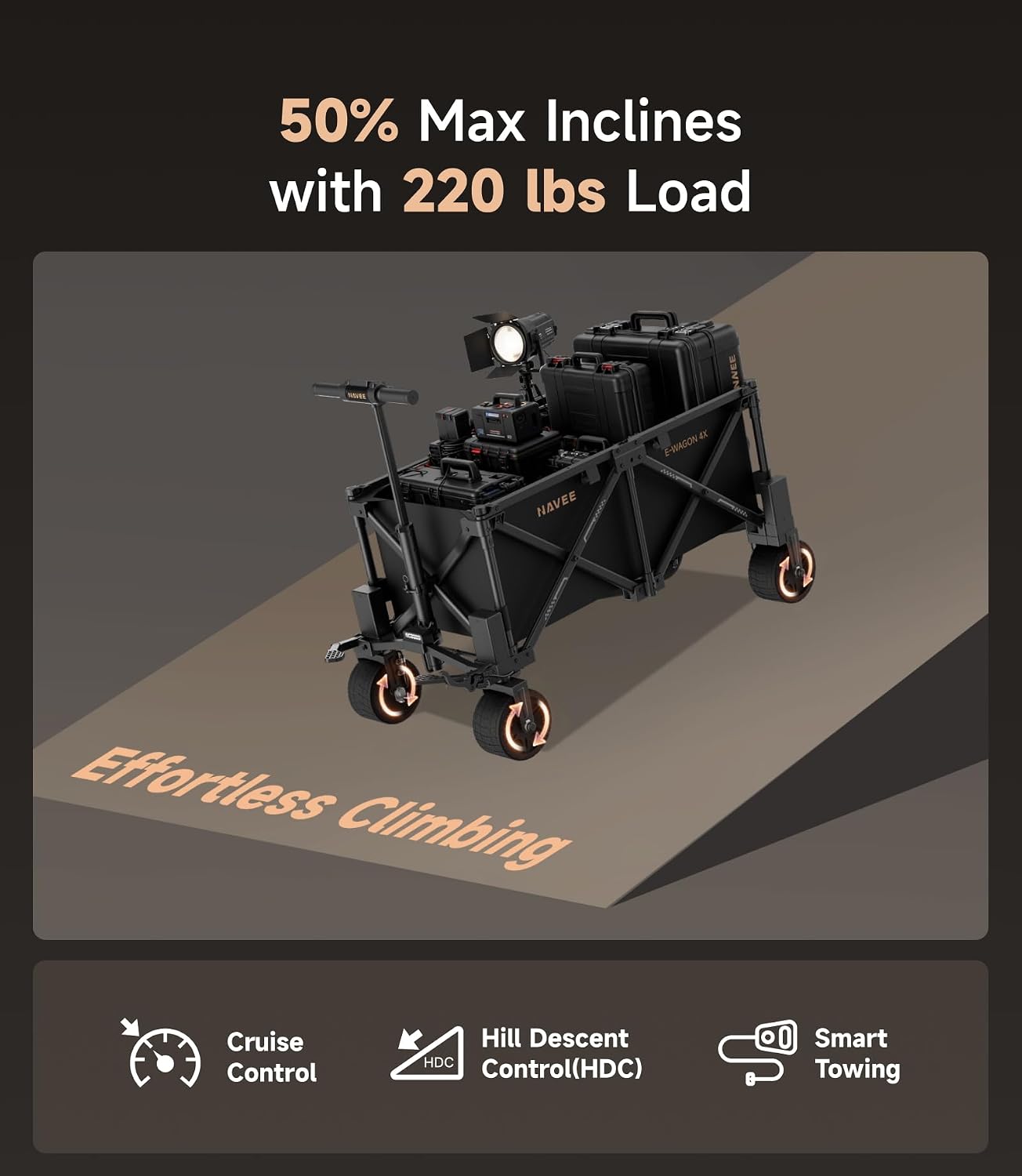
Image 1.1: The NAVEE 4X Electric Wagon Cart demonstrating its carrying capacity with various items.

Image 1.2: The NAVEE 4X Electric Wagon Cart being used for transport in an outdoor setting.
2. Setup
2.1 Unfolding the Wagon
- Place the folded wagon on a flat, stable surface.
- Release any securing latches or straps that hold the wagon in its folded position.
- Gently pull the sides of the wagon outwards until the frame fully extends and locks into place. Ensure all locking mechanisms are engaged.
2.2 Handle Assembly and Adjustment
- Locate the handle assembly. Insert the handle into the designated slot on the wagon frame.
- Secure the handle using the provided fasteners or locking pins. Ensure it is firmly attached and does not wobble.
- Adjust the handle height to a comfortable position by pressing the adjustment button and sliding the handle up or down. Release the button to lock it in place.
2.3 Initial Battery Charging
Before first use, fully charge the 36V LiFePO₄ battery. Connect the charger to the wagon's charging port and then to a standard power outlet. The charging indicator on the display or charger will show the charging status. Disconnect once fully charged.
2.4 Tire Inspection
Verify that all 6.5-inch wide tank tires are properly inflated and free from damage. Refer to the tire sidewall for recommended pressure.

Image 2.1: Dimensions of the wagon in both unfolded and folded states for storage and transport.
3. Operating Instructions
3.1 Powering On/Off
Press and hold the power button on the handle's TFT display to turn the wagon on or off. The display will illuminate upon activation.
3.2 Speed Control
- Speed Switch (L/H): Use the speed switch button (typically on the top-left) to toggle between low and high-speed modes. The wagon operates at approximately 8-10 mph in high mode.
- Throttle: Gently press the throttle lever to initiate movement and control speed.
3.3 Drive Modes
The NAVEE 4X features a 4WD system. Long press the bottom-right reverse button to cycle through Front-wheel drive, Rear-wheel drive, and 4-wheel drive modes. Select the appropriate mode for the terrain and load conditions.
3.4 Steering
The wagon utilizes Ackermann steering geometry for agile handling. Guide the wagon by turning the handle in the desired direction. The front wheels will pivot accordingly.

Image 3.1: Visual representation of the Ackermann steering system and the 6.5-inch wide anti-slip tank wheels.
3.5 Braking System
The wagon is equipped with a triple braking system for safety:
- Front Electromagnetic Brake: Provides responsive stopping power.
- Rear Drum Brake: Offers additional braking force.
- Parking Lock: Engage the parking lock to secure the wagon when stationary, especially on inclines.

Image 3.2: Components of the triple braking system: parking lock, electromagnetic front brake, and drum rear brake.
3.6 Special Operating Features
- Hill-Assist: Automatically balances torque when climbing grades, assisting with loads up to 220 lbs on 50% inclines.
- Cruise Control: Maintains a set speed for consistent travel. Refer to the display for activation and adjustment.
- Smart Towing Mode: Optimizes power delivery for towing tasks, balancing torque automatically.
- High-Brightness TFT Display: Provides real-time information including speed, power level, and status indicators. Visible day or night.
- USB Output: Located on the wagon, this port allows for charging external devices.
- LED Array: The wide-beam LED array provides illumination for operation in low-light conditions. Activate via the control panel.

Image 3.3: The NAVEE 4X Electric Wagon Cart demonstrating its ability to climb slopes with a load.

Image 3.4: The high-definition TFT display showing operational data.

Image 3.5: The USB output port for charging external devices.

Image 3.6: The high-brightness LED array providing illumination for night operations.
4. Maintenance
4.1 Cleaning
Regularly clean the wagon with a damp cloth. For stubborn dirt, use a mild soap solution. Avoid high-pressure washing directly on electronic components. The wagon has an IPX5 waterproof rating, meaning it is resistant to water jets, but not submersion.
4.2 Battery Care
- Charge the battery fully after each use, especially before long-term storage.
- If storing for extended periods, charge the battery to approximately 50-70% and store in a cool, dry place. Recharge every 3 months to prevent deep discharge.
- Do not expose the battery to extreme temperatures.
4.3 Tire and Wheel Maintenance
- Check tire pressure regularly and inflate to the recommended PSI.
- Inspect tires for wear, cuts, or punctures. Replace damaged tires promptly.
- Ensure wheel axles are free from debris and rotate smoothly.
4.4 Frame and Component Inspection
Periodically inspect the 6061 aluminum frame, carbon steel, and stainless joints for any signs of damage, cracks, or loose fasteners. Tighten any loose bolts or screws. Ensure all folding mechanisms operate smoothly and lock securely.
5. Troubleshooting
| Problem | Possible Cause | Solution |
|---|---|---|
| Wagon does not power on | Low or depleted battery; Loose battery connection; Faulty power button | Charge the battery fully; Check battery connections; Contact support if issue persists. |
| Motor not engaging or weak power | Low battery charge; Overload; Drive mode incorrect; Motor fault | Charge battery; Reduce load; Select appropriate drive mode (e.g., 4WD for tough terrain); Contact support. |
| Brakes not responding effectively | Brake lever adjustment needed; Worn brake pads (drum brake); Electronic brake fault | Inspect and adjust brake levers; Check drum brake pads for wear; Contact support for electronic brake issues. |
| TFT display not working | Loose connection; Software glitch; Display damage | Ensure all connections are secure; Try restarting the wagon; Contact support for repair or replacement. |
| Reduced range or battery life | Battery degradation; Improper charging habits; Extreme temperatures; Heavy load/terrain | Ensure proper charging and storage; Operate within recommended load limits; Avoid extreme temperatures. |
6. Specifications
| Feature | Detail |
|---|---|
| Model Number | Electric Wagon 4X |
| Brand | NAVEE |
| Product Dimensions (Unfolded) | 116D x 60W x 63H centimetres (45.7D x 23.6W x 24.8H inches) |
| Folded Dimensions | Approx. 48D x 29W x 80H centimetres (18.9D x 11.4W x 31.5H inches) |
| Item Weight | 32.77 kg (72.24 lbs) |
| Static Load Capacity | 1323 lbs (600.1 kg) |
| Dynamic Load Capacity | 770 lbs (350 kg) |
| Motor Power | 3000W 4WD System |
| Battery | 36V LiFePO₄ |
| Range | Up to 18.6 miles (30 km) |
| Wheels | 4 x 6.5-inch Wide Anti-Slip Tank Wheels |
| Steering | Ackermann Steering Geometry |
| Braking System | Front Electromagnetic Brake, Rear Drum Brake, Parking Lock |
| Materials | 6061 Aerospace-grade Aluminum, Carbon Steel, Stainless Joints |
| Waterproof Rating | IPX5 |
| Special Features | Hill-Assist, Cruise Control, Smart Towing Mode, High-Brightness TFT Display, USB Output, LED Array |

Image 6.1: Illustration of the 3000W 4WD motor system.
Image 6.2: Durability features including IPX5 waterproofing and construction materials.
7. Warranty Information
The NAVEE 4X Electric Wagon Cart is covered by a manufacturer's limited warranty. This warranty typically covers defects in materials and workmanship under normal use. Specific terms, conditions, and duration of the warranty may vary by region and purchase date. Please refer to the warranty card included with your product or visit the official NAVEE website for detailed warranty information and registration.
8. Customer Support
For technical assistance, troubleshooting not covered in this manual, or warranty claims, please contact NAVEE customer support. You can typically find contact information on the official NAVEE website or through the retailer where you purchased the product.
Online Resources: Visit the official NAVEE website for FAQs, updated manuals, and support contact details.
Manufacturer: Brightway Innovation Intelligent Technology (Suzhou) Co., Ltd.
9. Product Videos
No official product videos with verified 'Seller' creator type and relevant content were found in the provided data to embed in this manual.