
Introduction
This manual provides detailed instructions for the installation, operation, and maintenance of your Fruhdi 6-Button 7-Pin Lift Chair Remote Controller, Version B. This remote is designed as a replacement for various power recliner lift chairs, specifically those requiring a 7-pin round male plug and independent control functionality for the backrest and footrest.
Please read this manual thoroughly before use to ensure proper functionality and to avoid potential issues.
Product Overview
The Fruhdi DL-SK-109 remote control features a durable black housing with six large, backlit buttons and an integrated USB charging port. It connects to your lift chair via a 7-pin round male plug.
Key Features:
- 6-button control for various chair functions.
- 7-pin round male plug for secure connection.
- Integrated USB port for charging devices.
- Backlit buttons for visibility in low light conditions (illuminates when pressed).
- Specifically designed for chairs with Independent Recline (Version B) functionality, where backrest and footrest are controlled separately.
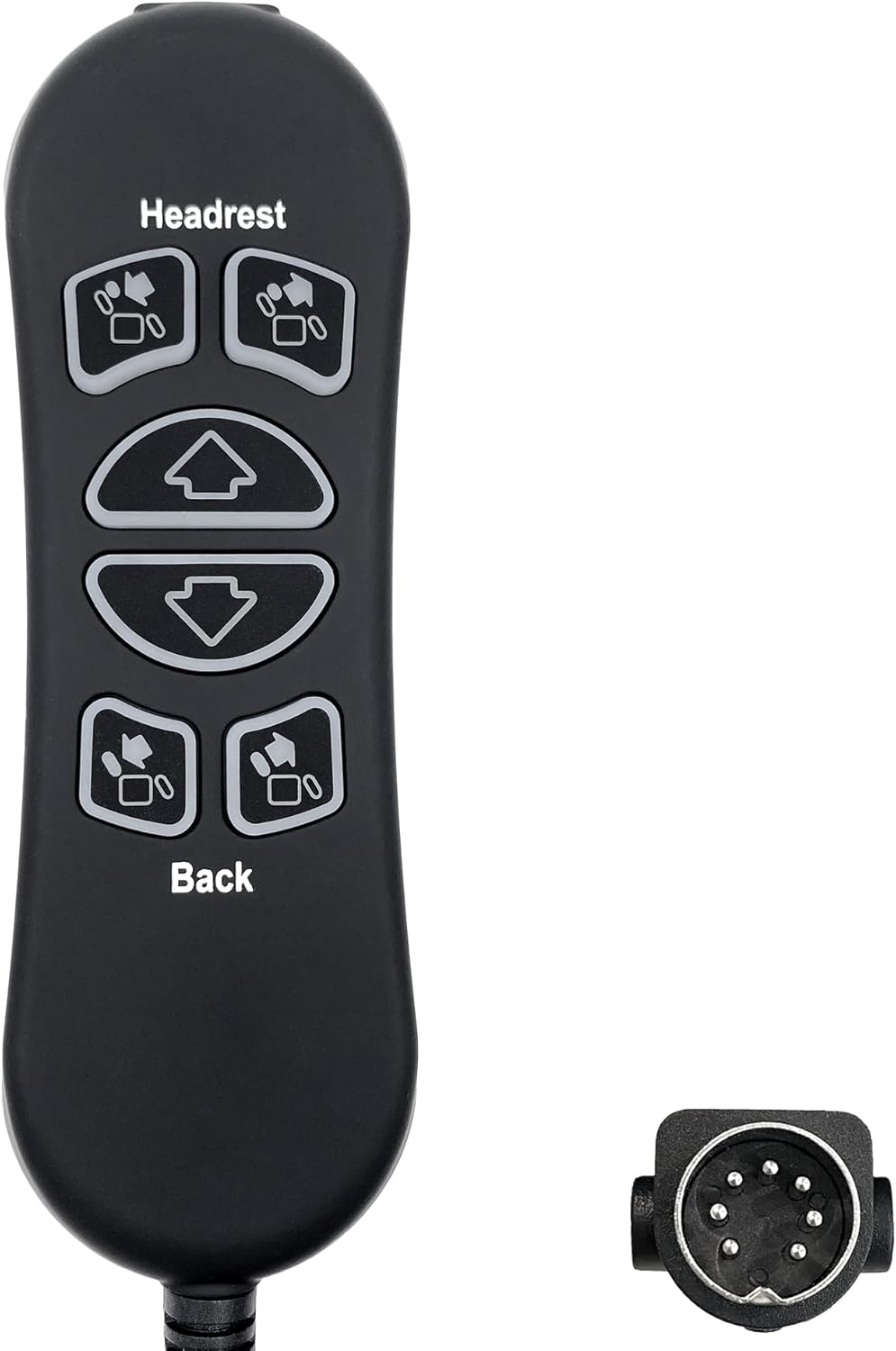
Image: The Fruhdi 6-Button 7-Pin Lift Chair Remote Controller, showing the remote unit and its distinct 7-pin round male plug.
Understanding Remote Versions: Standard vs. Version B
It is crucial to select the correct remote version to ensure proper operation with your lift chair. This remote is Version B.
- Standard Version: If pressing the backrest recline buttons also controls the footrest position (both recline together), you need the Standard Version remote.
- Version B (This Product): If your chair has separate controls for the backrest and footrest (incline and decline buttons for each), then this Version B remote is appropriate.
Using the wrong version may cause unintended behavior (e.g., selecting the standard version for a Version B remote might cause the calf rest to rise with the backrest).

Image: A visual comparison highlighting the functional differences between the Standard Version and Version B remotes. This remote is Version B.
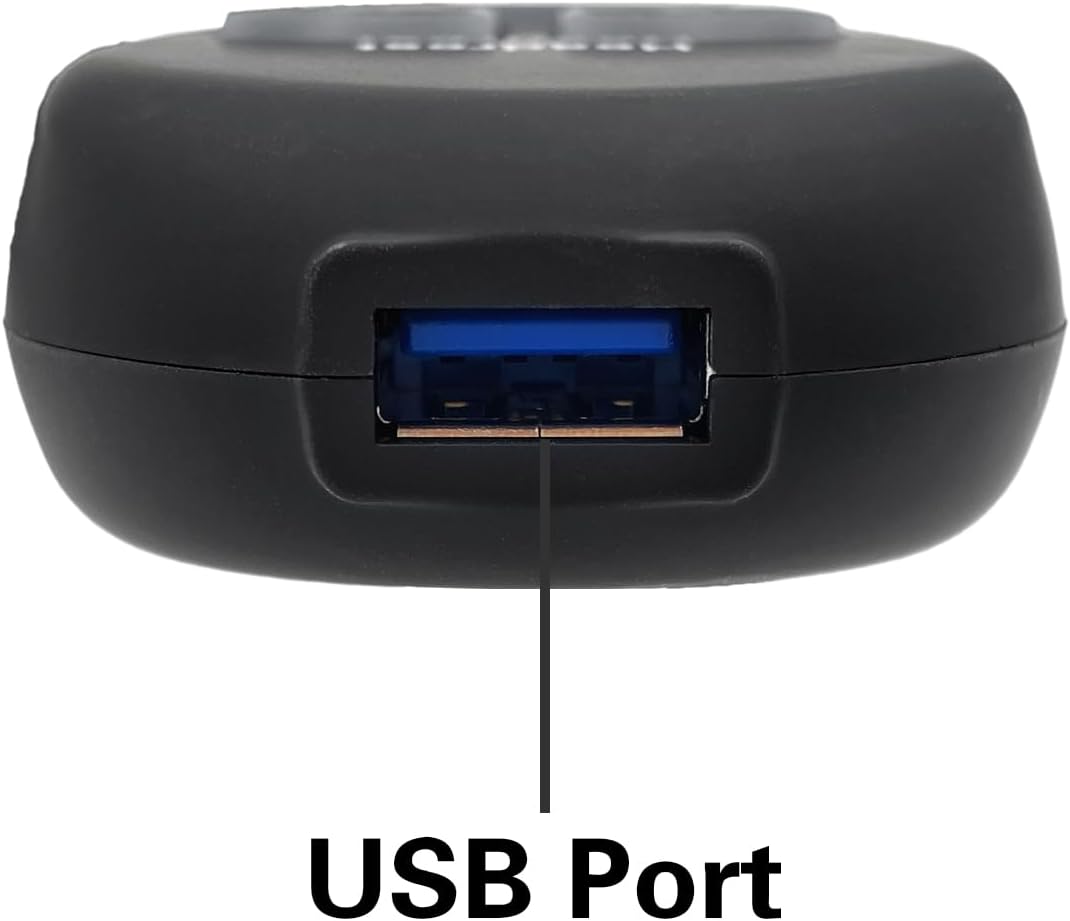
Image: A close-up view of the USB charging port located on the remote controller.
Setup Instructions
- Verify Compatibility: Confirm your existing remote uses a 7-pin round male plug and your chair requires independent control for the backrest and footrest (Version B functionality).
- Power Off Chair: For safety, ensure your lift chair is unplugged from the power outlet before proceeding.
- Locate Connection Port: Identify the remote control connection port on your lift chair. This is typically located near the motor or under the chair.
- Disconnect Old Remote (if applicable): If replacing an old remote, carefully disconnect its plug from the chair's port.
- Connect New Remote: Align the 7-pin round male plug of the Fruhdi DL-SK-109 remote with the chair's connection port. Push the plug firmly and straight into the port until it is fully seated. Do not force the connection.
- Restore Power: Once the remote is securely connected, plug your lift chair back into the power outlet.
- Test Functionality: Test all buttons on the new remote to ensure they operate the chair's functions as expected.
Operating Instructions
The Fruhdi DL-SK-109 remote provides intuitive control over your lift chair's functions. The buttons are backlit and will illuminate when pressed for easy visibility.
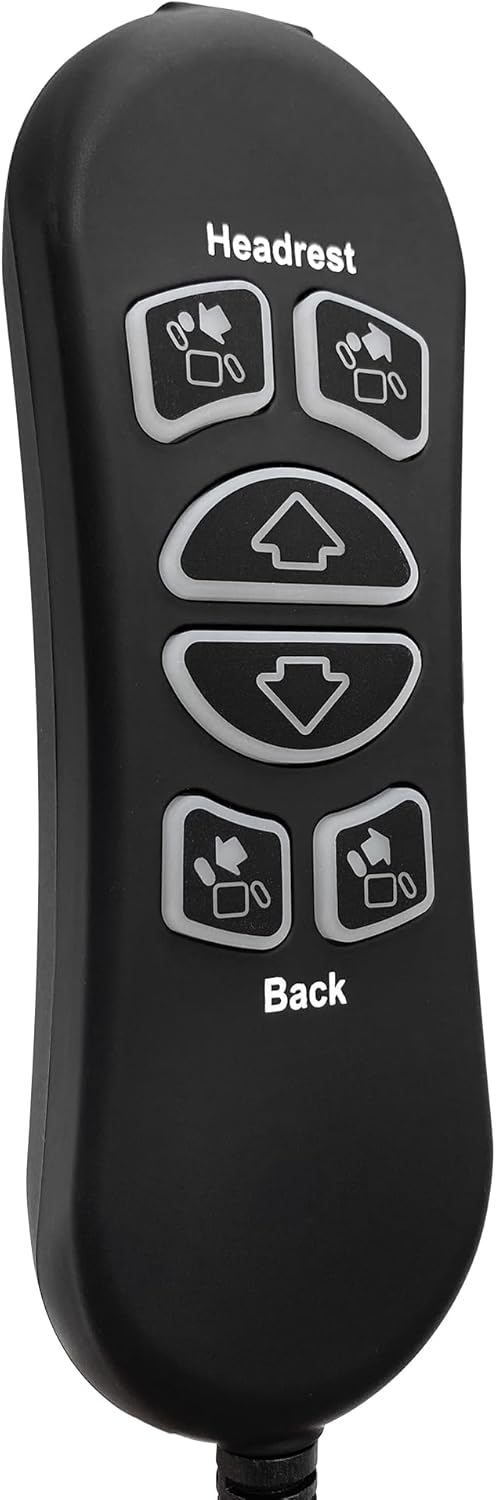
Image: A detailed view of the remote's buttons, showing the "Headrest" and "Back" labels, and the directional arrows.
| Button Label/Icon | Function (Version B) |
|---|---|
| Headrest (Up Arrow Icon) | Moves the headrest forward. |
| Headrest (Down Arrow Icon) | Moves the headrest backward. |
| Large Up Arrow | Raises the footrest and moves the chair down. |
| Large Down Arrow | Lowers the footrest and moves the chair up. |
| Back (Up Arrow Icon) | Inclines the backrest. |
| Back (Down Arrow Icon) | Reclines the backrest. |
USB Charging Port
The integrated USB port allows you to charge compatible electronic devices. Simply plug your device's USB cable into the port on the remote. Ensure the lift chair is powered on for the USB port to function.
Maintenance
- Cleaning: Wipe the remote with a soft, dry cloth. For stubborn dirt, a slightly damp cloth can be used, but ensure no moisture enters the remote. Do not use harsh chemicals or abrasive cleaners.
- Storage: When not in use, keep the remote in a safe place where it will not be dropped or damaged.
- Avoid Liquids: Keep the remote away from liquids to prevent electrical damage.
- Do Not Disassemble: Do not attempt to open or repair the remote control yourself. This can void any potential warranty and may cause further damage.
Troubleshooting
| Problem | Possible Cause | Solution |
|---|---|---|
| Remote is unresponsive. |
|
|
| Buttons operate different functions than expected. |
|
|
| USB port not charging. |
|
|
| Backlight not constantly on. | This is normal operation. | The backlight is designed to illuminate only when buttons are pressed, not to stay constantly lit. |
Specifications
| Model Number | DL-SK-109 |
| Brand | Fruhdi |
| Connector Type | 7-Pin Round Male Plug |
| Number of Buttons | 6 |
| Special Features | Backlit buttons, USB charging port |
| Color | Black |
| Compatible Devices | Power Recliner Lift Chair (with Version B functionality) |
| Item Weight | 8 ounces |
| Package Dimensions | 8.9 x 6.73 x 1.42 inches |
Warranty Information
No specific warranty information is provided in the product details. For details regarding warranty coverage, please refer to the product packaging or contact the retailer or manufacturer directly.
Support
For technical support, troubleshooting assistance beyond this manual, or inquiries about replacement parts, please contact Fruhdi customer service. You may also refer to the retailer's support channels where the product was purchased.
Manufacturer: Fruhdi
For additional information, you may visit the Fruhdi Store on Amazon.