
1. Introduction
Thank you for purchasing the Ymiko Air Blower Cordless Air Duster. This device is designed for various applications, offering powerful airflow in a portable, cordless design. Please read this manual thoroughly before use to ensure proper operation and to prevent damage.
2. Important Safety Information
WARNING: To reduce the risk of fire, electric shock, or injury, please observe the following safety precautions:
- Do not use the product with wet hands.
- Do not place the product in water or a wet environment.
- Do not block the air inlet or outlet during operation.
- Prevent foreign objects from entering the air inlet or outlet.
- Keep out of reach of children.
- Use only the provided USB data cable for charging.
3. Package Contents
Verify that all items listed below are included in your package. If any items are missing or damaged, please contact customer support.
- 1 x Air Blower Unit
- 4 x Accessories (various nozzles/brushes)
- 1 x USB Data Cable
- 1 x Instruction Manual

Figure 3.1: Ymiko Air Blower with all included accessories.
4. Specifications
| Feature | Specification |
|---|---|
| Model | Ymiko40igrfatwu |
| Material | Aluminum Alloy, ABS |
| Battery Type | Built-in Lithium Battery (4 cells) |
| Battery Capacity | 8000mAh |
| Rated Speed | 120000RPM |
| Product Size (approx.) | 19.4 x 11 x 23 cm (7.6 x 4.3 x 9.1 inches) |
| Item Weight (approx.) | 533g (1.18 lbs) |

Figure 4.1: Product dimensions.
5. Setup
5.1 Charging the Device
- Locate the USB charging port on the bottom of the device.
- Connect the provided USB data cable to the device and to a compatible USB power source (e.g., wall adapter, computer USB port).
- The indicator lights near the charging port will illuminate to show charging status. A full charge is indicated when all lights are solid.

Figure 5.1: USB charging port and battery indicator lights.
5.2 Attaching Accessories
Select the appropriate nozzle or brush accessory for your task. Align the accessory with the air outlet and push firmly until it is securely attached.

Figure 5.2: Air outlet for accessory attachment.
6. Operating Instructions
6.1 Powering On/Off
To turn the air blower ON, press and hold the power button located on the handle. To turn it OFF, press and hold the power button again.

Figure 6.1: Power button location.
6.2 Usage
Once powered on, direct the nozzle towards the area you wish to clean or dry. The powerful airflow is suitable for:
- Dusting electronics, keyboards, and delicate equipment.
- Drying wet surfaces, such as car exteriors after washing.
- Assisting with outdoor activities like starting campfires.
- General cooling in outdoor or travel scenarios.
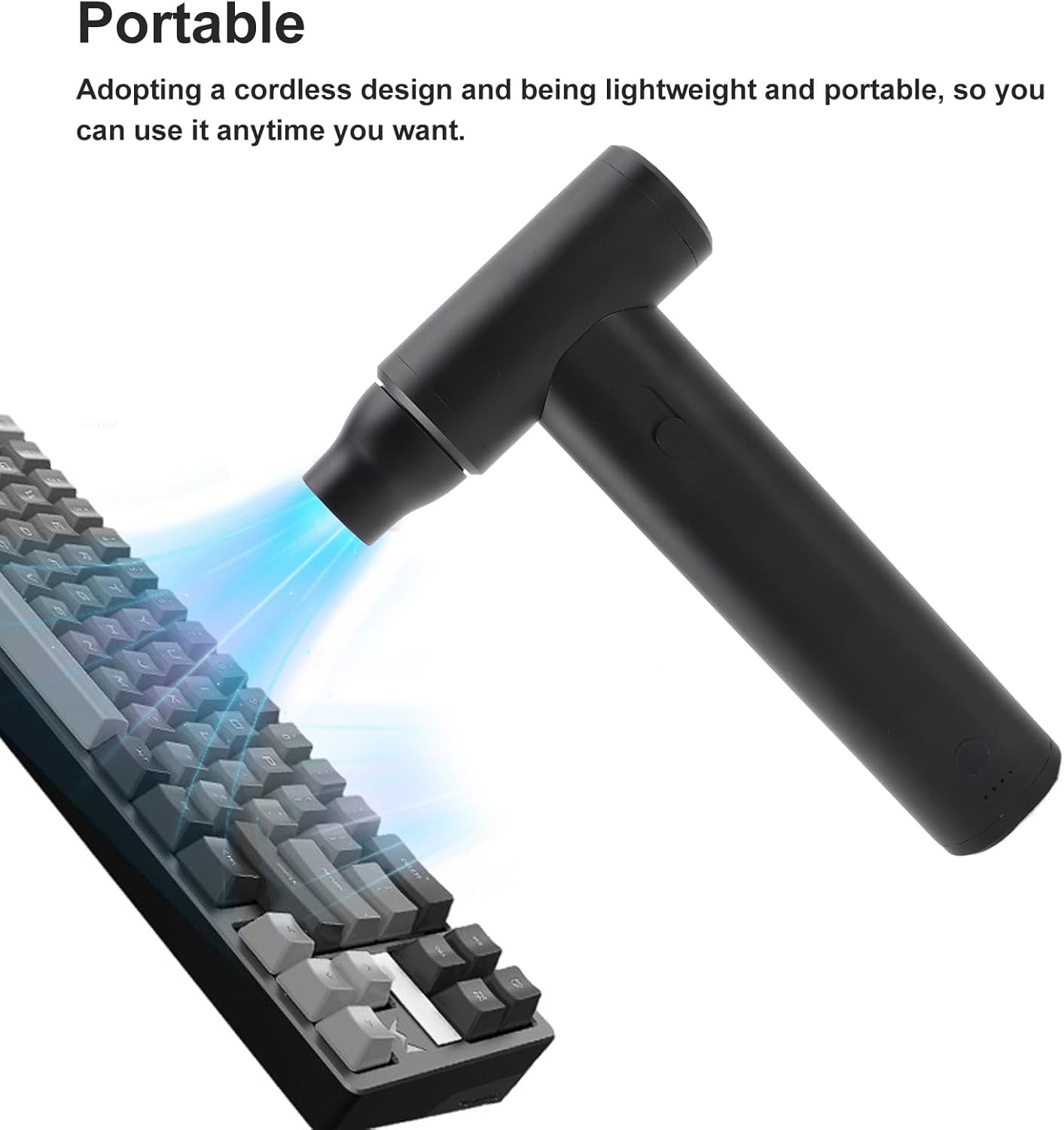
Figure 6.2: Using the air blower for keyboard cleaning.

Figure 6.3: Versatile applications including car drying and portable use.

Figure 6.4: Multi-scene usage examples.
6.3 Official Product Video
Video 6.1: Official product video demonstrating the Ymiko Air Blower Cordless Air Duster in action, showcasing its features and various applications.
7. Maintenance
7.1 Cleaning
- Ensure the device is turned off and disconnected from any power source before cleaning.
- Wipe the exterior of the air blower with a soft, dry cloth.
- If necessary, use a slightly damp cloth, then dry thoroughly.
- Do not use harsh chemicals or abrasive cleaners.
- Periodically check the air inlet and outlet for any obstructions and clear them carefully.
7.2 Storage
Store the air blower in a cool, dry place away from direct sunlight and extreme temperatures. Ensure it is fully charged before long-term storage to maintain battery health.
8. Troubleshooting
| Problem | Possible Cause | Solution |
|---|---|---|
| Device does not turn on. | Low battery or no charge. | Charge the device fully using the provided USB cable. |
| Weak airflow. | Low battery; blocked air inlet/outlet. | Charge the device. Check and clear any obstructions from the air inlet or outlet. |
| Device stops unexpectedly. | Low battery; overheating protection activated. | Charge the device. Allow the device to cool down if it has been used continuously for an extended period. |
9. Warranty and Customer Support
Ymiko products are manufactured to high-quality standards. For warranty information or technical support, please refer to the warranty card included with your purchase or contact your retailer. Keep your purchase receipt as proof of purchase.
For further assistance, please visit the official Ymiko store on Amazon: Ymiko Store