
1. Introduction
This manual provides detailed instructions for the LAXASFIT GT1 Smart Watch. Please read this manual thoroughly before using your device to ensure proper operation and to maximize its features. Keep this manual for future reference.
2. Product Overview
2.1 Package Contents
Upon opening the package, verify that all items are present:
- LAXASFIT GT1 Smart Watch
- USB Charging Cable
- User Manual (this document)
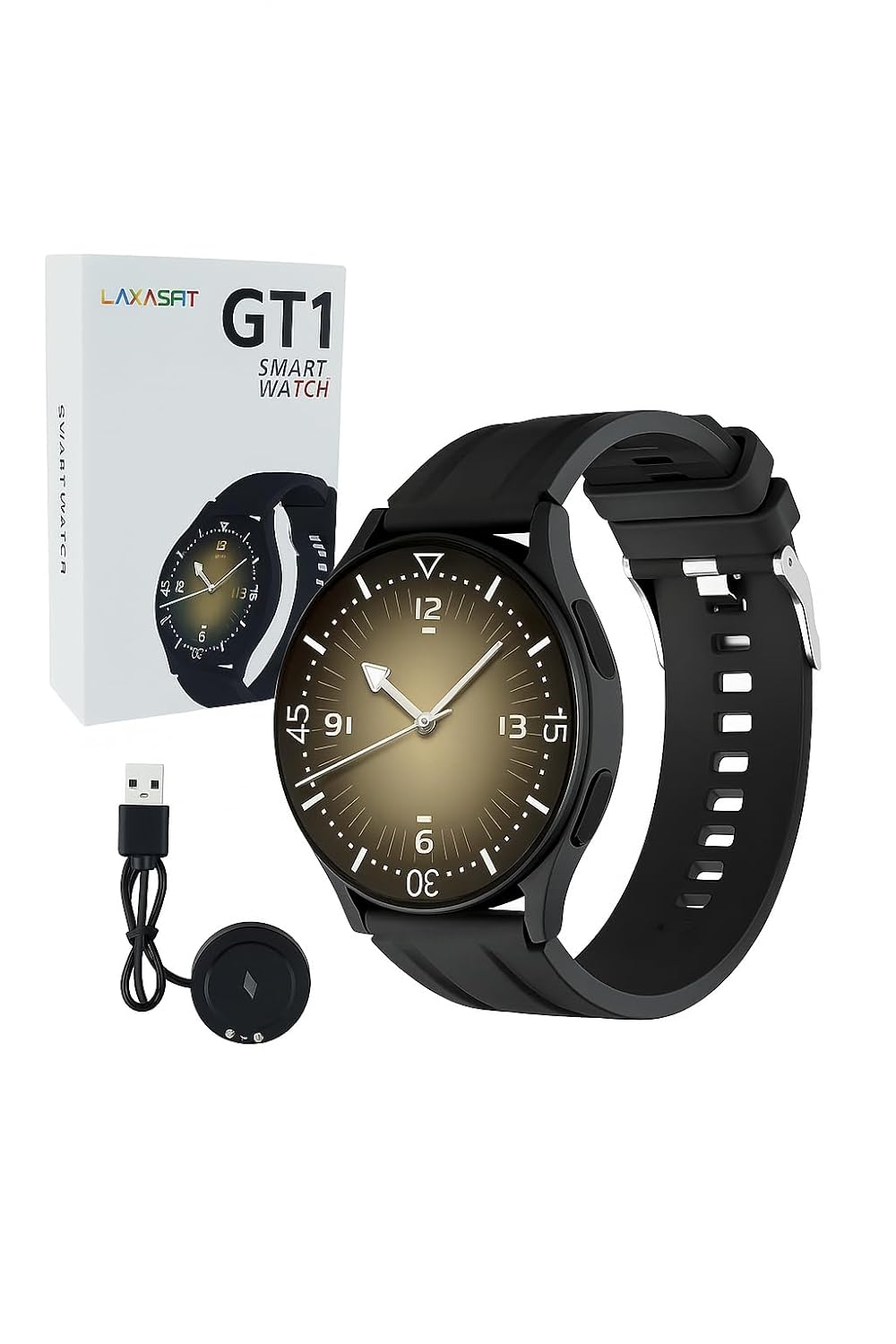
Image: The LAXASFIT GT1 Smart Watch, its retail packaging, and the included USB charging cable.
2.2 Key Features
The LAXASFIT GT1 Smart Watch offers a range of functionalities designed to enhance your daily life:
- 1.32" IPS Pure Round Full Touch Screen: Vibrant and responsive display for clear interaction.
- Bluetooth Call Functionality: Make and receive calls directly from your wrist.
- Sleep Monitoring: Tracks sleep patterns to help assess sleep quality.
- Multiple Sports Modes: Records data for various physical activities.
- IP67 Waterproof Rating: Resistant to splashes and brief immersion.
- SpO2 Monitor: Measures blood oxygen saturation levels.
- Heart Rate Monitoring: Continuous heart rate tracking.
- Step Counter: Tracks daily steps and activity.
- Notifications: Receives alerts for calls, messages, and app notifications.
- Durable Design: Features a black silicone strap with ventilation for comfort.
3. Setup Guide
3.1 Charging the Smart Watch
Before initial use, fully charge your LAXASFIT GT1 Smart Watch.
- Connect the USB charging cable to a standard USB power adapter (not included) or a computer's USB port.
- Attach the magnetic charging pins to the charging contacts on the back of the watch. Ensure a secure connection.
- The watch display will indicate charging status. A full charge typically takes approximately 2 hours.
3.2 Power On/Off
- To Power On: Press and hold the side button until the LAXASFIT logo appears on the screen.
- To Power Off: From the watch face, swipe down to access the quick settings, then tap the power icon, or navigate to Settings > System > Power Off. Confirm your selection.
3.3 App Installation and Device Pairing
To unlock the full potential of your LAXASFIT GT1 Smart Watch, install the companion application on your smartphone.
- Download the App: Search for "Laxasfit" in the Google Play Store (for Android devices) or the Apple App Store (for iOS devices).
- Install the App: Follow the on-screen instructions to install the application.

Image: Screenshot of the Laxasfit app listing on the Google Play Store.

Image: Screenshot of the Laxasfit app listing on the Apple App Store.
- Enable Bluetooth: Ensure Bluetooth is enabled on your smartphone.
- Open the App: Launch the Laxasfit app and follow the on-screen prompts to create an account or log in.
- Pair Device: Within the app, navigate to the device section and select "Add Device" or "Search Device." The app will scan for available smartwatches. Select "GT1" or the corresponding device name when it appears.
- Confirm Pairing: A pairing request may appear on both your phone and watch. Confirm the pairing on both devices.
4. Operating Instructions
4.1 Basic Navigation
- Touch Screen: Swipe left, right, up, or down to navigate through menus and features. Tap to select an item.
- Side Button: Press the side button to return to the watch face or to wake the screen. A long press may access power options or other functions depending on context.
4.2 Bluetooth Call Function
After successful pairing with your smartphone, you can use the watch for Bluetooth calls:
- Ensure the watch is connected to your phone via Bluetooth.
- To make a call, access the dialer on the watch or select a contact from your synced phonebook.
- To answer an incoming call, tap the green answer icon on the watch screen.
- To reject a call, tap the red reject icon.
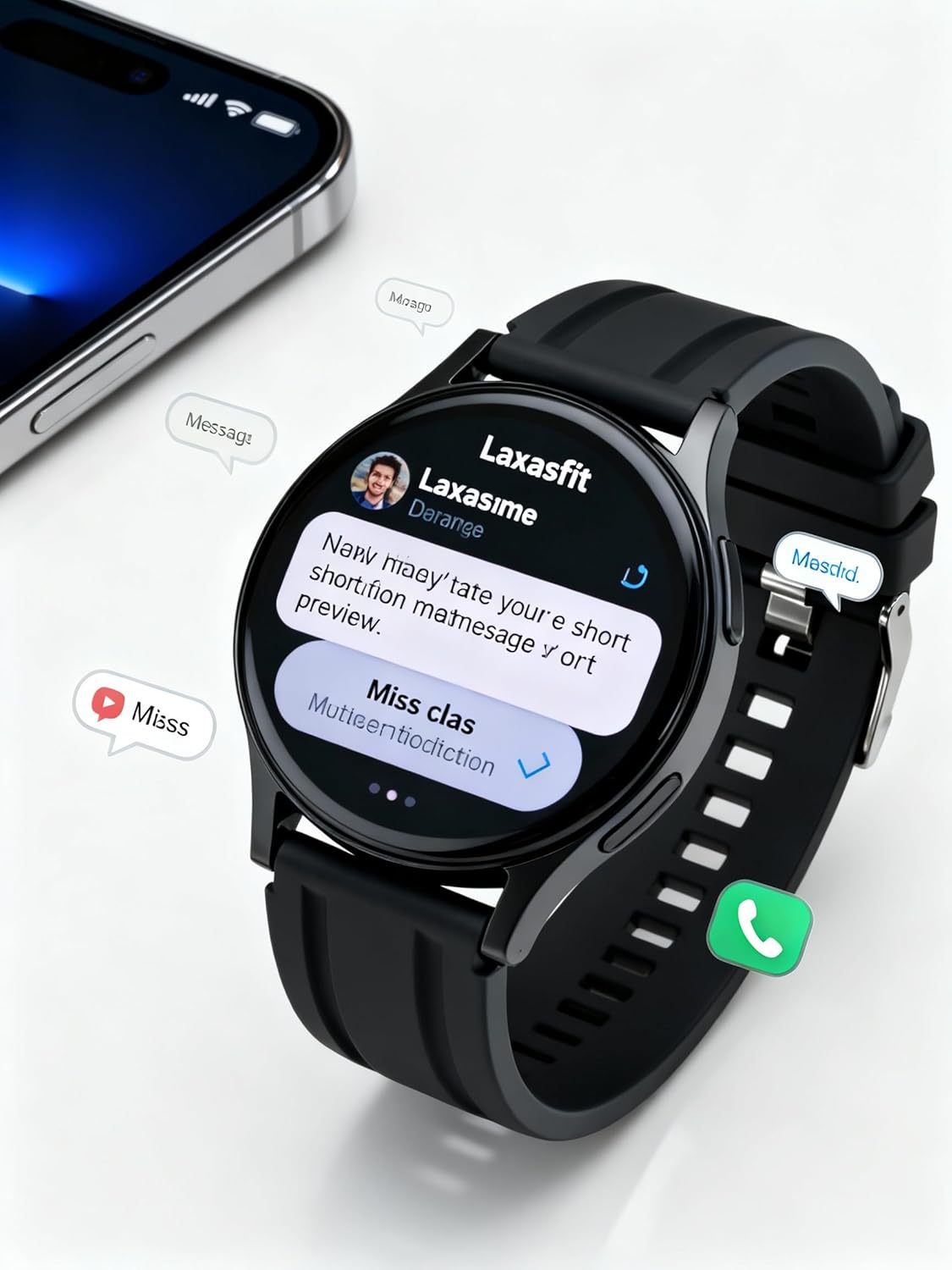
Image: The smart watch screen showing incoming message notifications and an icon for a phone call, indicating its communication features.
4.3 Health Monitoring
The GT1 Smart Watch provides various health tracking features:
- Heart Rate: Access the heart rate monitor from the main menu. The watch will automatically measure and display your current heart rate. Continuous monitoring can be enabled via the app.
- SpO2 (Blood Oxygen): Navigate to the SpO2 function. Keep your arm still during measurement for accurate results.
- Sleep Monitoring: Wear the watch to bed. It will automatically track your sleep duration and quality. View detailed sleep data in the Laxasfit app.
- Step Counter: The watch continuously tracks your steps, distance, and calories burned throughout the day.

Image: The smart watch on a user's wrist, displaying sleep duration and quality metrics, with a person sleeping in the background.

Image: The smart watch screen showing a heart rate reading in BPM and the total number of steps taken.
4.4 Sports Modes
The watch supports various sports modes to track your workouts:
- Navigate to the "Sports" or "Workout" menu on your watch.
- Select your desired activity (e.g., running, walking, cycling).
- The watch will begin recording data such as duration, distance, calories burned, and heart rate.
- End the workout by following the on-screen prompts. Data will sync to the Laxasfit app.
4.5 Notifications
Receive notifications from your smartphone directly on your watch:
- Ensure notification permissions are granted to the Laxasfit app on your smartphone.
- Enable specific app notifications within the Laxasfit app settings.
- When a notification arrives, the watch will vibrate and display the message content.
5. Maintenance
5.1 Cleaning Your Smart Watch
- Regularly clean the watch screen and strap with a soft, damp cloth.
- Avoid using harsh chemicals, abrasive cleaners, or solvents, as these can damage the device.
- Ensure the charging contacts are clean and dry before charging to prevent corrosion.
5.2 Water Resistance (IP67)
The LAXASFIT GT1 Smart Watch is rated IP67, meaning it is resistant to dust and can withstand immersion in water up to 1 meter for 30 minutes. However, it is not suitable for swimming, diving, or high-pressure water activities. Avoid exposure to hot water or steam.
5.3 Charging Best Practices
- Use only the provided charging cable.
- Avoid overcharging the device; disconnect once fully charged.
- Do not charge the watch in wet conditions.
6. Troubleshooting
If you encounter issues with your LAXASFIT GT1 Smart Watch, refer to the following common solutions:
- Watch not turning on: Ensure the watch is fully charged. Connect it to the charger for at least 10 minutes.
- Cannot pair with phone:
- Ensure Bluetooth is enabled on your phone and the watch.
- Make sure the watch is within range of your phone.
- Restart both your phone and the watch.
- Clear Bluetooth cache on your phone (Android) or forget the device and re-pair (iOS/Android).
- Inaccurate health data: Ensure the watch is worn snugly on your wrist, not too tight or too loose. Keep the sensor clean.
- Notifications not received:
- Check app notification permissions on your phone.
- Verify that notifications are enabled within the Laxasfit app.
- Ensure the watch is connected to your phone.
- Screen unresponsive: Try restarting the watch by long-pressing the side button. If unresponsive, allow the battery to drain completely and then recharge.
If problems persist, contact customer support for further assistance.
7. Specifications
| Feature | Detail |
|---|---|
| Brand | LAXASFIT |
| Model Name | GT1 (Zt1) |
| Item Model Number | H9proMax |
| Display Type | AMOLED |
| Standing Screen Display Size | 1.9 Inches (Note: Product title states 1.32" IPS, specifications state 1.9" AMOLED. Using 1.9" from specifications for consistency in this section.) |
| Operating System | WatchOS (Note: This is likely a generic term or placeholder, as WatchOS is Apple's OS. The actual OS is typically proprietary for such devices.) |
| Memory Storage Capacity | 500 MB |
| RAM Memory Installed Size | 0.13 MB |
| Special Features | GPS |
| Compatible Devices | iPhone (Note: Also compatible with Android via the Laxasfit app.) |
| Battery Average Life | 1 Day |
| Charging Time | 2 Hours |
| Battery Capacity | 100 Amp Hours (Note: This unit is unusual for smartwatches, typically mAh. Assuming it refers to 100mAh or similar capacity.) |
| Wireless Type | Bluetooth |
| Connector Type | Bluetooth |
| Device Interface - Primary | Touchscreen |
| Material | Silicone |
| Item Weight | 200 g |
| Water Resistance Rating | IP67 |
8. Warranty and Support
For warranty information and customer support, please refer to the documentation provided with your purchase or contact LAXASFIT customer service through their official website or the Laxasfit application. Keep your proof of purchase for warranty claims.


