
1. Introduction
Thank you for choosing the Monster Prism Pro Bluetooth Speaker. This manual provides essential information for setting up, operating, and maintaining your speaker. Please read it thoroughly before use to ensure optimal performance and longevity of your device.
2. Package Contents
Ensure all items are present in the package:
- Monster Prism Pro Bluetooth Speaker
- USB-C Charging Cable
- User Manual
3. Product Overview
The Monster Prism Pro Bluetooth Speaker is designed for powerful, portable audio. It features dynamic RGB lighting, multiple input options, and True Wireless Stereo (TWS) pairing capability.

Front view of the Monster Prism Pro Bluetooth Speaker, showcasing its sleek design and central Monster logo.
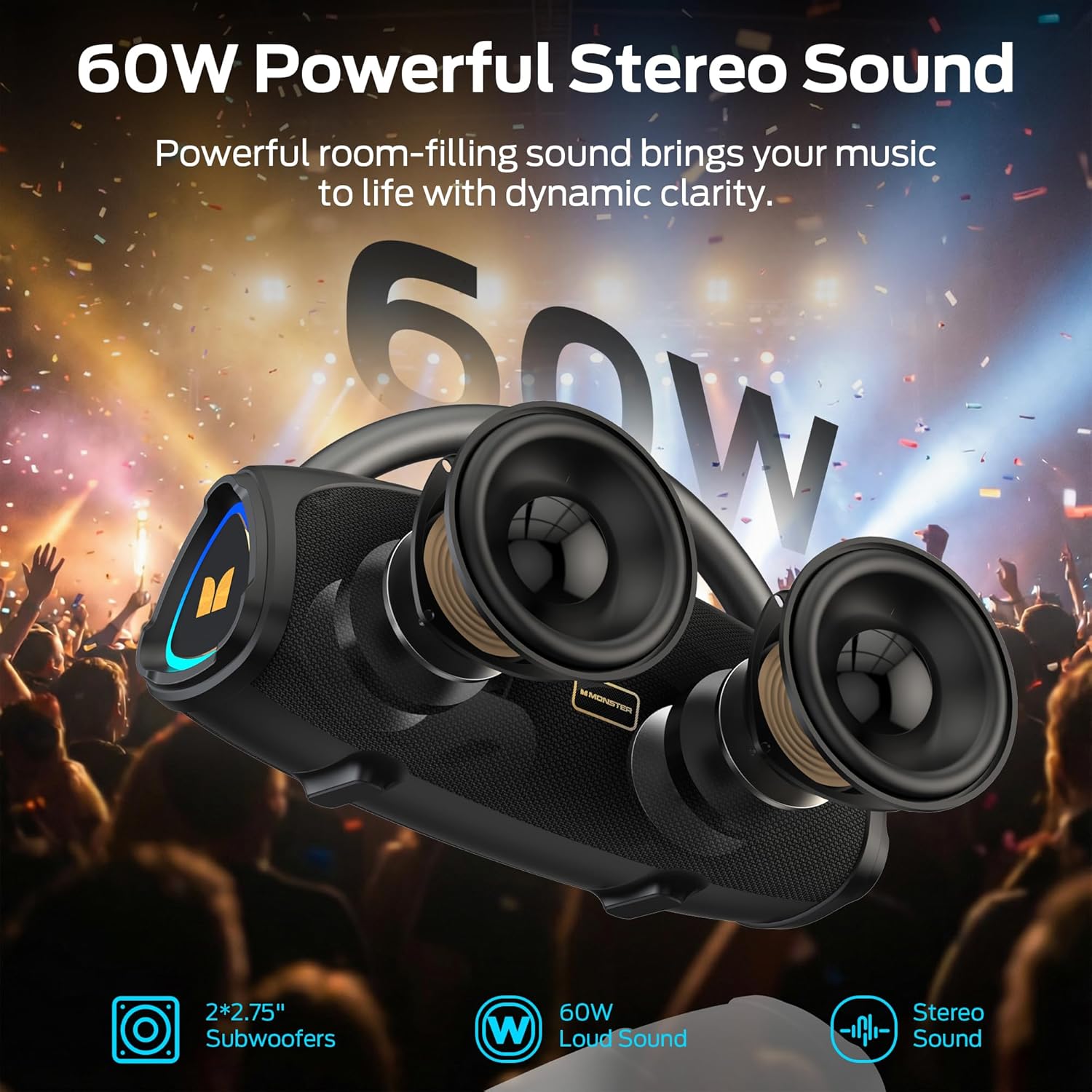
An exploded view illustrating the internal components of the Monster Prism Pro speaker, highlighting the dual subwoofers and 60W stereo sound capability.
4. Setup and Charging
4.1 Initial Charge
Before first use, fully charge the speaker. Connect the provided USB-C charging cable to the speaker's USB-C port and the other end to a compatible USB power adapter (not included).
- The charging indicator light will illuminate during charging.
- The light will turn off or change color when fully charged.
4.2 Power On/Off
Press and hold the Power button (⏻) for 2-3 seconds to turn the speaker on or off.
5. Operating Instructions
5.1 Bluetooth Pairing
The Monster Prism Pro uses Bluetooth 6.0 for stable connections.

An illustration highlighting the advanced Bluetooth 6.0 technology, ensuring faster and more stable connections with all compatible devices.
- Turn on the speaker. It will automatically enter Bluetooth pairing mode, indicated by a flashing LED.
- Enable Bluetooth on your device (smartphone, tablet, computer).
- Search for "Monster Prism Pro" in your device's Bluetooth list and select it to connect.
- Once connected, the LED indicator will stop flashing and remain solid.
5.2 True Wireless Stereo (TWS) Pairing
Pair two Monster Prism Pro speakers for a powerful 120W stereo sound experience.
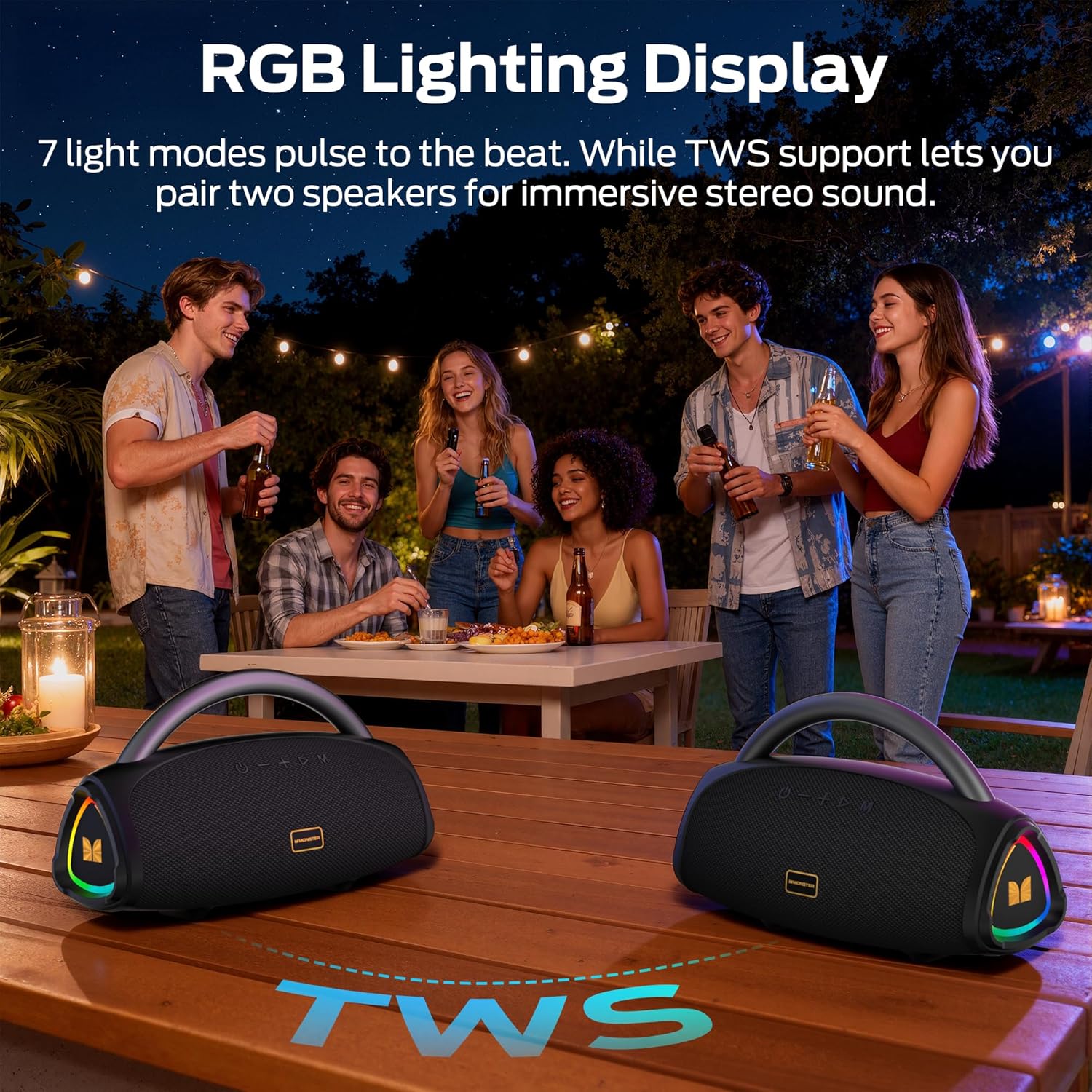
Two Monster Prism Pro speakers wirelessly connected, demonstrating the True Wireless Stereo (TWS) pairing feature for an enhanced audio experience.
- Ensure both speakers are powered on and not connected to any Bluetooth device.
- On one speaker (this will be the primary speaker), press the TWS button (often indicated by two interlocking circles or a similar icon). The speaker will emit a sound indicating it's searching for another speaker.
- The two speakers will automatically connect to each other. A confirmation tone will sound.
- Now, connect your device to the primary speaker via Bluetooth as described in section 5.1. Audio will play through both speakers in stereo.
5.3 RGB Lighting Control
The speaker features dynamic RGB LED lights. Use the dedicated light mode button (often indicated by a lightbulb icon) to cycle through different lighting effects or turn them off.
5.4 Other Input Modes (AUX, USB, TF-Card)
The speaker supports multiple audio input options.
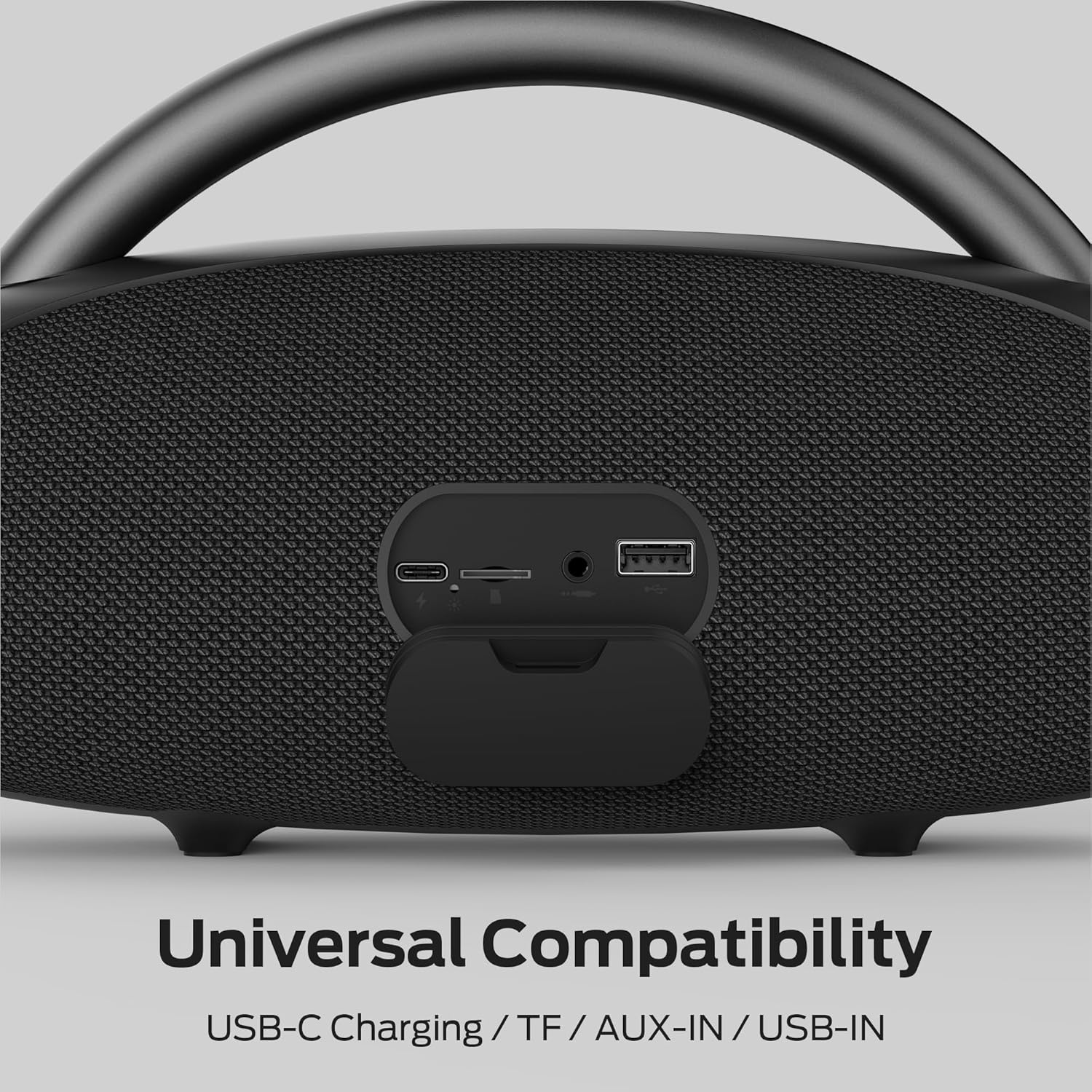
A detailed view of the speaker's universal compatibility ports, including USB-C charging, TF card slot, AUX-in, and USB-in.
- AUX-in: Connect an audio device using a 3.5mm audio cable to the AUX port. The speaker will automatically switch to AUX mode.
- USB-in: Insert a USB flash drive containing audio files into the USB port. The speaker will automatically play music from the drive.
- TF-Card: Insert a TF (MicroSD) card containing audio files into the TF card slot. The speaker will automatically play music from the card.
5.5 Hands-Free Calling
When connected via Bluetooth to a smartphone, the built-in microphone allows for hands-free calls.
- Answer/End Call: Press the Play/Pause button once.
- Reject Call: Press and hold the Play/Pause button for 2 seconds.
6. Care and Maintenance
- Clean the speaker with a soft, dry cloth. Do not use abrasive cleaners or solvents.
- Avoid exposing the speaker to extreme temperatures, direct sunlight, or excessive moisture.
- While water-resistant, do not submerge the speaker in water.
- Store the speaker in a cool, dry place when not in use for extended periods.
7. Troubleshooting
| Problem | Possible Cause | Solution |
|---|---|---|
| Speaker does not power on. | Low battery. | Charge the speaker fully. |
| Cannot pair via Bluetooth. | Speaker is not in pairing mode or already connected to another device. | Ensure speaker is in pairing mode (flashing LED). Disconnect from other devices. Restart both speaker and Bluetooth device. |
| No sound. | Volume too low, incorrect input mode, or device not playing. | Increase volume on both speaker and connected device. Check input mode. Ensure audio is playing on the source device. |
| TWS pairing fails. | Speakers are too far apart or already connected to other devices. | Ensure both speakers are close to each other and not connected to any other Bluetooth devices before initiating TWS pairing. |
8. Specifications
| Feature | Detail |
|---|---|
| Model Name | Prism Pro |
| Brand | Monster |
| Speaker Maximum Output Power | 60 Watts |
| Connectivity Technology | Bluetooth 6.0 |
| Audio Output Mode | Surround |
| Battery Average Life | 24 Hours |
| Water Resistance Level | Water Resistant |
| Control Method | Touch |
| Bluetooth Range | 30 Meters |
| Item Dimensions (D x W x H) | 15"D x 7"W x 8"H |
| Additional Features | LED Light, Portable, Stereo Pairing, USB Port, Built-in Microphone |
9. Safety Information
- Do not disassemble, repair, or modify the product.
- Keep away from heat sources, direct sunlight, humidity, water, and other liquids.
- Do not operate the speaker with wet hands.
- Do not drop or subject the speaker to strong impacts.
- Keep out of reach of children.
10. Warranty and Support
For warranty information and customer support, please refer to the documentation provided with your purchase or visit the official Monster website. Keep your proof of purchase for warranty claims.

