
1. Introduction
This manual provides detailed instructions for the installation and operation of the BrickSoul LED Light Up Kit, Model 40499-sound. This kit is designed to enhance your LEGO Christmas Santa's Sleigh 40499 building set with vibrant lighting and an upgraded sound module for music playback and sound effects. Please note that this product is a lighting kit only; the LEGO building set is not included.

Image: The BrickSoul LED Light Kit illuminates the LEGO Christmas Santa's Sleigh 40499 model, adding visual appeal.
2. Package Contents
Before beginning installation, please verify that all components listed below are present in your package:
- LED Light Kits (various light strips and individual LEDs)
- Battery Box (requires 3x AAA batteries, not included)
- USB Power Cable
- Digital Installation Guide Access Card (with QR code/model query instructions)

Image: Visual representation of the package contents, including light components, battery box, and digital guide access.
3. Safety Information
Please read and adhere to the following safety guidelines:
- This product contains small parts and is not suitable for children under 3 years old due to choking hazards.
- Ensure the power source is a safe 3-5V USB input. Do not use power adapters exceeding this voltage.
- Do not bend or pull wires excessively, as this may damage the connections.
- Keep the product away from water and high humidity.
- Always disconnect power before performing any maintenance or adjustments.
4. Setup Instructions
The BrickSoul LED kit is designed for straightforward installation. Follow the digital instructions for a smooth setup process.
4.1 Accessing Digital Instructions
This kit utilizes a digital instruction manual to provide clear, step-by-step guidance. No paper manual is included.
- Locate the access card within your package.
- Scan the QR code on the card or visit the provided website link.
- Input the product model query (e.g., "40499-sound") to find the specific PDF and video instructions for your kit.
- Preview the PDF or video instructions before starting the installation.

Image: Digital instructions are provided via QR code or model query, accessible on a tablet or smartphone.
4.2 Installation Process
The installation involves integrating the LED components into your LEGO model. The instructions will guide you through:
- Preparation: Carefully remove specific LEGO bricks as indicated in the guide.
- Wiring: Route the wires neatly to ensure a seamless fit and clean appearance. The design minimizes tangled wires.
- Component Placement: Attach the LED lights and sound module to the designated areas of your model.
- Reassembly: Reattach the LEGO bricks, ensuring wires are not pinched.
- Power Connection: Connect the kit to the battery box (with 3x AAA batteries) or a USB power source (3-5V).

Image: The BrickSoul kit features clean wiring and crisp, vibrant illumination for an enhanced display.
5. Operating Instructions
Once installed, your BrickSoul LED Light Up Kit is ready for operation.
5.1 Powering On/Off
Connect the USB power cable to a 3-5V USB power source or ensure the battery box has fresh AAA batteries and is switched on. The lights will illuminate, and the sound module will activate.
5.2 Music and Sound Effects
This upgraded version includes a music mode that recreates the original atmosphere and sound effects. Specific controls for music playback (e.g., volume, track selection) will be detailed in the digital instruction guide, if available. The sound module enhances the immersive experience of your illuminated model.

Image: The lighting kit transforms the model from unlit to a lively and impressive display.

Image: The illuminated model with music playback brings the creation to life at night.
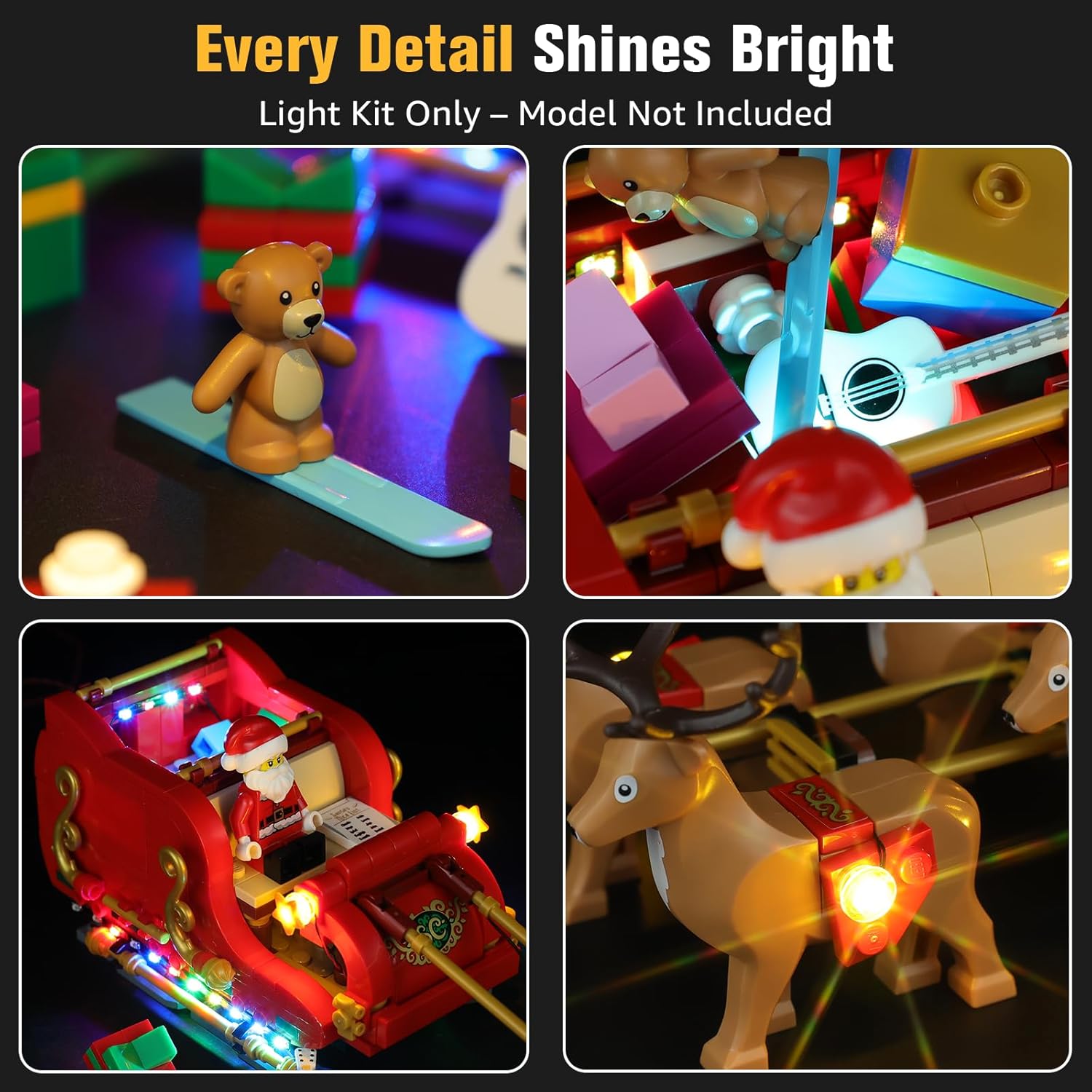
Image: Close-up views highlighting the detailed illumination of the model's components.
6. Maintenance
To ensure the longevity and optimal performance of your BrickSoul LED Light Up Kit, follow these maintenance tips:
- Cleaning: Gently dust the LED components and wires with a soft, dry cloth. Avoid using liquid cleaners directly on the electrical components.
- Battery Replacement: If using the battery box, replace AAA batteries when lights dim or sound quality degrades. Ensure correct polarity.
- Storage: If storing the model for an extended period, disconnect the power source and remove batteries from the battery box.
- Handling: Handle the illuminated model with care to prevent damage to the delicate wiring and LED components.
7. Troubleshooting
If you encounter issues with your BrickSoul LED Light Up Kit, consider the following:
- Lights Not Illuminating:
- Check if the power source (USB or battery box) is properly connected and functioning.
- If using the battery box, ensure batteries are correctly inserted and have sufficient charge.
- Verify all wire connections are secure and not loose or damaged.
- Ensure no wires are pinched between LEGO bricks.
- Sound Not Playing:
- Confirm the power supply is active.
- Check the sound module's connections.
- Refer to the digital instructions for any specific sound activation steps.
- Flickering Lights:
- This may indicate a loose connection or low battery power. Recheck connections and replace batteries if necessary.
If troubleshooting steps do not resolve the issue, please contact BrickSoul customer support for assistance.
8. Specifications
| Brand | BrickSoul |
| Model Number | 40499-sound |
| Compatible LEGO Set | LEGO Christmas Santa's Sleigh 40499 |
| Light Source Type | Light Emitting Diode (LED) |
| Power Source | DC adapter (USB 3-5V) or 3x AAA batteries (not included) |
| Material | Plastic |
| Color | Color Changing |
| Special Features | Music playback, sound effects |
| Item Weight | 4.8 ounces |
| Smart Home Compatibility | Not Smart Home Compatible |
9. Warranty and Support
BrickSoul is committed to providing a smooth and stress-free experience with your lighting kit.
9.1 Warranty Information
Your BrickSoul LED Light Up Kit comes with a 1-year hassle-free support warranty. This includes quick and free replacements for accidental damage, such as bent connectors or broken wires, ensuring your build stays on track.
9.2 Customer Support
For any questions, concerns, or assistance with installation or troubleshooting, please contact the BrickSoul support team. We are dedicated to efficient problem-solving and ensuring your satisfaction.
- Support Services: 1-Year Hassle-Free Support, Free & Fast Replacement, Efficient Problem-Solving.
- Quality Assurance: Products are safety and durability tested.
Contact information for customer support can be found on the official BrickSoul website or through your purchase platform.
