
Introduction
This manual provides comprehensive instructions for setting up, operating, and maintaining your EchoByte Smart Watch. Please read this manual thoroughly before using the device to ensure proper function and to maximize your user experience. Keep this manual for future reference.

Image: The EchoByte Smart Watch, featuring a black strap and a square display showing various health metrics and time.
Setup
1. Package Contents
Verify that all items are present in the package:
- EchoByte Smart Watch
- Charging Cable
- Instruction Manual

Image: A visual representation of the smartwatch, its dimensions, the included charging cable, and the instruction manual.
2. Charging the Device
Before first use, fully charge your smartwatch. Connect the magnetic charging cable to the charging contacts on the back of the watch and plug the USB end into a power adapter (not included) or a computer's USB port. A full charge typically takes approximately 2.5 hours.

Image: The smartwatch connected to its magnetic charging cable, displaying a charging icon and battery percentage.
3. App Installation and Pairing
To unlock the full functionality of your EchoByte Smart Watch, download and install the VeryFit app on your smartphone.
- Scan the QR code in the manual or search for "VeryFit" in your smartphone's app store (compatible with Android 6.0+ and iOS 9.0+).
- Open the VeryFit app and create an account or log in.
- Follow the in-app instructions to add your device. Ensure Bluetooth is enabled on your smartphone. The app will guide you through the pairing process using Bluetooth 5.3.
- Once paired, the watch will synchronize time and personal settings from your phone.
Operating Instructions
1. Basic Navigation
- Touchscreen: Swipe left, right, up, or down to navigate through menus and features. Tap to select.
- Side Button: Press to return to the previous screen or the watch face. Long press for power options or to activate Alexa.
2. Bluetooth Calling & Smart Notifications
After successful pairing with the VeryFit app, enable Bluetooth calling and notifications:
- Calls: Answer or make calls directly from your wrist. The watch features a built-in microphone and speaker for hands-free communication.
- Notifications: Receive real-time alerts for messages from WhatsApp, X (Twitter), Facebook, Instagram, and other applications. Manage notification settings within the VeryFit app.
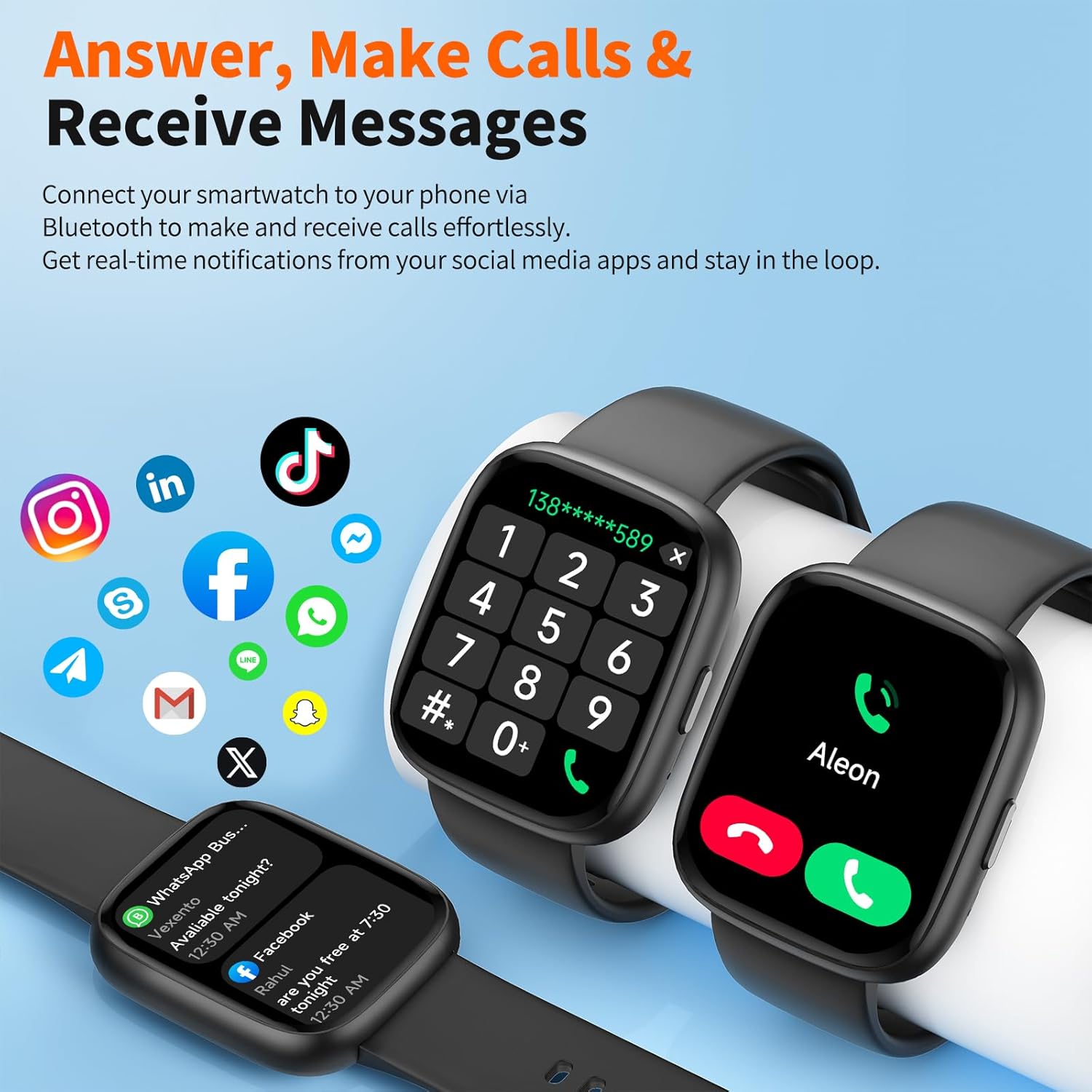
Image: The smartwatch showing a phone dialer, an incoming call, and various social media app icons, illustrating its calling and notification features.
3. Alexa Built-in & Smart Voice Control
Your EchoByte Smart Watch integrates Alexa for convenient voice commands:
- Activation: Long-press the side button or swipe to the Alexa screen to activate.
- Commands: Use voice commands to check weather, set alarms, start workouts, control music playback, and more.

Image: A person sitting on a couch, speaking to their smartwatch which displays "Listening..." and an Alexa waveform, demonstrating the voice assistant feature.
4. 24/7 Health & Wellness Tracking
The watch continuously monitors various health metrics:
- Heart Rate: Tracks your heart rate throughout the day.
- SpO2 (Blood Oxygen): Measures blood oxygen saturation levels.
- Sleep Monitor: Analyzes sleep patterns, including deep sleep, light sleep, and wake times.
- Stress Levels: Provides insights into your stress levels.
- Steps & Calories: Counts daily steps and estimated calorie burn.
View detailed historical data and personalized insights within the VeryFit app.

Image: A collage showing various health tracking features: heart rate graphs, stress monitor, blood oxygen levels, and sleep tracking, with the smartwatch displaying current heart rate.
5. 100+ Sport Modes
Select from over 100 sport modes to track your workouts with real-time data:
- Activation: Navigate to the 'Workout' section on your watch and select your desired activity (e.g., running, yoga, cycling, swimming).
- Data: Monitor metrics such as duration, distance, calories burned, and heart rate during your activity.
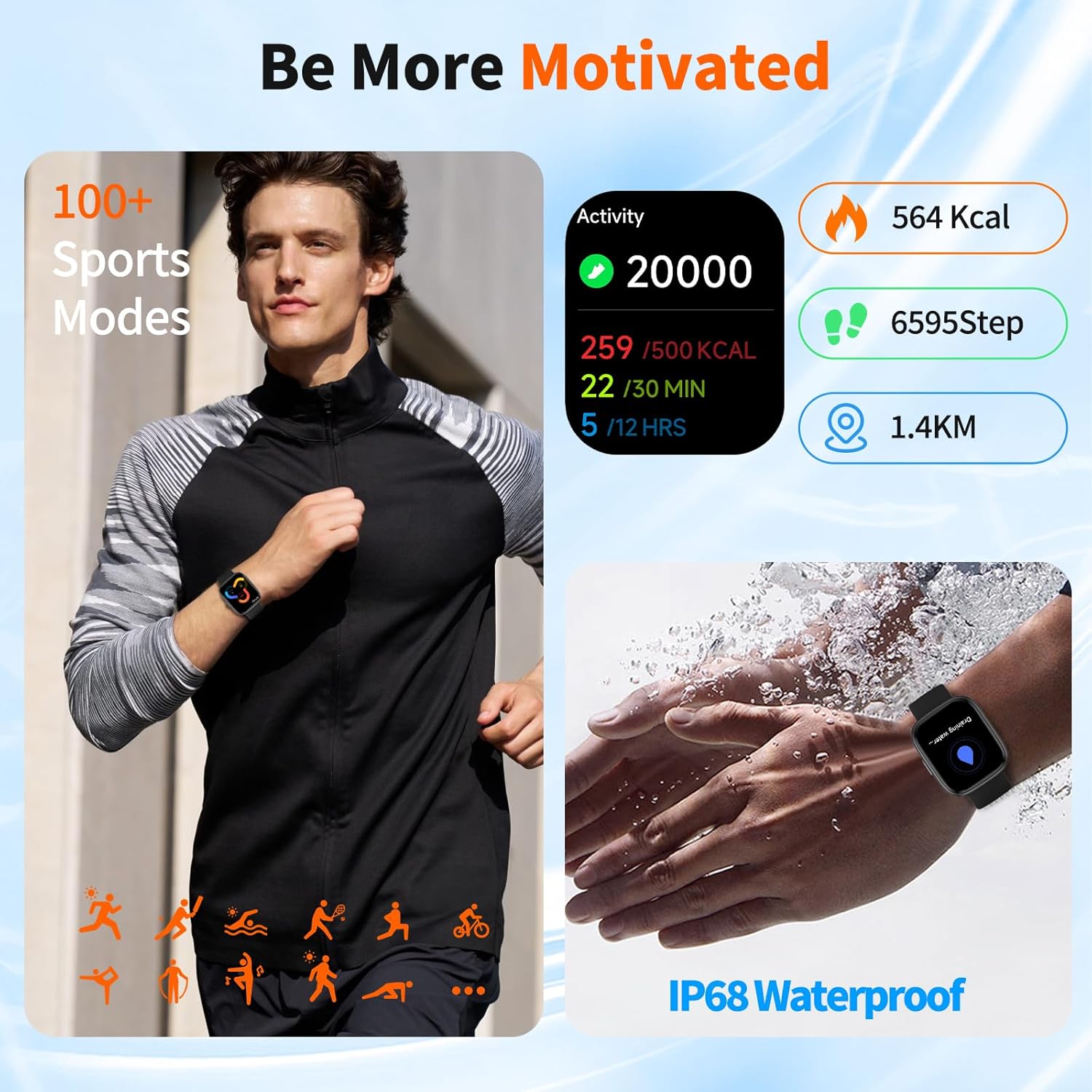
Image: A person running, with the smartwatch displaying activity data like calories, steps, and distance. Another image shows the watch submerged in water, highlighting its IP68 waterproof rating.
6. Customizable Watch Faces
Personalize your watch with a variety of watch faces:
- Selection: Choose from over 100 pre-designed watch faces available through the VeryFit app.
- Customization: Upload your own photos to create a unique watch face.

Image: The smartwatch displaying a custom photo watch face, surrounded by a grid of over 100 different digital watch face designs.
7. Additional Smart Features
The EchoByte Smart Watch offers several other convenient functions:
- Weather Forecast: Get current weather updates directly on your wrist.
- Alarm Clock: Set alarms for reminders and wake-up calls.
- Camera Control: Remotely control your smartphone's camera.
- Timer: Utilize the built-in timer function.
- Flashlight: Activate a simple flashlight feature.
- Find Phone: Locate your misplaced smartphone by triggering an alert sound.

Image: A collage showing the smartwatch displaying weather, an alarm clock, and icons representing camera control, timer, flashlight, and find phone features.
Maintenance
1. Cleaning Your Smart Watch
To maintain optimal performance and hygiene:
- Wipe the watch and strap regularly with a soft, damp cloth.
- Avoid using harsh chemicals or abrasive materials.
- Ensure the charging contacts are clean and dry before charging.
2. Water Resistance (IP68)
The EchoByte Smart Watch has an IP68 waterproof rating, meaning it is resistant to dust and can withstand immersion in water up to 1.5 meters for up to 30 minutes. It is suitable for daily use, including hand washing, rain, and swimming. However, it is not recommended for hot showers, saunas, or diving, as steam and high water pressure may compromise the seal.
3. Battery Life
The watch offers extended battery performance:
- Standby Time: Up to 30 days.
- Average Usage: 5-7 days, depending on feature usage.
- Charging Time: Approximately 2.5 hours for a full charge.
Troubleshooting
Common Issues and Solutions:
- Watch not turning on: Ensure the watch is fully charged. Connect it to the charger for at least 10 minutes.
- Unable to pair with phone:
- Ensure Bluetooth is enabled on your phone.
- Make sure the watch is within range of your phone.
- Restart both your phone and the watch.
- Clear the Bluetooth cache on your phone and try pairing again.
- Inaccurate health data:
- Ensure the watch is worn snugly on your wrist, not too tight or too loose.
- Clean the sensor on the back of the watch.
- Avoid excessive movement during measurements.
- Notifications not appearing:
- Check notification permissions for the VeryFit app in your phone's settings.
- Ensure the VeryFit app is running in the background.
- Verify that notifications are enabled for specific apps within the VeryFit app.
- Battery drains quickly:
- Reduce screen brightness.
- Disable continuous heart rate monitoring if not needed.
- Limit the number of apps sending notifications to the watch.
Factory Reset
If issues persist, you may perform a factory reset through the watch settings or the VeryFit app. This will erase all data on the watch and restore it to its original settings.
Specifications
| Feature | Detail |
|---|---|
| Model | B0FVLMMKFR |
| Display | 1.83" HD LCD Full-Touch Screen |
| Connectivity | Bluetooth 5.3 |
| Water Resistance | IP68 |
| Battery Type | Lithium Polymer |
| OS Compatibility | Android 6.0 & iOS 9.0 Above |
| Special Features | Alexa Built-in, Bluetooth Calling, 100+ Sport Modes, Heart Rate, SpO2, Sleep, Stress Monitor |
| Dimensions (Watch Face) | 45mm (Height) x 38mm (Width) x 12mm (Thickness) |
| Strap Length | Min 140mm / 5.51inch, Max 195mm / 7.68inch |
Warranty & Support
EchoByte is committed to providing high-quality products and customer satisfaction.
- Warranty: Your EchoByte Smart Watch comes with a 365-day guarantee from the date of purchase. This warranty covers manufacturing defects.
- Customer Service: For any questions, technical support, or warranty claims, please contact our online 24/7 customer service. Refer to the contact information provided with your product packaging or visit the official EchoByte website for support details.