
1. Important Safety Information
Please read all instructions carefully before assembly and use. Keep this manual for future reference.
- Warning: Before installation, ensure the wall is solid and capable of supporting the cabinet's weight.
- Avoid touching electrical parts with wet hands.
- Do not use sharp objects or abrasive cleaners to clean the mirror surface.
- In case of power failure or product defect, do not attempt to repair the device yourself. Contact qualified personnel for assistance.
- Ensure all electrical connections are made according to local regulations and safety standards.
2. Product Overview
The EUGAD Wall-Mounted Bathroom Cabinet with LED Mirror is designed to provide both storage and illuminated mirror functionality for your bathroom or other living spaces. It features adjustable LED lighting, integrated power outlets, and versatile storage options.
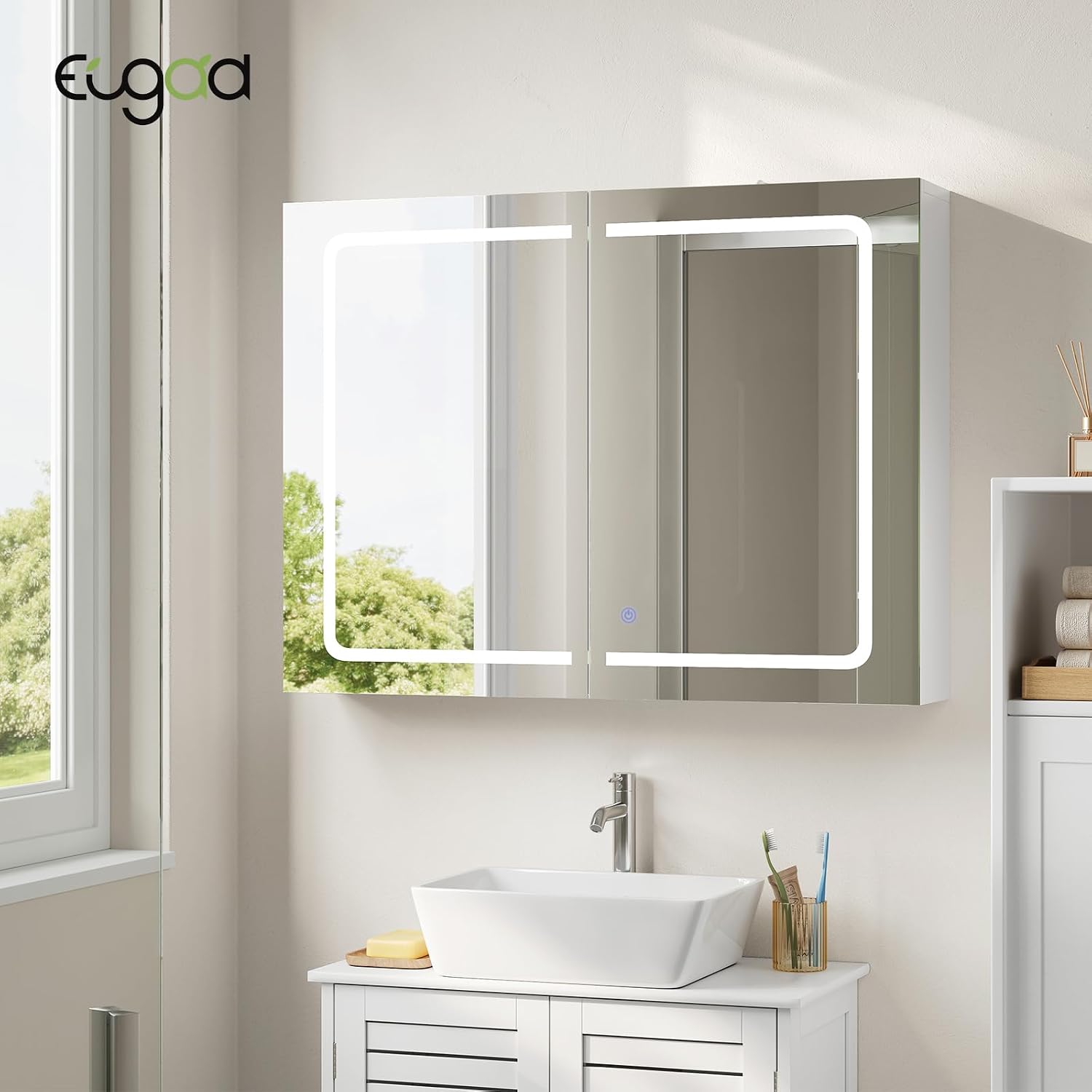
Figure 2.1: Front view of the EUGAD Wall-Mounted Bathroom Cabinet with LED Mirror.
Key Features:
- Adjustable LED Lighting: Touch-sensitive control for brightness and color temperature (3000K warm, 4500K natural, 6000K cool).
- Integrated Power & Charging: Includes 2 AC outlets, 1 USB port, and 1 Type-C port, designed to be insulated and moisture-resistant.
- Ample Storage: Features adjustable shelves and 8 hooks for organizing toiletries, jewelry, and other accessories.
- Durable Construction: High-definition 4mm glass mirror (CRI 90), E1 particle board with wear-resistant melamine veneer, and high-strength metal hinges.
- Space-Saving Design: Wall-mounted to maximize floor space, suitable for various rooms.
3. Setup and Installation
The cabinet is designed for easy assembly with an illustrated manual and a complete accessory kit provided.
3.1 Unpacking and Component Check
- Carefully unpack all components and verify against the parts list in the included manual.
- Ensure no parts are damaged. Contact customer support if any parts are missing or damaged.
- The package includes: 1x LED Mirror Cabinet.
3.2 Wall Mounting
This cabinet is designed for wall-mounted installation.
- Wall Preparation: Ensure the chosen wall is solid and can safely support the cabinet's weight (approximately 12.2 kg, plus contents).
- Positioning: Use the provided positioning template (if applicable) to mark drilling points accurately on the wall.
- Drilling: Drill holes at the marked positions. It is recommended to use appropriate wall plugs and screws for your wall type. Some users recommend using 8mm wall plugs for enhanced stability.
- Mounting: Securely attach the cabinet to the wall using the provided hardware. It is advisable to have two people for this step.

Figure 3.1: The cabinet comes with an illustrated manual and a positioning template for easy installation.
3.3 Electrical Connection
The cabinet offers two methods for electrical connection:
- Method 1 (Plug-in): Directly plug the cabinet's power cord into a wall outlet.
- Method 2 (Hardwired): For a concealed installation, the plug can be cut, and the power cord can be connected directly to your wall's electrical wiring. This should only be performed by a qualified electrician to ensure safety and compliance with electrical codes.

Figure 3.2: Illustration of the two electrical connection methods for the cabinet.
4. Operating Instructions
4.1 LED Mirror Lighting
The LED lighting is controlled by a touch sensor on the mirror surface.
- Power On/Off: A single short touch will turn the light on or off.
- Change Color Temperature: With the light on, a short touch (less than 3 seconds) will cycle through the three color temperatures: 3000K (warm), 4500K (natural), and 6000K (cool).
- Adjust Brightness: With the light on, a long touch (hold for 3 seconds or more) will activate continuous brightness adjustment. Release your finger when the desired brightness is reached.

Figure 4.1: The LED mirror offers three distinct light colors for various needs.

Figure 4.2: Long press the touch button to adjust brightness continuously.
4.2 Using Integrated Power Outlets
The cabinet includes 2 AC outlets, 1 USB port, and 1 Type-C port for convenient power access.
- Ensure the cabinet is properly connected to a power source.
- Plug in your devices (e.g., electric toothbrush, shaver, phone charger) into the appropriate outlets.
- The outlets are designed to be insulated and moisture-resistant for safe use in humid environments.

Figure 4.3: The cabinet features combined charging and storage capabilities.
4.3 Adjusting Shelves and Using Hooks
The interior shelves are adjustable to accommodate items of various heights. Eight hooks are also provided for hanging jewelry or small accessories.
- To adjust a shelf, remove any items, then carefully lift and reposition the shelf supports into the desired holes.
- The maximum load capacity per shelf is 5 kg.
- Utilize the integrated hooks for organizing necklaces, earrings, or other small items.

Figure 4.4: Interior storage with adjustable shelves and 8 hooks for organization.

Figure 4.5: Detail of the adjustable shelf, showing multiple positions for varying item heights.
5. Maintenance
Proper maintenance ensures the longevity and optimal performance of your cabinet.
- Cleaning the Mirror: Use a soft, damp cloth with a mild glass cleaner. Do not use abrasive materials or sharp objects.
- Cleaning the Cabinet: Wipe surfaces with a soft, damp cloth. Avoid harsh chemicals.
- Humidity Resistance: The cabinet is designed to be moisture-resistant. However, quickly wipe away any water droplets to keep the furniture dry and prolong its lifespan.
- Electrical Components: Ensure all electrical connections remain dry. Do not spray water directly onto the outlets or wiring.

Figure 5.1: The cabinet is resistant to humidity, making it suitable for bathrooms. Promptly wipe away water droplets.
6. Troubleshooting
If you encounter issues with your EUGAD LED Mirror Cabinet, refer to the following common problems and solutions:
| Problem | Possible Cause | Solution |
|---|---|---|
| LED light does not turn on. | No power supply; loose connection; faulty LED driver. | Check if the cabinet is properly plugged in or hardwired. Ensure the power switch is on. Verify connections. If the issue persists, contact customer support. |
| Light brightness or color cannot be adjusted. | Incorrect touch operation; touch sensor malfunction. | Refer to Section 4.1 for correct touch operations (short press for color, long press for brightness). Ensure the touch sensor area is clean and dry. |
| Power outlets are not working. | No power supply; device not properly plugged in. | Check the main power connection to the cabinet. Ensure devices are fully inserted into the outlets. Test with another device. |
| Cabinet feels unstable after installation. | Improper wall mounting; insufficient wall support. | Re-check wall mounting according to Section 3.2. Ensure appropriate wall plugs and screws were used for your wall type. If necessary, reinforce wall support or consult a professional. |
For issues not listed here or if troubleshooting steps do not resolve the problem, please contact EUGAD customer support.
7. Specifications
| Feature | Detail |
|---|---|
| Brand | EUGAD |
| Model Number | 0282WY |
| Product Dimensions (L x W x H) | 80 x 14.5 x 60 cm |
| Item Weight | 12.2 Kilograms |
| Color | White |
| Style | Modern |
| Shape | Rectangular |
| Material | Engineered Wood, Glass |
| Finish Type | Lacquered |
| Components Included | 1x LED Mirror Cabinet |
| Plug Type | AC |
| Installation Type | Wall Mount |
| Batteries Included/Required | No |
| Energy Label | F |
| Max. Load Capacity per Shelf | 5 kg |

Figure 7.1: Product dimensions and maximum load capacity per shelf.

Figure 7.2: Energy label for the EUGAD cabinet. For more details, visit eprel.ec.europa.eu/qr/2473122.
8. Warranty and Support
Information regarding spare parts availability and software updates is currently unavailable. For warranty claims, technical support, or any product-related inquiries, please contact EUGAD customer service through your purchase platform or the official EUGAD website.
Please retain your proof of purchase for any warranty claims.