
1. Introduction
The Anker SOLIX 800W Alternator Charger is designed to provide fast and efficient charging for Anker SOLIX portable power stations and vehicle batteries directly from your vehicle's alternator. This manual provides essential information for the safe and effective use of your device, including setup, operation, maintenance, and troubleshooting.
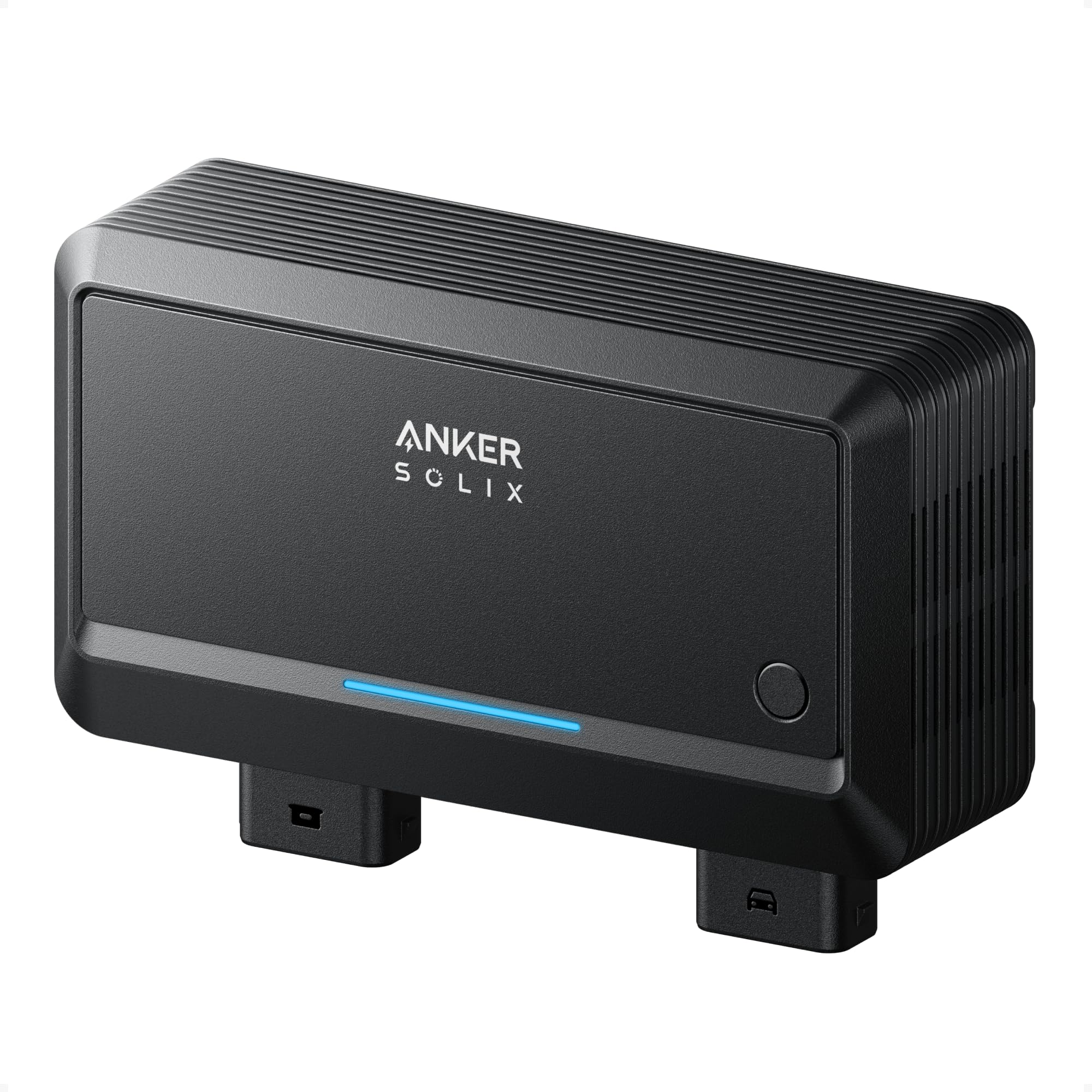
Figure 1: Anker SOLIX 800W Alternator Charger.
Key Features:
- Fast Alternator Charging: Charges power stations up to 8 times faster than a standard car auxiliary port, fully charging a 2kWh power station in approximately 3 hours.
- Three Flexible Charging Ways: Supports Ultrafast PPS Charging, Seamless RV Expansion, and Efficient Vehicle Battery Recharge.
- RV Capacity Expansion: Can add up to 12kWh capacity for RVs when paired with an F3000 and three expansion batteries.
- Broad Vehicle Compatibility: Compatible with 99% of RVs and gas vehicles, automatically adjusting charging based on battery type.
- Smart App Control: Manage charging, switch modes, and adjust power remotely via Bluetooth or Wi-Fi using the dedicated app.
- Anker SOLIX Compatibility: Works with various Anker SOLIX Portable Power Stations to meet diverse power needs.
2. Safety Information
Please read and understand all safety instructions before operating the Anker SOLIX Alternator Charger. Failure to follow these instructions may result in electric shock, fire, or serious injury.
General Safety Precautions:
- Do not expose the charger to rain or moisture.
- Do not operate the charger if it has been damaged in any way.
- Ensure proper ventilation during use to prevent overheating.
- Keep out of reach of children.
- Use only specified cables and accessories provided by Anker.
- Disconnect the charger from the power source and vehicle battery when not in use or before cleaning.
Vehicle Battery Safety:
- Always connect the charger to the correct terminals of the vehicle battery (positive to positive, negative to negative).
- Ensure the vehicle engine is off before making any connections.
- Avoid short-circuiting the battery terminals.
- Consult your vehicle's owner's manual for specific battery charging instructions.
3. Package Contents
Verify that all items are present in the package:
- Anker SOLIX Alternator Charger
- PPS XT-60i Port Connection Cable
- Battery Connection Cable
- Fuse Wire (100A)
- Installation Board
- 6× Screws
- Quick Start Guide
- Safety and Warranty Card
4. Setup
Follow these steps to properly set up your Anker SOLIX Alternator Charger.

Figure 2: Connection diagram for the Anker SOLIX Alternator Charger.
- Mount the Charger: Secure the Anker SOLIX Alternator Charger (A) using the provided installation board and screws in a suitable location within your vehicle or RV. Ensure the location is well-ventilated and protected from direct moisture.
- Connect to Vehicle Battery: Connect the Battery Connection Cable (C) to your vehicle's starter battery. Ensure the positive (+) terminal of the cable connects to the positive (+) terminal of the battery, and the negative (-) terminal of the cable connects to the negative (-) terminal of the battery. Install the 100A fuse wire as instructed in the Quick Start Guide.
- Connect to Power Station: Connect the PPS XT-60i Port Connection Cable (B) from the alternator charger to the XT-60i input port on your Anker SOLIX portable power station.
- Verify Connections: Double-check all connections to ensure they are secure and correctly polarized before proceeding.
Note: RV expansion and vehicle battery recharge functions will be available by Q1 2026. The XT-60i port connection cable only recharges the power station. An additional Expansion Port Output Cable (sold separately) is required for vehicle batteries or RVs.
5. Operating Instructions
The Anker SOLIX Alternator Charger offers multiple ways to charge your devices and expand your power capacity.
5.1 Fast Alternator Charging
Once connected, the charger utilizes your vehicle's alternator to deliver up to 800W of power to your Anker SOLIX portable power station, significantly reducing charging times compared to standard car outlets.
Figure 3: Comparison of charging speeds.
5.2 Flexible Charging Modes
The charger supports three primary modes of operation:

Figure 4: Three flexible charging methods.
- Ultrafast PPS Charging: Directly charges compatible Anker SOLIX portable power stations.
- Seamless RV Expansion: Integrates with RV systems to expand power capacity, particularly with the F3000 and expansion batteries.
- Efficient Vehicle Battery Recharge: Can recharge your vehicle's starter battery.
5.3 Smart App Control
Manage your charging experience using the Anker SOLIX app on your smartphone. The app allows you to:

Figure 5: Anker SOLIX app interface for remote control.
- Start or stop charging remotely.
- Switch between different charging modes.
- Adjust power output settings.
- Monitor charging status and battery levels.
5.4 Compatibility with Anker SOLIX Portable Power Stations
The Anker SOLIX Alternator Charger is designed to work seamlessly with various Anker SOLIX portable power stations, allowing for flexible power solutions.

Figure 6: Compatible Anker SOLIX power stations.
Compatible models include C2000 Gen 2, C1000 Gen 2, F3000, and C1000. Note that C1000 Gen 1 and 2 do not support Alternator Charger via the expansion port. C2000 Gen 2 and F3000 will be able to support Alternator Charger via the expansion port by Q1 2026. Not compatible with power stations operating below 34V on the XT-60 port.
5.5 RV Capacity Expansion
For extended power needs in RVs, the charger can facilitate an additional 12kWh capacity when paired with an Anker SOLIX F3000 power station and three BP3000 expansion batteries.

Figure 7: RV power expansion setup.
6. Maintenance
Proper maintenance ensures the longevity and optimal performance of your Anker SOLIX Alternator Charger.
Cleaning:
- Use a dry, soft cloth to wipe the exterior of the charger.
- Do not use abrasive cleaners or solvents.
- Ensure all ports are free from dust and debris.
Storage:
- Store the charger in a cool, dry place away from direct sunlight and extreme temperatures.
- If storing for extended periods, disconnect all cables.
7. Troubleshooting
If you encounter issues with your Anker SOLIX Alternator Charger, refer to the following common problems and solutions.
Charger Not Functioning:
- Check Connections: Ensure all cables (battery, power station) are securely connected.
- Verify Fuse: Inspect the 100A fuse wire for any breaks. Replace if necessary.
- Vehicle Engine: Confirm the vehicle engine is running, as the alternator requires the engine to be active to provide power.
- Battery Voltage: Ensure your vehicle battery has sufficient voltage to initiate charging.
Slow Charging:
- Cable Length: Excessive cable length can reduce charging efficiency. Use the provided cables or recommended lengths.
- Vehicle Power Supply: Ensure your vehicle's alternator is functioning optimally and providing adequate power.
- Ambient Temperature: Extreme temperatures can affect charging performance. Operate within recommended temperature ranges.
App Connectivity Issues:
- Bluetooth/Wi-Fi: Ensure Bluetooth and Wi-Fi are enabled on your smartphone and the charger is within range.
- App Update: Make sure the Anker SOLIX app is updated to the latest version.
- Restart: Try restarting both the charger and your smartphone.
8. Specifications
| Specification | Value |
|---|---|
| Product Dimensions | 2.68 x 5.04 x 4.69 inches |
| Item Weight | 2.86 pounds (1.3 Kilograms) |
| Model Number | AS200 |
| Brand | Anker |
| Color | Gray |
| Output Voltage | 12 Volts |
| Specification Met | CE, FCC, UL |
| Date First Available | December 16, 2025 |
9. Product Overview Video
Watch this video for a visual overview of the Anker SOLIX Alternator Charger and its functionalities.
Video 1: Demonstrating the features and use cases of the Anker SOLIX Alternator Charger.
10. Warranty and Support
Anker provides a limited warranty for this product. Please refer to the included Safety and Warranty Card for detailed warranty terms and conditions.
Customer Support:
For technical support, warranty claims, or other inquiries, please contact AnkerDirect customer service. Contact information can be found on the Anker official website or the provided warranty card.
Online Resources: Visit the official Anker website for FAQs, updated manuals, and software downloads.


