
1. Introduction
The ganopterygon TK09 Kids Smart Watch is designed to provide children aged 6-12 with a fun, educational, and interactive experience. This manual will guide you through the setup, operation, and maintenance of your new smartwatch, ensuring your child can fully enjoy its many features, from interactive games and music to health and fitness tracking.
2. What's in the Box
Upon unboxing your ganopterygon TK09 Kids Smart Watch, you should find the following items:
- 1 x ganopterygon TK09 Kids Smart Watch
- 1 x Magnetic USB Charging Cable
- 1 x User Manual

Image: The ganopterygon TK09 Kids Smart Watch, magnetic charging cable, and user manual as packaged.
3. Setup
3.1 Initial Charging
Before first use, fully charge your smartwatch. Connect the magnetic USB charging cable to the charging port on the back of the watch. Connect the USB end to a compatible USB power adapter (not included) or a computer's USB port. The watch screen will indicate charging status. A full charge typically takes approximately 2 hours.
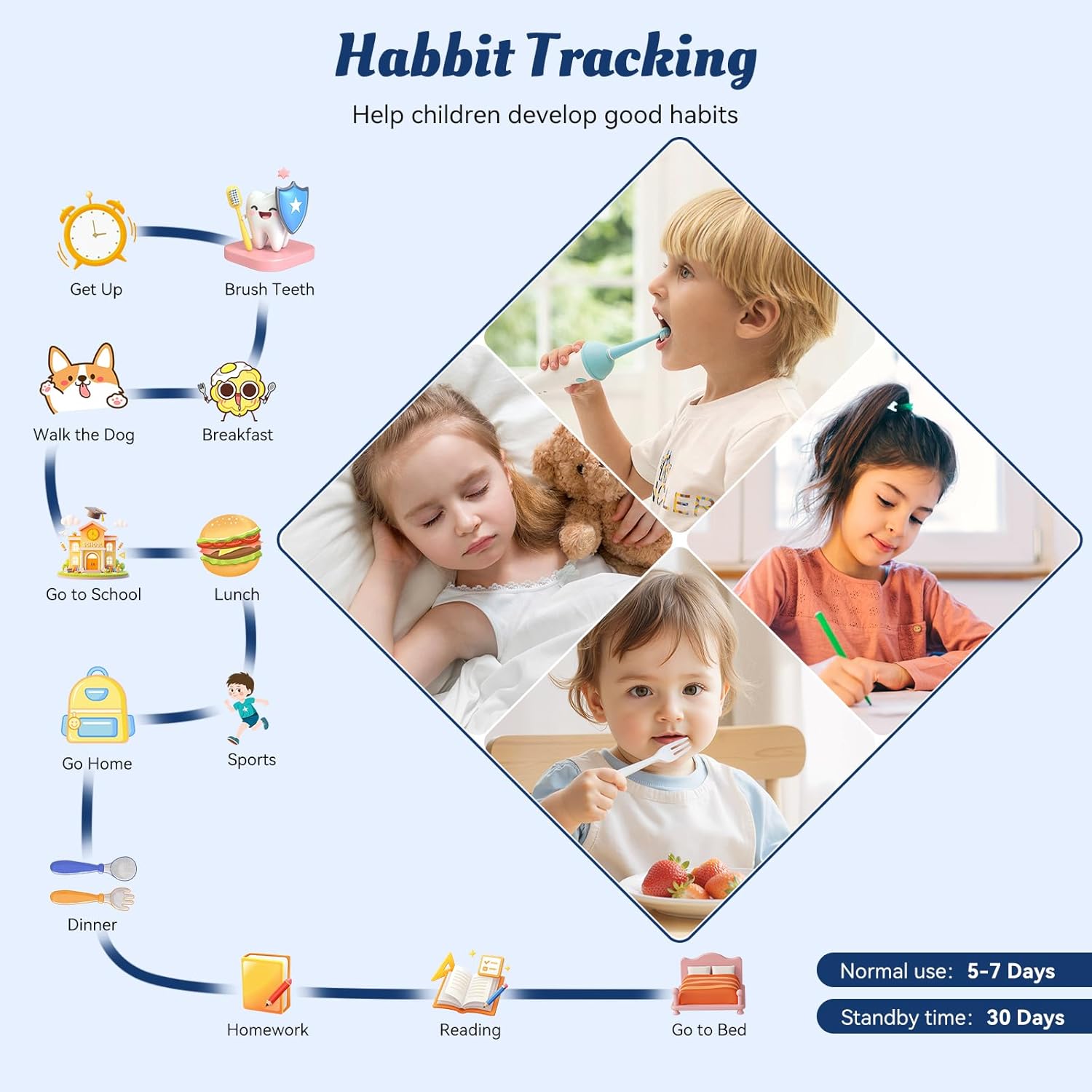
Image: A hand demonstrating how to attach the magnetic charging cable to the back of the smartwatch.
3.2 Power On/Off
To power on the watch, press and hold the side button until the screen illuminates. To power off, press and hold the side button, then select the power off option on the screen.
3.3 Language and Time Settings
Upon first power-on, you may be prompted to select a language. Navigate through the options using the touchscreen. To set the date and time, access the 'Settings' menu (usually represented by a gear icon), then find 'Date & Time'. You can adjust the time format (12/24 hour) and set the current date and time manually.
4. Operating Your Smart Watch
4.1 Touchscreen Navigation
The TK09 Smart Watch features an HD touchscreen for easy navigation. Swipe left or right to browse through different applications and features. Tap an icon to open an application. Swipe down from the top of the screen to access quick settings like brightness and power mode.

Image: A child's hand navigating the touchscreen interface of the smartwatch, displaying various app icons.
4.2 Customizing Watch Faces
Personalize your watch by changing the watch face. From the home screen, swipe left or right to cycle through available watch face designs, including dinosaurs, unicorns, and astronaut themes. This allows children to customize the watch to their liking.
5. Health & Fitness Tracking
The TK09 Smart Watch includes several features to encourage a healthy and active lifestyle:
- Step Counter (Pedometer): Tracks daily steps, distance, and calories burned.
- Heart Rate Monitor: Measures heart rate to provide insights into activity levels.
- Sleep Monitor: Records sleep duration to help promote better sleep habits.

Image: A child running with the smartwatch, illustrating the all-day activity tracking capabilities.

Image: Demonstrates sleep tracking and heart rate monitoring features of the smartwatch.
6. Educational & Entertainment Features
Keep your child engaged with a variety of built-in features:
- 12 Puzzle Games: A selection of interactive games designed to develop logical thinking, hand-eye coordination, and reaction ability.
- Audiobooks: Access to a library of audiobooks for learning and entertainment.
- Study Cards: Educational flashcards to aid in learning.
- Skill Training: Features to help children develop various skills through interactive exercises.

Image: The smartwatch displaying various puzzle games, promoting cognitive development.

Image: A child engaged with the audiobook and study card features of the smartwatch.
7. Utility Features
The smartwatch offers practical tools for daily use:
- Flashlight: A built-in flashlight for convenience and safety.
- Music Player: Enjoy music on the go.
- Calculator: A basic calculator for quick computations.
- Alarm Clock: Set alarms for reminders or waking up.
- Stopwatch & Timer: Useful for timing activities or games.
- Calendar: View dates and manage schedules.
- Camera Shutter: Control a connected smartphone camera remotely (requires Bluetooth connection).
- Habit Tracking: Helps children develop good habits by tracking routines.

Image: A display of the smartwatch's utility apps, such as music, calculator, and calendar.

Image: The habit tracking feature, showing a child's daily routine.
8. Maintenance
8.1 Water Resistance
The ganopterygon TK09 Smart Watch features an IP68 waterproof rating, meaning it is resistant to dust and can withstand immersion in water up to 3 meters deep. It is suitable for daily activities like washing hands and bathing, but not recommended for swimming or diving.

Image: A child playing in water, demonstrating the watch's water resistance.
8.2 Battery Life
The watch is equipped with a 350 mAh Lithium Polymer battery. Under normal use, the battery can last 5-7 days, with a standby time of up to 30 days. Regular charging is recommended to maintain optimal performance.

Image: Illustrates the long battery life and various color options of the smartwatch.
9. Troubleshooting
If you encounter any issues with your smartwatch, please try the following common troubleshooting steps:
- Watch Not Turning On: Ensure the watch is fully charged. Connect it to the charger and wait a few minutes before attempting to power it on again.
- Screen Unresponsive: Try restarting the watch by holding down the side button. If unresponsive, allow the battery to fully drain and then recharge.
- Incorrect Time/Date: Access the 'Settings' menu and manually adjust the date and time.
- Feature Not Working: Check the watch's settings to ensure the feature is enabled. If the issue persists, a factory reset (if available in settings) might resolve it, but this will erase all data.
10. Specifications
| Feature | Detail |
|---|---|
| Model Name | TK09 |
| Brand | ganopterygon |
| Operating System | Android Wear 2.0 |
| Memory Storage Capacity | 128 MB |
| Battery Capacity | 350 Milliamp Hours |
| Battery Charge Time | 2 Hours |
| Connectivity Technology | Bluetooth |
| Screen Size | 1.83 Inches |
| Display Type | LCD |
| Water Resistance Level | Waterproof (IP68) |
| Water Resistance Depth | 3 Meters |
| Band Material Type | Silicone |
| Case Material Type | Acrylonitrile Butadiene Styrene (ABS) |
| Item Weight | 2.5 Ounces |
| Target Audience | Boys, Girls, Unisex Youth |
11. Warranty & Support
11.1 Warranty Information
Your ganopterygon TK09 Kids Smart Watch comes with a 2-Year Manufacturer Warranty. Please activate your warranty within 14 days of purchase to ensure coverage.
11.2 Customer Support
For any questions, technical support, or warranty claims, please contact our customer service team:
- Email: aftersaleservice999@gmail.com
- WhatsApp: +86 139 2586 1493