
1. Introduction
This manual provides detailed instructions for the VBESTLIFE 4G 5G LTE Mobile Hotspot. This device offers high-speed wireless internet access, allowing you to connect multiple devices simultaneously. Please read this manual thoroughly before using the product to ensure proper operation and to maximize its performance.
The VBESTLIFE Mobile Hotspot is designed for portable use, providing a stable and fast network connection with speeds up to 300Mbps. It supports various LTE bands and features WPA/WPA2 encryption for secure connectivity.
2. Safety Information
- Do not expose the device to extreme temperatures, direct sunlight, or high humidity.
- Avoid dropping or subjecting the device to strong impacts.
- Use only the specified charging cable and power source.
- Keep the device away from water and other liquids.
- Do not attempt to disassemble or repair the device yourself. Contact customer support for assistance.
- Ensure proper ventilation when operating the device to prevent overheating.
3. Package Contents
Please check the package for the following items:
- VBESTLIFE 4G 5G LTE Mobile Hotspot Device
- USB Charging Cable
- Rechargeable Battery
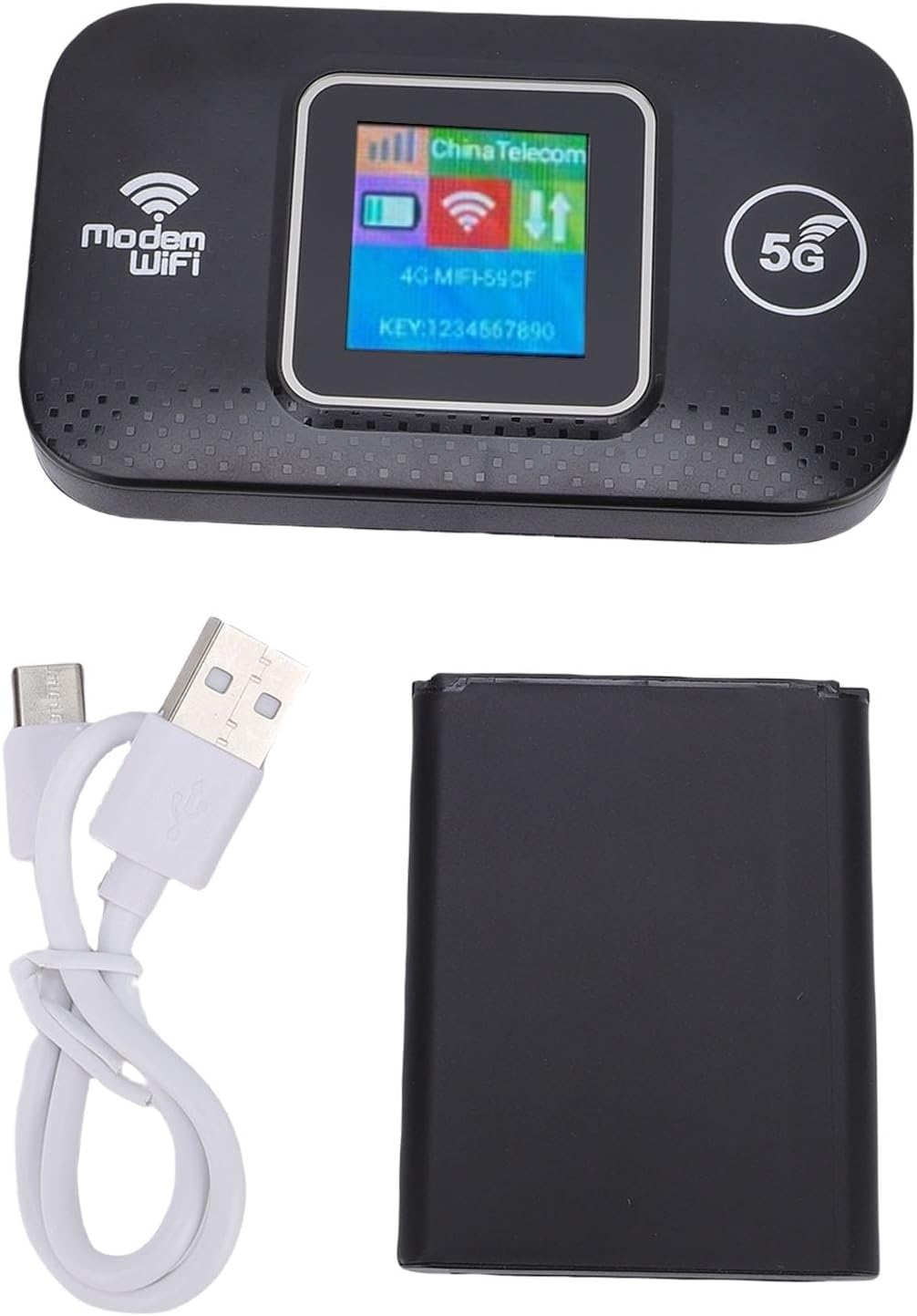
Image: Contents of the VBESTLIFE Mobile Hotspot package, including the device, USB cable, and battery.
4. Device Layout
Familiarize yourself with the various parts of your mobile hotspot:
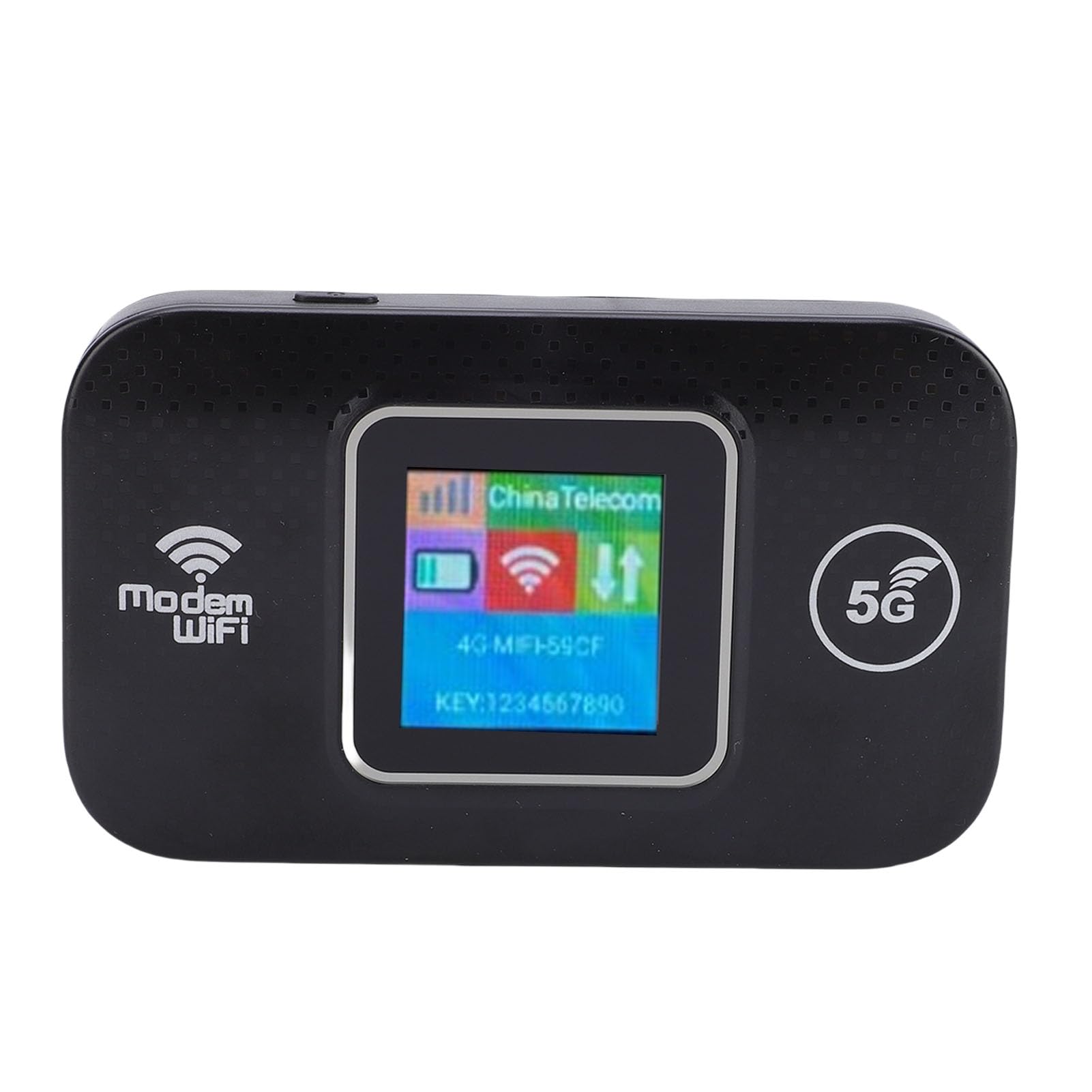
Image: Front view of the mobile hotspot, displaying the screen with network information.
- Display Screen: Shows network status, signal strength, battery level, Wi-Fi name (SSID), and password.
- Power Button: Used to turn the device on/off.
- USB Port (Type-C): For charging the device.
- SIM Card Slot: Located under the back cover, for inserting your 4G/5G SIM card.
5. Setup
- Insert SIM Card and Battery:
Remove the back cover of the device. Insert your activated 4G/5G SIM card into the designated slot. Ensure the SIM card is inserted correctly according to the diagram inside the compartment. Then, insert the rechargeable battery and replace the back cover.
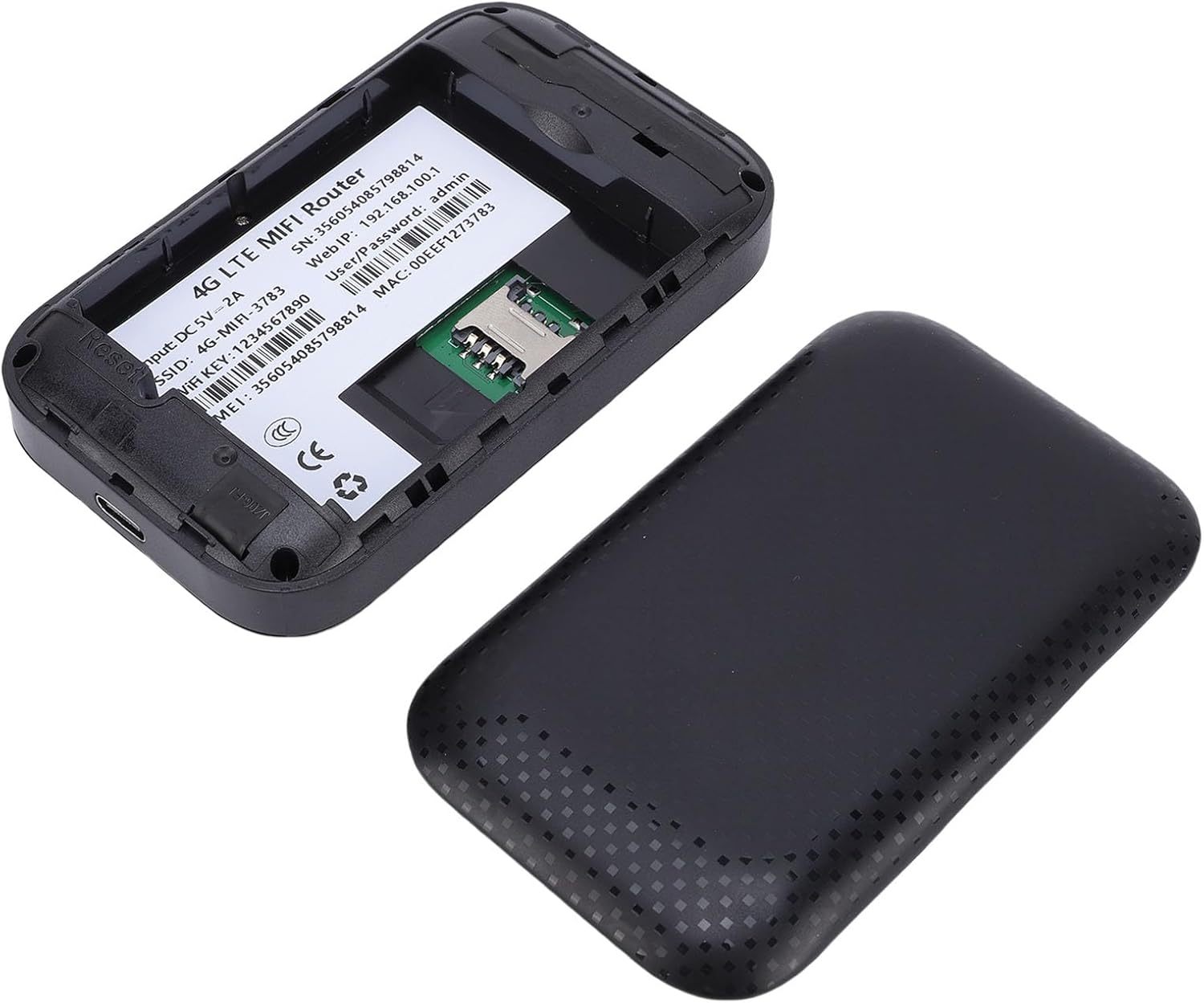
Image: The mobile hotspot with its back cover removed, showing the SIM card slot and internal components.
- Charge the Device:
Connect the device to a power source using the provided USB charging cable. The battery indicator on the screen will show charging status. Fully charge the device before first use.
- Power On:
Press and hold the Power button for a few seconds until the screen lights up. The device will start searching for a network signal.
- Connect to Wi-Fi:
Once the device is powered on and has established a network connection, the display screen will show the Wi-Fi network name (SSID) and password (KEY). On your smartphone, laptop, or other Wi-Fi enabled device, search for available Wi-Fi networks and select the SSID displayed on your mobile hotspot. Enter the password when prompted.
6. Operating Instructions
6.1 Connecting Multiple Devices
The VBESTLIFE Mobile Hotspot can connect up to 12 devices simultaneously. Simply follow the Wi-Fi connection steps (Section 5.4) on each device you wish to connect.

Image: The mobile hotspot providing internet connectivity to various devices.
6.2 Understanding the Display
The device's screen provides important information at a glance:
- Signal Strength Indicator: Shows the strength of the 4G/5G network signal.
- Battery Indicator: Displays the current battery level.
- Network Type: Indicates whether the device is connected to a 4G or 5G network.
- Wi-Fi Name (SSID): The name of your wireless network.
- Password (KEY): The password required to connect to your Wi-Fi network.
6.3 Network Security
The hotspot supports WPA and WPA2 encryption protocols to secure your wireless network and prevent unauthorized access. The default password is provided on the device screen.

Image: Representation of the device's secure internet capabilities.
7. Maintenance
- Cleaning: Use a soft, dry cloth to clean the device. Do not use liquid cleaners or aerosols.
- Battery Care: To prolong battery life, avoid fully discharging the battery frequently. Charge the device regularly, especially if it will not be used for an extended period.
- Storage: Store the device in a cool, dry place away from direct sunlight and extreme temperatures.

Image: The mobile hotspot device with its charging cable, illustrating its compact design.
8. Troubleshooting
| Problem | Possible Cause | Solution |
|---|---|---|
| No network signal | SIM card not inserted correctly, no active data plan, or out of network coverage area. |
|
| Cannot connect to Wi-Fi | Incorrect Wi-Fi password, device too far from hotspot, or hotspot not powered on. |
|
| Slow internet speed | Weak network signal, too many connected devices, or network congestion. |
|
9. Specifications
| Brand | VBESTLIFE |
| Model | 4G 5G LTE Mobile Hotspot |
| Connectivity Speed | Up to 300Mbps |
| Supported Devices | Up to 12 devices simultaneously |
| Security | WPA, WPA2 Encryption |
| Power Supply | USB (Plug and Play) |
| Supported LTE Bands | B1, B3, B5, B7, B8, B20, B38, B40, B41 |
| Dimensions (Approx.) | 98mm / 3.85in (Length) x 58mm / 2.28in (Width) x 20mm / 0.78in (Thickness) |

Image: Dimensions of the VBESTLIFE Mobile Hotspot.
10. Warranty and Support
This product comes with a manufacturer warranty for 90 days from the date of purchase. Please retain your proof of purchase for warranty claims.
For technical support, troubleshooting assistance, or warranty inquiries, please contact VBESTLIFE customer service through your retailer or the official VBESTLIFE website.
Online Resources: For additional information and FAQs, please visit the VBESTLIFE Store on Amazon.


