
1. Introduction
Thank you for choosing the SKROSS World to Europe Travel Adapter. This compact and versatile adapter allows you to connect your electronic devices from over 150 countries to European (Schuko) power outlets. It is designed for safe and reliable use with both 2-pole and 3-pole appliances, including high-power devices like laptops and hairdryers, and features a convenient USB-A charging port. This manual provides essential information for safe operation, setup, and maintenance.
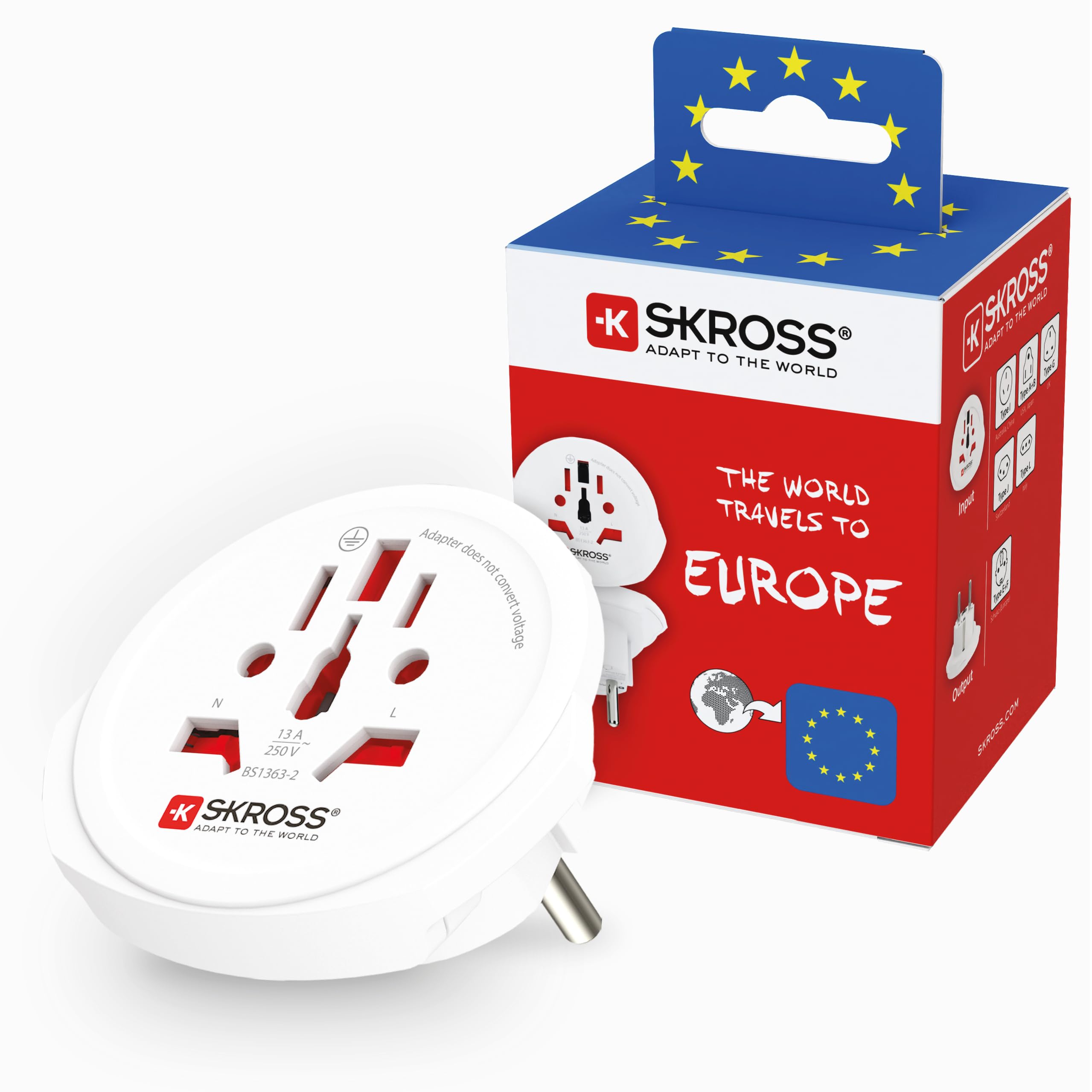
Image: Front view of the SKROSS World to Europe Travel Adapter, showing its compact design.
2. Important Safety Instructions
- Voltage Conversion: This adapter does NOT convert voltage. Ensure your device is compatible with the local voltage (typically 220-240V in Europe). Failure to do so may damage your device.
- Indoor Use Only: This product is intended for indoor use in dry environments. Do not expose to moisture or extreme temperatures.
- Overload Protection: Do not exceed the maximum load of 16A (250V). Overloading can cause damage to the adapter and connected devices, and poses a fire risk.
- Grounding: This adapter supports both 2-pole (ungrounded) and 3-pole (grounded) devices. Ensure proper connection for grounded appliances.
- Children: Keep out of reach of children.
- Damage: Do not use the adapter if it is damaged. Do not attempt to disassemble or modify the adapter.
- Disposal: Dispose of the adapter responsibly according to local regulations.

Image: The adapter's input side, clearly indicating "Adapter does not convert voltage" and electrical ratings.
3. Setup and Connection
The SKROSS World to Europe adapter is designed for straightforward use.
- Identify Your Device's Plug: The adapter accepts plugs from over 150 countries, including Type G (UK), Type I (Australia/China), Type L (Italy), Type J (Switzerland), Type A/B (USA/Japan), and Type C (Europe 2-pole).
- Connect Your Device: Insert your device's plug firmly into the input socket of the SKROSS adapter.
- Connect to Wall Outlet: Plug the SKROSS adapter into a European (Schuko Type E+F) wall outlet. Ensure a secure connection.
- USB Charging: If your model includes a USB-A port, you can connect your USB charging cable to charge smartphones, tablets, or cameras simultaneously. The USB-A output is 5V / Max. 2.4A (12W).

Image: Diagram illustrating the various international plug types compatible with the adapter's input.

Image: The adapter's output side, featuring the Type E+F (Schuko) plug for European outlets.
4. Operating Instructions
Once connected, the adapter functions as a pass-through for power.
- Ensure all connections are snug and secure before powering on your device.
- The adapter is suitable for high-performance devices up to 16A, such as laptops, travel hairdryers, and chargers.
- For devices with a USB charging cable, utilize the integrated USB-A port for convenient charging.
- Always disconnect the adapter from the wall outlet when not in use or before disconnecting your device.

Image: The adapter shown in use with a variety of electronic devices, including a laptop, smartphone, camera, and hairdryer.
5. Care and Maintenance
- Cleaning: Disconnect the adapter from the power source before cleaning. Use a dry, soft cloth to wipe the surface. Do not use liquid cleaners or abrasive materials.
- Storage: Store the adapter in a cool, dry place away from direct sunlight and moisture when not in use.
- Inspection: Periodically inspect the adapter for any signs of damage, such as cracks, frayed wires, or loose connections. If damage is found, discontinue use immediately.
6. Troubleshooting
| Problem | Possible Cause | Solution |
|---|---|---|
| Device not powering on. |
|
|
| Adapter feels warm. |
|
|
| USB charging not working. |
|
|
7. Technical Specifications
- Model Number: 1.500211C-E
- Input Voltage: 100V - 250V AC
- Max Load: 16A
- Power Rating: 100V - 1600W / 250V - 4000W
- USB-A Output: 5V DC / Max. 2.4A (12W)
- Compatibility: 2-pole and 3-pole devices
- Input Plugs: Switzerland, Australia, China, UK, USA, Europe (2-pole Euro plug)
- Output Plugs: Europe (Schuko Type E+F)
- Dimensions: Approximately 65 x 47 x 58 mm
- Weight: Approximately 45g
- Safety Standards: Tested and certified by independent organizations (e.g., Electro Suisse, TUV SUD), compliant with IEC standards.

Image: Certifications and safety standards for SKROSS travel adapters, highlighting Electro Suisse and TUV SUD logos.

Image: The compact design of the adapter, easily fitting into a backpack pocket, demonstrating its portability.
8. Warranty Information
SKROSS products are manufactured with high-quality materials and undergo strict quality control. This product is covered by a manufacturer's warranty against defects in materials and workmanship. Please refer to the official SKROSS website or your purchase documentation for specific warranty terms and conditions applicable to your region.
9. Customer Support
For further assistance, technical support, or inquiries regarding your SKROSS World to Europe Travel Adapter, please visit the official SKROSS website or contact their customer service department.
- Official Website: www.skross.com
- Contact Information: Refer to the "Contact Us" section on the official website for regional support details.


