
1. Introduction
Welcome to the MorePro Health Fitness Tracker HM57 user manual. This guide provides detailed instructions on how to set up, operate, and maintain your new smartwatch. The MorePro HM57 is designed to be your 24/7 health and fitness companion, offering comprehensive monitoring and tracking features to help you achieve your wellness goals.
2. What's in the Box
Upon unboxing your MorePro Health Fitness Tracker HM57, you should find the following items:
- A Smart Watch With Band
- Charging Cable
- User Manual

3. Setup
3.1. Charging the Device
Before initial use, fully charge your MorePro HM57 smartwatch. Use the provided magnetic charging cable. Align the magnetic pins of the charger with the charging contacts on the back of the watch. The watch screen will indicate charging status.

Video 1: This video demonstrates the magnetic charging process for the MorePro Smart Watch. It shows how the charging cable easily snaps into place on the back of the watch.
3.2. App Installation & Pairing
To unlock the full potential of your smartwatch, download the companion app. Scan the QR code provided in the manual or on the watch screen during initial setup to download the "FitCloudPro" app. Enable Bluetooth on your smartphone (Android 7.0 / iOS 13.0 and above) and follow the on-screen instructions in the app to pair your HM57.
3.3. Wearing the Device
For accurate health monitoring, ensure the smartwatch is worn correctly. Adjust the band to a proper tightness, allowing the sensors on the back of the watch to maintain close contact with your wrist skin. Avoid wearing it too loose or too tight.
4. Operating the Device
4.1. Navigating the Interface
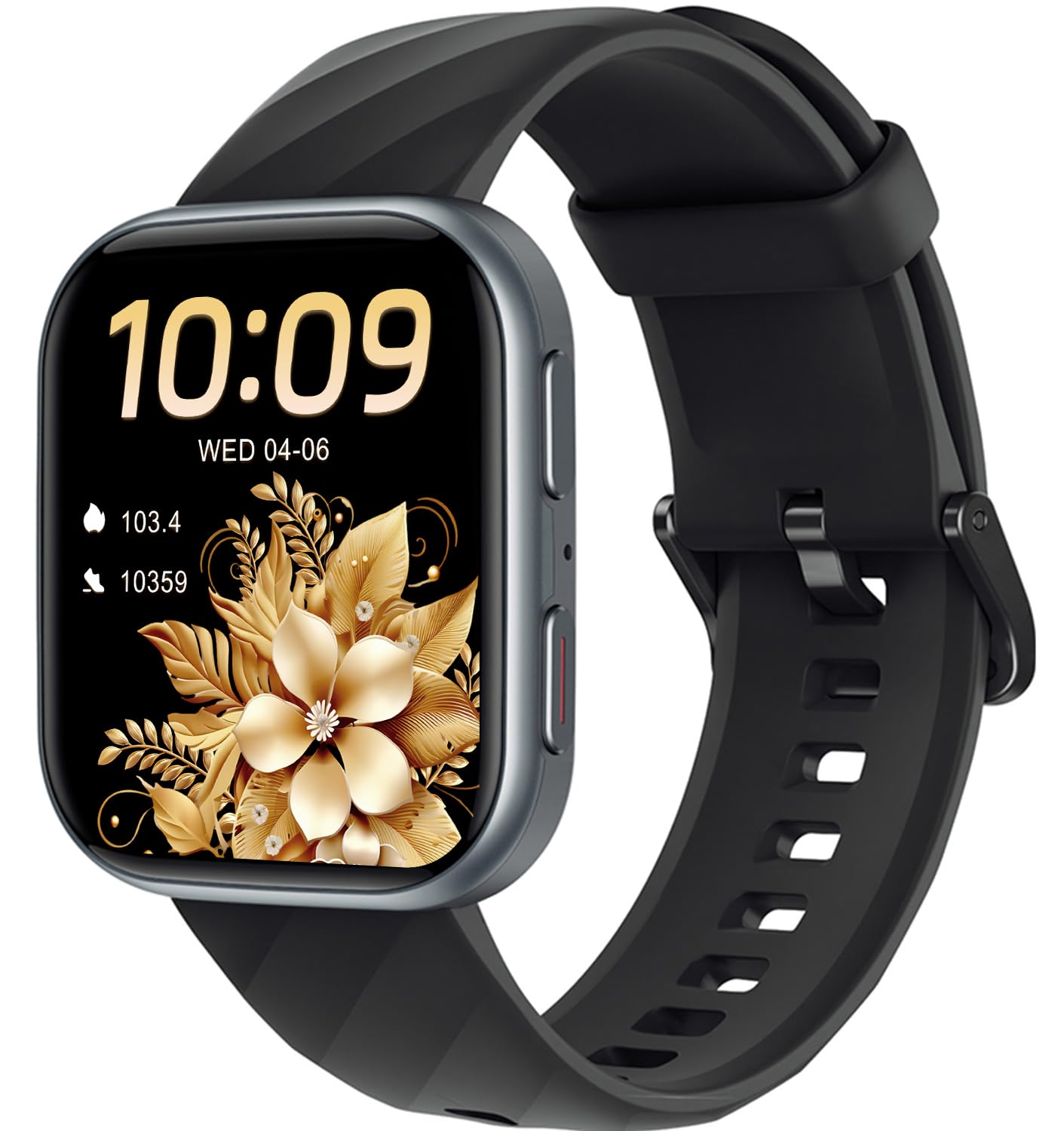
The MorePro HM57 features a responsive 1.85-inch HD touchscreen display. Swipe left, right, up, or down to access different functions and menus. The side buttons provide quick access to the main menu and sport modes.
Video 2: This video provides a detailed overview of the MorePro Smart Watch's interface, demonstrating how to navigate through various menus and features using touch gestures and side buttons.
4.2. Customizing Watch Faces
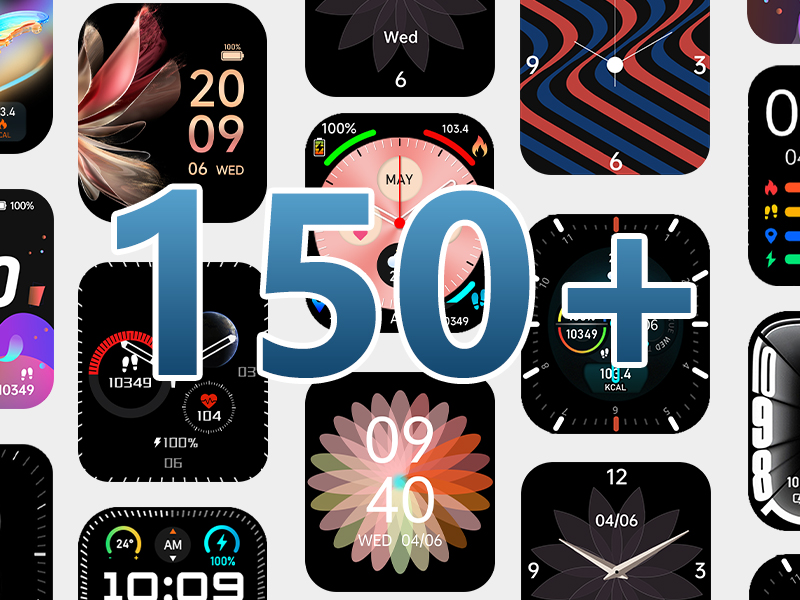
Personalize your smartwatch with over 150 watch faces available through the companion app. You can also upload your own photos to create custom dials directly from your smartphone.
4.3. Making/Answering Calls & Notifications
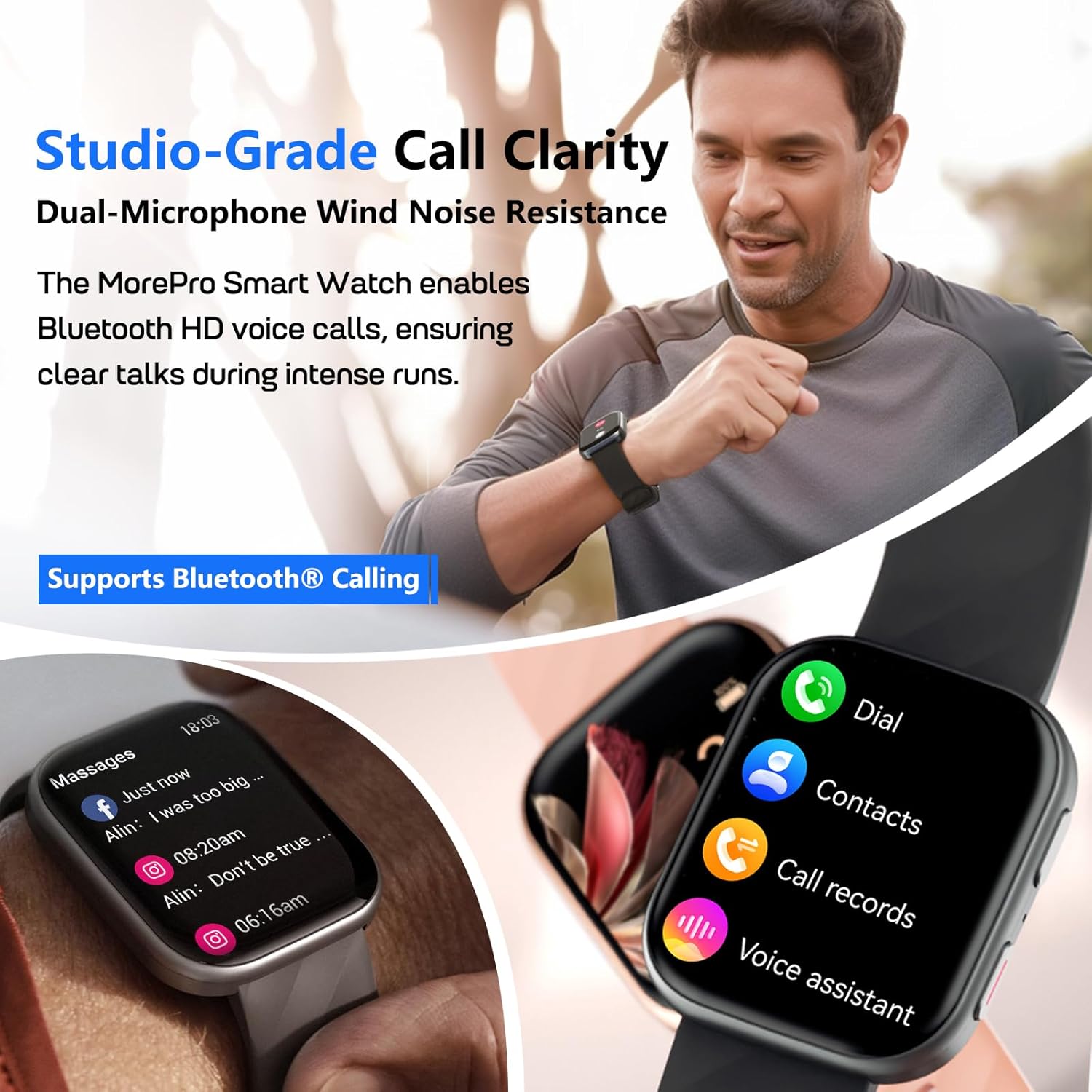
With Bluetooth 5.2 technology, dual built-in microphones, and an AAC high-fidelity speaker, you can make and answer calls directly from your wrist. The smartwatch also supports real-time reminders and displays for emails, text messages, and popular social media notifications (Facebook, WhatsApp, Instagram, etc.).

4.4. Voice Assistant
The health watch's voice assistant syncs with your smartphone's AI, allowing you to ask questions and get instant voice replies hands-free.
4.5. Other Practical Features
The MorePro HM57 includes a variety of useful tools:
- Real-time Weather: Check current weather conditions directly on your wrist.
- Calendar: View dates and schedule at a glance.
- Stopwatch & Timer: Accurate tools for timing activities.
- Calculator: Built-in simple calculator for quick computations.
- Camera Remote Control: Control your phone's camera remotely.
- Music Control: Manage music playback on your smartphone.
- Find Phone: Locate your misplaced smartphone.

5. Health Monitoring
The MorePro HM57 is equipped with advanced sensors for comprehensive health tracking.
5.1. Heart Rate Monitoring
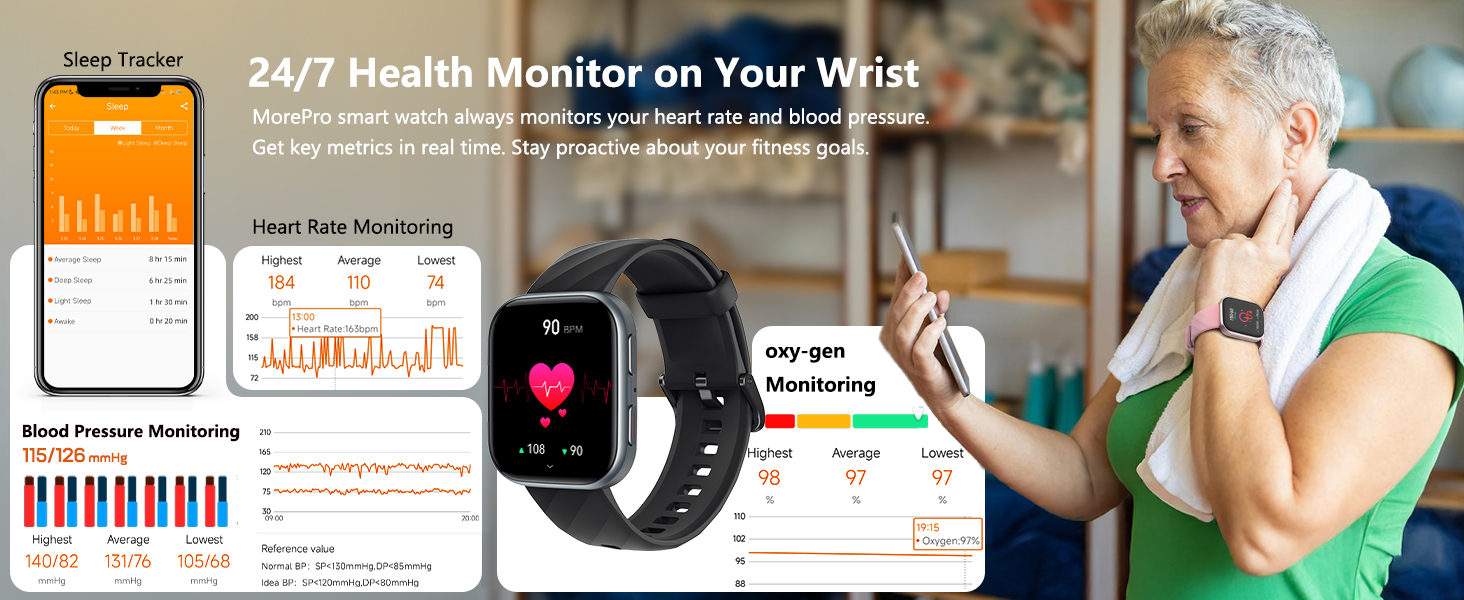
Continuously monitors your heart rate 24/7, providing real-time data to help you stay proactive about your health goals.
5.2. Blood Pressure Monitoring
Track your blood pressure effortlessly from your wrist. (Note: This device is for inspiring a healthy life, not for medical use.)
5.3. Blood Oxygen (SpO2) Tracking
Monitor your blood oxygen levels with ease.
5.4. Sleep Tracking
Uncover the secrets of your sleep patterns, including deep and light phases, wake-ups, and naps. Optimize your sleep habits for a refreshed start to your day.
5.5. Guided Breathing Exercises
Access guided breathing exercises to help you relax and de-stress.
5.6. Women's Wellness Management
Features include menstrual cycle, ovulation period, and security period prediction.
5.7. Precautions for Accurate Monitoring
To ensure accurate health monitoring, wear the smartwatch correctly by adjusting it to a proper tightness. Make sure the sensors are in close contact with your wrist skin for more precise data.
6. Fitness Tracking
The MorePro HM57 is your ultimate fitness companion, offering extensive tracking capabilities.
6.1. 120+ Sports Modes
Choose from over 120 sports modes, including running, cycling, walking, climbing, basketball, swimming, badminton, elliptical, yoga, table tennis, skipping, rugby, cricket, and more. This ensures accurate tracking for almost any activity.

6.2. Daily Activity Tracking
Track steps effortlessly with the built-in pedometer. The fitness watch captures detailed exercise data such as steps taken, distance, calories burned, heart rate, and training time, providing references for exercise intensity.
6.3. Sport Recognition Mode
When enabled, the watch can automatically recognize movement status and prompts for five types of exercise: walking, running, cycling, elliptical, and rower, eliminating the need for manual selection.
7. Battery Life & Compatibility
7.1. Battery Life
The MorePro HM57 offers excellent battery performance, lasting up to 7 days with typical use and approximately 20 days on standby. (Battery life varies with usage and other factors.)
7.2. Compatibility
The smartwatch is compatible with smartphones running Android 7.0 / iOS 13.0 and above. It is not suitable for PCs or tablets.
8. Water Resistance
The MorePro HM57 has an IP67 water resistance rating, allowing you to use it freely in daily life, such as during hand washing or in light rain. Note: It is not suitable for diving or surfing, or hot showers.

9. Troubleshooting
If you encounter any issues with your MorePro HM57, please try the following general troubleshooting steps:
- Restart the Device: Turn off your smartwatch and turn it back on.
- Check Bluetooth Connection: Ensure Bluetooth is enabled on your smartphone and the watch is properly paired with the app.
- Update the App: Make sure you have the latest version of the companion app installed.
- Re-pair the Device: If connection issues persist, try unpairing and re-pairing the watch with your smartphone.
- Consult the App: The companion app often provides specific troubleshooting tips and FAQs.
10. Specifications
| Feature | Detail |
|---|---|
| Model Number | HM57 |
| Screen Size | 1.85 inches |
| Item Weight | 4.6 ounces |
| Battery Capacity | 300 Milliamp Hours |
| Battery Life (Typical Use) | 7 days |
| Standby Time | 20 days |
| Charging Time | Approx. 2 hours |
| Memory Storage Capacity | 128 MB |
| Operating System Compatibility | Android 7.0 / iOS 13.0 and above |
| Connectivity Technology | Bluetooth 5.2 |
| Water Resistance | IP67 |
| Special Features | Activity Tracker, Daily Workout Memory, Music Player, Sedentary Reminder, Voice Control, Heart Rate Monitor, Blood Pressure Monitor, Blood Oxygen Tracking, Sleep Tracking, 120+ Sports Modes, Call Function |
11. Warranty & Support
MorePro is committed to providing excellent customer service and product quality.
- 2-Year Replacement Lifetime Service: For any quality issues, MorePro offers a 2-year replacement service.
- 12-Hour Quick Reply: Expect a prompt response to your inquiries within 12 hours.


